
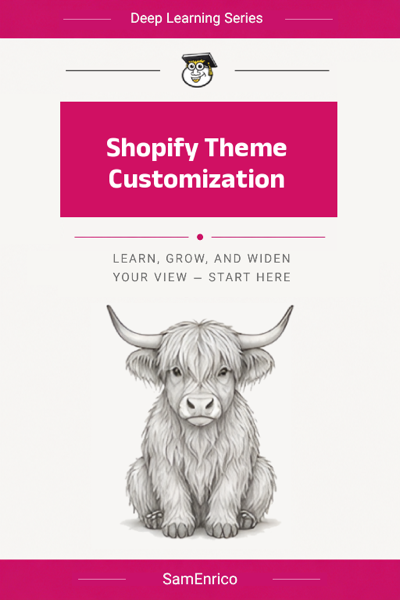
Shopify Theme Customization eBook
A Coursebook on Shopify Theme Customization
by Briones Aide
A Coursebook on Shopify Theme Customization
Formats
Free sample
Chapter 1: Your First Shopify Dollar--–- Sarah was a graphic designer who knew nothing about code. In 2022, she built a Shopify store for her friend’s candle business using a free theme and dragging-and-dropping sections. The friend told another friend. Within six months, Sarah had turned 500offreelanceworkintoa500 of freelance work into a 500offreelanceworkintoa45,000-per-year side business. She didn't learn to write complex Java Script.
She didn't master Git branching strategies. She simply learned one thing: how to customize Shopify themes well enough to solve real problems for real store owners.This chapter is not about code. It is about opportunity. The Shopify ecosystem has over 2 million active merchants. Thousands of them need help customizing their stores.
They need someone who understands how themes work, where to change colors and fonts, how to add custom sections, and when to call in a developer for complex features. That someone could be you.Before you write a single line of Liquid or push your first theme to production, you need to understand the landscape. What makes Shopify different from Word Press or Magento? What is a theme, actually? What is the difference between a development store and a production store?
And most importantly, how do you set up your own free playground where you can learn without breaking anything?This chapter answers all of these questions. By the end, you will have your own development store running, you will understand the anatomy of a Shopify theme, and you will know exactly where customization fits into the larger Shopify ecosystem. More importantly, you will see the path from where you are now to your first paid Shopify project.Why Shopify, Why Now Let us start with a simple question: Why should you invest your time in learning Shopify theme customization instead of Word Press, Woo Commerce, Magento, or Big Commerce?The answer lies in a fundamental architectural difference. Platforms like Word Press and Magento are self-hosted. You—or your client—must arrange for web hosting, manage security updates, maintain the database, handle backups, and monitor server performance.
Every vulnerability in every plugin becomes your responsibility. Every server outage becomes your emergency.Shopify is different. It is a fully hosted Software-as-a-Service (Saa S) platform. Shopify manages the hosting, the security, the database, the backups, the server performance, and the PCI compliance for credit card processing. As a theme developer, you never touch the server.
You never write a line of back-end code. You never worry about database optimization or security patches. You focus entirely on one thing: how the store looks and feels to the customer.This focus is what makes Shopify theme development accessible. You do not need to be a full-stack engineer. You do not need to understand server architecture or database normalization.
You need to understand HTML, CSS, a little Java Script, and Shopify’s templating language called Liquid. That is it. The barrier to entry is lower than any other major e-commerce platform.The opportunity is massive. As of 2025, Shopify powers over 2 million active stores worldwide. According to recent data, Shopify merchants generated over $200 billion in sales annually.
Every single one of those stores runs a theme. Every single one of those themes can be customized. And every single merchant eventually needs customization—to match their brand, to add unique features, to stand out from competitors using the same free themes.The Timeline: From Legacy to Online Store 2.0To understand Shopify themes today, you need to understand how they got here. This timeline will protect you from confusion when you encounter older themes or documentation.2006: Shopify launches. Themes use only Liquid templates.
Every page template (product, collection, page, blog) is a .liquid file that contains both the HTML structure and the logic for that page. This is called the "legacy" architecture.2016: Shopify introduces Sections. Store owners can now add, remove, and rearrange blocks of content on the homepage without touching code. But product pages, collection pages, and other templates remain locked in Liquid files.2021: Shopify launches Online Store 2.0—the most significant change to theme development since the platform’s founding. JSON templates replace Liquid templates for most page types.
Sections can now be used on every page, not just the homepage. App blocks allow third-party apps to inject functionality without editing theme code.Here is what this means for you as a developer in 2025. Approximately 70% of new themes built today use Online Store 2.0 architecture. The free Dawn theme from Shopify is an OS 2.0 theme. Most paid themes in the Shopify Theme Store are now OS 2.0.However, you will encounter legacy themes in client work.
Thousands of stores are still running older themes that were built before 2021. Some clients will be unwilling to upgrade because they have customizations that might break. You need to be comfortable working with both architectures.The good news is that skills transfer. Once you understand Liquid, sections, and JSON templates, you can work on any theme. The differences are syntax and file organization, not fundamental concepts.The Anatomy of a Shopify Theme Before you can customize a theme, you need to know where everything lives.
A Shopify theme is a folder of files and subfolders. When you download a theme, this is what you will see.The Layout Folder. This folder contains exactly one file: theme.liquid. This is the master wrapper for every page of your store. Every single page—product page, collection page, cart page, blog post—is inserted into the {{ content_for_layout }} tag inside theme.liquid.
If you change the header or footer of your store, you change it here. Think of theme.liquid as the frame of a house. The rooms (page templates) are inserted into the frame.The Templates Folder. This folder contains the page-specific layouts. Common templates include product.json (or product.liquid in legacy themes), collection.json, page.json, blog.json, article.json, cart.json, and index.json (the homepage).
Each template defines which sections appear on that type of page and in what order. In Online Store 2.0, these are JSON files. In legacy themes, they are Liquid files that contain both sections and markup.The Sections Folder. This is where the magic happens. Sections are reusable, modular components that store owners can customize without touching code.
A section might be a hero banner, a featured collection, a testimonial slider, or a newsletter signup form. Each section has a {% schema %} tag that defines its settings (colors, text, images, toggles) and its blocks (repeating components). When you build custom sections, they live here.The Snippets Folder. Snippets are small, reusable pieces of Liquid code. Unlike sections, snippets do not have settings and cannot be customized by store owners in the theme editor.
They are for developers to reuse code across multiple files. Examples include product-card.liquid (used to display a product in grids), price.liquid (used to format prices consistently), and pagination.liquid (used to display page links).The Assets Folder. This folder contains all of your static files: CSS (.css or .scss), Java Script (.js), and images (.png, .jpg, .svg, .gif). Shopify will automatically compress, cache, and serve these files from their global content delivery network (CDN). You reference assets using the asset_url filter: {{ 'style.css' | asset_url }}.The Config Folder.…
This is the end of the free sample. Get the eBook to keep going. Buy now
About this book
Details
- Author
- Briones Aide
- Publisher
- SamEnrico
- Language
- English
- Genre
- Non-Fiction, Informative, Educational
- Released
- 2026-06-02
- Pages (approx.)
- 129
- Available as
- eBook, Audiobook

Read better in the ZLOADR app
Your eBooks on your phone or tablet. Sign in with your SamEnrico account and start reading.
More by Briones Aide
 The TM Silent Mantra GuideBriones Aide$11.99
 The Acupuncture Meridian GuideBriones Aide$11.99
 A Monk in the MarketplaceBriones Aide$11.99
 Self Talk Stop Negative LoopBriones Aide$11.99
 Being Rushed TriggersBriones Aide$11.99
 Fibromyalgia and Allodynia GuideBriones Aide$11.99
 Peer Support NetworksBriones Aide$11.99
 Hillary Clinton EmailsBriones Aide$11.99
 Adult Children of AlcoholicsBriones Aide$11.99
 The Great Escape of the 'Phantom' Prisoner: The Unbelievable Breakout of Frank MorrisBriones Aide$11.99
 Sky Father's Ladder: The Iroquois Tower to the StarsBriones Aide$11.99
 The Strategist's Guide to Special EditionBriones Aide$11.99