
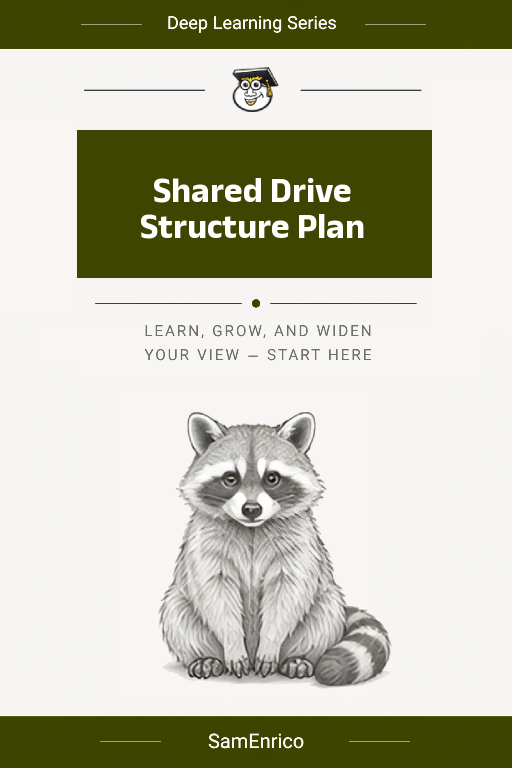
Shared Drive Structure Plan eBook
Create department folders, set permissions, and mi
Create department folders, set permissions, and migrate existing files from personal accounts.
Formats
Free sample
Chapter 1: The $66,000 Mistake--–- Maria had been staring at her screen for forty-seven minutes. The Q3 sales report was due to the CFO in thirteen minutes, and she had just discovered seventeen different files named “Q3_Report_FINAL” scattered across her personal drive, her team’s shared folder, and an email attachment she sent to herself six weeks ago. She opened the first one. It was blank except for a single sentence: “Waiting for data from accounting.” She opened the second. It contained numbers that didn’t match the third.
She opened the fourth and realized with a sinking stomach that it was last year’s Q3 report, clumsily renamed.Maria did what most people do in this situation. She panicked. She opened all seventeen files, arranged them in a grid on her screen, and manually compared cell by cell. She found the correct version—the one with the final approval stamp in the file name—and emailed it to the CFO with two minutes to spare. Then she closed her laptop, walked to the bathroom, and cried.This is not a story about a disorganized person.
Maria is smart, conscientious, and highly skilled. She has a master’s degree and twelve years of experience. Her personal drive contains 4,327 files, organized into folders with names like “Old,” “Archive_Old,” “Misc,” “From_James,” and “Temp_Do_Not_Delete.” Every single one of those folders made perfect sense to her at the moment she created it. Every single one became a trap later.Maria’s forty-seven-minute search cost her employer approximately $58 in direct salary time. That is not a large number.
But Maria does this kind of search three to five times per day. Over the course of a year, the time she personally spends hunting for files adds up to roughly 120 hours—three full weeks of work. And Maria is just one person on a team of twenty.If you are reading this book, you have been Maria. You have stared at a screen full of identically named files. You have asked a colleague “where did you save that?” and received the reply “it’s in my drive.” You have discovered, after someone left the company, that every single contract for your largest client lived only on their personal desktop.
You have felt the slow, grinding frustration of digital chaos.This chapter has one job: to convince you that this chaos is not a personal failing but a systemic problem—and that solving it is one of the highest-return investments your organization can make. By the end of this chapter, you will have a dollar figure attached to your file chaos, a vocabulary for describing what is broken, and a one-page document you can show your boss to get permission to fix it.The Three Pathologies of Personal-Drive Culture Before we can build a solution, we must name the disease. After studying hundreds of organizations across every industry, I have observed that personal-drive culture produces three predictable pathologies. Every organization suffers from at least two of them. Most suffer from all three.Pathology One: Data Silos A data silo is any file that is accessible to fewer people than would benefit from accessing it.
In practice, this means files stored on personal drives, local desktops, or individual cloud accounts without shared access. The silo problem is insidious because it creates invisible friction. You do not know what you cannot find. You only know that you spent twenty minutes searching for something that should have taken ten seconds.Consider a typical proposal process. The sales team drafts a response to an RFP.
They store the working draft in a personal drive because that is where they have always stored things. The legal team reviews the draft, saves their commented version to their own personal drive, and emails it back. The finance team adds pricing, saves their version to a third personal drive, and emails it back. By the time the proposal is submitted, there are four different versions in four different locations, none of which is accessible to anyone outside the immediate circle.Now imagine that the sales lead takes a sick day. The proposal is due in two hours.
No one can find the latest version because “latest” was defined by an email timestamp, not a file location. Chaos ensues.Data silos are not caused by selfishness or secrecy. They are caused by friction. It is simply easier to save a file to your personal drive than to navigate to a shared location, check permissions, and ensure you are in the right folder. The solution, as we will see in later chapters, is not to yell at people to share more.
It is to make sharing the path of least resistance.Pathology Two: Orphaned Assets An orphaned asset is any file that is owned by someone who no longer works for your organization and has not been transferred to a current employee. Orphans are the ghosts of your digital workplace. They linger in personal drives, invisible to everyone except the IT administrator who dreads the day someone asks for them.I once consulted for a marketing agency that lost a major client because of orphans. The account manager had stored every client deliverable, every approval email, and every campaign performance report in her personal Google Drive. She was organized, diligent, and the sole custodian of hundreds of critical files.
When she resigned to start her own business, IT copied her entire drive to a shared folder—but no one knew what was in it. The folder contained 12,000 files with names like “final_v3” and “updated_final_v2.” The new account manager could not find anything. The client noticed the drop in responsiveness. Within six months, the client left.Orphaned assets are a direct consequence of personal-drive culture. When files live in individual accounts, they leave with individuals.
The only way to prevent orphans is to ensure that every file that matters to the organization lives in a shared location before anyone leaves. This sounds obvious, but most organizations do not realize how many orphans they have until it is too late. A simple audit of terminated employee drives often reveals thousands of files that have been accessed recently—meaning they are still critical to operations—but have no living owner.The cost of orphans is not just lost time. It is lost relationships, lost clients, and lost institutional memory. Every time you cannot find a file that you know exists somewhere, you are paying the orphan tax.Pathology Three: Version Armageddon Version Armageddon is the proliferation of nearly identical file names that makes it impossible to know which version is current.
It looks like this: “Proposal_v2.docx,” “Proposal_FINAL.docx,” “Proposal_FINAL_v3.docx,” “Proposal_FINAL_REAL.docx,” “Proposal_FINAL_REAL_v2_FINAL.docx.” Each name represents a moment of hope—the author’s belief that this time, finally, they have settled on a definitive version. Each name also represents a failure of process.Version Armageddon is not a storage problem. It is a communication problem. When multiple people can edit the same file but have no canonical location to save it, they naturally create their own copies. Those copies diverge.…
This is the end of the free sample. Get the eBook to keep going. Buy now
About this book
Details
- Author
- Espinal Lavelle
- Publisher
- SamEnrico
- Language
- English
- Genre
- Non-Fiction, First 30 Days, File Organization, Shared Drives
- Released
- 2026-06-01
- Pages (approx.)
- 132
- Available as
- eBook, Audiobook

Read better in the ZLOADR app
Your eBooks on your phone or tablet. Sign in with your SamEnrico account and start reading.
More by Espinal Lavelle
 Delhi Field Force OperationsEspinal Lavelle$11.99
 Migraine and Nitrate SensitivityEspinal Lavelle$11.99
 Caregiver Partner Stress GuideEspinal Lavelle$11.99
 Pan African Movement RootsEspinal Lavelle$11.99
 Handling Unsolicited AdviceEspinal Lavelle$11.99
 Anger And Stealing ChildrenEspinal Lavelle$11.99
 Emotion Tips GuideEspinal Lavelle$11.99
 Peter Thiel PayPalEspinal Lavelle$11.99
 Closet Cleanse Body ConfidenceEspinal Lavelle$11.99
 The Boy Who Planted a Million TreesEspinal Lavelle$11.99
 The Plague Walls of Venice: Engineering a City's SalvationEspinal Lavelle$11.99
 The Alchemists of Constantinople: Secrets of Byzantine ScienceEspinal Lavelle$11.99