
Non-FictionHealth & WellnessDigital Accessibility
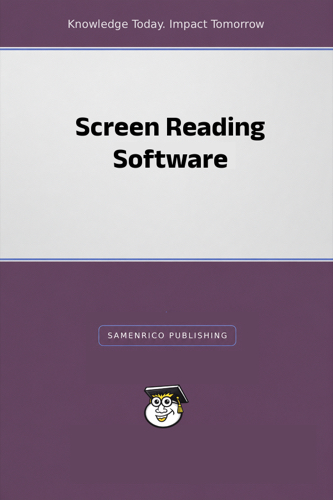
Screen Reading Software eBook
Teaches voiceover and JAWS for computer access wit
Teaches voiceover and JAWS for computer access with vision loss.
Formats
Free sample
Chapter 1: The Unseen Revolution...--Imagine for a moment that every sound you hear is a piece of a map. The clack of a keyboard key is a landmark. The robotic voice reading words from a screen is a trail marker. The beep of an error dialog is a warning sign on a path you are about to walk. This is not a metaphor for a video game or a science fiction novel.
This is the daily reality for millions of people who navigate the digital world not with their eyes, but with their ears. They are not using a different computer. They are not using a lesser device. They are using the same laptops, desktops, smartphones, and tablets as everyone else. But they are interacting with them through an invisible layer of software that most sighted users never see, never hear, and often never even know exists.This invisible layer is called a screen reader.
And mastering it is not merely a technical skill. It is a key that unlocks employment, education, independence, and human connection. For a person with vision loss, proficiency with screen reading software like JAWS for Windows or Voice Over for Mac and i OS is the single strongest predictor of professional employment, social inclusion, and personal autonomy. Without it, the modern world becomes a series of locked doors. With it, those doors become wide open.This book is not a dry list of keystrokes.
It is not a reference manual to be shelved and forgotten. It is a training ground, a companion, and a guide. You will not simply memorize commands. You will learn to think like a screen reader user. You will develop auditory spatial awareness, turning your computer into a room you can walk through with your ears.
You will master two of the most powerful screen readers on the planet: JAWS (Job Access With Speech), the industry standard for enterprise and employment, and Voice Over, the built-in powerhouse for Apple’s ecosystem. By the end of this book, you will not just use a computer. You will command it.But before we press a single key, before we install a single piece of software, we must understand the landscape. We must understand why two screen readers dominate the market, why free alternatives have their place but not their perfection, and why the psychological shift from seeing to hearing is the most difficult and most rewarding journey you will ever take with technology. This is the unseen revolution.
It happens every day, on millions of screens, in silence and in speech. It is time for you to join it.The Two Giants of Access: Why JAWS and Voice Over Rule the World The assistive technology market is not a crowded bazaar of equal contenders. It is a landscape dominated by two giants, each ruling a different kingdom. Understanding why these two screen readers have risen to the top is essential because the choice of which to master is often not a choice at all. It is dictated by your workplace, your preferred operating system, and the specific demands of your career.JAWS: The Corporate Standard JAWS, or Job Access With Speech, was first released in 1995 by Freedom Scientific.
For nearly three decades, it has been the undisputed king of Windows-based screen reading. If you walk into any major bank, law firm, government agency, or Fortune 500 company, you will almost certainly find JAWS running on the workstations of blind and low-vision employees. This dominance is not an accident. It is the result of decades of deep integration, enterprise-level scripting, and a business model that sells directly to corporations and government agencies.JAWS offers something that no free screen reader can match out of the box: scripting. Scripting allows a company’s IT department or a specialized accessibility consultant to write custom code that makes almost any Windows application accessible.
Legacy software from the 1990s, custom internal databases, specialized financial trading platforms, medical records systems that predate accessibility standards—JAWS can be scripted to work with all of them. This is why large organizations pay thousands of dollars per license. They are not buying a screen reader. They are buying the ability to continue using their existing software without rebuilding it from scratch.For the individual user, JAWS offers a level of granular control and customization that is unmatched. You can change every sound, every speech rate, every verbosity setting.
You can create custom keyboard shortcuts for any action. You can even write simple scripts yourself to automate repetitive tasks. JAWS treats you as a power user from day one. It assumes you want to control every aspect of your computing experience.Voice Over: The Built-In Powerhouse Voice Over tells a completely different story. It first appeared in 2005 with the i Pod Shuffle (of all devices) and then arrived on the Mac in 2005 and the i Phone in 2009.
Unlike JAWS, Voice Over is not a separate purchase. It is built directly into every Mac, i Phone, i Pad, Apple Watch, Apple TV, and even the Vision Pro headset. This means that every single Apple device sold in the last fifteen years has been accessible to blind users right out of the box. No installation. No license key.
No demo mode. Just activation with a simple keystroke or a triple-click of a button.Voice Over’s genius is not in its enterprise features. It is in its gesture-based, touch-first navigation. On an i Phone or i Pad, Voice Over changes the way touch works. A single tap does not activate an item; it speaks it.
A double-tap activates. A swipe with one finger moves to the next item. A two-finger twist opens the rotor, a virtual dial that changes what swipes do. This interaction model, invented by Apple, revolutionized mobile accessibility. Before the i Phone, blind users could not use touchscreen smartphones.
After Voice Over, they could.On the Mac, Voice Over offers both keyboard commands and trackpad gestures. It integrates deeply with Apple’s ecosystem, working seamlessly with Pages, Numbers, Keynote, Safari, Mail, and i Cloud. For creative professionals—musicians, video editors, photographers, writers—Voice Over on the Mac offers access to tools that have no equivalent on Windows. The combination of built-in availability, gesture-based navigation, and deep ecosystem integration has made Voice Over the default choice for blind users who prefer Apple products.The Myth of Free: NVDA and Narrator No discussion of the screen reader landscape would be complete without addressing the elephant in the room: free screen readers. NVDA (Non Visual Desktop Access) is a free, open-source screen reader for Windows.
Narrator is Microsoft’s built-in screen reader, which has improved dramatically in recent years. Both are capable tools. Both are used successfully by thousands of people. And both have serious limitations that prevent them from fully competing with JAWS and Voice Over in professional and creative contexts.NVDA is open-source, which means it is developed by a global community of volunteers and paid developers funded by donations. It is fast, lightweight, and constantly improving.
Many blind programmers and web developers prefer NVDA precisely because it is open-source and updates quickly. However, NVDA lacks the deep scripting capabilities of JAWS. It cannot…
This is the end of the free sample. Get the eBook to keep going. Buy now
About this book
Details
- Author
- Xiong Deeanna
- Publisher
- SamEnrico
- Language
- English
- Genre
- Non-Fiction, Health & Wellness, Digital Accessibility
- Released
- 2026-06-06
- Pages (approx.)
- 153
- Available as
- eBook, Audiobook

Read better in the ZLOADR app
Your eBooks on your phone or tablet. Sign in with your SamEnrico account and start reading.
More by Xiong Deeanna
 Childhood Emotional EatingXiong Deeanna$11.99
 Self Hypnosis for Fear of BloodXiong Deeanna$11.99
 Flashlight Evidence TheoryXiong Deeanna$11.99Flashlight Evidence TheoryXiong Deeanna$11.99
 Japanese Encephalitis Vaccine GuideXiong Deeanna$11.99
 Personal Branding for Career GrowthXiong Deeanna$11.99
 Son's Unspoken WordsXiong Deeanna$11.99
 The Goryeo Navy's Turtle Ships: Crushing the Wokou Pirates (1380)Xiong Deeanna$11.99
 The Battle of Diu: Portugal's Naval Gambit That Secured the Spice Route (1509)Xiong Deeanna$11.99
 How to Start a Aerosol Filling on a Fee or Contract Basis Business (Beginners Guide)Xiong Deeanna$11.99
 A Collector's Handbook to the Berkeley B95Xiong Deeanna$11.99
 Wealthy Upbringing Guilt GuideXiong Deeanna$12.99
You may also like
 Hong Kong Handover 1997Dunn Johnnie$11.99
 Zumba For Postnatal Recovery CourseNeal Christian$11.99
 Zumba for BeginnersLadner Nikia$11.99
 YouTube Comment Mining GuideHumes Pandora$12.99
 Worry Box MeditationCarlin Rudy$11.99
 Workplace Stress MeditationNguyen Lynn$11.99
 Workplace Stress and Sleep RepairHawley Ivory$11.99
 Workplace Perfectionism CureDelaney Jeffry$11.99
 Workplace Injustice Anger GuideWallen Isabelle$11.99
 Work Addiction and Burnout LinkGreenwood Ester$11.99
 Women in Yoga and WellnessBeattie Galina$11.99
 Women in Stand Up ComedyChun Evangeline$11.99