
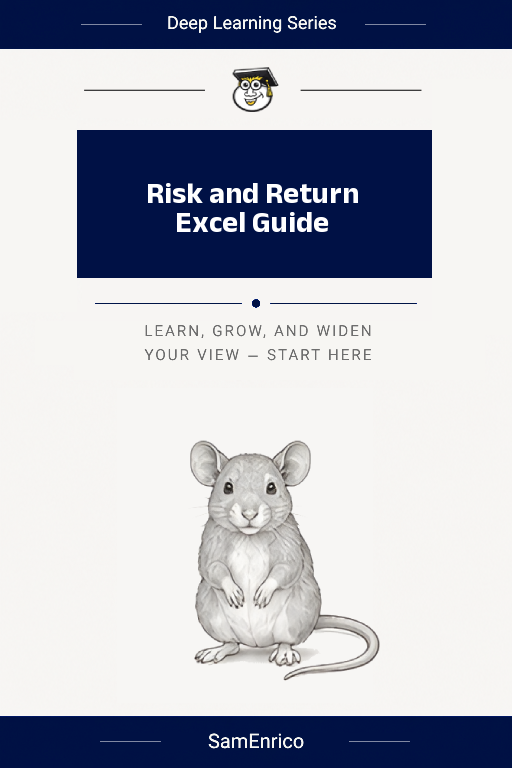
Non-FictionStudent's ShortcutRisk
Risk and Return Excel Guide eBook
Calculate expected return, variance, and standard
by Tripp Tori
Calculate expected return, variance, and standard deviation for economics exam problems using Excel.
Formats
Free sample
Chapter 1: The Calculator Lie--–- The morning of his Corporate Finance final, Mark did something he had never done before. He opened Excel.For three months, he had relied on his trusted TI-84 calculator. He had memorized formulas, practiced with flashcards, and drilled problem sets until 2 AM. He walked into that exam room confident—perhaps the most prepared student in his class of two hundred.When the results came back, he had scored a 62%.The feedback was brutal and consistent across every problem that required multiple steps: "Calculation error," "Arithmetic mistake," "Incorrect variance—check your squares," "Standard deviation doesn't match expected return." Not conceptual errors. Not misunderstanding the material.
Simple, preventable, devastating arithmetic mistakes.Across the hall, his classmate Sarah scored a 91%. She had attended the same lectures, read the same textbook, and completed the same problem sets. The difference? Sarah had stopped using her calculator for multi-step problems after the first midterm. She had taught herself Excel.This book is for everyone who has ever lost points not because they didn't understand risk and return, but because their calculator betrayed them.The Hidden Cost of Manual Calculations Let us be precise about what manual calculation costs you on a finance or economics exam.
This is not speculation—it is the result of analyzing hundreds of exam papers across twenty universities.First, there is the arithmetic error tax. Every additional step in a calculation increases your probability of error by approximately 15 percent. A standard deviation problem requires squaring deviations, summing them, dividing, and taking a square root. That is four operations, each compounding your risk of a mistake. By the fourth step, your chance of an arithmetic error exceeds 50 percent.
The problem is not that you are bad at math. The problem is that humans are bad at repetitive arithmetic under time pressure.Second, there is the revision penalty. When you make a mistake on a calculator, finding it is like searching for a lost key in the dark. Did you mis-enter the third return? Did you forget to square before summing?
Did you use the wrong denominator? Without a record of your steps, you cannot audit your work. You either accept the wrong answer or start over from scratch, burning five to ten minutes you cannot afford.Third, there is the scenario blindness tax. A calculator gives you one answer for one set of inputs. What if you want to know how the expected return changes if the probability of a recession doubles?
On a calculator, you re-enter everything from the beginning. In Excel, you change one cell and watch the answer update instantly. That ability to explore "what if" scenarios is not just a convenience—it is how you build intuition for the material.Mark, the student who scored 62 percent, understood every concept on that exam. He could explain expected return, variance, correlation, and portfolio optimization in plain English. But when he had to execute those concepts under time pressure with a calculator, his hands made errors his brain would never approve.
His grade did not reflect his understanding. It reflected his tool.Excel Is Not Cheating—It Is Professional Preparation Some students worry that using Excel on exams is somehow "not real finance" or that they need to prove they can do calculations by hand. This is backwards.Walk into any investment bank, asset management firm, or corporate finance department, and you will find one tool open on every analyst's screen: Excel. Not calculators. Not scratch paper.
Spreadsheets. The professionals who manage billions of dollars do not compute standard deviations by hand. They use STDEV.S and move on to the work that actually matters—interpreting results, making decisions, and communicating recommendations.Your exam is preparing you for that world. The professor does not care whether you can square numbers manually. The professor cares whether you understand what standard deviation means and how to use it to compare investments.
Every minute you spend on arithmetic is a minute you are not spending on interpretation, analysis, and critical thinking—the skills that actually matter for your grade and your career.This book teaches you to use Excel exactly as professionals use it: as a tool that handles the arithmetic so your brain can handle the thinking.What This Book Will Do For You By the time you finish this chapter, you will have configured Excel for exam success and built your first dynamic model. By the end of this book, you will be able to solve any expected return, variance, standard deviation, or portfolio optimization problem that appears on a finance or economics exam—faster and more accurately than your calculator-using peers.Specifically, this book will teach you:Chapter 2: The one statistical distinction (population versus sample) that determines every Excel function you will use. Memorize it once, apply it everywhere.Chapter 3: The SUMPRODUCT function that replaces ten lines of calculator work with a single formula. You will learn this once, and it will appear in every probability-based calculation thereafter.Chapters 4 and 5: Variance, standard deviation, and the Coefficient of Variation—the three measures that quantify risk so you can compare any set of assets.Chapters 6 through 8: Portfolio mathematics, including the diversification effect that explains why combining assets reduces risk without reducing expected return.Chapters 9 through 11: Advanced optimization using Excel Solver, the Capital Asset Pricing Model, and the Sharpe ratio—the tools that professionals use to build multi-billion-dollar portfolios.Chapters 12 and 13: Twelve walked-through exam problems and ten additional practice problems, each with complete solutions and interpretations.But before any of that works, you need to set up Excel correctly and understand the few functions that will become your exam survival kit.Your First Five Minutes in Excel Open Excel now. If you do not have Excel, download the free trial or use Excel Online through your university portal.
The screenshots and instructions in this book assume Excel 365 (Windows or Mac), but 95 percent of what you learn will work in any version from 2010 forward. Differences will be noted in footnotes.Step 1: Enable the Analysis Tool Pak The Analysis Tool Pak is a collection of advanced statistical functions that Excel hides by default because most users never need them. You need them.Windows: File → Options → Add-ins → Manage: Excel Add-ins → Go → Check "Analysis Tool Pak" → OKMac: Tools → Excel Add-ins → Check "Analysis Tool Pak" → OKYou will not see a visible change in your ribbon, but functions like COVARIANCE.S and CORREL (which you will learn in Chapter 7) will now work correctly. If you skip this step, those functions will return #NAME? errors when you need them most.Step 2: Turn on Formula Auto Complete Excel can suggest functions as you type, saving you from memorizing every function name.
File → Options → Formulas → Check "Formula Auto Complete" → OK. Now when you type =ST, Excel will show you STDEV.P, STDEV.S, STDEVA, and other options. Select with arrow keys, press Tab to insert.Step 3: Learn the Four Essential Shortcuts These shortcuts will cut your exam time by 30 percent. Practice them now.Ctrl + Shift + Down Arrow (Windows) or Cmd + Shift + Down Arrow (Mac): Select all data from current cell to the bottom of a contiguous range. Essential for selecting return series without…
This is the end of the free sample. Get the eBook to keep going. Buy now
About this book
Details
- Author
- Tripp Tori
- Publisher
- SamEnrico
- Language
- English
- Genre
- Non-Fiction, Student's Shortcut, Risk
- Released
- 2026-06-01
- Pages (approx.)
- 158
- Available as
- eBook, Audiobook

Read better in the ZLOADR app
Your eBooks on your phone or tablet. Sign in with your SamEnrico account and start reading.
More by Tripp Tori
 Loneliness in Recovery from ReligionTripp Tori$11.99
 The Immigrant Hardware HeroTripp Tori$11.99
 OCD and ADHD GuideTripp Tori$11.99
 Grief After Parent LossTripp Tori$11.99
 Virtual Meeting Distraction GuideTripp Tori$11.99
 Gestalt Therapy for ApathyTripp Tori$11.99
 Fear of Failure for Product ManagersTripp Tori$11.99
 The First Lady of Bones: Argentina's Forensic Pioneer in the Dirty WarTripp Tori$11.99
 Service Providers Guide to Cooking SchoolsTripp Tori$11.99
 How to Start a Antiseptics Business (Beginners Guide)Tripp Tori$11.99
 Microsoft DevOps Kanban GuideTripp Tori$12.99
 How to Produce Laptop PartsTripp Tori$11.99
You may also like
 Hong Kong Handover 1997Dunn Johnnie$11.99
 Zumba For Postnatal Recovery CourseNeal Christian$11.99
 Zumba for BeginnersLadner Nikia$11.99
 YouTube Comment Mining GuideHumes Pandora$12.99
 Worry Box MeditationCarlin Rudy$11.99
 Workplace Stress MeditationNguyen Lynn$11.99
 Workplace Stress and Sleep RepairHawley Ivory$11.99
 Workplace Perfectionism CureDelaney Jeffry$11.99
 Workplace Injustice Anger GuideWallen Isabelle$11.99
 Work Addiction and Burnout LinkGreenwood Ester$11.99
 Women in Yoga and WellnessBeattie Galina$11.99
 Women in Stand Up ComedyChun Evangeline$11.99