
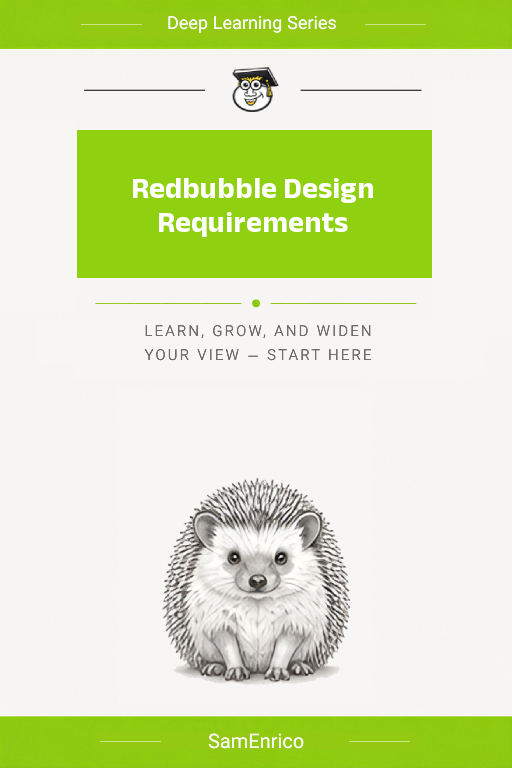
Non-FictionSide Hustle ArchitectSpecificationsRequirements
Redbubble Design Requirements eBook
Meet Redbubble design specifications for AI art in
by Fleck Hyman
Meet Redbubble design specifications for AI art including file size resolution and transparent backgrounds.
Formats
Free sample
Chapter 1: The Print Trap--Your design looks perfect on your screen. The colors are vibrant. The edges are sharp. The text is crisp. You have spent hours tweaking every pixel, every curve, every shade.
You upload it to Redbubble, hold your breath, and wait for the sales to roll in.Then the first review arrives. "The print looks blurry." Another: "There's a white box around my sticker." A third: "The lines on my t-shirt are broken and faded."You check the same file on your computer. It still looks perfect. What happened?Welcome to the print trap. Your screen has been lying to you, and you have just discovered the truth.
The gap between what looks good on a glowing 4K monitor and what prints well on fabric, vinyl, or paper is the single biggest barrier to success on Redbubble. And most sellers never learn how to close it until they have already lost sales, damaged their reputation, and confused their customers.This chapter will explain why the trap exists, how it catches even experienced designers, and what you need to do to escape it. By the time you finish reading, you will understand why your screen is your enemy, why the printing press is ruthlessly unforgiving, and why mastering print-ready files is not a nice-to-have but a must-have for anyone serious about selling on Redbubble.The Fundamental Deception Let us start with a truth that most artists never learn. Your screen and the printing press are fundamentally different technologies. They do not see the world the same way.
They do not render images the same way. And what looks like perfection on one can look like a disaster on the other.Your screen emits light. Every pixel on your monitor is a tiny light bulb, glowing with RGB color—red, green, and blue. Black is the absence of light. White is all three lights on full blast.
This is called additive color, and it is inherently forgiving. When your screen displays a slightly blurry edge, your eye still accepts it because the light smooths over the imperfection. When your screen shows a stray pixel, it is a tiny dot of light that your brain can ignore. When your screen renders a thin line, the glow of the surrounding pixels makes it appear solid.The printing press does the opposite. It absorbs light.
Ink sits on paper or fabric, and you see the light that reflects off it. Black is thick ink that absorbs almost all light. White is no ink—or the color of the substrate itself. This is called subtractive color, and it is brutally unforgiving.Every flaw in your file becomes a visible flaw in the final product. A soft edge becomes a fuzzy halo.
A stray pixel becomes a visible dot. A thin line becomes a broken, disappearing thread. A compression artifact becomes a blocky, pixelated mess. There is no light to smooth things over. There is only the cold, hard reality of ink on substrate.This difference is not minor.
It is not something you can compensate for with a better printer or more expensive materials. It is the difference between a professional product that customers love and a cheap product that customers return. And it is the reason that most Redbubble sellers fail to achieve the success they want.How Redbubble Prints Your Art Before you can design for print, you need to understand how Redbubble actually prints your art. The company uses different printing methods for different product categories, and each method has its own failure modes.Direct-to-Garment for Apparel For t-shirts, hoodies, dresses, and other apparel, Redbubble uses Direct-to-Garment printing. A DTG printer works like a giant inkjet printer for fabric.
It sprays water-based ink directly onto the garment, where it absorbs into the fibers.This process has three critical implications for your designs. First, the fabric color affects the printed colors. Your design is printed on top of the base color of the shirt. A white shirt reflects light, so your colors appear bright and vibrant. A black shirt absorbs light, so your colors appear darker and more muted.
The same design will look completely different on a white shirt than on a black shirt.Second, thin lines can disappear. The ink spreads slightly as it absorbs into the fabric. A line that is one pixel wide on your screen may become invisible on a shirt. The ink spreads into the surrounding fibers, and the line breaks apart.Third, fine details can become muddled. Small text, intricate patterns, and detailed illustrations lose clarity when printed on textured fabric.
The fibers of the shirt disrupt the smoothness of the ink, creating a slightly fuzzy edge that destroys fine detail.Digital Printing with Kiss-Cut for Stickers For stickers, Redbubble uses digital printing onto vinyl with a kiss-cut finish. The machine prints your design onto a sheet of vinyl, then cuts around the shape of your design. The cut goes through the vinyl but not through the backing paper, so customers can peel the sticker off the sheet.The kiss-cut follows the exact edge of your artwork. If your design has a transparent background, the machine cuts around your subject. If your design has a white background, the machine cuts a square around the white.
If your design has stray pixels or a white halo, the machine cuts around those too.This is why stickers are the most technically demanding product on Redbubble. Every imperfection in your file becomes part of the cut. A single stray pixel becomes a microscopic sticker that is impossible to peel and ruins the entire sheet. A white halo becomes a ghost border around your sticker that customers will hate.Large-Format Inkjet for Wall Art For posters, art prints, canvas prints, and other wall art, Redbubble uses large-format inkjet printers on high-quality paper. These printers are more forgiving than DTG because paper has a smoother surface than fabric.
But they have their own challenges.Blow up a low-resolution image to poster size, and every pixel block becomes visible from across the room. A 1000x1000 pixel image that looks fine on your phone becomes a mosaic of blurry squares at 24x36 inches. The large-format printer does not add detail. It only reveals what is already there.Why AI Art Makes Everything Worse If you are creating art with artificial intelligence, you face unique challenges that traditional designers do not. AI tools are powerful, but they were not designed for print-on-demand.
They were designed for screens.First, AI upscaling is not magic. Most AI art tools generate images at relatively low resolutions—typically 1024x1024 pixels or smaller. When you upscale these images to the sizes Redbubble requires, the AI invents new pixels by guessing what should be there. This guesswork creates soft edges, repeating patterns, and visible artifacts. A 1024x1024 image upscaled to 4000x4000 will never look as sharp as a natively created 4000x4000 image.
We will cover this in detail in Chapter 8.Second, AI transparency is often fake. Many AI tools do not generate true transparent backgrounds. They generate an image with a solid background color—usually white or black—and then attempt to remove it. This process almost always leaves behind a…
This is the end of the free sample. Get the eBook to keep going. Buy now
About this book
Details
- Author
- Fleck Hyman
- Publisher
- SamEnrico
- Language
- English
- Genre
- Non-Fiction, Side Hustle Architect, Specifications, Requirements
- Released
- 2026-05-29
- Pages (approx.)
- 93
- Available as
- eBook, Audiobook

Read better in the ZLOADR app
Your eBooks on your phone or tablet. Sign in with your SamEnrico account and start reading.
More by Fleck Hyman
 Self Hypnosis For Habit Change CourseFleck Hyman$11.99
 Chunking for Team LeadershipFleck Hyman$11.99
 The Anger Pivot TechniqueFleck Hyman$11.99
 Hybrid Meeting Facilitation GuideFleck Hyman$11.99
 Family Time Distraction GuideFleck Hyman$11.99
 The Redemption Code: How a Hacker Saved the InternetFleck Hyman$11.99
 The Celestial Cartographer: When the Stars SpokeFleck Hyman$11.99
 Functional AnalystFleck Hyman$11.99
 How to Start a Dehydrating Fruit for Human Consumption Business (Beginners Guide)Fleck Hyman$11.99
 Scrum for Netflix StartupsFleck Hyman$12.99
 Understanding EnetophobiaFleck Hyman$17.99
You may also like
 Hong Kong Handover 1997Dunn Johnnie$11.99
 Zumba For Postnatal Recovery CourseNeal Christian$11.99
 Zumba for BeginnersLadner Nikia$11.99
 YouTube Comment Mining GuideHumes Pandora$12.99
 Worry Box MeditationCarlin Rudy$11.99
 Workplace Stress MeditationNguyen Lynn$11.99
 Workplace Stress and Sleep RepairHawley Ivory$11.99
 Workplace Perfectionism CureDelaney Jeffry$11.99
 Workplace Injustice Anger GuideWallen Isabelle$11.99
 Work Addiction and Burnout LinkGreenwood Ester$11.99
 Women in Yoga and WellnessBeattie Galina$11.99
 Women in Stand Up ComedyChun Evangeline$11.99