
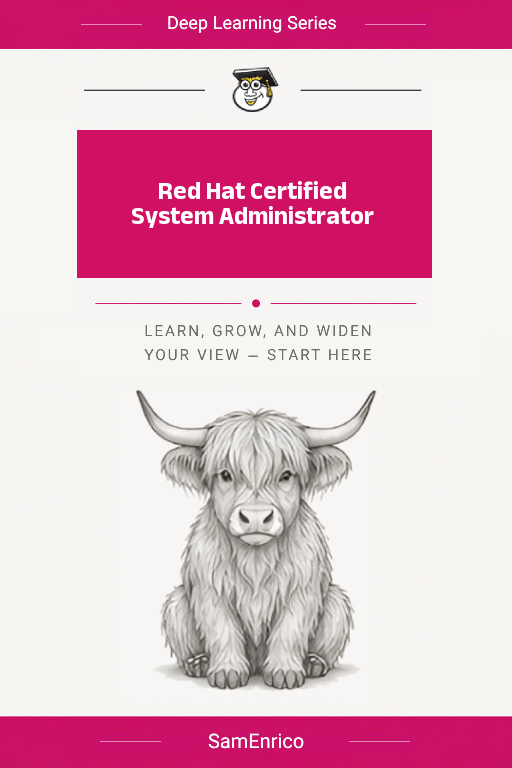
Red Hat Certified System Administrator
Pass performance based Linux exam for junior sysad
Pass performance based Linux exam for junior sysadmin roles at cloud and hosting companies.
Formats
About this book
Free sample
Chapter 1: The Blank Screen...--You just logged into a remote server for the first time. There is no mouse. There are no icons. There is no friendly "Start" button or trash can. There is only a blank screen with a blinking cursor next to a dollar sign. A wave of panic hits your chest. What do you type? How do you even begin?This moment is the single biggest filter between a junior IT generalist and a professional Linux system administrator. Every cloud company—AWS, Digital Ocean, Linode, Rackspace—hands you a server exactly like this. No handholding. No safety net. Just you, a keyboard, and a shell.The good news is that this blank screen is not hostile. It is a powerful invitation. It says: "Tell me what to do, and I will do it instantly, exactly as you command, without complaint, without a GUI slowing things down, and without any hidden clicks." This chapter strips away every graphical crutch you have ever relied on. By the time you finish, you will not only survive the blank screen—you will prefer it.The Shell Is Your New Desktop The program that gives you that blinking cursor is called a shell. Specifically, Red Hat Enterprise Linux (RHEL) and its clones like Rocky Linux and Alma Linux use the Bash shell (Bourne Again SHell). Bash is the default for almost every Linux distribution, and it is what you will see on the RHCSA exam.When you see a prompt that looks like this:text Copy Download[user@hostname ~]$That is Bash waiting for your command. The structure tells you everything you need to know:Part Meaninguser Your current usernamehostname The name of the machine you are logged into~Your current directory (the tilde means your home folder)$You are a normal user. A # would mean root (administrator)Every command you type follows a simple pattern:text Copy Downloadcommand [options] [arguments]Command – What you want to do (e.g., ls to list files)Options – Modify how the command behaves, usually starting with a - or -- (e.g., -l for long format)Arguments – What the command acts upon (e.g., a filename or directory)Example: ls -la /etc – List…
This is the end of the free sample. Get the eBook to keep going. Buy now
Contents
- Chapter 1
- Chapter 2
- Chapter 3
- Chapter 4
- Chapter 5
- Chapter 6
- Chapter 7
- Chapter 8
- Chapter 9
- Chapter 10
- Chapter 11
- Chapter 12
Details
- Author
- Scroggins Corrin
- Publisher
- SamEnrico
- Language
- English
- Genre
- Non-Fiction, Student's Shortcut
- Released
- 2026-06-01
- Pages (approx.)
- 132
- Available as
- eBook, Audiobook

Read better in the ZLOADR app
Your eBooks on your phone or tablet. Sign in with your SamEnrico account and start reading.
More by Scroggins Corrin
 Road Rage and Prescription MedsScroggins Corrin$11.99
 Digit Span ExpansionScroggins Corrin$11.99
 The Family Morning ConnectionScroggins Corrin$11.99
 Opioid Use Disorder Medication GuideScroggins Corrin$11.99
 Arthritis Ayurveda GuideScroggins Corrin$11.99
 Two Cultures One Business EdgeScroggins Corrin$11.99
 The Stress Psoriasis LinkScroggins Corrin$11.99
 Wings of Courage: The Tuskegee Airmen’s Secret Mission Over BerlinScroggins Corrin$11.99
 NVC For Difficult ConversationsScroggins Corrin$11.99
 Benazir BhuttoScroggins Corrin$11.99
 The Empress Who Painted the Sky: Wu Zetian’s Hidden LegacyScroggins Corrin$11.99
 The Battle of Pavia: The King’s Captive and the Fall of a DynastyScroggins Corrin$11.99
You may also like
 Hong Kong Handover 1997Dunn Johnnie$11.99
 Zumba For Postnatal Recovery CourseNeal Christian$11.99
 Zumba for BeginnersLadner Nikia$11.99
 YouTube Comment Mining GuideHumes Pandora$12.99
 Worry Box MeditationCarlin Rudy$11.99
 Workplace Stress MeditationNguyen Lynn$11.99
 Workplace Stress and Sleep RepairHawley Ivory$11.99
 Workplace Perfectionism CureDelaney Jeffry$11.99
 Workplace Injustice Anger GuideWallen Isabelle$11.99
 Work Addiction and Burnout LinkGreenwood Ester$11.99
 Women in Yoga and WellnessBeattie Galina$11.99
 Women in Stand Up ComedyChun Evangeline$11.99