
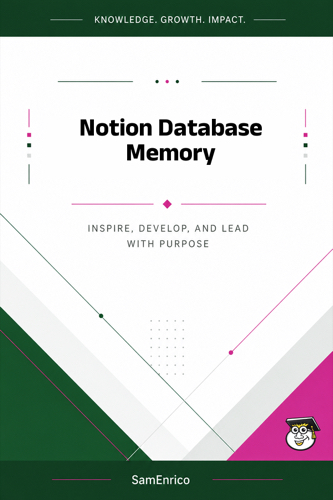
Non-FictionSelf-HelpNotion Skills
Notion Database Memory eBook
Build relational databases for personal knowledge
by Manns Kenna
Build relational databases for personal knowledge management using this guide.
Formats
Free sample
Chapter 1: The Spine Problem--– You have a second brain. You just can't find anything in it.You open Notion. You stare at the sidebar. There it is—your beautifully organized system. Folders with clever names.
Pages with color-coded icons. Databases you spent three weekends building. And yet, when you need that one perfect quote from that one article you read six months ago, the one that would nail the point you're trying to make right now… nothing. You search. You scroll.
You click through folders. Fifteen minutes later, you give up and write something mediocre from memory.This is not a failure of effort. This is not a sign that you're disorganized or lazy or bad at productivity. This is a failure of architecture.You have been building your second brain like a filing cabinet. But your mind is not a filing cabinet.
It never has been. And it never will be.The problem isn't that you don't capture enough ideas. The problem is that the ideas you capture don't connect to each other. They sit in isolated silos—one folder for "Marketing," another for "Productivity," another for "Book Notes"—and they never speak to one another. Your note about attention management lives in "Psychology." Your note about deep work lives in "Productivity." Your note about meeting culture lives in "Management." But in your actual thinking, these ideas are tangled together.
They inform each other. They contradict each other. They create new insights when they collide.Your database should work the same way.This chapter introduces the single most important concept in this book: Database Memory. It is the difference between a system that stores information and a system that recalls it. A system that you have to remember to use and a system that thinks with you.
A system that dies when you stop feeding it and a system that grows more valuable the longer you use it.Before we build anything, you need to understand why everything you've tried so far has failed—and why the solution isn't better folders, better tags, or more willpower. The solution is better connections.The Confession That Started This Book I built my first Notion database in 2019. It was beautiful. I had a dashboard with a progress bar, a reading list with cover images, a project tracker with color-coded statuses. I showed it to my friends.
They said, "Wow, that's impressive." I felt smart.Six months later, I had three hundred notes and no idea where anything was.I didn't stop taking notes. I stopped finding notes. The system hadn't collapsed—it had calcified. Every new note went into the correct folder. Every property was filled out.
I was doing everything "right." But when I sat down to write an article about attention management, I couldn't find the quote about attention residue. When I prepared for a client meeting, I couldn't find the case study I knew I had saved. When I tried to connect two ideas from different domains, I had to keep them both open in separate tabs because there was no way for them to relate to each other.I had built a filing cabinet. And filing cabinets are terrible at thinking.This book exists because I eventually figured out what was wrong. The problem wasn't Notion.
The problem was my mental model. I was using a relational database like a spreadsheet with fancy views. I was treating connections as optional instead of structural. I was storing information instead of cultivating a network.The moment I switched to relational thinking, everything changed. The quote about attention residue appeared automatically when I opened my "Deep Work" topic page.
The case study surfaced when I linked a client project to a past engagement. Two ideas from different domains showed up next to each other in a "Serendipity" view I didn't even know I needed.That is Database Memory. Not a system you have to remember. A system that remembers for you.The Folder Fallacy: Why Hierarchies Fail Let's start with a simple experiment. Open your current note-taking system—Notion, Evernote, Obsidian, whatever you use.
Look at your folder structure. Write down the top-level categories.Mine used to look like this:Work Personal Learning Projects Archive Resources Yours probably looks similar. Maybe you have "Areas" instead of "Resources." Maybe you have "Inbox" at the top. But the structure is the same: a tree hierarchy where every note lives in exactly one branch.This is called a mono-hierarchy. One note, one location.
It works fine for physical objects—a book can only be on one shelf at a time. But ideas don't work that way. A note about productivity habits might be relevant to your work (Work), your personal development (Personal), a specific project (Projects), and something you want to learn more about (Learning). Where does it go? You have to choose.
And whatever you choose, you lose.This is the Folder Fallacy: the assumption that information can be organized into a single tree structure without losing meaningful connections.Here's what actually happens in a folder-based system:You capture a great idea. You put it in the most obvious folder.Three months later, you're working on something that touches that idea from a different angle.You search for the idea. You don't find it, because you're looking in the "wrong" folder.You either waste time searching or give up and recapture the idea from scratch.Now you have two copies of the same idea in two different folders.Repeat this process a few hundred times.The result is what I call a note graveyard. Not because you deleted anything—but because you buried everything.The Tag Trap: Why One-to-Many Isn't Enough"But wait," you might be thinking. "I use tags.
My notes can belong to multiple categories."Tags are an improvement over folders. They give you a one-to-many relationship: one note, many tags. If that productivity note connects to Work, Personal, Learning, and Projects, you can tag it with all four. When you click the "Work" tag, you see the note. When you click "Personal," you see the same note.
Problem solved, right?Not quite.Tags solve the location problem, but they create three new problems that become catastrophic at scale.Tag Problem #1: Tags can't hold information.A tag is just a label. It has no properties, no metadata, no relationships of its own. You can't attach a creation date to a tag. You can't track how many notes are in a tag. You can't see which sources are most common within a tag.
You can't relate a tag to a project. A tag is a dead end—it points to notes, but nothing points to it.In a relational database, a Topic is not a tag. It is an entity with its own properties, its own relations, and its own page. You can open a Topic page and see every note, every source, every project, and every person connected to that topic. You can add a description, a creation date, a status, a confidence level.
You can relate topics to each other. A tag cannot do any of this.Tag Problem #2: Tags don't scale without governance.When you start tagging, you have five…
This is the end of the free sample. Get the eBook to keep going. Buy now
About this book
Details
- Author
- Manns Kenna
- Publisher
- SamEnrico
- Language
- English
- Genre
- Non-Fiction, Self-Help, Notion Skills
- Released
- 2026-06-06
- Pages (approx.)
- 148
- Available as
- eBook, Audiobook

Read better in the ZLOADR app
Your eBooks on your phone or tablet. Sign in with your SamEnrico account and start reading.
More by Manns Kenna
 Empathy For Self Harm GuideManns Kenna$11.99
 New Parent Stress First Year GuideManns Kenna$11.99
 The Governor's Medicaid ExpansionManns Kenna$11.99
 Faecalibacterium PrausnitziiManns Kenna$11.99
 Complex Sleep Apnea GuideManns Kenna$11.99
 The Money Talk Couples WorkbookManns Kenna$11.99
 Pomodoro For ResearchManns Kenna$11.99
 Naps Improve Recall MethodManns Kenna$11.99
 The Shadow of the Games: The Untold Story of the 18th-Century African Olympic PredecessorManns Kenna$11.99
 The Last Silent Star: How Mary Pickford Fought for SoundManns Kenna$11.99
 Entangled Minds: The Quantum Leap of Nikola Tesla’s Lost BlueprintManns Kenna$11.99
 Growing Ficus (Fig)Manns Kenna$11.99
You may also like
 Hong Kong Handover 1997Dunn Johnnie$11.99
 Zumba For Postnatal Recovery CourseNeal Christian$11.99
 Zumba for BeginnersLadner Nikia$11.99
 YouTube Comment Mining GuideHumes Pandora$12.99
 Worry Box MeditationCarlin Rudy$11.99
 Workplace Stress MeditationNguyen Lynn$11.99
 Workplace Stress and Sleep RepairHawley Ivory$11.99
 Workplace Perfectionism CureDelaney Jeffry$11.99
 Workplace Injustice Anger GuideWallen Isabelle$11.99
 Work Addiction and Burnout LinkGreenwood Ester$11.99
 Women in Yoga and WellnessBeattie Galina$11.99
 Women in Stand Up ComedyChun Evangeline$11.99