
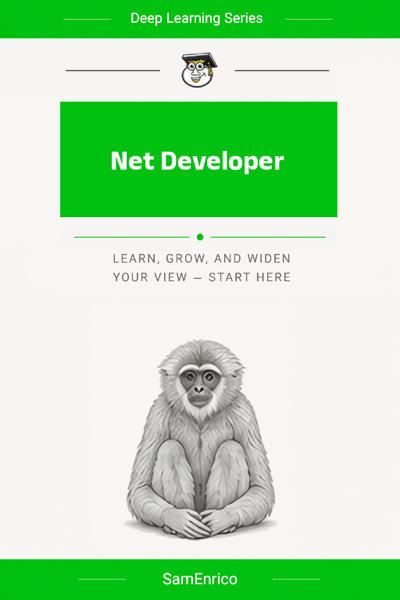
Net Developer eBook
A Coursebook on Net Developer
A Coursebook on Net Developer
Formats
Free sample
Chapter 1: The SDK Compass--–- The first thing you need to know about .NET is that it is not a single thing. It is a constellation of runtimes, compilers, libraries, and tools that, when assembled correctly, allows you to write code once and run it almost anywhere—Windows, Linux, mac OS, containers, embedded devices, and even in the browser via Web Assembly. The second thing you need to know is that most developers spend their first six months learning .NET the wrong way: they memorize syntax, copy-paste from Stack Overflow, and never actually understand why their containerized app takes 800 milliseconds to start while their colleague's identical app starts in 80. That difference—the gap between a junior and a senior—is not about writing better loops. It is about understanding the ecosystem.Welcome to Chapter 1.
Before you write a single line of C#, before you scaffold your first API, you need to build a mental map of the .NET terrain. This chapter is your compass. We will walk through the history of .NET so you never again ask ".NET Framework or .NET Core?" in an interview. We will dissect the SDK and CLI so you can diagnose build failures without rage-googling. We will crack open the runtime—the CLR, the GC, the JIT—not to torture you with theory, but to give you the tools to answer the single most common senior-level interview question: "Why is my app slow?"By the end of this chapter, you will have a working development environment configured for cross-platform development, and you will have compiled your first Native AOT executable.
More importantly, you will never look at a dotnet command as magic incantation again. You will see it for what it is: a precise, powerful, and surprisingly elegant interface to one of the most mature developer ecosystems on the planet.1.1 The Three Eras of .NET: A History You Actually Need to Know Every senior .NET developer has a version of this story. They started with .NET Framework 4.8, suffered through the confusion of .NET Core 1.0 (which was missing half the APIs), and eventually landed on the unified .NET 5, then 6, then 8, and now .NET 10. If you do not know this history, you will be perpetually confused by documentation, Stack Overflow answers, and your own team's legacy code.Era One: .NET Framework (2002–2019) was Windows-only, installed globally on the operating system, and versioned separately from your application. You could have three apps on the same server requiring three different versions of the Framework, and they would all work—until Microsoft released a security patch that broke one of them.
The Framework was massive (hundreds of assemblies), included everything from ASP.NET Web Forms to WCF to Windows Forms, and was locked to Internet Information Services (IIS) for web hosting. Many enterprise apps still run on .NET Framework today, and you will likely encounter them. The critical limitations: no cross-platform support, no modern performance optimizations, and a deployment model that required administrative access to the server. When you see references to web.config, Global.asax, or App Domain, you are in Framework territory. When you see appsettings.json, Program.cs with a Main method that calls Create Host Builder(), or any mention of dotnet run, you are in modern .NET.Era Two: .NET Core (2016–2019) was Microsoft's ground-up rewrite to escape the Framework's baggage.
It was cross-platform, open source, and shipped as a set of Nu Get packages you deployed with your application. No more global installations. No more "it works on my machine but not the server." .NET Core 1.0 was missing major features (no Visual Basic, limited System.Drawing), but by version 3.1, it had surpassed the Framework in performance and functionality. The painful part: the name change. ".NET Core 3.1" was the last of its line, and Microsoft promised to unify everything into a single product called .NET 5.
If you see dotnet restore or dotnet publish in a tutorial, that tutorial likely comes from this era or later.Era Three: .NET 5 and Beyond (2020–present) delivered that unification. .NET 5 dropped "Core" from the name, then .NET 6 became the first Long Term Support (LTS) release of the unified platform, followed by .NET 8 (LTS), and now .NET 10 (LTS). The pattern is predictable: LTS releases every two years (even numbers: 6, 8, 10, 12) that receive three years of support, and Current releases (odd numbers: 5, 7, 9, 11) that receive 18 months of support. For enterprise projects, you always choose the latest LTS unless you have a specific reason not to. At the time of this writing, .NET 10 is the current LTS, and .NET 12 is expected in November 2027.Why does this matter to you as a developer?
Because every time you search for help, you will see answers referencing .NET Framework, .NET Core 2.2, .NET 5, and .NET 8 simultaneously. Knowing the era tells you whether the answer is relevant. If the solution uses web.config (Framework) versus appsettings.json (Core/5+), you know it is from the wrong decade. If the answer mentions global.asax, ignore it. If it mentions Program.cs with a Main method that does not call Create Host Builder, you are in .NET 6+ territory.
This pattern recognition will save you hours of frustration.1.2 The SDK and CLI: Your Command Center The .NET SDK (Software Development Kit) is the collection of tools, compilers, templates, and runtime components you install on your development machine. You download it from dotnet.microsoft.com/download, and once installed, you gain access to the dotnet command-line interface (CLI). The CLI is the single most important tool in your workflow. You will use it to create, build, run, test, publish, and deploy everything you build. There are no exceptions.Open your terminal (Power Shell on Windows, bash on mac OS/Linux) and type:bash Copy Downloaddotnet --info You will see output listing the SDK version, runtime version, base path, and a list of installed workloads.
On my machine at the time of writing:text Copy Download.NET SDK: Version: 10.0.100 Commit: abc123def456 Workload version: 10.0.100-manifests.abc123This command is your first diagnostic tool. When something breaks, the very first question is "What version of the SDK am I actually using?" The answer is rarely what you expect because global.json (which we cover in a moment) can override the global default. Get in the habit of running dotnet --info before any debugging session.Essential CLI commands you will use daily:dotnet new – Creates a new project. dotnet new console creates a console app, dotnet new webapi creates an API, dotnet new blazorwasm creates a Blazor Web Assembly app. Run dotnet new --list to see all installed templates.
The template system is extensible; you can install third-party templates via Nu Get.dotnet build – Compiles your code into Intermediate Language (IL) assemblies (.dll or .exe files) in the bin/ folder. This does not run your code; it only compiles it. The --configuration Release flag produces optimized code (no debug symbols, no #if DEBUG branches).dotnet run – Builds (if needed) and executes your app. For web projects, this starts a development server (typically on http://localhost:5000 and https://localhost:5001). The --project flag lets you specify which project file to run if you have multiple.dotnet test – Discovers and runs unit tests in the current solution.
It looks for projects referencing Microsoft.NET.Test.Sdk and executes every test method. The --filter flag allows you to run specific tests…
This is the end of the free sample. Get the eBook to keep going. Buy now
About this book
Details
- Author
- Schafer Kenna
- Publisher
- SamEnrico
- Language
- English
- Genre
- Non-Fiction, Informative, Educational
- Released
- 2026-06-02
- Pages (approx.)
- 159
- Available as
- eBook, Audiobook

Read better in the ZLOADR app
Your eBooks on your phone or tablet. Sign in with your SamEnrico account and start reading.
More by Schafer Kenna
 ED Support Group GuideSchafer Kenna$11.99
 Empathy For Empty NestSchafer Kenna$11.99
 Social Worker Car RidesSchafer Kenna$11.99
 The Emotion Coaching ParentSchafer Kenna$11.99
 The Working Memory for ADHD GuideSchafer Kenna$11.99
 Anansi’s Golden Web: The Spider’s Great DeceptionSchafer Kenna$11.99
 The Breeder's Guide to Pineywoods CattleSchafer Kenna$11.99
 PR for Female FoundersSchafer Kenna$12.99
 Week Two Registrar SelectionSchafer Kenna$12.99
 How to Become a Loft WorkerSchafer Kenna$11.99