
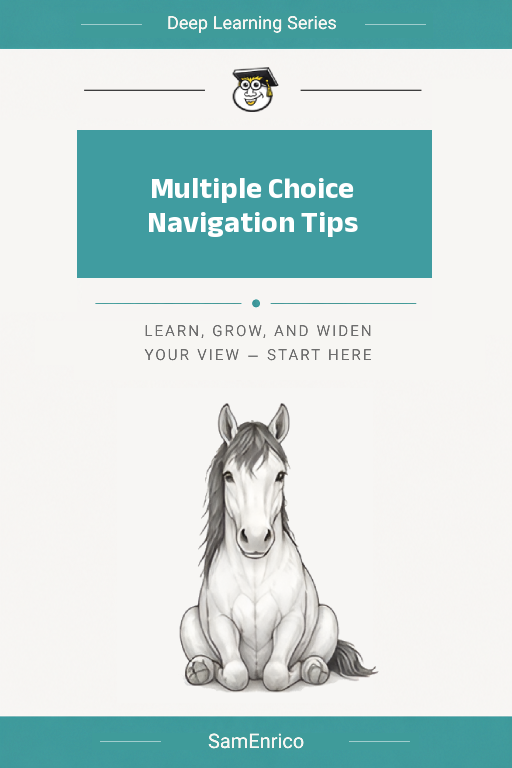
Non-FictionStudent's ShortcutMultiple ChoiceNavigation Guide
Multiple Choice Navigation Tips Audiobook
Navigate multiple choice questions efficiently dur
Navigate multiple choice questions efficiently during proctored exams with flagging and review strategies under time pressure.
Formats
Free sample
Chapter 1: The Digital Panopticon--–- The first time I watched a student fail a proctored exam they had studied 80 hours for, I didn't blame their knowledge. I blamed their mouse.The student—let's call her Sarah—had memorized three semesters of anatomy. She could recite the brachial plexus in her sleep. She had aced every practice test on paper. But when the proctored screen loaded, something shifted.
The timer appeared in the corner, red and pulsing. The "Next" button sat just below her field of vision, requiring her to scroll. The flag icon was a tiny gray circle she didn't notice until question 34. By question 41, she had spent seven minutes on a single vignette, paralyzed by the fear of clicking the wrong thing. She finished the exam with 22 questions unanswered—not because she didn't know the answers, but because she never saw the "Jump to" list that would have let her skip and return.
The interface ate her time whole.This is not a story about test anxiety. It is a story about interface illiteracy—and it happens thousands of times every day, in medical boards, law exams, CPA tests, nursing certifications, and graduate school entrance exams. The proctored digital environment is not a neutral container for content. It is an active participant in your performance, and if you do not learn to navigate it with the same fluency you bring to the material itself, you will lose points not because you are wrong, but because you are slow, lost, or trapped.The Hidden Curriculum of Proctored Exams Every proctored exam teaches two curricula simultaneously. The first is explicit: anatomy, contract law, tax accounting, whatever subject you studied.
The second is hidden: how to move through the interface without losing time, how to interpret what the software is watching, how to recover from a freeze, how to flag without over-flagging, and how to use the review screen as a tactical map rather than a panic button.Most test-takers prepare only for the first curriculum. They memorize flashcards, drill practice questions, and review rationales. Then they show up on exam day and discover—often too late—that the software has its own logic, its own traps, and its own ways of punishing the unprepared. The "Submit" button may not save your answer unless you click twice. The flag icon might disappear after you navigate away.
The timer might round up or down depending on the platform. These are not bugs; they are features of a…
This is the end of the free sample. Get the Audiobook to keep going. Buy now
About this book
Details
- Author
- Justus Shelby
- Publisher
- SamEnrico
- Language
- English
- Genre
- Non-Fiction, Student's Shortcut, Multiple Choice, Navigation Guide
- Released
- 2026-06-01
- Pages (approx.)
- 142
- Available as
- eBook, Audiobook

Listen in the VoxFlicks app
Audiobooks and audio dramas wherever you go. Sign in with your SamEnrico account and press play.
More by Justus Shelby
 Gluten Sensitivity Self Diagnosis GuideJustus Shelby$11.99
 Debt Covenant DatabaseJustus Shelby$11.99
 TikTok Teen Addiction Recovery HandbookJustus Shelby$11.99
 Vision Loss Household ChoresJustus Shelby$11.99
 Parental Addiction and ReunificationJustus Shelby$11.99
 The LEGO Brick That Changed the World: A Tiny Invention's Big StoryJustus Shelby$11.99
 The Last Supper Club: How a Secret Dining Society Shaped Modern CuisineJustus Shelby$11.99
 Business Credit vs Revenue GuideJustus Shelby$12.99
 How to Start a Potted Meat. Business (Beginners Guide)Justus Shelby$11.99
 Cornhole Board MakerJustus Shelby$11.99
You may also like
 Hong Kong Handover 1997Dunn Johnnie$11.99
 Zumba For Postnatal Recovery CourseNeal Christian$11.99
 Zumba for BeginnersLadner Nikia$11.99
 YouTube Comment Mining GuideHumes Pandora$12.99
 Worry Box MeditationCarlin Rudy$11.99
 Workplace Stress MeditationNguyen Lynn$11.99
 Workplace Stress and Sleep RepairHawley Ivory$11.99
 Workplace Perfectionism CureDelaney Jeffry$11.99
 Workplace Injustice Anger GuideWallen Isabelle$11.99
 Work Addiction and Burnout LinkGreenwood Ester$11.99
 Women in Yoga and WellnessBeattie Galina$11.99
 Women in Stand Up ComedyChun Evangeline$11.99