
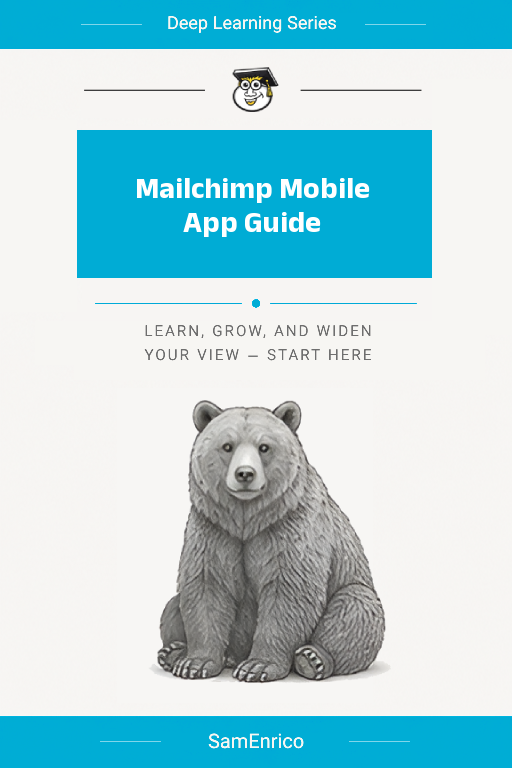
Non-FictionFirst 30 DaysMobile
Mailchimp Mobile App Guide eBook
Monitor your first campaign's performance and mana
Monitor your first campaign's performance and manage subscribers using the Mailchimp mobile app.
Formats
Free sample
Chapter 1: The Deskless Revolution--If you are reading this book, chances are you have already felt it—that low-grade anxiety that creeps in when you step away from your desk for more than a few hours. Your email list is growing (or shrinking). A campaign just went live. Subscribers are unsubscribing. Bounces are accumulating.
And you are standing in line at a coffee shop, sitting in an airport terminal, or walking out of a client meeting with exactly zero access to the laptop where all your marketing “happens.”You tell yourself it can wait. But deep down, you know it cannot. Every minute you delay responding to a deliverability issue, every hour you postpone checking campaign performance, every day you ignore a list hygiene problem—these are not minor inconveniences. They are leaks in your revenue engine. And they are entirely preventable.The problem is not that you lack the skills or the dedication.
The problem is that almost every email marketing tutorial, course, and book written in the last decade has been built on a single, unspoken assumption: you will do your marketing from a desk, on a laptop, with a high-speed internet connection, a mouse, and unlimited time.That assumption is obsolete.Welcome to the deskless revolution. This book is your manual for waging it.The modern entrepreneur does not live behind a desk. You are at pop-up markets on weekends, networking events on weeknights, supplier meetings on Wednesday afternoons, and perhaps most importantly, living your actual life in between. Your business does not stop when you walk away from your computer. Your email marketing should not stop either.But here is the honest truth that no other book will tell you: the Mailchimp mobile app is not a complete replacement for the desktop version.
Anyone who claims otherwise is selling you a fantasy. The mobile app has real, hard limitations. You cannot build complex customer journeys on your phone. You cannot design intricate email templates with drag-and-drop precision on a five-inch screen. You cannot configure advanced integrations or set up A/B tests from the mobile interface.And yet—despite those limitations—you can manage 80 percent of what matters from your phone.
The 20 percent you cannot do on mobile is setup, design, and configuration. The 80 percent you can do is monitoring, maintenance, optimization, and response. That is the core insight of this entire book: build on desktop, manage on mobile.This chapter will give you the philosophical foundation for that workflow, an honest assessment of what the mobile app can and cannot do, a clear capability matrix you will reference throughout the book, and a standardized routine hierarchy that replaces confusion with clarity. By the end of this chapter, you will know exactly which tasks belong on your phone, which belong on your laptop, and how to structure your marketing day so that you never again feel chained to your desk.The Myth of the Desktop-Dependent Marketer Before we dive into the mechanics of the Mailchimp mobile app, we need to dismantle a myth that has quietly controlled how entrepreneurs think about email marketing for nearly two decades. The myth is this: serious email marketing requires serious screen time, a quiet office, and a laptop.This myth persists because it is self-reinforcing.
Most email marketing platforms were designed by desktop-first engineers for desktop-first users. Their mobile apps were afterthoughts—thin, underpowered, barely functional add-ons that could show you basic numbers but let you change almost nothing. For years, that was the reality. You needed a laptop to do anything meaningful in Mailchimp, and everyone accepted that as inevitable.But somewhere around 2020, that changed. Mailchimp quietly but significantly upgraded its mobile app.
Not all at once, but feature by feature. The ability to view campaign reports became the ability to compare campaign reports. The ability to see subscriber lists became the ability to tag and segment subscribers. The ability to check automation status became the ability to pause, resume, and tweak automations.Today, the Mailchimp mobile app is not a toy. It is not a “lite” version or a curiosity.
It is a legitimate management tool that handles the majority of daily, weekly, and monthly marketing tasks that actually drive results. The only tasks that remain firmly in desktop territory are the ones that require visual design, complex logic, or one-time configuration.Here is what you can do from your phone, right now, without touching a laptop: add new subscribers manually or by scanning business cards, apply tags to individual contacts or in batches, build simple segments based on tags or engagement history, update subscriber profiles and custom fields, view real-time campaign performance including opens, clicks, bounces, and unsubscribes, compare multiple campaigns side by side, pause and resume active automations, handle unsubscribe requests and GDPR compliance, and identify inactive subscribers who need re-engagement or removal.That is not a short list. That is the list of tasks that occupy 80 percent of most entrepreneurs’ email marketing time. The remaining 20 percent—designing templates, building customer journeys, setting up A/B tests, configuring integrations, generating QR codes—are important, but they are not daily tasks. They are weekly or monthly setup tasks.
And they are tasks you can batch on a desktop during a focused work session, leaving your phone free for the real-time management that actually moves the needle.The deskless revolution is not about pretending that mobile can do everything. It is about recognizing that mobile can do enough—more than enough—to keep your email marketing healthy, responsive, and growing, no matter where you are.The Honest Capability Matrix Because transparency is the foundation of effective workflow design, this book begins with a complete, honest, no-hype breakdown of exactly what the Mailchimp mobile app can and cannot do. This matrix will appear in abbreviated form at the start of every chapter, but here it is in full.Fully Doable on Mobile (Yes, These Work):Adding subscribers manually (one by one). Scanning business cards to create new contacts. Viewing your full audience list with subscriber details.
Applying tags to individual contacts or groups. Creating simple segments based on tags or engagement. Updating custom fields on subscriber profiles. Adding notes to subscriber records. Viewing campaign status (sent, sending, paused, failed).
Checking open rates, click rates, bounce counts, and unsubscribe counts in real time. Comparing two or more campaigns side by side. Identifying your best-performing send times. Seeing which devices your audience uses to read emails. Pausing an active automation flow.
Resuming a paused automation flow. Viewing which contacts have been tagged by an automation. Checking A/B test results (after the test has completed). Declaring a winner from an A/B test (based on results). Viewing integration data from Shopify, Square, Eventbrite, and other tools.
Archiving unsubscribed contacts. Removing hard bounces from your active list. Exporting basic audience reports.View-Only on Mobile (You Can See It, But Not Change It):The internal logic of complex Customer Journey Builder automations. Detailed A/B test configuration settings. The full history of every action in an automation flow.
Advanced segmentation conditions (beyond basic tag-based segments). Revenue attribution reports that require multi-step filtering. Custom report builder interfaces. Account billing and payment settings. Team member permissions…
This is the end of the free sample. Get the eBook to keep going. Buy now
About this book
Details
- Author
- Lawler Antonina
- Publisher
- SamEnrico
- Language
- English
- Genre
- Non-Fiction, First 30 Days, Mobile
- Released
- 2026-05-30
- Pages (approx.)
- 143
- Available as
- eBook, Audiobook

Read better in the ZLOADR app
Your eBooks on your phone or tablet. Sign in with your SamEnrico account and start reading.
More by Lawler Antonina
 Role Storming TechniqueLawler Antonina$11.99
 Flow for ADHD GuideLawler Antonina$11.99
 Behavioral Master GuideLawler Antonina$11.99
 Neuroplasticity Growth Mindset GuideLawler Antonina$11.99
 The Quarterly OKR SprintLawler Antonina$11.99
 Assertiveness for TeenagersLawler Antonina$11.99
 Outsourcing for Real Estate AgentsLawler Antonina$11.99
 The Dragon’s Forge: How the Blacksmith Tamed the Beast of Mont Saint-MichelLawler Antonina$11.99
 Storm Over the Desert: Schwarzkopf's Masterstroke (1991)Lawler Antonina$11.99
 The Essential Guide to Idm/experimentalLawler Antonina$11.99
 Virtual Meeting Detox GuideLawler Antonina$12.99
 Rice: Paddy HarvestingLawler Antonina$11.99
You may also like
 Hong Kong Handover 1997Dunn Johnnie$11.99
 Zumba For Postnatal Recovery CourseNeal Christian$11.99
 Zumba for BeginnersLadner Nikia$11.99
 YouTube Comment Mining GuideHumes Pandora$12.99
 Worry Box MeditationCarlin Rudy$11.99
 Workplace Stress MeditationNguyen Lynn$11.99
 Workplace Stress and Sleep RepairHawley Ivory$11.99
 Workplace Perfectionism CureDelaney Jeffry$11.99
 Workplace Injustice Anger GuideWallen Isabelle$11.99
 Work Addiction and Burnout LinkGreenwood Ester$11.99
 Women in Yoga and WellnessBeattie Galina$11.99
 Women in Stand Up ComedyChun Evangeline$11.99