
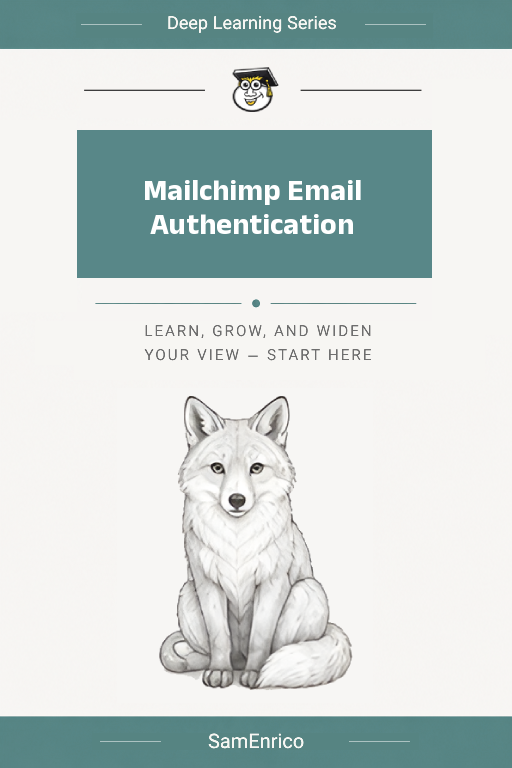
Non-FictionFirst 30 DaysAuthentication
Mailchimp Email Authentication eBook
Set up DKIM and SPF records for your domain to imp
Set up DKIM and SPF records for your domain to improve email deliverability from Mailchimp.
Formats
Free sample
Chapter 1: The Spam Folder Graveyard--You have just spent three weeks crafting the perfect email campaign.The subject line went through seventeen revisions. The design was approved by three stakeholders. The offer was tested with your best customers. You segment your audience with surgical precision. You write every word as if it is going to your mother.You hit send.Two days later, you check your open rate.Two percent.Not twenty percent.
Not even ten percent. Two percent.You check Mailchimp. Everything looks green. Deliverability says "Good." Your domain is verified. Your list is clean.
You did everything right. Or so you thought.But here is what you did not see. When your recipients opened their Gmail, Yahoo, or Outlook accounts, your beautiful email was not waiting for them in the primary inbox. It was buried in the spam folder. Or worse, it was quietly discarded by a filter that never even told anyone it arrived.And next to your carefully crafted sender name, your recipients saw something you never intended: "via mailchimp.com."That tiny label, invisible to you but glaring to your audience, screamed one message: "This sender is not who they claim to be.
Proceed with caution."Welcome to the spam folder graveyard. It is where unauthenticated emails go to die. And if you are reading this book, there is a very good chance your emails are buried there right now.The $36 Lie Email marketing has a dirty secret. You have heard the statistic a hundred times: for every dollar spent on email marketing, the average return is thirty-six dollars. It is repeated at conferences.
It is printed in case studies. It is the reason you pour hours into every campaign.The statistic is true. But only for emails that actually reach the inbox.Here is the statistic that nobody puts on a slide. According to deliverability data from 2025, approximately twenty-one percent of authenticated marketing emails still go to spam. For unauthenticated emails?
That number jumps to sixty-seven percent. Nearly seven out of every ten emails you send are being intercepted before anyone ever sees them.Let me translate that into money.Suppose you have ten thousand subscribers. Suppose your average conversion rate from email is two percent. Suppose your average order value is fifty dollars. A properly delivered email campaign to your entire list would generate ten thousand dollars in revenue.Now suppose sixty-seven percent of your emails go to spam.
That is six thousand seven hundred people who never see your offer. Your revenue drops from ten thousand dollars to three thousand three hundred dollars. You just lost sixty-seven hundred dollars on a single campaign.Now multiply that by twelve campaigns per year. You are losing eighty thousand four hundred dollars annually. Not because your product is bad.
Not because your copy is weak. Not because your audience is wrong. But because Gmail, Yahoo, and Microsoft do not trust you.And they are right not to trust you. Because you have not proven who you are.The Day Everything Changed Before February 2024, email authentication was optional. It was a best practice, sure.
It was something deliverability experts preached about at conferences. But you could ignore it and still get most of your emails delivered. Maybe you would see a slight dip in open rates. Maybe some picky corporate servers would block you. But by and large, you could get away with it.Then February 2024 happened.Google, Yahoo, and Microsoft simultaneously announced a policy shift that sent shockwaves through the email marketing world.
Effective immediately, bulk senders—defined as anyone sending more than five thousand emails per day—were required to have valid SPF, DKIM, and DMARC records. No exceptions. No grandfather clauses. No grace periods.If you were a bulk sender without full authentication, your emails would be rejected outright or automatically shunted to spam. Not maybe.
Not sometimes. Automatically.The industry panicked. Thousands of businesses scrambled to set up records they had never heard of. Agencies made a fortune selling "emergency authentication" services. Forums exploded with desperate questions from marketers who suddenly could not reach their customers.But here is what most people missed.
The policy applied only to bulk senders. If you send fewer than five thousand emails per day, you might have breathed a sigh of relief. You might have thought you dodged a bullet.You did not.Because the same algorithms that check for authentication on bulk senders also apply reputation penalties to unauthenticated small senders. The difference is that large senders get blocked immediately. Small senders get degraded gradually.
Your open rates will drop from forty percent to thirty percent to twenty percent to ten percent over six months. You will not notice the decline until one day you look at your analytics and realize you have lost half your audience.That is the cruelest part of the 2024 shift. The bulk sender policy created a bright line that everyone could see. But the silent reputation decay for small senders has been far more damaging. It is death by a thousand cuts, and most marketers do not even know they are bleeding.The "Via Mailchimp.com" Scarlet Letter Let me show you exactly what your recipients see when you fail authentication.Open your own Gmail account.
Find any email from a brand that uses Mailchimp but has not set up custom authentication. Look closely at the line where the sender name appears. Right next to the brand name, you will see something like this: "Brand Name via mailchimp.com" or "Brand Name on behalf of mailchimpapp.net."That label is the scarlet letter of email marketing.Every time a recipient sees "via mailchimp.com," their brain performs a split-second calculation. They have been trained by years of spam, phishing attempts, and Nigerian prince scams to be suspicious of anything that feels off. And seeing "via" followed by a domain they do not recognize feels very off.The recipient may not consciously register the label.
They will not say to themselves, "Ah, this sender has not properly configured DKIM." But their subconscious will note it. Their trust will erode. And their finger will move just a little bit faster toward the spam button.The problem is worse than simple distrust. Spam filters themselves are trained to recognize the "via" pattern as a signal of third-party sending. Third-party sending is not inherently bad—Mailchimp is a legitimate service that millions of businesses use.
But spammers also use third-party sending services. And spammers never bother to set up custom authentication.So the spam filter sees "via mailchimp.com" and thinks, "This looks like a spammer." Your beautiful campaign, your carefully crafted offer, your genuine connection with your audience—none of it matters. You have been profiled by association.Here is the diagnostic test I want you to perform right now. Open your email sent folder. Find the last three marketing campaigns you sent.
For each one, look at the sender line as it appears to your recipients. If you see "via" anywhere next to your brand name, you have a problem. If you do not see "via," congratulations—you are already authenticated. You may still have other issues, but you have cleared the first hurdle.Write…
This is the end of the free sample. Get the eBook to keep going. Buy now
About this book
Details
- Author
- Brannon Kevin
- Publisher
- SamEnrico
- Language
- English
- Genre
- Non-Fiction, First 30 Days, Authentication
- Released
- 2026-05-30
- Pages (approx.)
- 135
- Available as
- eBook, Audiobook

Read better in the ZLOADR app
Your eBooks on your phone or tablet. Sign in with your SamEnrico account and start reading.
More by Brannon Kevin
 Team Idea Bank GuideBrannon Kevin$11.99
 Self Esteem for ManagersBrannon Kevin$11.99
 ADHD Growth Mindset GuideBrannon Kevin$11.99
 The SMART Failure AnalysisBrannon Kevin$11.99
 Outsourcing for Supply ChainBrannon Kevin$11.99
 Left Brain Creative MethodBrannon Kevin$11.99
 Mindfulness for Depression BeginnersBrannon Kevin$11.99
 5G Supply Chain RevolutionBrannon Kevin$11.99
 Fantasy Kings: The Rise of Daily Fantasy Sports and the Billion-Dollar Gambling RevolutionBrannon Kevin$11.99
 The Silent Witnesses: How Phone Taps Cracked Australia’s Rum RebellionBrannon Kevin$11.99
 The Essential Guide to Underground RapBrannon Kevin$11.99
 How to Produce PuzzlesBrannon Kevin$11.99
You may also like
 Hong Kong Handover 1997Dunn Johnnie$11.99
 Zumba For Postnatal Recovery CourseNeal Christian$11.99
 Zumba for BeginnersLadner Nikia$11.99
 YouTube Comment Mining GuideHumes Pandora$12.99
 Worry Box MeditationCarlin Rudy$11.99
 Workplace Stress MeditationNguyen Lynn$11.99
 Workplace Stress and Sleep RepairHawley Ivory$11.99
 Workplace Perfectionism CureDelaney Jeffry$11.99
 Workplace Injustice Anger GuideWallen Isabelle$11.99
 Work Addiction and Burnout LinkGreenwood Ester$11.99
 Women in Yoga and WellnessBeattie Galina$11.99
 Women in Stand Up ComedyChun Evangeline$11.99