
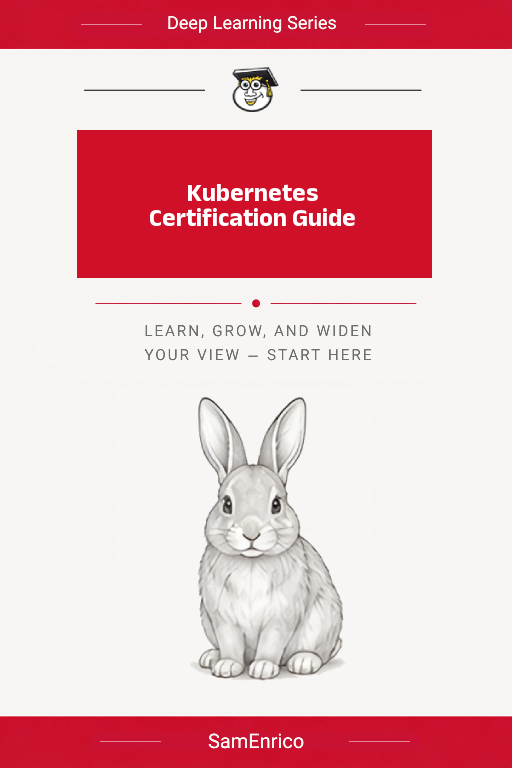
Kubernetes Certification Guide eBook
Earn CKA or CKAD for container orchestration roles
by Link Keren
Earn CKA or CKAD for container orchestration roles through online training.
Formats
Free sample
Chapter 1: From Containers to Clusters...--The first question every aspiring Kubernetes professional asks is deceptively simple: “Why do I need Kubernetes at all if I already know Docker?”It’s a fair question. You’ve mastered docker run, docker build, and docker-compose. Your applications run containers locally without issue. So why add a whole new platform with a steep learning curve, new terminology (pods, services, ingress, operators), and a certification exam that demands months of study?The answer lies in a single word: scale.This chapter answers the “why” before any “how.” By the final page, you will understand the evolutionary pressure that created Kubernetes, the Linux kernel features that make containers possible, and—most importantly—you will have a working multi-node cluster running on your own machine. No cloud credits required.
No complex installations. Just you, your terminal, and a live Kubernetes environment ready for the labs in subsequent chapters.But let’s start with a story.The Monolith That Couldn’t Imagine an e-commerce company in 2010. Its entire application—user authentication, product catalog, shopping cart, payment processing, order history, and shipping notifications—lives inside a single codebase deployed as one massive process. This is a monolithic architecture.For a small team, the monolith works beautifully. Deploy once, and everything runs.
But as the company grows, problems emerge.Slow deployments: Changing one line of code in the shipping module requires rebuilding and redeploying the entire application. A 45-minute deployment becomes the bottleneck for every feature.Scaling inefficiency: The payment module needs more CPU during holiday sales, but the monolith forces you to scale everything—including the rarely-used shipping status page.Single point of failure: A memory leak in the product catalog crashes the entire site. The whole company stops.Technology lock-in: Every team must use the same programming language, libraries, and framework. Innovation stalls.The solution, embraced by companies like Netflix, Amazon, and Uber, was microservices.Each module becomes its own small, independent service running in its own process. The authentication service communicates with the user profile service over HTTP.
The payment service calls the fraud detection service via g RPC. Each team owns a handful of services, deploys independently, and scales only what needs scaling.But microservices introduce a new problem: orchestration.The Orchestration Gap When you have twenty microservices, each running multiple copies (for redundancy), you need something to manage them. The questions multiply:Where does each service run? Which server?What happens when a service crashes? Who restarts it?How does a service find another service’s network address?How do you spread load across multiple copies of the same service?What about rolling updates—deploying a new version without downtime?How do you handle secrets (API keys, database passwords) without hardcoding them?Before Kubernetes, companies built homegrown solutions.
Netflix created Asgard (later Spinnaker). Airbnb built Airflow for job scheduling. Google had Borg—their internal cluster manager—running for over a decade.These homegrown systems worked for their creators but were not portable. You could not download “Netflix’s orchestration system” and run it on your laptop.Enter Kubernetes.What Kubernetes Actually Is Kubernetes (Greek for “helmsman” or “pilot,” often abbreviated K8s—the 8 letters between K and s) is an open-source container orchestration platform. Let’s break down each word in that definition.Container: A lightweight, standalone executable package that includes everything needed to run software: code, runtime, system tools, libraries, and settings.
Unlike virtual machines, containers share the host operating system kernel, making them far more efficient.Orchestration: The automated configuration, coordination, and management of complex computer systems. Think of a symphony conductor who ensures each musician plays at the right time, at the right volume, in coordination with others. Kubernetes is your conductor.Platform: Kubernetes is not a single tool but an ecosystem. It provides APIs, controllers, schedulers, and a consistent interface for deploying and managing applications across any infrastructure—your laptop, on-premises datacenters, or any cloud provider (AWS, Azure, Google Cloud, and dozens more).At its core, Kubernetes answers five essential questions:Where does my container run? The scheduler chooses a worker node.Is it healthy?
The kubelet monitors each container and restarts it if probes fail.How does it find other services? Services provide stable DNS names and load balancing.How do I update it without downtime? Deployments manage rolling updates and rollbacks.Where is my configuration and sensitive data? Config Maps and Secrets separate configuration from images.Before you touch a single command, you must understand the foundation upon which all of this is built: the Linux kernel features that make containers possible in the first place.Linux Kernel Primitives: How Containers Actually Work A container is not virtualization. There is no guest operating system.
Instead, containers use three Linux kernel features to isolate processes while keeping them lightweight.Namespaces: The “What can I see?” isolation A Linux namespace wraps a global system resource in an abstraction that makes it appear to processes within the namespace that they have their own isolated instance. Kubernetes uses six namespaces:Namespace Isolates Why it matters for containers PIDProcess IDs A container sees its process as PID 1, even if it’s PID 4236 on the host NETNetwork interfaces, routing tables Each container gets its own IP address and port space MNTFilesystem mount points Container sees its own root filesystem (the image)UTSHostname and domain name Each container can have its own hostname IPCInter-process communication resources Prevents containers from accessing each other’s shared memory USERUser IDs A process can be root inside the container but unprivileged on the host When you run docker run nginx, Docker creates a new set of namespaces for that container. The NGINX process thinks it owns the entire machine. It sees PID 1, has its own network stack with an IP address, and mounts its own root filesystem. Meanwhile, the host sees a normal process (perhaps PID 7823) with limited visibility.Cgroups: The “How much can I use?” restriction Namespaces provide isolation.
Control groups (cgroups) provide limits. They restrict the resources a process can consume.Without cgroups, a single container with a memory leak could consume all of the host’s RAM, starving every other container and the host itself. Cgroups prevent this.Each container receives a slice of:CPU: Limit in milliseconds or shares (relative weight)Memory: Hard limit (container cannot exceed) and soft limit (best effort)Disk I/O: Read/write rates in bytes per second Network: Traffic prioritization When a container exceeds its memory limit, the Linux Out-Of-Memory (OOM) killer terminates it. Kubernetes detects this termination and attempts to restart the container, as you will see when we discuss liveness probes in Chapter 8.Union Filesystems: The “How do images work?” layering Container images are not monolithic files. They are composed of layers using a union filesystem (Overlay FS, AUFS, or similar).
Each command in a Dockerfile creates a new read-only layer. When you run a container, a thin writable layer is added on top.This layering enables:Efficient storage: One base Ubuntu layer can be shared by hundreds of containers Fast builds: Only changed layers are rebuilt Smaller pushes/pulls: Registry transfers only new layers Now that you understand how containers work, let’s see how Kubernetes organizes these containers into a cluster.Kubernetes…
This is the end of the free sample. Get the eBook to keep going. Buy now
About this book
Details
- Author
- Link Keren
- Publisher
- SamEnrico
- Language
- English
- Genre
- Non-Fiction, Student's Shortcut, Kubernetes
- Released
- 2026-06-01
- Pages (approx.)
- 149
- Available as
- eBook, Audiobook

Read better in the ZLOADR app
Your eBooks on your phone or tablet. Sign in with your SamEnrico account and start reading.
More by Link Keren
 Equipment Breakdown InsuranceLink Keren$11.99
 Metta for Creative Blocks CourseLink Keren$11.99
 Healing Loneliness Through PetsLink Keren$11.99
 Beginner Fitness PeriodizationLink Keren$11.99
 Universal Design Housing GuideLink Keren$11.99
 Frozen Echoes: The Last Days of the Terra Nova ExpeditionLink Keren$11.99
 The Alchemist and the Sultan: Ibn al-Nadim and the Ethics of KnowledgeLink Keren$11.99
 Understanding D-glycerate Dehydrogenase DeficiencyLink Keren$17.99
 Bankruptcy And CTA ComplianceLink Keren$12.99
 Virtual Assistant Service BusinessLink Keren$11.99