
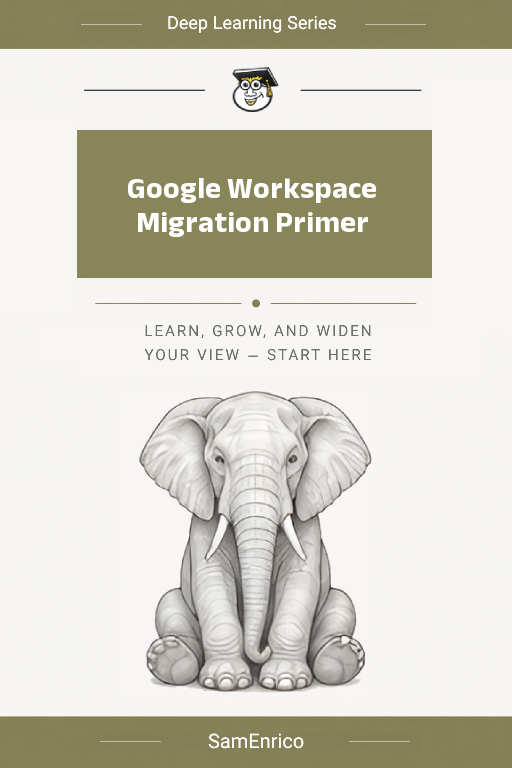
Non-FictionFirst 30 DaysTech StackMigration Guide
Google Workspace Migration Primer eBook
Move email, calendar, and drive files from Outlook
by Hewitt Quinn
Move email, calendar, and drive files from Outlook or Zoho to Workspace. Covers data transfer tools, downtime minimization, and user training for first-time adopters.
Formats
Free sample
Chapter 1: The Midnight Alarm--The CEO’s voice was eerily calm on the phone at 11:47 PM. “The email server is down. Again. How long this time?” For the third time in eighteen months, your on-premise Exchange server has thermal-throttled itself into a coma. Or perhaps a Zoho mailbox just hit its storage limit, silently bouncing a contract from your largest client.
These moments are never about technology. They are about trust, revenue, and the quiet realization that the tool you rely on to run your business is actively working against you.This is not a book about why Google Workspace has better spell check or a prettier interface. This is a book about how to escape the slow, compounding friction of legacy email and productivity suites before they cause a catastrophe that forces your hand. You are reading this because you have felt that friction—the spinning cursor, the “mailbox full” warning, the version conflict in a shared drive, the three-hour sync just to read an email from a colleague in the next room.The decision to migrate from Microsoft Outlook/Exchange or Zoho to Google Workspace is rarely made from a position of abundance. It is made from exhaustion.
It is made after a failed backup restore. It is made when a remote employee cannot access a critical file because the VPN is flapping. And it is made with fear—fear of data loss, fear of downtime, fear of the inevitable chorus of “I want my Outlook back.”But here is the truth that the sales brochures will not tell you: the migration itself is not the hard part. The hard part is knowing what you are moving, why you are moving it, and how to keep the business running while you do it. This chapter is not a cheerleading session for Google.
It is a strategic framework to help you decide whether to migrate at all, and if so, how to define success before you write a single line of configuration code.We will begin by dismantling the three most dangerous myths about moving to Google Workspace. Then we will build a concrete business case that survives a CFO’s scrutiny. Finally, we will establish the single most important document of your entire migration project: the Feature Parity and Expectation Set Checklist. By the end of this chapter, you will know exactly what you gain, what you lose, and—most critically—what you must never attempt to migrate.The Hidden Costs of Staying Put Before you can justify moving, you must understand the true cost of staying. Most organizations calculate their email and collaboration costs using a dangerously incomplete formula: license fees plus server maintenance.
That is like calculating the cost of a car by looking only at the price of the tires.Let us examine the invisible ledger of remaining on Microsoft Exchange (on-premise or hosted) or Zoho.For on-premise Exchange customers, the bleeding is slow but relentless. You pay for the hardware, the Windows Server licenses, the Exchange CALs, the backup software, the disaster recovery site, and the salary of the administrator who spends forty percent of their time just applying patches and monitoring queue lengths. Then there is the storage. Exchange databases bloat. Users never delete email.
You buy more SAN. You migrate databases at 2 AM. You explain to the board why email costs increased again when “nothing changed.”But the real killer is downtime. Every hour of unplanned email downtime costs a mid-sized business between five thousand and fifty thousand dollars in lost productivity, depending on industry. That calculation does not include the reputational damage of bounced proposals or the overtime paid to the IT team that works through the weekend.
When your on-premise Exchange server goes down, you own every second of it.For Zoho customers, the pain is different but equally debilitating. Zoho is not a bad product; it is a product designed for a different era of work. It excels at integrated CRM and office suites, but it was built before real-time collaboration became the baseline expectation. The Zoho experience is fundamentally document-centric, not people-centric. You save a file, email a link, wait for feedback, download a new version, and repeat.
There is no true simultaneous co-authoring. There is no integrated chat and meeting space that feels native. And the mobile experience, while functional, lacks the polish that keeps remote workers productive.Worse, Zoho’s suite is a collection of strong individual apps that do not share a unified data layer. Your email in Zoho Mail does not talk intelligently to your files in Zoho Work Drive. Your calendar events do not surface action items from your documents.
You are not collaborating; you are orchestrating a fragile handoff of files and links. That orchestration has a cost. Every time an employee spends thirty seconds searching for an email attachment instead of finding the live document, you are paying the friction tax.Google Workspace is not immune to costs, of course. You will pay per user per month. You will pay for migration tools if you choose a paid option.
You will pay for training. But those are predictable, line-item costs. The costs of staying—downtime, friction, version chaos, administrator burnout—are invisible until they are catastrophic.The Three Myths That Get Migrations Fired Before we go further, we must kill three myths. Believing any of them will guarantee a failed migration, regardless of how technically skilled you are.Myth One: “We can just lift and shift everything exactly as it is.”This is the most dangerous myth. Outlook folders are not Gmail labels.
Exchange public folders have no direct equivalent in Google Workspace. Zoho’s “linked records” between Work Drive and CRM do not survive the trip. PST files are not mailboxes; they are archival containers that will break your migration tool if you treat them as live data. A lift-and-shift mentality leads to corrupted calendar instances, missing permissions, and users who log in on Day One and see digital chaos. You must refactor, not just copy.Myth Two: “Our users will figure it out on their own.”They will not.
They will figure out how to complain. An Outlook power user who has twenty nested folders and fifty complex rules will not spontaneously embrace Gmail’s search-first paradigm. A Zoho user who has never seen real-time co-authoring will spend the first week emailing documents back and forth because “that’s how work gets done.” Without deliberate training—the kind we will build in Chapter 9—your migration will fail not because of data loss, but because of user revolt.Myth Three: “The free Google migration tools are good enough for everyone.”The free Data Migration Service (DMS) is IMAP-only. It preserves almost no metadata. It does not migrate Drive files at all.
It cannot handle calendar attachments. It is suitable for a five-person real estate office moving from a cobbled-together POP3 setup. It is not suitable for a business of any size that depends on shared calendars, delegated mailboxes, or historical email with folder structures. As we will see in Chapter 3, you must match the tool to the complexity of your data. Free is rarely free when you count the hours…
This is the end of the free sample. Get the eBook to keep going. Buy now
About this book
Details
- Author
- Hewitt Quinn
- Publisher
- SamEnrico
- Language
- English
- Genre
- Non-Fiction, First 30 Days, Tech Stack, Migration Guide
- Released
- 2026-06-01
- Pages (approx.)
- 134
- Available as
- eBook, Audiobook

Read better in the ZLOADR app
Your eBooks on your phone or tablet. Sign in with your SamEnrico account and start reading.
More by Hewitt Quinn
 Last Mile Delivery Urban Consolidation Centers HandbookHewitt Quinn$11.99
 Stimulant Employment SupportHewitt Quinn$11.99
 Cleft Lip Mental Health SupportHewitt Quinn$11.99
 Self Esteem After Weight Loss SurgeryHewitt Quinn$11.99
 The Deepwater Deception: Fraud, Fame, and the Atlantic's Dark SecretsHewitt Quinn$11.99
 Operation Midnight Sun: The Spy Who Vanished in the ArcticHewitt Quinn$11.99
 Understanding Hirschsprung DiseaseHewitt Quinn$17.99
 Artificial Intelligence Real Estate 2026-2030Hewitt Quinn$12.99
 A Beginners Guide to Bicycle polo (Volume 1)Hewitt Quinn$11.99
 Food Safety Certification (Servsafe)Hewitt Quinn$11.99
You may also like
 Hong Kong Handover 1997Dunn Johnnie$11.99
 Zumba For Postnatal Recovery CourseNeal Christian$11.99
 Zumba for BeginnersLadner Nikia$11.99
 YouTube Comment Mining GuideHumes Pandora$12.99
 Worry Box MeditationCarlin Rudy$11.99
 Workplace Stress MeditationNguyen Lynn$11.99
 Workplace Stress and Sleep RepairHawley Ivory$11.99
 Workplace Perfectionism CureDelaney Jeffry$11.99
 Workplace Injustice Anger GuideWallen Isabelle$11.99
 Work Addiction and Burnout LinkGreenwood Ester$11.99
 Women in Yoga and WellnessBeattie Galina$11.99
 Women in Stand Up ComedyChun Evangeline$11.99