
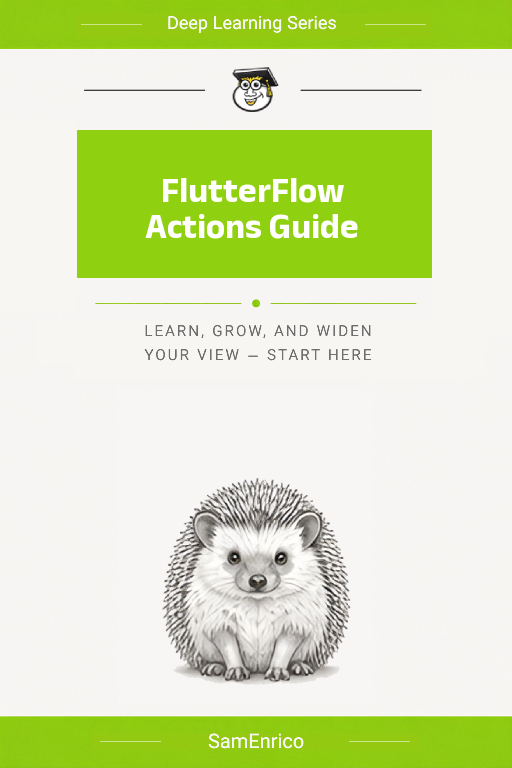
Non-FictionStartup GuideNo-Code Build
FlutterFlow Actions Guide eBook
Use FlutterFlow actions for app logic. Navigation,
by Tocco Lowell
Use FlutterFlow actions for app logic. Navigation, conditional visibility, and updates.
Formats
Free sample
Chapter 1: The Trigger Awakens...--Every app you have ever loved—the ones that feel alive, that respond instantly, that seem to read your mind—shares a secret. They are not magic. They are not powered by expensive servers or secret algorithms locked inside Silicon Valley bunkers. They are powered by a single, deceptively simple idea: something happens, and something else responds.That is the trigger. The silent heartbeat of every interactive experience.Before you write a single line of custom code, before you connect a database, before you even worry about colors or fonts or padding, you must understand triggers.
Because without a trigger, your app is not an app at all. It is a screenshot. A beautiful, useless, frozen moment in time. A trigger is what transforms a static design into a living, breathing conversation between the user and the machine.Welcome to The Flutter Flow Actions Guide. You are here because you have already built screens.
You have dragged and dropped widgets, arranged layouts, maybe even connected a data source. But something feels… missing. Your app looks right, but it does not do anything yet. Buttons sit there, waiting. Pages load, but nothing happens.
You press a button, and the universe shrugs back at you.This chapter fixes that. Right now. From the first page.We are going to dismantle the trigger system in Flutter Flow piece by piece. By the time you finish this chapter, you will never look at a button the same way again. You will see triggers everywhere—not as technical obstacles, but as opportunities.
You will understand that every tap, every swipe, every lifecycle event is a door waiting to be opened.And you will learn the single most important rule of action-based development: Choose the wrong trigger, and your app will feel slow, broken, or just wrong. Choose the right trigger, and users will never notice it at all—they will just feel like the app works exactly as it should.Let us begin.The Anatomy of a Trigger Before we explore the types of triggers, you need to understand what a trigger actually is inside the Flutter Flow engine.A trigger is an event listener. It sits quietly on a widget, a page, or a component, waiting for a specific condition to become true. When that condition happens—a finger taps the screen, a page finishes loading, a timer reaches zero—the trigger fires. And when it fires, it executes one or more actions in a sequence you define.Think of it like a light switch.
The switch itself does nothing useful. It is just a piece of plastic mounted on a wall. But the moment you flip it, something happens. The trigger is not the action. The trigger is the flip.
The action is the light turning on.In Flutter Flow, triggers live in the Action Flow Editor. You access this editor by selecting any widget that supports interactivity—buttons, icons, containers, even entire pages—and clicking the little lightning bolt icon or the "Actions" button in the properties panel. Inside that editor, you will see a dropdown menu at the top. That dropdown lists every trigger available for that specific widget.Here is what separates intermediate builders from beginners: beginners see that dropdown and pick the first thing that sounds right—usually "On Tap." Intermediate builders know that each trigger has a specific purpose, a specific timing, and specific performance characteristics. Choosing the wrong trigger is like using a sledgehammer to hang a picture frame.
It might technically work, but you will regret it later.Let us catalog every trigger you will ever need.Widget Triggers: The User's Voice Widget triggers respond directly to user interaction. These are the most common triggers you will use, and they are where most developers start their journey. But as you will see, even the humble "On Tap" has hidden depths.On Tap This is the workhorse of mobile app development. On Tap fires the moment a user touches the screen and releases their finger within the bounds of the same widget. This delay—touch down, touch up—is intentional.
It gives users a chance to cancel the action by sliding their finger off the widget before releasing.Best used for: Buttons, list items, cards, and any primary interaction where a user explicitly confirms their intent.Common mistake: Using On Tap for actions that require immediate response on touch down (like a piano keyboard or a fast-paced game). For those, you want On Pointer Down.Performance note: On Tap includes a built-in 50-100 millisecond delay while Flutter waits to see if the user intends to long press or swipe. This is imperceptible for most apps but matters for real-time interactions.On Long Press Fires when a user presses and holds on a widget for approximately 500 milliseconds. This trigger signals a secondary, less obvious interaction. Users do not long press by accident.
When they do, they expect something special—a context menu, a delete confirmation, or a preview.Best used for: Revealing hidden options, entering selection modes, triggering haptic feedback, or accessing advanced features that would clutter the main interface.Real-world example: In a messaging app, tapping a message opens it, but long-pressing reveals a menu: copy, forward, delete, reply. This keeps the main interaction clean while offering power users additional control.Implementation tip: Always pair On Long Press with haptic feedback using the "Vibrate" action. The physical sensation confirms to users that their long press registered before the action completes.On Double Tap Fires when two rapid taps occur within a short time window (typically 300 milliseconds). Double tap is culturally associated with zooming, liking, or rapid selection. Unlike On Tap and On Long Press, On Double Tap has a unique constraint: it always delays its response slightly, because Flutter must wait to see if a second tap follows the first.Best used for: Zooming images, liking posts (Instagram-style), expanding/collapsing sections, or any action where a single tap already has a different meaning.Critical warning: Never use On Double Tap on a widget that also has On Tap enabled unless you understand the delay.
The On Tap action will fire first, then 300ms later, the double tap may fire as well. This means a user who double-taps accidentally triggers the single-tap action first. For photo galleries, this is fine. For destructive actions, it is a disaster.On Pointer Down / On Pointer Up These are the raw, unfiltered touch events. On Pointer Down fires the instant a finger touches the screen.
On Pointer Up fires the instant the finger lifts, regardless of where it lifts.Best used for: Drawing apps, musical instruments, custom sliders, or any interface where millisecond precision matters.Why you rarely use them: Most users expect a chance to cancel an action by sliding their finger away before releasing. On Pointer Up removes that cancellation window. Only use these triggers when you genuinely need instant response and cancellation is either impossible or undesirable.On Hover (Web Only)Desktop and web users have a mouse, not a finger. The hover trigger fires when a cursor enters the bounds of a widget and (optionally) when it leaves. This is how you build tooltips, dropdown menus that appear…
This is the end of the free sample. Get the eBook to keep going. Buy now
About this book
Details
- Author
- Tocco Lowell
- Publisher
- SamEnrico
- Language
- English
- Genre
- Non-Fiction, Startup Guide, No-Code Build
- Released
- 2026-05-30
- Pages (approx.)
- 145
- Available as
- eBook, Audiobook

Read better in the ZLOADR app
Your eBooks on your phone or tablet. Sign in with your SamEnrico account and start reading.
More by Tocco Lowell
 Anger At Strangers GuideTocco Lowell$11.99
 Asha Degree's School LifeTocco Lowell$11.99
 Body Scan for Eating Disorder RecoveryTocco Lowell$11.99
 The English Taught German GuideTocco Lowell$11.99
 Spending Addiction Apps GuideTocco Lowell$11.99
 The Unlikely Comeback: How a Fallen Star Found RedemptionTocco Lowell$11.99
 R&D Promotion CaseTocco Lowell$12.99
 Understanding Vater AssociationTocco Lowell$17.99
 Ultimate Handbook Guide to Bikaner : (India) Travel GuideTocco Lowell$11.99
 Machine TenderTocco Lowell$11.99
You may also like
 Hong Kong Handover 1997Dunn Johnnie$11.99
 Zumba For Postnatal Recovery CourseNeal Christian$11.99
 Zumba for BeginnersLadner Nikia$11.99
 YouTube Comment Mining GuideHumes Pandora$12.99
 Worry Box MeditationCarlin Rudy$11.99
 Workplace Stress MeditationNguyen Lynn$11.99
 Workplace Stress and Sleep RepairHawley Ivory$11.99
 Workplace Perfectionism CureDelaney Jeffry$11.99
 Workplace Injustice Anger GuideWallen Isabelle$11.99
 Work Addiction and Burnout LinkGreenwood Ester$11.99
 Women in Yoga and WellnessBeattie Galina$11.99
 Women in Stand Up ComedyChun Evangeline$11.99