
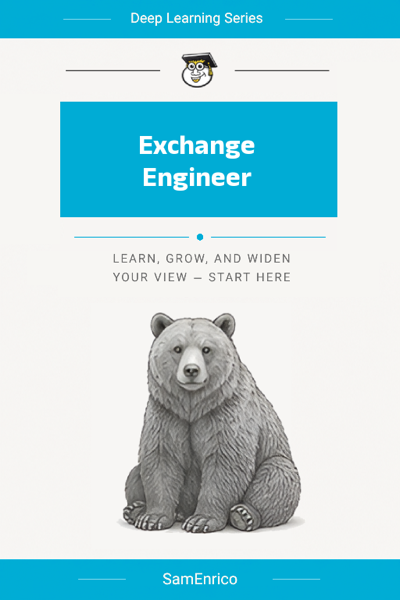
Non-FictionInformativeEducational
Exchange Engineer eBook
A Coursebook on Exchange Engineer
A Coursebook on Exchange Engineer
Formats
Free sample
Chapter 1: The Hybrid Mandate--–- The mail flow alert arrives at 2:47 AM. A queue on your on-premises Exchange server has backed up to 5,000 messages. The users affected are not on-premises users—they are in Exchange Online. Their messages to a critical external partner are stuck because the hybrid connector is misrouted. You fix the queue, restart the transport service, and watch the messages drain.
By 3:15 AM, everything is flowing again. The users never notice. This is the life of the modern Exchange engineer.The days of managing a single, isolated Exchange server are over. They ended the moment Microsoft announced that Exchange Online would become the default destination for new mailboxes. Today's Exchange engineer does not manage servers in a vacuum.
They manage a hybrid ecosystem where mailboxes, connectors, and identities span on-premises Active Directory and Microsoft's cloud. They must know Exchange 2019 and Exchange Online equally well. They must understand where the cloud leads and where on-premises still holds advantages. And they must make strategic decisions about workload placement that affect availability, security, and compliance.This chapter maps the current Exchange landscape. It provides a strategic framework for understanding the coexistence of Exchange Server 2019, Exchange Server 2022 (where available), Exchange Online, and the legacy systems (Exchange 2016, 2013) that stubbornly refuse to die.
It explains the "new normal": most enterprises operate in a hybrid topology where some mailboxes reside on-premises and others in the cloud. And it provides a decision framework for determining which workloads belong where, based on regulatory, technical, and business requirements.This chapter is primarily for architects and decision-makers. Engineers will find value in understanding the "why" behind the "how." Security specialists will use this framework to assess risk. But everyone who works with Exchange must understand the hybrid mandate—because the standalone Exchange server is a dying breed.The Three Ages of Exchange To understand where we are, we must understand where we have been.The First Age: On-Premises Only (1996-2011). Exchange was a server you installed in your datacenter.
You bought hardware. You installed Windows. You ran the Exchange setup wizard. You were responsible for everything: disk space, backups, antivirus, spam filtering, and disaster recovery. The skills required were deep but narrow.
If you knew Exchange, you could manage the entire messaging environment.The Second Age: The Hybrid Dawn (2011-2020). Microsoft introduced Office 365 (now Microsoft 365) and with it, the concept of hybrid. Organizations could keep some mailboxes on-premises and move others to the cloud. The Hybrid Configuration Wizard (HCW) emerged as the bridge. Engineers had to learn Azure Active Directory (Entra ID) Connect, directory synchronization, and OAuth.
The role expanded beyond Exchange into identity and cloud services.The Third Age: The Hybrid Mandate (2020-Present). Microsoft made it clear: Exchange Online is the strategic platform. On-premises Exchange exists only for specific compliance, regulatory, or cost scenarios. But hybrid is not optional—even organizations with no on-premises mailboxes often retain an Exchange server for management of directory attributes. The modern Exchange engineer must be fluent in both worlds, capable of moving mailboxes bidirectionally, and expert in security for both environments.The third age is where this book lives.
You are not learning Exchange as it was. You are learning Exchange as it is: a hybrid platform spanning on-premises and cloud.The 2025-2026 Exchange Ecosystem As of 2025-2026, the Exchange ecosystem consists of four active platforms. Understanding their differences is essential for workload placement.Exchange Server 2019Exchange 2019 is the current on-premises version for organizations that cannot or will not move to the cloud. It requires Windows Server 2019 or 2022, supports up to 48 processor cores and 256GB of RAM, and introduces modern features like faster search (Big Funnel) and improved calendar reliability (Meta Cache Database).Strengths: Full control over data sovereignty. Custom compliance rules can be implemented without cloud policy limitations.
Complex transport rules that reference on-premises data sources. No per-user subscription costs (only Server + CAL licensing). Support for custom applications that use Exchange Web Services (EWS) with on-premises latency.Weaknesses: Microsoft invests approximately 10% of its Exchange engineering budget in on-premises features. New security innovations (Safe Links, Safe Attachments, Time-of-Click protection) arrive in the cloud first—sometimes years before on-premises equivalents. The hardware and maintenance costs are significant.
And the skills required to run Exchange 2019 are becoming rarer as the workforce shifts to cloud-only roles.End of mainstream support: January 9, 2024 (already passed). Extended support ends January 9, 2029. Security updates continue until 2029, but no new features.Exchange Server 2022 (Where Available)Microsoft released Exchange Server 2022 as a follow-up to 2019, primarily for customers with extended support agreements. The feature set is largely identical to 2019 with backported security fixes. Most organizations will skip 2022 and move directly to Exchange Online or wait for the next major release.Note: As of this writing, Microsoft's roadmap suggests that Exchange Server 2025 may be the last on-premises version with extended support through 2035.
Organizations planning decade-long on-premises deployments should watch this announcement closely.Exchange Online (Microsoft 365)Exchange Online is the cloud service. Mailboxes live in Microsoft datacenters. Microsoft handles hardware, patching, backups (within retention limits), and anti-malware. The engineer manages policies, permissions, and configurations but not servers.Strengths: Always current. Security innovations arrive within weeks.
No hardware to maintain. Built-in redundancy across multiple datacenters. Per-user pricing aligns with headcount. Seamless integration with Teams, Share Point, and One Drive.Weaknesses: No control over Microsoft's patching schedule (though you can delay feature updates). Data sovereignty requires selecting the correct datacenter region.
Complex transport rules may hit cloud limits (e.g., 200 rules maximum). Third-party application integration requires careful API permission management. And some compliance scenarios require third-party archiving because Exchange Online's native retention is limited.Legacy Systems (Exchange 2016, 2013)Legacy Exchange servers still exist in many environments. Organizations delayed migration due to cost, complexity, or custom applications. These versions are out of mainstream support (Exchange 2013 ended support in April 2023; Exchange 2016 ends in October 2025).
Running them is a security risk.Critical warning: If you have Exchange 2016 or 2013 servers in your environment, prioritize their migration or upgrade. The Hafnium attacks of 2021-2023 exploited vulnerabilities in these versions. Microsoft will not release security updates for out-of-support versions. You are exposed.The New Normal: Hybrid Topology Most enterprises today operate in a hybrid topology. Some mailboxes are on-premises.
Some are in Exchange Online. The split varies by organization.Common split patterns:Regulatory split: Financial services companies keep trader mailboxes on-premises for compliance with record-keeping rules (SEC 17a-4, FINRA). Employee mailboxes go to the cloud.User type split: Executives and legal teams often remain on-premises for perceived security. General staff go to the cloud.Geography split: Organizations with significant operations in countries with strict data sovereignty laws (Germany, Brazil, China) keep mailboxes on-premises in those regions. Others move to the cloud.Application dependency split: Custom applications that rely on EWS with low-latency requirements stay on-premises.
Standard user mailboxes move to the cloud.Cost split: Organizations with high-volume outbound mail (marketing, notifications) sometimes keep sending infrastructure on-premises to avoid Azure Send Grid or third-party relay costs.The hybrid topology introduces complexity that pure on-premises or pure cloud environments lack. Identity must be synchronized. Mail flow must be routed correctly. Free/busy sharing must work across the boundary. Security policies must be enforced consistently.
And the engineer must be able to troubleshoot problems that span both environments.This complexity is the reason Exchange engineers still…
This is the end of the free sample. Get the eBook to keep going. Buy now
About this book
Details
- Author
- Hughey Janene
- Publisher
- SamEnrico
- Language
- English
- Genre
- Non-Fiction, Informative, Educational
- Released
- 2026-06-02
- Pages (approx.)
- 127
- Available as
- eBook, Audiobook

Read better in the ZLOADR app
Your eBooks on your phone or tablet. Sign in with your SamEnrico account and start reading.
More by Hughey Janene
 Parental Anger And Child ADHDHughey Janene$11.99
 Remote Communication For AutismHughey Janene$11.99
 Erotic Health Recovery GuideHughey Janene$11.99
 Self Hypnosis for Stress EatingHughey Janene$11.99
 Presidential Pets White HouseHughey Janene$11.99
 The Wolf of Wall Street's Shadow: The Untold Story of Jordan Belfort's GhostwriterHughey Janene$11.99
 The Cabinet of Wonders: How a 17th-Century Collector Built the First Great Atlantic Ocean Science MuseumHughey Janene$11.99
 Ultimate Handbook Guide to Stuttgart : (Germany) Travel GuideHughey Janene$11.99
 Community Value PropositionHughey Janene$12.99
 Schedule G Fundraising EventsHughey Janene$12.99
You may also like
 Hong Kong Handover 1997Dunn Johnnie$11.99
 Zumba For Postnatal Recovery CourseNeal Christian$11.99
 Zumba for BeginnersLadner Nikia$11.99
 YouTube Comment Mining GuideHumes Pandora$12.99
 Worry Box MeditationCarlin Rudy$11.99
 Workplace Stress MeditationNguyen Lynn$11.99
 Workplace Stress and Sleep RepairHawley Ivory$11.99
 Workplace Perfectionism CureDelaney Jeffry$11.99
 Workplace Injustice Anger GuideWallen Isabelle$11.99
 Work Addiction and Burnout LinkGreenwood Ester$11.99
 Women in Yoga and WellnessBeattie Galina$11.99
 Women in Stand Up ComedyChun Evangeline$11.99