
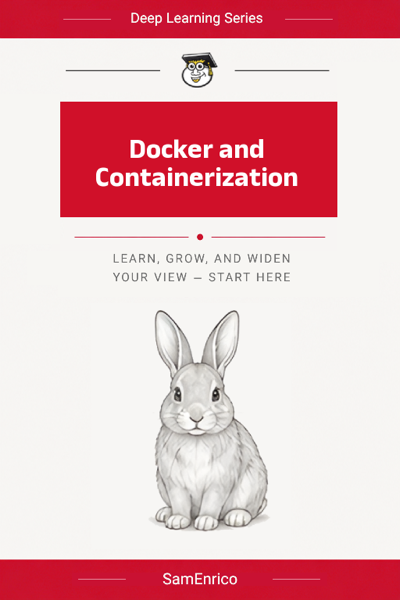
Docker and Containerization eBook
A Coursebook on Docker and Containerization
by Lanham Junie
A Coursebook on Docker and Containerization
Formats
Free sample
Chapter 1: The Friday Crash--–- The pager screamed at 4:47 PM on a Friday. Sarah, the lead backend engineer at a fast-growing grocery delivery startup, stared at her screen in disbelief. The monolithic Rails application—the single piece of software that handled everything from user logins to payment processing to inventory tracking—had fallen over. Not just slow. Not just degraded. Dead. The error logs showed a cascade of Ruby timeouts, Postgre SQL connection pool exhaustion, and Redis memory failures, all tangled together like a Christmas tree of catastrophe.The on-call engineer, a junior named Marcus who had joined the team three months ago, was already in over his head. He had tried restarting the server. No change. He had tried rolling back the latest deployment. The rollback failed because the database migration was irreversible. He had tried SSH-ing into the production machine to tail logs, but the log file had grown to 47 gigabytes overnight, filling the disk and preventing any new writes. The entire team—seven engineers, two product managers, and a CTO who had stopped taking calls from investors—spent the next fourteen hours manually untangling the mess.By Saturday morning, the site was back up. But the damage was done. Thousands of orders had been lost. The company’s reputation took a hit that would take months to recover. And every engineer on that team swore never to repeat the experience.The root cause? Not a single bug, not a malicious attack, not a cloud provider outage. It was something far more mundane, and far more preventable: three developers were working on the same codebase with three different versions of Python’s cryptographic library. One had upgraded locally to fix a security warning. Another had pinned an older version because a third-party API broke with the new one. The third hadn’t changed anything, so his requirements.txt was still referencing an even older version. When their code merged, the production server—which had a fourth version of the library installed globally—became a house of cards. The database migration that followed corrupted the session store, which filled the logs with errors, which filled the disk, which crashed the database connection pool. A cascade of tiny, isolated decisions, none of which seemed dangerous on their own, conspired to destroy a Friday night.This is the problem that containers solve. Not with magic, not with complexity, but with a simple, almost boring idea: wrap your application and its dependencies in a lightweight, portable, and isolated environment that behaves the same everywhere. This chapter tells the story of how that idea emerged from decades of deployment pain, why Linux kernel features make it possible, and why Docker—despite being just one implementation of a broader standard—became the face of a revolution.The Four Ages of Deployment Hell Before we write a single docker run command, we need to understand the problem containers were built to solve. Every generation of software deployment has been a reaction to the failures of the previous generation. Let's walk through them.Age 1: Bare Metal (The "Works on My Machine" Era)In the beginning, there were physical servers. You bought a Dell or HP machine, racked it in a data center, installed Ubuntu or Cent OS directly on the metal, and deployed your application by copying files via FTP or rsync. If you were sophisticated, you wrote a shell script to restart processes after a crash.This era had a name: "It works on my machine."Developers would write code on their Mac Books or Windows laptops, test it locally, and declare victory. But the production server had a different kernel version, different system libraries (glibc 2.23 vs. 2.31), different versions of Python or Ruby or Node, and different configuration files scattered across /etc. The famous XKCD comic about "my environment" wasn't a joke—it was the daily reality of every ops team.The worst part: there was no isolation. One application could monopolize the CPU, fill the disk with logs, or exhaust memory, crashing every other application on the same server. The only solution was to run one application per server—expensive, wasteful, and slow to scale.Age 2: Virtual Machines (The "Heavy Umbrella" Era)Virtual machines arrived as a solution to the isolation problem. A hypervisor (VMware, KVM, Virtual Box) creates virtual hardware, and each VM runs a full guest operating system. One physical server could now host ten VMs, each with its own kernel, its own system libraries, and its own allocated CPU and RAM.This was revolutionary. Teams could now run multiple applications on the same hardware without them interfering. A crashing application in one VM wouldn't take down the others. You could snapshot a VM, clone it, or move it to another host.But VMs came with a cost. Each VM runs a full OS—kernel, init system (systemd), syslog daemon, cron, and hundreds of other processes—consuming gigabytes of disk and megabytes of RAM even before you deploy your application. Booting a VM takes minutes. Spinning up a hundred VMs to handle a traffic spike is slow and expensive. Developers still had the "works on my machine" problem, because a VM running Ubuntu 18.04 might have a different kernel patch level or a different version of libssl than the production VM.The fundamental limitation of VMs is hardware-level abstraction. Each VM pretends to be a physical computer, complete with its own BIOS, CPU, and memory. That's a lot of pretension—and a lot of overhead.Age 3: Containers (The "Shipping Container" Era)Enter containers. Instead of virtualizing hardware, containers virtualize the operating system. Multiple containers run on top of the same OS kernel, but each container sees its own isolated view of the world: its own filesystem, its own process tree, its own network stack, its own user IDs.Think of it this way:A virtual machine is like building a separate house for every tenant. Each house has its own foundation, walls, plumbing, and electrical system. It's secure and isolated, but building a house takes time and materials.A container is like an apartment in a large building. All apartments share the same foundation, the same elevator, the same plumbing system. But each apartment has its own lock, its own furniture, and its own view. Moving in takes minutes, not days.This analogy explains the key benefits of containers:Lightweight: A container shares the host kernel, so it doesn't need to boot an entire OS. A typical container image is 50-200 MB, compared to 2-10 GB for a VM image.Fast: Starting a container takes milliseconds, not minutes. You can launch a hundred containers in the time it takes to boot one VM.Portable: A container includes its application, its dependencies, its system libraries, and its configuration. If it runs on your laptop (with Docker installed), it will run on any Linux server, any cloud provider, any Kubernetes cluster. The "works on my machine" problem disappears.Isolated but efficient: Containers can't see each other's processes or files by default, but they share the kernel, so they don't waste resources on redundant OS components.The container revolution was not invented by Docker. The core technology—Linux namespaces and cgroups—had existed for years. Google had been using its own container system (Borg) since 2003. But Docker, founded in 2010, made containers accessible to ordinary developers. It added a simple command-line interface, a portable image format, and a public registry (Docker Hub).…
This is the end of the free sample. Get the eBook to keep going. Buy now
About this book
Details
- Author
- Lanham Junie
- Publisher
- SamEnrico
- Language
- English
- Genre
- Non-Fiction, Informative, Educational
- Released
- 2026-06-02
- Pages (approx.)
- 128
- Available as
- eBook, Audiobook

Read better in the ZLOADR app
Your eBooks on your phone or tablet. Sign in with your SamEnrico account and start reading.
More by Lanham Junie
 Ethiopian Family Reunited AbroadLanham Junie$11.99
 Research Proposal Dissemination Plan GuideLanham Junie$11.99
 Exercise Academic Stress ReliefLanham Junie$11.99
 Casino Dealer Stress ManagementLanham Junie$11.99
 Scripting for SleepLanham Junie$11.99
 Market Disequilibrium DynamicsLanham Junie$11.99
 Praise Dependent Self WorthLanham Junie$11.99
 Marathon Wall HypnosisLanham Junie$11.99
 The Alchemists of Rome: Forging the Foundations of ScienceLanham Junie$11.99
 The Crusade of the Black Eagle: The Mongols at Acre (1291 AD)Lanham Junie$11.99
 Growing DiploglottisLanham Junie$11.99
 Cooperative Blockchain TraceabilityLanham Junie$12.99