
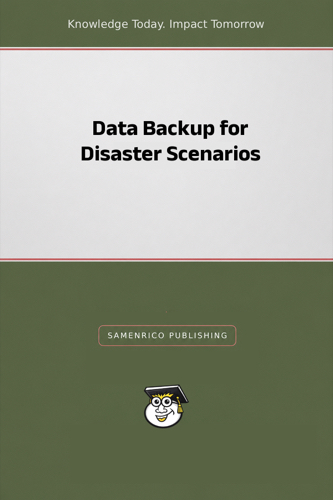
Non-FictionCrisis ManagementData Resilience
Data Backup for Disaster Scenarios eBook
Teaches offsite storage, cloud redundancy, and ret
by Coy Mellie
Teaches offsite storage, cloud redundancy, and retrieval speed optimization.
Formats
Free sample
Chapter 1: The Connected Coffin--–- The email arrived at 2:17 AM on a Tuesday. Sarah, a wedding photographer with twelve years of work stored on a single 4TB external drive, read it while brushing her teeth. "Your files have been encrypted. Pay 4 Bitcoin within 48 hours." She laughed it off as spam. Then she tried to open a folder from last Saturday's shoot.
Corrupted. Then her daughter's first birthday party. Corrupted. Then the drive itself appeared in File Explorer as a generic icon with no label. Sarah learned two things that morning: ransomware does not care about your portfolio, and her backup drive—sitting right next to her computer, plugged in and ready—was already dead, too.The Great Illusion Most people believe that buying an external hard drive solves their backup problem.
Walk into any Best Buy, and you will see them: shiny rectangles in plastic clamshells, promising “1TB of peace of mind” or “protect your memories.” The marketing suggests that ownership equals safety. You buy the drive, you plug it in, you drag some folders over, and you are done. Disaster averted.This is a lie. And it is the most expensive lie in personal data management.The external hard drive industry sells over 200 million units per year. Yet data loss remains epidemic.
Ransomware attacks hit one in five small businesses. Hard drive failure rates sit between 1% and 5% annually, depending on the model. Floods, fires, and thefts do not discriminate between your computer and the drive sitting six inches away. The problem is not the drive itself. The problem is everything about how we use it.Let us define the three failure modes of the connected backup, because understanding failure is the first step toward surviving it.Failure Mode One: Physical Proximity A backup stored within three feet of the original data is not a backup.
It is a second copy of the same vulnerability.Consider a standard home office setup. Your computer sits on a desk. Your external hard drive sits next to it, maybe on the same desk, maybe on a shelf directly below. A fire in the kitchen travels through the ceiling. Both devices are in the same room.
Both reach the same temperature. Both are destroyed. A thief breaks a window, grabs the computer, sees the external drive, and grabs that too. A pipe bursts in the wall behind the desk. Water damage does not care about your folder structure.The math is brutal: if your backup is in the same building as your original, your risk of total loss is not halved.
It is nearly identical. You have simply created two targets for the same disaster.This is what I call the Offsite Illusion. You feel safe because you have taken an action—buying a drive, copying files—but the action has not actually reduced your exposure to the disasters that matter most. Fire, flood, theft, and power surges do not respect the six inches between your computer and your external drive. They respect physical distance.
Real distance. The kind measured in miles, not inches.Failure Mode Two: Ransomware The threat landscape changed around 2017. Before that, most data loss was accidental or mechanical. A drive failed. You deleted a file by mistake.
Someone spilled coffee. These were tragedies, but they were predictable tragedies.Ransomware changed the rules.Modern ransomware is not a virus that announces itself immediately. It is patient. It spreads through your network, finds every connected drive, and encrypts files in the background over hours or days. By the time you see the ransom note, every local copy—your main drive, your external backup, your second computer, your network-attached storage—is already scrambled.Here is what most people do not understand: ransomware scans for mapped drives.
That external drive you assigned to drive letter E: is mapped. The ransomware sees it. The ransomware encrypts it. The ransomware encrypts the backup of your backup if both are connected.The only defense against ransomware encryption is an immutable copy—a version that cannot be changed, deleted, or overwritten for a set period. Most external drives offer no such protection.
They are writable by design. And writable means vulnerable.Failure Mode Three: Silent Corruption Even without fire, flood, theft, or ransomware, your backup can fail without any notification.Hard drives experience bit rot. Data stored on a drive slowly degrades over time due to magnetic decay, cosmic radiation, or simple manufacturing defects. A single flipped bit can corrupt a photograph, a contract, or a database. Most people never notice because the corruption is silent.
The file opens. It looks fine. But one pixel is wrong. One number in a spreadsheet is off by a factor of ten. Or the file simply fails to open entirely, and you assume it was always broken.Backup drives compound this problem.
If you copy a corrupted file to your external drive, you have successfully backed up garbage. The backup worked perfectly. The data is useless.The only solution is automated integrity checking—hash verification that compares the original and the copy bit by bit. But automated checks require software, scheduling, and attention. Most external drive users perform none of these.
They copy files manually once a month and assume the work is done.The Two Numbers That Will Save Your Life Before we go any further, we need two numbers. These numbers will guide every decision in this book. They are more important than hardware, more important than software, more important than cloud providers. Without them, you are building a house without blueprints.Recovery Time Objective (RTO)The RTO answers one question: how long can you afford to be without your data?Not how long you hope to be without it. Not how long you think it should take.
How long can your life or business continue to function before the absence of your data causes unacceptable damage?For a wedding photographer like Sarah, the RTO might be four hours. She has clients waiting for proofs. She has contracts that need signatures. Every hour without her photo library costs her money and reputation.For a parent with 50,000 family photos, the RTO might be one week. The photos are precious, but they are not time-sensitive.
A week of waiting is frustrating but not catastrophic.For a freelance graphic designer working on a deadline, the RTO might be two hours. Her client expects a draft by end of day. Missing that deadline means losing the contract.For a retiree with scanned family letters, the RTO might be one month. The data is irreplaceable, but there is no external pressure to restore it quickly.Your RTO is personal. There is no right or wrong number.
But you must choose one. Because your backup strategy will be designed around that number. If you need a four-hour RTO, you cannot rely on cloud downloads that take three days. If you have a one-week RTO, you do not need to spend money on expensive hardware that restores in minutes.Worksheet Question 1: Imagine all your data disappeared at 9 AM tomorrow. What is the latest time you could get it back without suffering serious consequences?
Write that time here: ______ hours/days.Recovery Point Objective (RPO)The RPO answers a different question: how much data can you afford…
This is the end of the free sample. Get the eBook to keep going. Buy now
About this book
Details
- Author
- Coy Mellie
- Publisher
- SamEnrico
- Language
- English
- Genre
- Non-Fiction, Crisis Management, Data Resilience
- Released
- 2026-06-05
- Pages (approx.)
- 141
- Available as
- eBook, Audiobook

Read better in the ZLOADR app
Your eBooks on your phone or tablet. Sign in with your SamEnrico account and start reading.
More by Coy Mellie
 Sales and Clearance AddictionCoy Mellie$11.99
 Buddy System for AngerCoy Mellie$11.99
 Anapanasati For Beginners WorkbookCoy Mellie$11.99
 The Body Language of BoredomCoy Mellie$11.99
 The Plague and the Pathfinders: How Renaissance Explorers Conquered DiseaseCoy Mellie$11.99
 Understanding Mitochondrial Diseases, Clinically UndefiniteCoy Mellie$17.99
 How to Start a Hobby in Sand castle buildingCoy Mellie$11.99
 Corderoite MiningCoy Mellie$11.99
 Legal Deadline Extraction GuideCoy Mellie$12.99
 Green Cement Capital GuideCoy Mellie$12.99
You may also like
 Hong Kong Handover 1997Dunn Johnnie$11.99
 Zumba For Postnatal Recovery CourseNeal Christian$11.99
 Zumba for BeginnersLadner Nikia$11.99
 YouTube Comment Mining GuideHumes Pandora$12.99
 Worry Box MeditationCarlin Rudy$11.99
 Workplace Stress MeditationNguyen Lynn$11.99
 Workplace Stress and Sleep RepairHawley Ivory$11.99
 Workplace Perfectionism CureDelaney Jeffry$11.99
 Workplace Injustice Anger GuideWallen Isabelle$11.99
 Work Addiction and Burnout LinkGreenwood Ester$11.99
 Women in Yoga and WellnessBeattie Galina$11.99
 Women in Stand Up ComedyChun Evangeline$11.99