
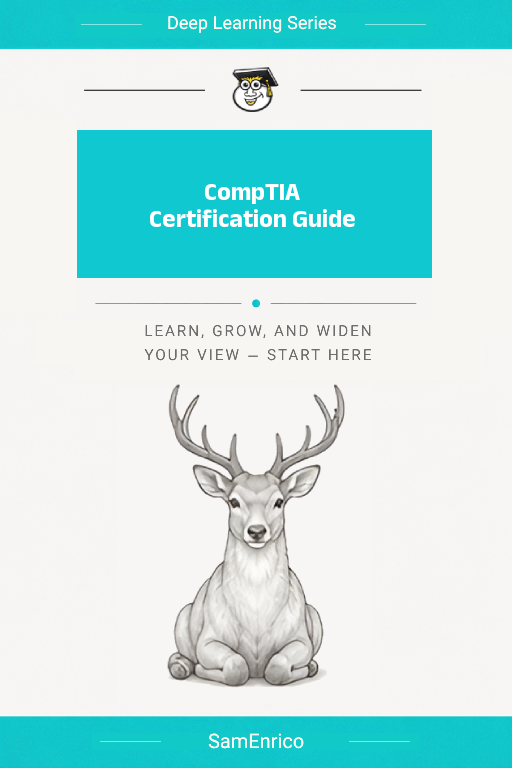
CompTIA Certification Guide eBook
Earn CompTIA A+, Network+, Security+ for IT suppor
by Meador Mose
Earn CompTIA A+, Network+, Security+ for IT support and cybersecurity entry roles.
Formats
Free sample
Chapter 1: The Beige Box Autopsy--The ticket arrives at 9:14 AM on a Tuesday. A C-level executive three time zones away reports their PC “won’t do anything.” No lights. No sound. No POST beeps. The previous technician has already swapped the power cord, tried three different outlets, and declared the machine “possessed.” Your boss gives you ninety minutes before the executive’s assistant escalates to the VP of IT.You have a screwdriver, a multimeter, and a growing realization that every textbook you’ve ever read assumed the computer would at least turn on.This is the difference between studying for the Comp TIA A+ and actually earning it.
The exam will ask you which POST code indicates a memory error. The real world will hand you a dead machine and a furious executive. Your job is to bridge those two realities within the margin of a single troubleshooting ticket.Welcome to the digital sandbox. If you cannot diagnose why a PC refuses to power on, you cannot secure it, you cannot network it, and you certainly cannot defend it from ransomware. Every security control you will learn in later chapters—Bit Locker encryption, firewall rules, intrusion detection—assumes the hardware works.
A computer that does not POST is a paperweight. And paperweights do not get promoted.This chapter strips away the abstraction. You will learn what lives inside that beige (or black, or RGB-lit) box, how each component communicates, and how to systematically eliminate failure points when nothing happens after pressing the power button. By the end, you will perform what we call the Beige Box Autopsy: a six-step diagnostic ritual that separates hardware technicians from parts-swappers.Why This Chapter Determines Your Entire Certification Path The Comp TIA A+ Core 1 exam (220-1101) devotes approximately thirty percent of its questions to hardware and peripherals. More importantly, the Network+ and Security+ exams assume you understand what happens below the operating system.
When Chapter 8 teaches you how malware persists through reboots, you will need to know about the BIOS and boot sectors. When Chapter 11 covers Bit Locker encryption, you will need to understand TPM chips and motherboard security headers. When Chapter 9 discusses hardware hardening, you will need to recognize which BIOS settings prevent USB boot attacks.This is the foundation. Build it poorly, and everything else cracks.The salary data confirms the stakes. Help desk technicians with A+ certification and demonstrable hardware troubleshooting skills earn between 42,000and42,000 and 42,000and55,000 in the current market, according to Comp TIA’s 2025 IT Salary Survey.
Technicians who can only follow scripted checklists earn below that range. The difference is diagnostic reasoning—the ability to look at a dead machine and hypothesize which of seven subsystems failed.Let us build that ability now.The Seven Subsystems of Every Computer Before you can troubleshoot, you must understand the map. Every personal computer, from a 300Chromebooktoa300 Chromebook to a 300Chromebooktoa5,000 workstation, contains seven interdependent subsystems. Failure in any one produces symptoms ranging from silence to smoke.Subsystem One: Power Delivery The power supply unit converts alternating current from the wall into direct current at three specific voltages: +3.3V, +5V, and +12V. Modern PSUs also provide a +5V standby rail that powers the motherboard’s wake-on-LAN, USB charging, and soft-power circuitry even when the computer appears off.
This standby rail is why your phone charges from a powered-off computer’s USB port.The motherboard’s voltage regulator modules then step these voltages further down for the CPU (typically 0.8V to 1.4V) and RAM (1.2V to 1.35V for DDR4, 1.1V for DDR5).Subsystem Two: Central Processing The CPU executes instructions, manages memory access, and coordinates peripheral communication. Modern CPUs from Intel and AMD contain multiple cores (physical processing units) and threads (logical processing units via simultaneous multithreading). A 6-core, 12-thread processor can handle twelve instruction streams simultaneously.Subsystem Three: Memory Hierarchy This includes three levels: CPU registers (fastest, smallest), cache memory (L1, L2, L3 on the CPU die), and main system RAM (slower, larger). The A+ exam focuses on RAM types, speeds, and channel configurations.Subsystem Four: Storage Persistent storage survives power cycles. Traditional hard disk drives use spinning platters and mechanical heads.
Solid-state drives use NAND flash with no moving parts. M.2 drives connect directly to the PCIe bus for maximum throughput.Subsystem Five: Motherboard Interconnects The motherboard is a printed circuit board containing traces that carry data and power. Chipsets (traditionally northbridge and southbridge, now integrated into a single Platform Controller Hub on Intel systems) manage communication between the CPU, RAM, storage, and peripherals. Expansion slots (PCIe) provide standardized connections for graphics cards, network adapters, and storage controllers.Subsystem Six: Peripherals and I/OEverything external: keyboards, mice, monitors, printers, external drives. These connect via USB, Thunderbolt, HDMI, Display Port, or legacy interfaces like PS/2 and VGA.Subsystem Seven: Firmware and Boot ROMThe BIOS or UEFI firmware stored on a ROM chip initializes hardware, performs the Power-On Self-Test, and loads the bootloader from a storage device.
Without functioning firmware, the CPU has no instructions to execute.When a computer fails to power on, one or more of these subsystems has stopped responding. Your job is to identify which one without guessing.The Power-On Self-Test: What Those Beeps Mean Before the screen displays anything, before the operating system loads, the motherboard executes firmware stored in a ROM chip. On traditional BIOS systems, this firmware performs the Power-On Self-Test. On modern UEFI systems, the process is more sophisticated but conceptually identical.The POST checks four critical components in order:CPU: The processor must respond to basic instructions. If the CPU fails, the motherboard typically produces no beeps and no video.
Some high-end boards include a two-digit hexadecimal display showing error codes.BIOS/UEFI Checksum: The firmware verifies its own integrity. A corrupted BIOS produces specific beep patterns (typically long, repeating beeps on AMI BIOS) or causes the system to hang before any video output.System Memory: The motherboard tests the first megabyte of RAM. Memory failures produce beep patterns that vary by manufacturer. AMI BIOS uses 3 short beeps. Award BIOS uses 1 long, 2 short.
Phoenix BIOS uses a series of beep codes.Video Subsystem: The motherboard initializes the integrated graphics or discrete GPU. Video failures produce beep patterns as well. Award BIOS uses 1 long, 3 short. AMI BIOS uses 5 short beeps (if no video card) or 6 short beeps (if video card but failure).No POST beeps at all means one of three things: the power supply is dead, the motherboard has no power, or the speaker is disconnected. The last possibility is surprisingly common on modern cases that omit internal speakers entirely.
Some motherboards include onboard LEDs or seven-segment displays instead.Continuous long beeps typically indicate a power supply issue or a stuck key on the keyboard (yes, the POST checks that too).One short beep on most systems indicates a successful POST. The machine will then attempt to boot from the next device in the boot order.The Motherboard: Central Nervous System The motherboard is the first component to inspect when a system fails to power on. Every other component connects through it. If the motherboard has a short circuit, a failed capacitor, or a broken trace, nothing else matters.Form Factors and Their Implications The physical size…
This is the end of the free sample. Get the eBook to keep going. Buy now
About this book
Details
- Author
- Meador Mose
- Publisher
- SamEnrico
- Language
- English
- Genre
- Non-Fiction, Student's Shortcut, IT Certifications
- Released
- 2026-05-30
- Pages (approx.)
- 144
- Available as
- eBook, Audiobook

Read better in the ZLOADR app
Your eBooks on your phone or tablet. Sign in with your SamEnrico account and start reading.
More by Meador Mose
 Travel Insurance Agency RegisterMeador Mose$11.99
 Loving Kindness for Wedding Stress HandbookMeador Mose$11.99
 Inside the Antwerp Diamond HeistMeador Mose$11.99
 Moving Stress Couples GuideMeador Mose$11.99
 Pet Ownership Healthy AgingMeador Mose$11.99
 The Frozen Frontier: Hudson’s Bay Company and the Arctic’s Hidden SecretsMeador Mose$11.99
 Pandamonium: The Great Escape of Hsing-Hsing and Huan HuanMeador Mose$11.99
 Research AnalystMeador Mose$11.99
 Understanding Depressive Personality DisorderMeador Mose$17.99
 Workforce Development RulesMeador Mose$12.99
 Ultimate Handbook Guide to Suzhou : (China) Travel GuideMeador Mose$11.99