
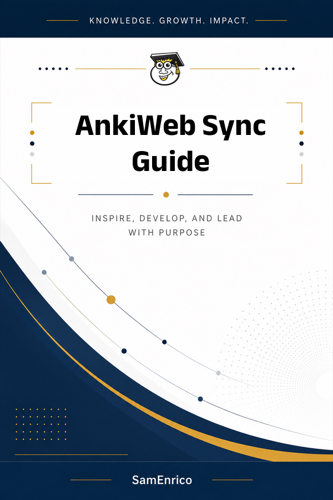
AnkiWeb Sync Guide eBook
Sync cards across multiple devices seamlessly.
by Devine Meta
Sync cards across multiple devices seamlessly.
Formats
Free sample
Chapter 1: The Digital Graveyard...–- Every day, thousands of Anki users lose their flashcards forever. They don’t lose them because they stopped studying. They don’t lose them because their computer crashed. They lose them because they clicked the wrong button during a sync. One click.
That’s all it takes to turn ten thousand carefully crafted flashcards into a digital ghost town.The author learned this lesson the hard way. Three years ago, he was a medical student with 14,000 cards covering every pharmacology concept for the USMLE Step 1. He had studied on his desktop computer at home, his laptop at the library, and his phone during bus rides. The system worked beautifully until one night, exhausted after an eighteen-hour study session, he opened Anki on his laptop and saw the dreaded message: “Your collection differs from that on Anki Web. Please choose Upload or Download.” Half asleep, he clicked Upload.
In that moment, his laptop’s outdated collection—containing only 2,000 cards from a failed experiment with a new note type—overwrote the 14,000-card master collection on Anki Web. When he opened his phone the next morning, the sync automatically downloaded the empty collection. Fourteen thousand cards, gone. Three years of work, vanished in eight seconds.This book exists because that story should never happen to anyone. The Anki Web Sync Guide is not another manual that repeats the official documentation.
It is a survival guide for anyone who depends on Anki for medical school, language learning, legal study, or any other endeavor where losing data means losing months or years of progress. The official Anki manual tells you what buttons do. This book tells you why clicking the wrong button destroys your data—and exactly how to recover when it happens.The Four Pillars of the Anki Universe Before you can master syncing, you must understand the four distinct pieces of software that make up the Anki ecosystem. Each serves a different purpose, and each has different limitations that affect how your data moves between devices.Anki Desktop is the command center. Available for Windows, Mac, and Linux, this is the only platform where you can create new note types, edit card templates, install add-ons, and perform bulk operations.
The desktop version runs on the full power of your computer, making it ideal for deck creation and maintenance. When the author recovered from his 14,000-card disaster, he did all the restoration work on a desktop computer with a large monitor and a full keyboard. Trying to rebuild thousands of cards on a phone would have been impossible.Anki Mobile is the i OS version, and it occupies a strange position in the ecosystem. It costs $24.99, a price that frustrates many new users but reflects the reality of Apple’s development fees and the app’s quality. Anki Mobile is sandboxed, meaning it cannot access files from other apps unless you explicitly share them.
This sandboxing protects your data from malicious apps but also means you cannot simply drag and drop media files into the app. Every file transfer requires going through the system share sheet. The upside is reliability: Anki Mobile rarely crashes, and its sync engine is the most thoroughly tested of all versions because paying users expect stability.Anki Droid is the Android version, and it is everything Anki Mobile is not: free, open-source, and highly customizable. Anki Droid can access your device’s SD card directly, import files from any folder, and sync in ways that respect your battery and data preferences. However, this flexibility comes with a price: because Anki Droid runs on thousands of different Android devices with different manufacturers’ modifications to the operating system, bugs sometimes appear on specific phone models.
The Anki Droid team is excellent at fixing these bugs, but users on obscure devices may encounter problems that i Phone users never see.Anki Web is not a full application at all. It is a cloud broker that sits between your devices, storing your collection and determining which changes came from which device. You can log into Anki Web through a browser to see your cards, but you cannot edit note types, add new fields, or change templates. Anki Web exists solely to facilitate syncing. Think of it as a postal service: it accepts packages from your devices, holds them safely, and delivers them when requested.
The postal service does not open the packages or modify their contents. It just moves data.The Great Misunderstanding: Sync Is Not Real-Time The most dangerous misconception about Anki sync is that it works like Google Docs or i Cloud, where changes appear instantly on all devices. This is false. Anki uses request-based synchronization, meaning your device must ask for updates and explicitly send its own changes.When you press the sync button or when Anki auto-syncs on opening or closing, your device performs a conversation with Anki Web. First, it says, “Here is a summary of my collection.
What has changed on the server since my last visit?” Anki Web responds with a list of changes. Then your device sends its own changes. Only after both sides have exchanged their updates does your device display the “Sync complete” message.This request-based model explains why you cannot simply open Anki on two devices simultaneously and expect them to stay in sync. If you review twenty cards on your phone during breakfast and then immediately open your laptop, the laptop will download those twenty reviews only if you sync each device. The phone must upload its changes.
The laptop must then download those changes. No automatic push notification tells the laptop that new data exists.The author’s 14,000-card disaster happened because he violated this fundamental understanding. He assumed his laptop would somehow “know” that the phone had the master collection. It did not. When he clicked Upload on the laptop, he was telling Anki Web, “Ignore whatever you have stored.
This laptop’s data is the only truth.” And Anki Web obeyed.The Five-Minute Clock Rule: Why Time Zones Matter Anki includes a security feature that confuses many users: the five-minute clock rule. Before every sync, Anki compares your device’s local time with the server’s timestamp. If the difference exceeds five minutes, Anki refuses to sync and displays an error message.This rule prevents a specific type of database corruption. Imagine you study cards on your phone while flying across time zones. Your phone automatically adjusts its clock to the new time zone.
When you land and attempt to sync, your phone might report a time that is three hours behind or ahead of the server’s time. Anki has no way of knowing whether the time difference is real (you actually traveled) or indicates a problem with your device’s clock. Rather than risk corrupting the database with misordered changes, Anki simply stops and asks you to fix your clock.The solution is simple: ensure all your devices are set to automatic time zone updates. On Windows, this is “Set time zone automatically” in Date & Time settings. On Mac, it is “Set time zone automatically using current location” in Date & Time.
On i OS and Android, automatic time zone is the default. If you ever see a sync error mentioning time…
This is the end of the free sample. Get the eBook to keep going. Buy now
About this book
Details
- Author
- Devine Meta
- Publisher
- SamEnrico
- Language
- English
- Genre
- Non-Fiction, Self-Help, Synchronization
- Released
- 2026-06-08
- Pages (approx.)
- 133
- Available as
- eBook, Audiobook

Read better in the ZLOADR app
Your eBooks on your phone or tablet. Sign in with your SamEnrico account and start reading.
More by Devine Meta
 Fibrates for TriglyceridesDevine Meta$11.99
 Laundromat Precedent GuideDevine Meta$11.99
 Tom Kite Wind MasterDevine Meta$11.99
 Creative Thinking for Network EngineersDevine Meta$11.99
 Sobriety Podcast GuideDevine Meta$11.99
 Imaginal Exposure GuideDevine Meta$11.99
 California Evidence Code 1117Devine Meta$11.99
 The Witness Who Changed Everything: The Case of Stephen Lawrence and the Power of TestimonyDevine Meta$11.99
 The Clockwork Kings: Inventors Who Shaped the Modern WorldDevine Meta$11.99
 Service Providers Guide to Mulch & Topsoil DeliveryDevine Meta$11.99
 How to Start a Embossing Machinery for Textiles Business (Beginners Guide)Devine Meta$11.99
 A Collector's Handbook to the Frazer Nash Tt ReplicaDevine Meta$11.99