

AI Deck Export Guide eBook
Convert AI generated slides to PDF, PPTX, and imag
by Hull Sherron
Convert AI generated slides to PDF, PPTX, and image formats.
Formats
Free sample
Chapter 1: The Slides Are Dead...--Long before you opened this book, you probably did what everyone does. You opened Power Point, Keynote, or Google Slides. You stared at a blank white canvas—that terrifying, infinite void of potential failure. You picked a template that looked "professional enough." You added a title. Then a bullet point.
Then a chart you copied from Excel. Then you spent forty-five minutes aligning three text boxes because your OCD wouldn't let the spacing be off by two pixels. Then you realized the font wasn't consistent across slides. Then you noticed the logo on slide four was slightly smaller than the logo on slide five. Then you cried.
Then you started over.That workflow is dead.Not dying. Not evolving. Dead. Buried. Decomposing.What you just read—that painful, soul-crushing process—is what design professionals call "manual slide building." And in the age of generative AI, it is the equivalent of churning your own butter while a grocery store sits across the street.
You can still do it. Some people will even praise you for your dedication. But you are wasting your life.This book exists because a new paradigm has emerged. It is not about making Power Point "easier." It is about eliminating the manual slide-building step entirely. You are about to learn a systematic, AI-assisted production process that treats presentations as data—not as artifacts.Let me be clear about what this chapter will do.
By the time you finish reading these pages, you will understand the fundamental shift from designer to "Deck Producer." You will learn the four-stage loop that replaces ad-hoc slide building. You will see the three formats that matter—and why most people focus on the wrong one. You will encounter the tools that professionals use to generate entire decks in minutes, not days. And you will witness a case study that proves why the old way of "stitching templates" fails catastrophically compared to the new "coherent poster-style" method.If you are a marketing manager who has spent twenty hours aligning logos, this chapter will save your career. If you are a consultant who produces decks for clients, this chapter will triple your output.
If you are a developer who wants to automate the entire pipeline, this chapter will give you the conceptual foundation you need.Let me tell you a secret that the software companies do not want you to know. Every slide you have ever built manually was a waste of time. Not because the content was bad. Not because your design was ugly. But because the process was fundamentally inefficient.
You were doing work that a machine should do, and you were doing it by hand, like a carpenter who refuses to use a power saw because "hand tools build character."Stop building character. Start building decks.The Death of Manual Slide Design Let me take you on a brief history tour. In 1987, Forethought, Inc. released Power Point for the Macintosh. It was revolutionary.
For the first time, non-designers could create visual presentations without hiring a graphic designer. The world cheered. Then, for the next thirty-five years, almost nothing changed fundamentally. Yes, Microsoft added transitions, animations, and cloud collaboration. Yes, Google Slides made it web-based.
Yes, Canva added templates. But the core workflow remained identical: you, a human, sitting in front of a canvas, dragging boxes, aligning text, and manually formatting each slide, one at a time.This workflow has a name in the industry. We call it "the stitched template approach."Here is how it works. You start with a slide master—a set of pre-defined layouts with placeholders for titles, body text, images, and charts. Then you populate those placeholders, slide by slide.
The AI (if you use any at all) merely fills in the text or suggests a layout. But the underlying structure is a stitched quilt: each slide is an independent template instance, not a coherent visual composition.The problem with stitched templates is that they are brittle. When you add text that is longer than the placeholder expects, the text overflows. When you insert an image that is not the exact aspect ratio, the image stretches or crops unpredictably. When you try to create a complex layout, the template fights you.
You end up spending your time fighting software instead of communicating ideas.I have watched senior consultants at top firms spend six hours on a ten-slide deck. Six hours. For ten slides. That is thirty-six minutes per slide. And what were they doing?
Aligning boxes. Fixing font sizes. Resizing images. Manually copying charts from Excel. It was not design.
It was digital janitorial work.The new approach rejects this entirely.The Deck Producer Mindset You are not a slide designer anymore. You are a Deck Producer.This is not semantic gymnastics. This is a fundamental identity shift. Designers work on individual artifacts. Producers work on systems that generate artifacts.
A slide designer asks, "How should this one slide look?" A Deck Producer asks, "What is the source material, what is the desired output, and what is the most efficient pipeline to get from source to output?"The Deck Producer operates on a four-stage loop. I want you to memorize this loop because every chapter in this book maps back to it.Stage One: Plan Before you generate a single image, before you write a single prompt, you plan. You define the audience. You define the tone. You determine the page count.
You structure your source material into a machine-readable storyline. You tag figures and tables for extraction. You select a visual language. You do all of this without creating a single slide.Most people skip this stage. They open Power Point and start typing.
That is like building a house by picking up a hammer and swinging at random. The planning stage is where the Deck Producer earns their efficiency. A well-planned deck takes fifteen minutes to generate. A poorly-planned deck takes two days to fix.Stage Two: Generate This is where AI enters the pipeline. You feed your structured plan into a generation system.
That system could be an API call to Gemini, a local instance of an open-source model, or a web-based tool like Codex PPT. The generation stage produces slide assets. Typically, these assets are high-fidelity images (PNGs) because images do not reflow or break—unlike PPTX files, which can shift text unpredictably when opened on different machines.The generation stage is fast. A good pipeline generates a twenty-slide deck in two to five minutes. A great pipeline does it in under a minute.
But speed is not the only benefit. Consistency is the real win. When you generate from a plan, every slide shares the same visual language, the same typography, the same spacing. No manual alignment. No font drift.
No logo inconsistencies.Stage Three: Quality Assurance Generation is not magic. It produces errors. Hallucinations happen. Text gets truncated. Aspect ratios break.
Colors drift. The QA stage is where you catch these errors before they embarrass you in front of a client or a conference audience.The Deck Producer does not QA manually. That defeats the purpose. Instead, you run automated QA scripts that check aspect ratio, legibility…
This is the end of the free sample. Get the eBook to keep going. Buy now
About this book
Details
- Author
- Hull Sherron
- Publisher
- SamEnrico
- Language
- English
- Genre
- Non-Fiction, AI Operator
- Released
- 2026-06-09
- Pages (approx.)
- 155
- Available as
- eBook, Audiobook

Read better in the ZLOADR app
Your eBooks on your phone or tablet. Sign in with your SamEnrico account and start reading.
More by Hull Sherron
 Continuous Glucose Monitor GuideHull Sherron$11.99
 The Beginner's Candle GazingHull Sherron$11.99
 Restaurant Recall ProcedureHull Sherron$11.99
 Scripted Self Hypnosis Trance GuideHull Sherron$11.99
 The Analytical Creativity MethodHull Sherron$11.99
 Large Chest Self EsteemHull Sherron$11.99
 Slovenian Pharma Contract ManufacturingHull Sherron$11.99
 Dreams About SchoolHull Sherron$11.99
 The Vault of Light: The Cathedral Heist of ChartresHull Sherron$11.99
 Seams of Power: The Untold Story of the First Black SupermodelHull Sherron$11.99
 Blood of the Standing Stones: The Druidic Wars of the BrigantesHull Sherron$11.99
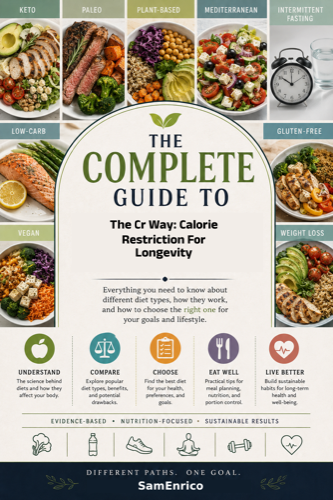 The Complete Guide to the Cr Way: Calorie Restriction For LongevityHull Sherron$11.99
You may also like
 AI Presentation WorkbookSommers Tonda$11.99
 PowerPoint Copilot MasteryConway Lanita$11.99
 Branded AI DecksWindham Loni$11.99
 AI Presentation CourseGrooms Olin$11.99
 AI Presentation CertificationBlank Dolly$11.99
 AI Deck Version ControlMedley Lorina$11.99
 AI Deck Update AutomationFraser Tresa$11.99
 AI Deck Myths DebunkedCrittenden Romelia$11.99
 AI Deck Customization GuideDove Hannelore$11.99
 AI Bullet to Slide ConverterKohn Eloisa$11.99
 AI Deck Notes CreatorBarela Sunday$11.99
 AI Deck Outline GeneratorAshmore Morgan$11.99