
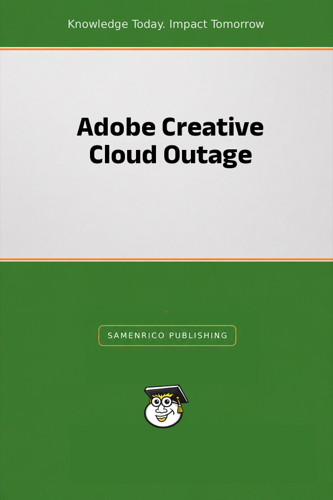
Non-FictionCrisis ManagementCreative
Adobe Creative Cloud Outage eBook
Emergency creative workflow when Adobe CC fails, i
by Cope Kyla
Emergency creative workflow when Adobe CC fails, including offline alternatives and deadline protection.
Formats
Free sample
Chapter 1: The Fragile Cloud...--The notification arrived at 2:17 PM on a Tuesday, though no one remembers the exact timestamp anymore. What they remember is the silence first—the sudden absence of auto-save confirmations, the frozen progress bars, the spinning beach balls that refused to stop spinning. Then came the sounds: the clatter of keyboards slowing, the shuffle of feet moving between desks, the low murmur of questions nobody could answer. "Is it you?" "No, is it you?" "Did you pay the bill?" "Of course I paid the bill."By 2:23 PM, six designers across three different agencies had already reinstalled their Creative Cloud applications. By 2:31 PM, two of them had wiped their local caches trying to fix a problem that wasn't theirs to fix.
By 2:47 PM, one art director had screamed at her IT department, another had cried in a supply closet, and a third had simply walked away from her desk and driven home, leaving seventeen open files and a client deadline that now seemed like a cruel joke.What none of them knew—what they could not have known in those first chaotic minutes—was that the problem had nothing to do with their machines, their networks, their internet service providers, or their payment histories. The problem was six hundred miles away in a data center that none of them would ever visit, on a server cluster that had been flagged for maintenance six months earlier, running an authentication handshake that had failed exactly 847 times before this moment without anyone noticing.The cloud had broken. And they were the last to know.The Geography of Invisible Dependencies There is a peculiar arrogance built into the way creative professionals talk about their tools. Open any design studio, any editing bay, any photographer's workspace, and you will hear variations of the same phrase: "I work in Photoshop." Not "I work using Photoshop." Not "I work with Adobe software." But "I work in Photoshop"—as if the application were a room, a container, a place where the work actually lives. This linguistic habit reveals something deeper than casual shorthand.
It reveals an assumption of ownership, of control, of a tool that sits squarely within the boundaries of one's own machine.That assumption has not been true for nearly a decade.The modern Adobe Creative Cloud suite operates on a model of continuous authentication and remote dependency that would make any network engineer nervous and any systems architect reach for a backup plan. Every time you launch Photoshop, your computer sends a handshake to Adobe's licensing servers. Every few days, that handshake renews itself in the background. Every time you save a file to the cloud, that file travels across the internet to a server whose physical location you do not know, managed by people you will never meet, protected by redundancy systems you cannot verify.This is not a conspiracy. It is not bad design.
It is simply the architecture of modern software-as-a-service, and it brings enormous benefits: automatic updates, seamless collaboration, access to thousands of fonts and assets, the ability to work from any machine anywhere in the world. But those benefits come with a cost that is rarely discussed in the glossy marketing materials. That cost is dependence.The average creative professional has no idea how many invisible threads connect their work to remote servers. Each thread represents a potential breaking point. The authentication server that validates your license.
The font server that delivers your typefaces. The asset server that syncs your libraries. The update server that checks for new versions. The telemetry server that reports back your usage patterns. The cloud storage server that holds your files.
The collaboration server that manages shared projects. The rendering server that processes certain effects. The machine learning server that powers content-aware fill and neural filters.Any one of these servers can fail. Any one of these connections can drop. And when they do, the polite fiction that you "work in Photoshop" collapses into the uncomfortable reality that you work at the mercy of infrastructure you do not control.A Short History of What Broke and When The first major Adobe outage that caught widespread attention happened on May 28, 2014.
Creative Cloud users around the world found themselves unable to sign in, unable to validate their licenses, and—for those whose local caches had expired—unable to launch their applications at all. The outage lasted approximately five hours, though some users reported lingering issues for twice that long. Adobe blamed a "system configuration error" and offered no credits, no refunds, and no detailed post-mortem.At the time, the industry treated this as an anomaly. A fluke. A one-time glitch in an otherwise reliable system.It was not a fluke.On June 8, 2016, a DNS failure took down Creative Cloud for users across the Eastern United States.
On November 9, 2017, an authentication server failure locked out users for nearly eight hours. On August 22, 2018, a database error caused widespread sync failures. On May 12, 2019, a certificate expiration—a basic operational oversight—broke access to Adobe Fonts (formerly Typekit) for three days. On March 4, 2020, as the world was beginning to grapple with pandemic lockdowns, a regional outage affected users across Europe for six hours. On August 4, 2021, a "performance degradation" event slowed Creative Cloud to a crawl for users in North America.
On June 14, 2022, perhaps the most notorious outage in Adobe's history, an authentication server failure locked out users globally for nearly ten hours.Each outage followed a similar pattern. Initial reports trickled in through social media. Adobe's status page, ironically, often remained green during the early stages of failure. Users wasted hours reinstalling software, resetting passwords, and blaming their own equipment. The affected applications would either refuse to launch entirely or would launch in a degraded state with missing fonts, missing libraries, and missing access to cloud-saved files.
The official explanation, when it finally arrived, would be brief and unsatisfying: "configuration error," "network issue," "unexpected behavior." And then the service would return, as mysteriously as it had vanished, leaving behind a trail of missed deadlines, frustrated clients, and creative professionals who had learned an uncomfortable lesson about the limits of their own independence.The Anatomy of a Failure: What Actually Happens When the Cloud Breaks To understand why these outages cause such disproportionate damage, it helps to understand the specific mechanisms of failure. When we say "the cloud is down," we are typically describing one of four distinct failure modes, each with its own symptoms and each requiring its own workaround.The first and most catastrophic is the authentication server failure. This is what happened in June 2022. When you launch any Creative Cloud application, your computer checks in with Adobe's licensing servers to confirm that your subscription is active and valid. This check happens in milliseconds under normal conditions.
But if the authentication server is unreachable, the application must decide what to do. Older versions of Creative Cloud offered a generous offline grace period—sometimes thirty days. Current versions have shortened that grace period dramatically. If your local license cache has expired (usually after 72 to 168 hours of offline operation, depending on the specific application version and your last successful check-in), the application will simply refuse to launch. Not "launch…
This is the end of the free sample. Get the eBook to keep going. Buy now
About this book
Details
- Author
- Cope Kyla
- Publisher
- SamEnrico
- Language
- English
- Genre
- Non-Fiction, Crisis Management, Creative
- Released
- 2026-06-08
- Pages (approx.)
- 158
- Available as
- eBook, Audiobook

Read better in the ZLOADR app
Your eBooks on your phone or tablet. Sign in with your SamEnrico account and start reading.
More by Cope Kyla
 Self Talk for Failure ResilienceCope Kyla$11.99
 Accountability Partner Spending PlanCope Kyla$11.99
 The Nap for Insomnia GuideCope Kyla$11.99
 Body Scan for GratitudeCope Kyla$11.99
 The Flames of the Matumbi: A Family’s Legacy of Fire in KenyaCope Kyla$11.99
 Bubble File Upload GuideCope Kyla$12.99
 Peer Review for Promotion CaseCope Kyla$12.99
 Understanding Vascular MalpositionCope Kyla$17.99
 Ultimate Handbook Guide to Bonn : (Germany) Travel GuideCope Kyla$11.99
 Legal ClerkCope Kyla$11.99
You may also like
 Hong Kong Handover 1997Dunn Johnnie$11.99
 Zumba For Postnatal Recovery CourseNeal Christian$11.99
 Zumba for BeginnersLadner Nikia$11.99
 YouTube Comment Mining GuideHumes Pandora$12.99
 Worry Box MeditationCarlin Rudy$11.99
 Workplace Stress MeditationNguyen Lynn$11.99
 Workplace Stress and Sleep RepairHawley Ivory$11.99
 Workplace Perfectionism CureDelaney Jeffry$11.99
 Workplace Injustice Anger GuideWallen Isabelle$11.99
 Work Addiction and Burnout LinkGreenwood Ester$11.99
 Women in Yoga and WellnessBeattie Galina$11.99
 Women in Stand Up ComedyChun Evangeline$11.99