
Non-FictionInformativeEducational
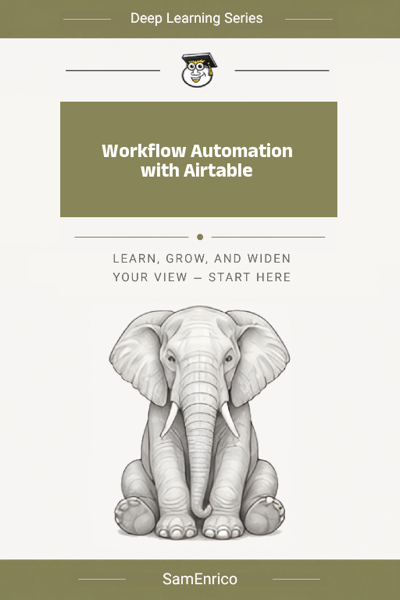
Workflow Automation with Airtable eBook
A Coursebook on Workflow Automation with Airtable
A Coursebook on Workflow Automation with Airtable
Formats
Free sample
Chapter 1: Your Mess Deserves Better...--–- Maria had fourteen spreadsheets. Fourteen. She knew the exact number because she’d counted them the previous night at 11:47 PM, sitting alone in her home office while her dinner went cold. There was the master leads sheet, the active clients sheet, the inactive clients sheet (why two? nobody remembered), the Q3 projects sheet, the Q4 projects sheet, the invoicing tracker, the task assignment sheet, the content calendar, the social media planner, the team vacation tracker, the expense report log, the vendor contact list, the password manager disguised as a spreadsheet (she knew this was a security risk but couldn’t stop), and one mysterious file named “FINAL_FINAL_USE_THIS.xlsx” that she was afraid to open.Maria was not disorganized.
She was not lazy. She was the operations manager of a thriving fifteen-person digital agency, and she was drowning in a system that had grown organically over three years—one spreadsheet at a time. Every morning, she spent ninety minutes copy-pasting client information from the leads sheet to the projects sheet, then to the invoicing tracker. Twice a week, she discovered that a client had been accidentally marked “inactive” because someone forgot to update both sheets. Her team had stopped using the “official” task sheet entirely; they just kept their own notes in Slack and email.
When Maria asked where a project stood, she got five different answers from five different people.Maria’s problem was not a people problem. It was not a training problem. It was a data architecture problem. And until she fixed the way her information was structured, no amount of automation—no matter how sophisticated—would save her.This chapter is for everyone who has ever felt like Maria. It is for the operations manager who inherited a mess.
It is for the entrepreneur who started tracking things in a simple sheet, only to realize three years later that “simple” had become a monster. It is for the team leader who knows that automation is the answer but suspects—correctly—that automating a chaotic process only makes you fail faster.Before you build a single automation, before you write a single script or configure a single webhook, you must fix your foundation. This chapter argues that eighty percent of automation failures are caused not by bad code, not by the wrong tool, but by flat, non-relational data structures that were never designed to be automated. You cannot automate a mess. You can only automate a system.
And a system begins with how you organize your data.The Spreadsheet Fallacy: Why Flat Tables Fail Let us name the enemy. The enemy is the flat table—the single, two-dimensional grid of rows and columns that resembles an Excel spreadsheet. Flat tables are seductive because they are simple. You open a new sheet, you create columns for “Name,” “Email,” “Status,” “Project,” and “Due Date,” and you start typing. For a solo freelancer with ten clients, this works perfectly.
For a team of fifteen with hundreds of active projects and thousands of tasks, a flat table is a disaster waiting to happen.Why do flat tables fail? Three reasons.First, flat tables have no unique row identity. In a spreadsheet, rows are identified by their position—row 14, row 156—not by any intrinsic property. If you delete a row and then undo, the row may return but its position might change. If you import data from another sheet, the same client can appear as two different rows with no way to know they are the same person.
Automation depends on knowing exactly which record you are acting upon. Without a stable, unique identifier for every row, your automations will update the wrong records, create duplicates, or simply fail with cryptic errors.Second, flat tables have no safe joins. In a relational database, you can connect a client to their projects to their tasks using foreign keys—unique identifiers that link records across tables. In a flat table, you either duplicate data (copying the client’s name and email onto every single task row) or you leave it disconnected. Duplication leads to inconsistency: when a client changes their email address, you must find and update every single row that contains that email.
Miss one row, and now you have two different emails for the same client.Third, flat tables have no cascading updates. In a well-designed system, when you delete a client, you can choose whether to also delete their projects and tasks, or to orphan them, or to reassign them. In a flat table, deletion is manual and error-prone. You might delete the client row but forget to delete the twenty task rows beneath it, leaving orphaned data that confuses everyone.The solution is not a better flat table. The solution is to abandon flat tables entirely and embrace the relational model.The Relational Model in Plain English A relational database—and Airtable is fundamentally a relational database dressed in friendly clothing—organizes data into separate tables that connect to each other through links.
Each table represents one thing: clients, projects, tasks, invoices, team members, events. Each row in a table represents one instance of that thing: one client, one project, one task. And the links between tables represent relationships: a client has many projects, a project has many tasks, a task belongs to one project and is assigned to one team member.This structure solves the three problems of flat tables. Every row has a unique identifier (Airtable creates one automatically called Record ID). Links between tables are stable and safe.
And when you update a client’s email address in one place, every linked record sees that change immediately—because the email is stored once and referenced everywhere else.Consider a concrete example. In a flat table for a small construction company, you might have rows like this:Client Name Project Name Task Description Task Due Date Task Assigned To Acme Corp Warehouse Build Pour foundation2025-06-01Bob Acme Corp Warehouse Build Frame walls2025-06-15Susan Acme Corp Office Renovation Order windows2025-05-20Bob Notice the duplication. Acme Corp appears three times. If Acme Corp changes its name to Acme Industries, you must update three rows—and if you miss one, your data is inconsistent. Worse, the relationship between projects and tasks is implicit.
The table assumes you know that “Pour foundation” and “Frame walls” belong to “Warehouse Build” while “Order windows” belongs to “Office Renovation.” An automation trying to send a status report would have to guess.Now consider the same information in a relational structure:Table: Clients Record IDClient Namerec123Acme Corp Table: Projects Record IDProject Name Client (link to Clients)rec456Warehouse Buildrec123rec789Office Renovationrec123Table: Tasks Record IDTask Description Due Date Assigned To Project (link to Projects)rec101Pour foundation2025-06-01Bobrec456rec102Frame walls2025-06-15Susanrec456rec103Order windows2025-05-20Bobrec789Now Acme Corp’s name is stored once. Change it in the Clients table, and every project and task automatically displays the new name through the link. The relationships are explicit: you can ask “give me all tasks for Warehouse Build” and receive exactly two tasks. An automation that sends a weekly project status update can follow the links from tasks to projects to clients without guessing or duplicating data.This is not…
This is the end of the free sample. Get the eBook to keep going. Buy now
About this book
Details
- Author
- Ashton Mohammed
- Publisher
- SamEnrico
- Language
- English
- Genre
- Non-Fiction, Informative, Educational
- Released
- 2026-05-11
- Pages (approx.)
- 159
- Available as
- eBook, Audiobook

Read better in the ZLOADR app
Your eBooks on your phone or tablet. Sign in with your SamEnrico account and start reading.
More by Ashton Mohammed
 Letting Go of Parental ExpectationsAshton Mohammed$11.99
 Spring Rain RefreshAshton Mohammed$11.99
 Depreciation of IT InfrastructureAshton Mohammed$11.99
 Morning Routine For RetireesAshton Mohammed$11.99
 Breaking Free From Opioid Dependency CourseAshton Mohammed$11.99
 Resume Languages SectionAshton Mohammed$11.99
 CRE Operating Expense ControlAshton Mohammed$11.99
 A 10 Warthog PilotAshton Mohammed$11.99
 Sergey Brin GoogleAshton Mohammed$11.99
 Whispers in the Wind: The Forgotten Witch of NewburyAshton Mohammed$11.99
 The Last Stand of the Ghost Army: Deception in World War IIAshton Mohammed$11.99
 Rune of the Hidden Ones: The Elven Spy NetworkAshton Mohammed$11.99
You may also like
 Hong Kong Handover 1997Dunn Johnnie$11.99
 Zumba For Postnatal Recovery CourseNeal Christian$11.99
 Zumba for BeginnersLadner Nikia$11.99
 YouTube Comment Mining GuideHumes Pandora$12.99
 Worry Box MeditationCarlin Rudy$11.99
 Workplace Stress MeditationNguyen Lynn$11.99
 Workplace Stress and Sleep RepairHawley Ivory$11.99
 Workplace Perfectionism CureDelaney Jeffry$11.99
 Workplace Injustice Anger GuideWallen Isabelle$11.99
 Work Addiction and Burnout LinkGreenwood Ester$11.99
 Women in Yoga and WellnessBeattie Galina$11.99
 Women in Stand Up ComedyChun Evangeline$11.99