
Non-FictionCrisis ManagementHuman Resources
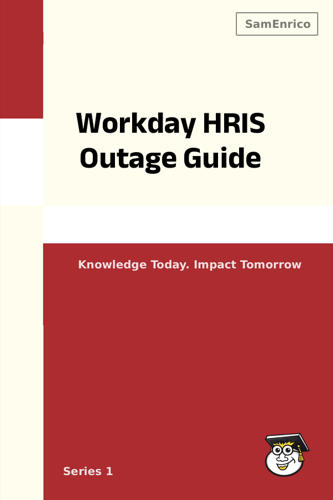
Workday HRIS Outage Guide eBook
Emergency HR operations when Workday fails, includ
by Kim Toni
Emergency HR operations when Workday fails, including payroll continuity and employee communications.
Formats
Free sample
Chapter 1: The $4 Million Vacation--–- The voicemail arrived at 5:47 PM on a Friday, three days before payroll was scheduled to run. The HRIS director, a 15-year veteran named Diane, listened twice, then set the phone down and stared at her monitor. The message was from the chief nursing officer: twelve shift supervisors had not been paid their differentials for the past two pay periods, and now the nurses were threatening to walk. Diane pulled up Workday. The approval for the differentials had been submitted 37 days earlier, routed to a regional manager, and then… nothing.
The manager had been on vacation for two weeks, then returned for three days, then resigned. His out-of-office delegation had never been configured. The task sat in his queue, active but orphaned, invisible to every dashboard Diane knew how to run. In thirty-seven days, no alert had fired, no escalation had triggered, and no one had thought to ask why 1,400 nurses were being paid base rate for shifts that included nights, weekends, and holidays. The total underpayment: $4.1 million.
The state fines: another $800,000. The class-action settlement: undisclosed, but the hospital’s annual report called it “material.”This is not a story about server failure. It is not a story about a cyberattack, a corrupted database, or a cloud provider’s outage. It is a story about a business process that worked exactly as it was configured—and that configuration was a disaster waiting to happen. The most dangerous failure in Workday is not the one that throws an error message.
It is the one that does nothing at all.The Myth of the Catastrophic Failure When HR leaders imagine a Workday outage, they picture a red banner across the top of the screen, a 500 error, a phone call from the IT director saying the data center is down. They imagine flames, alarms, and urgent all-hands meetings. This is the wrong mental model. The catastrophes that dominate headlines—the cloud provider that loses a region, the ransomware attack that encrypts everything—are genuinely terrifying, but they are also rare. More importantly, they are visible.
You know when your system is on fire.The crisis that actually destroys organizations is the silent failure. It is the business process that starts but never completes. It is the approval that sits in a terminated employee’s queue for weeks because no one thought to reassign their tasks when they left. It is the timesheet that cannot be submitted because the approving manager is on parental leave and their out-of-office message says “I will have limited access to email.” The system does not error. The system does not warn.
The system simply waits. And while it waits, the clock ticks toward payday.This chapter dismantles the most dangerous myth in HR technology: that outages are caused by hardware, software, or hackers. The real culprit is the orphaned task—a business process that begins but never reaches completion because the person responsible for the next step is unavailable, inactive, or invisible to the system’s routing logic. Understanding the orphaned task is the first step toward building a truly resilient HCM. Everything else in this book builds on this foundation.The Anatomy of an Orphaned Task A business process in Workday is a sequence of steps, each assigned to a specific role or individual.
In theory, this is elegant. In practice, it is fragile. Every time a process advances from one step to the next, Workday looks at the current configuration, identifies the responsible party, and places the task in their inbox. That is the entire logic. There is no secondary check for whether that party is still employed, still has the correct security role, or is even alive.
Workday assumes that if a user exists in the tenant, they are capable of completing the task assigned to them.This assumption fails constantly. Consider the life cycle of a typical manager in a large organization. They are hired. They are granted security roles. They begin approving time off, expense reports, and timesheets.
Then they go on vacation. Then they are promoted and their old role is deactivated—but tasks assigned before the promotion remain in the old role’s queue, which no longer has an active user. Then they resign. Their user account is marked inactive, but tasks already in their queue do not automatically reassign. Then, six months later, a payroll integration fails because a timesheet from that manager’s former team is still waiting for an approval that will never come.This is not a bug.
It is a design feature. Workday prioritizes data integrity over process continuity. It will not reassign a task without explicit configuration telling it to do so. By default, a task assigned to a terminated manager sits in that terminated manager’s queue forever. The system considers the task “open” and therefore not eligible for escalation or reassignment.
This is the orphanage.The Invisible Blocker Orphaned tasks are invisible to standard monitoring because they appear active. The Unassigned Tasks Report, which is the primary tool for identifying stuck processes, only shows tasks that have no assigned user at all—not tasks assigned to a user who is inactive. This is a critical distinction. A task assigned to a terminated employee has an assigned user. That user just happens to no longer exist in any meaningful sense.
Workday does not care. The task is assigned, so it is not unassigned. The report will not find it.This is why the healthcare system in our opening story missed the problem for 37 days. The shift differential approval was assigned to a user who was, at various points, on vacation, then active for three days, then terminated. At no point was the task unassigned.
It was simply in a queue that no one was checking. The dashboards that Diane relied on showed no open tasks because they were filtered to show only tasks assigned to active users. The terminated manager’s tasks did not appear. They were invisible.The author has seen this pattern in organizations of every size and industry. A regional bank discovered that 14,000 expense reports were stuck in the queue of a manager who had been terminated eighteen months earlier.
A manufacturing company failed to pay separation payouts to 200 former employees because the termination approval was waiting for a director who had left the company a week before the terminations were initiated. A university lost accreditation for one of its programs because a curriculum approval process had stalled in the inbox of a dean who had retired and whose email had been deactivated. In every case, the organization believed their Workday tenant was healthy because their reports showed no errors. The reports were not wrong. They were just incomplete.The Real Cost of Silence When a payroll integration fails because of an orphaned task, the immediate cost is obvious: employees do not get paid on time.
But the downstream costs are where the real damage lives. In the healthcare case study, the $4.1 million in underpaid wages triggered state fines of $800,000 because the organization failed to pay shift differentials that were contractually guaranteed. The class-action settlement added another seven figures. The chief nursing officer resigned. The…
This is the end of the free sample. Get the eBook to keep going. Buy now
About this book
Details
- Author
- Kim Toni
- Publisher
- SamEnrico
- Language
- English
- Genre
- Non-Fiction, Crisis Management, Human Resources
- Released
- 2026-06-11
- Pages (approx.)
- 138
- Available as
- eBook, Audiobook

Read better in the ZLOADR app
Your eBooks on your phone or tablet. Sign in with your SamEnrico account and start reading.
More by Kim Toni
 Body Scan for Race Day CalmKim Toni$11.99
 Anger Restructuring For KidsKim Toni$11.99
 Anxiety Driven Spending GuideKim Toni$11.99
 The Follow Up Relationship GuideKim Toni$11.99
 The Last Letter of Cleopatra: A Love That Shaped EmpiresKim Toni$11.99
 How to Start a Dentists Office BusinessKim Toni$11.99
 FlutterFlow Chat GuideKim Toni$12.99
 Factoring Cost CalculatorKim Toni$12.99
 Understanding Verloes–bourguignon SyndromeKim Toni$17.99
 Mobile Patrol OfficerKim Toni$11.99
You may also like
 Hong Kong Handover 1997Dunn Johnnie$11.99
 Zumba For Postnatal Recovery CourseNeal Christian$11.99
 Zumba for BeginnersLadner Nikia$11.99
 YouTube Comment Mining GuideHumes Pandora$12.99
 Worry Box MeditationCarlin Rudy$11.99
 Workplace Stress MeditationNguyen Lynn$11.99
 Workplace Stress and Sleep RepairHawley Ivory$11.99
 Workplace Perfectionism CureDelaney Jeffry$11.99
 Workplace Injustice Anger GuideWallen Isabelle$11.99
 Work Addiction and Burnout LinkGreenwood Ester$11.99
 Women in Yoga and WellnessBeattie Galina$11.99
 Women in Stand Up ComedyChun Evangeline$11.99