
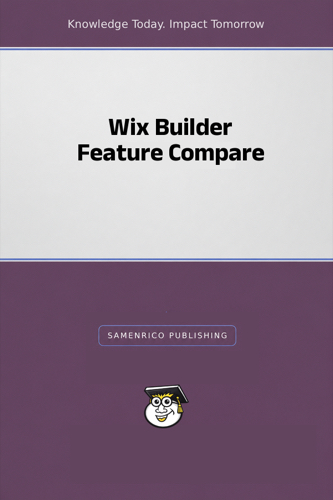
Wix Builder Feature Compare eBook
undefined
undefined
Formats
Free sample
Chapter 1: Two Wix, Two Worlds...--You have probably landed on this page for one of two reasons. Either you have already built a site on Wix and something feels… off. Or you are standing at the starting line, paralyzed by a dropdown menu that asks you to choose between “Wix Classic” and “Wix Studio” without offering the slightest clue what either one actually does.Neither option makes you feel stupid. They make you feel set up.Here is the uncomfortable truth that Wix’s marketing will never shout from its homepage. Wix is not one product.
It is two fundamentally different products wearing the same nametag. And choosing the wrong one at the start is not a minor inconvenience. It is a strategic error that can cost you months of work, thousands of dollars in rebuilt sites, and the kind of frustration that makes otherwise rational people throw their laptops across the room.I have watched it happen more times than I can count. A freelance photographer picks Wix Classic because it looks familiar and simple. Six months later, she needs a client booking portal and a members-only gallery.
She discovers that Classic’s architecture was never designed for either. Her only path forward is to rebuild from scratch on Wix Studio. Another scenario: a small marketing agency chooses Wix Studio because it sounds more professional. The lead designer spends three weeks learning an interface that feels like Figma’s difficult cousin. For their simple five-page client site, they could have been live in an afternoon on Wix Classic.This chapter is your vaccination against that mistake.By the time you finish these pages, you will understand exactly what Wix Classic and Wix Studio are, who each one serves, and which version belongs on your computer screen right now.
You will also absorb three other foundational tools that the rest of this book relies on: the Business Stage Scoring Framework, the Unified Cost Matrix, and the Native versus App-Dependent table. Consider this chapter the owner’s manual for the entire book. Read it carefully once, and every subsequent chapter will make immediate, practical sense.The Great Misunderstanding: Why Wix Confuses Everyone Let us start with why this confusion exists in the first place. Wix launched in 2006 as a drag-and-drop builder for people who could not write HTML. That product, now called Wix Classic, was revolutionary because it treated the web page like a piece of paper.
You wanted an image in the top left corner? You dragged it there. You wanted a text box overlapping that image by seventeen pixels? You dragged it there too. Absolute positioning was the core philosophy, and for nearly fifteen years, that philosophy worked beautifully for millions of users.Then the web changed.Mobile traffic overtook desktop.
Google started ranking sites based on how quickly they loaded and how well they adapted to different screen sizes. The beautiful but chaotic absolute positioning that made Wix Classic so liberating became a liability. Sites that looked perfect on a twenty-seven-inch monitor often turned into unreadable messes on an i Phone. Users could fix this by manually adjusting the mobile view, but that meant doing twice the work for every single design change.Wix’s solution was not to fix Classic. It was to build something entirely new.In 2022, Wix launched Wix Studio.
This was not an update or a new template library. It was a ground-up rebuild using responsive design principles borrowed from professional tools like Webflow and Figma. Instead of dragging elements anywhere on an absolute grid, Studio users place elements into a flexible column system that automatically adjusts to every screen size. One design. Perfect on desktop, tablet, and phone.
No double work.But Wix could not kill Classic. Millions of existing sites depended on it. Thousands of users had built their entire businesses on Classic’s workflow. So Wix did what large companies almost always do: it kept both products running side by side, rebranded the new one as “Studio,” and hoped the market would figure out the difference.The market did not figure it out. And that is why you are reading this chapter.Wix Classic: The Drag-and-Drop Original Wix Classic is the website builder that most people picture when they hear the word “Wix.” You start with a template.
You drag elements—text boxes, images, buttons, galleries—onto a canvas. You position them exactly where you want them, pixel by pixel. The interface is forgiving, almost playful. There is no wrong way to arrange things because the editor assumes you know what you want.Who Classic Serves Classic is built for three specific types of users. First, the solo creative: photographers, artists, writers, and musicians who need a beautiful portfolio without learning code.
Second, the local service business: plumbers, electricians, house cleaners, and dog walkers who need a simple informational site with a contact form and a phone number. Third, the hobbyist: someone building a personal blog, a wedding site, or a fan page for their obscure record collection.None of these users need team collaboration. None of them need complex content management systems. None of them need responsive design at the expense of creative freedom. They need to get a good-looking site online quickly, and they need to feel in control while doing it.The Mechanics of Classic Classic’s editor uses what designers call absolute positioning.
Every element on the page has fixed coordinates: X pixels from the left edge, Y pixels from the top edge. This is the same system that desktop publishing software like Adobe In Design uses. It gives you complete control over the visual outcome.That control comes with a cost. When you view a Classic site on a different screen size, those absolute coordinates do not adjust intelligently. A text box that sits perfectly to the right of an image on a desktop monitor might float far below that image on a phone.
Wix tries to fix this by letting you create separate layouts for desktop, tablet, and mobile. You can hide elements, resize them, or reposition them for each device. But this means you are essentially designing three versions of every page. Change something on the desktop layout, and you must manually check whether that change broke the mobile layout.Classic’s AI: The Full-Site Generator One of Classic’s hidden strengths is its artificial intelligence. Wix ADI (Artificial Design Intelligence) asks you a handful of questions about your business—what you do, what you sell, what colors you like—and then builds a complete, multi-page website for you in under ten minutes.
The results are not award-winning, but they are functional and coherent. For someone who feels overwhelmed by a blank canvas, ADI is a godsend.The Limits of Classic Classic hits a hard ceiling when you need any of the following: team collaboration (only one person can edit at a time), complex content structures (like directories with hundreds of listings), advanced responsive layouts (that adapt without manual mobile tweaking), or client handoff features (where you build a site and then transfer ownership to a client). If your needs fall into any of these categories, Classic will eventually frustrate you.Wix Studio: The Responsive Professional…
This is the end of the free sample. Get the eBook to keep going. Buy now
About this book
Details
- Author
- Madrigal Jimmy
- Publisher
- SamEnrico
- Language
- English
- Genre
- Non-Fiction, Self-Help / Tech
- Released
- 2026-06-06
- Pages (approx.)
- 156
- Available as
- eBook, Audiobook

Read better in the ZLOADR app
Your eBooks on your phone or tablet. Sign in with your SamEnrico account and start reading.
More by Madrigal Jimmy
 Self Care for Foster ParentsMadrigal Jimmy$11.99
 Eisenhower Matrix for YouTubersMadrigal Jimmy$11.99
 Hospital Town Rental GuideMadrigal Jimmy$11.99
 S Corp Election GuideMadrigal Jimmy$11.99
 Anger At Child's Academic FailureMadrigal Jimmy$11.99
 Design Thinking For Legal ServicesMadrigal Jimmy$11.99
 TMS Therapy ExplainedMadrigal Jimmy$11.99
 The Werewolf of Tokyo: Arson and Superstition in Meiji JapanMadrigal Jimmy$11.99
 The Cursed Phalanx: The Ghosts of PlataeaMadrigal Jimmy$11.99
 How to Produce Hardware TapeMadrigal Jimmy$11.99
 A Collector's Handbook to the Fiat 1100dMadrigal Jimmy$11.99
 Online Exam Background Check GuideMadrigal Jimmy$12.99
You may also like
 Hong Kong Handover 1997Dunn Johnnie$11.99
 Zumba For Postnatal Recovery CourseNeal Christian$11.99
 Zumba for BeginnersLadner Nikia$11.99
 YouTube Comment Mining GuideHumes Pandora$12.99
 Worry Box MeditationCarlin Rudy$11.99
 Workplace Stress MeditationNguyen Lynn$11.99
 Workplace Stress and Sleep RepairHawley Ivory$11.99
 Workplace Perfectionism CureDelaney Jeffry$11.99
 Workplace Injustice Anger GuideWallen Isabelle$11.99
 Work Addiction and Burnout LinkGreenwood Ester$11.99
 Women in Yoga and WellnessBeattie Galina$11.99
 Women in Stand Up ComedyChun Evangeline$11.99