
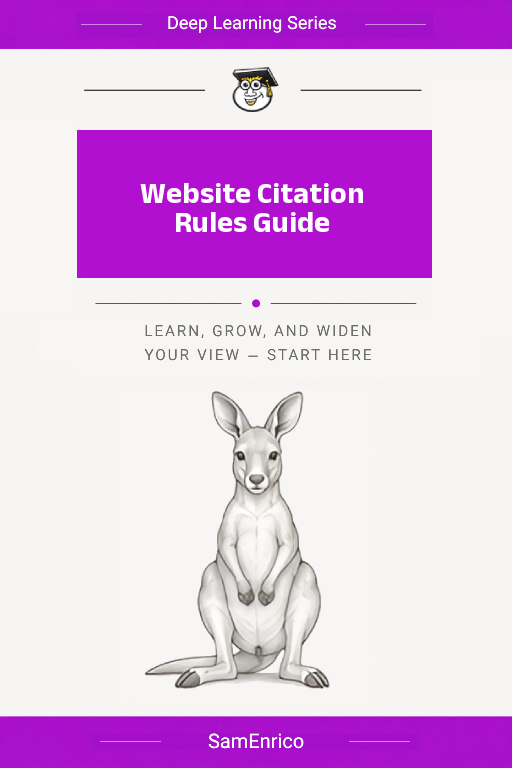
Website Citation Rules Guide eBook
Cite web pages blogs and online articles in any ci
by Chalmers Ila
Cite web pages blogs and online articles in any citation style quickly.
Formats
Free sample
Chapter 1: The Citation Hunt--You are staring at a webpage. Your cursor blinks on an empty bibliography line. You have the URL, the title, the author’s name somewhere in the byline, but you do not know which piece of information belongs where. You are not alone. Every semester, millions of students, researchers, and professionals lose hours—and points—to the same confusion.
The problem is not your intelligence. The problem is that webpages were not designed for citation. They were designed for scrolling, clicking, and leaving. This chapter changes that.Before you can cite anything in any style, you must find the four hidden pieces of information buried inside every webpage. Call them the Core Four: Author, Date, Title, and URL.
These are the universal building blocks of every citation, whether you use APA, MLA, Chicago, or Harvard. Master the hunt for these four elements, and you can cite any webpage, blog post, or online article in under five minutes. Miss one of them, and your citation will be wrong before you type the first punctuation mark.This chapter teaches you to find the Core Four faster than 99 percent of your peers. You will learn where authors hide, how to tell a real date from a fake one, what to do when a title is missing, and how to clean a URL so it passes professional scrutiny. By the end, you will never again stare at a blank bibliography line.The Four Hidden Details Every Webpage Hides Every webpage contains exactly four pieces of information that citation styles require.
Think of them as the DNA of a source. Without any one of them, your citation is incomplete. But web designers do not care about citation. They care about looks, engagement, and ad revenue. So these four pieces are often buried, disguised, or missing entirely.Here is what you are hunting for:Author.
The person, people, or organization responsible for the content. Not the web designer. Not the website owner. The writer.Date. When the content was published or last updated.
Not the copyright date in the footer. Not the date you accessed the page. The date of the specific version you read.Title. The name of the specific article, blog post, or page you are citing. Not the website name.
Not the section header. The unique title of that one page.URL. The web address. But not the messy, tracking-code-filled mess your browser shows. A cleaned, stable address that will work for years.Most citation guides teach you the rules before they teach you the hunt.
That is backwards. You cannot apply rules to information you cannot find. So this chapter flips the order. Hunt first. Format later.The Author Hunt: Where Real Writers Hide The author is the most important element of any citation.
It is also the most frequently missing. You will encounter three types of webpages: those with a clear author, those with an organizational author, and those with no author at all. Each requires a different hunting strategy.Finding Named Authors Named authors are easiest. Look in three places, in this order:First, check the byline. On news articles and many blogs, the author’s name appears directly below the title.
It might say “By Jane Smith” or simply “Jane Smith.” Sometimes the byline includes a short bio or a link to the author’s other work. Trust this. It is your primary source.Second, check the top or bottom of the page. Many websites place author information at the very end of an article, after the conclusion but before the comments section. Look for a line that says “About the Author” or a small box with a headshot and biography.Third, check the page’s URL structure.
Some websites encode author names in the web address. For example, a URL that contains /author/jane-smith/ is a strong signal that Jane Smith wrote the page. This is not definitive—sometimes URLs lie—but it is a useful clue when the byline is missing.If you find a named author, write down the full name exactly as it appears. Do not correct spelling. Do not add middle initials.
Do not change the order. Your job is to record, not edit.Finding Organizational Authors Many webpages have no named person attached to them. Instead, an organization takes credit for the content. This is common for government reports, company white papers, nonprofit research, and university publications.Look for these signals:The page belongs to a .gov, .edu, or major .org domain The content speaks as an institution (“We at the Centers for Disease Control recommend...”)The copyright line names an organization, not a person The “About Us” page lists no individual staff writers When you encounter an organizational author, write down the full legal name of the organization. For government bodies, include the department and agency hierarchy.
For example, not “CDC” but “Centers for Disease Control and Prevention, U.S. Department of Health and Human Services.”What to Do When No Author Exists You have checked the byline, the top, the bottom, and the URL. Nothing. No person. No organization.
Now you have a “no author” source. This happens more often than you think, especially on personal blogs, forum posts, and content farm websites.Do not panic. And do not invent an author.Each citation style has a specific rule for no-author situations. Here is what you need to know now, before you learn the full style rules in later chapters:APA and MLA both move the title into the author position. The citation starts with the title, then the date, then the rest of the information.
APA almost never uses the word “Anonymous.” MLA never uses it.Chicago and Harvard both begin the citation with the title as well, but they handle the surrounding punctuation differently. Chicago places the title first, then the date in parentheses. Harvard does the same but capitalizes differently.The key insight is this: “no author” is not a dead end. It is just a different path. The citation still works.
You just start with the title instead of a name.The One Exception: Anonymous In very rare cases—almost never on the modern web—a source will be explicitly credited to “Anonymous.” This means the author chose to hide their identity but the publisher knows who they are. APA allows you to use “Anonymous” as the author in this specific case. MLA does not. Check your style guide before making this call. When in doubt, treat it as a no-author source and move the title to the front.The Date Hunt: Finding the Real Publication Date Dates are the second most common point of failure in web citations.
Students see a date anywhere on the page—copyright in the footer, “last updated” in the metadata, today’s date on their watch—and assume it is the right one. It usually is not.Webpages contain multiple dates. Only one of them matters for citation.The Three Types of Webpage Dates The publication date is what you want. This is when the content was first made public. It is usually found near the title or byline.
Look for phrases like “Published,” “Posted,” “Posted on,” or simply a date alone. Example: “January 15, 2024” directly under the…
This is the end of the free sample. Get the eBook to keep going. Buy now
About this book
Details
- Author
- Chalmers Ila
- Publisher
- SamEnrico
- Language
- English
- Genre
- Non-Fiction, Student's Shortcut
- Released
- 2026-06-01
- Pages (approx.)
- 147
- Available as
- eBook, Audiobook

Read better in the ZLOADR app
Your eBooks on your phone or tablet. Sign in with your SamEnrico account and start reading.
More by Chalmers Ila
 Offensive Innovation PlaybookChalmers Ila$11.99
 Student Perfectionist RecoveryChalmers Ila$11.99
 Waitlist Validation StrategyChalmers Ila$11.99
 Thunberg Family InfluenceChalmers Ila$11.99
 Habit Podcasts GuideChalmers Ila$11.99
 Affirmations for Relationship SecurityChalmers Ila$11.99
 Group Creative Warm Up DeckChalmers Ila$11.99
 Robert La FolletteChalmers Ila$11.99
 Freelancer Feast Famine CycleChalmers Ila$11.99
 Echoes of the Iron Curtain: The Secret Life of Radio LibertyChalmers Ila$11.99
 The Last Guardian: The Secret Rituals of the Vatican’s ExorcistsChalmers Ila$11.99
 The Pearl Divers of Bahrain: Pioneers of the Deep (1600s-1700s)Chalmers Ila$11.99
You may also like
 LSE Online Program LengthAgee Letisha$11.99
 Harvard Extension School for Working AdultsRoush Yer$11.99
 LSE Online Reading ListAshford Ludivina$11.99
 LSE Online Language RequirementsWhitten Daphine$11.99
 LSE Online Class SizeHughey Garret$11.99
 LSE Online Alumni MentorshipWild Lyla$11.99
 London School of Economics Alumni NetworkDutton Chantal$11.99
 Harvard Extension School Student SupportCantrell Christene$11.99
 Harvard Extension School Library AccessSantana Adah$11.99
 Harvard Extension School Degree CompletionBray Wyatt$11.99
 Harvard Extension School Course AuditingAbbott Craig$11.99
 Harvard Extension School Extension DiplomaNew Joane$11.99