
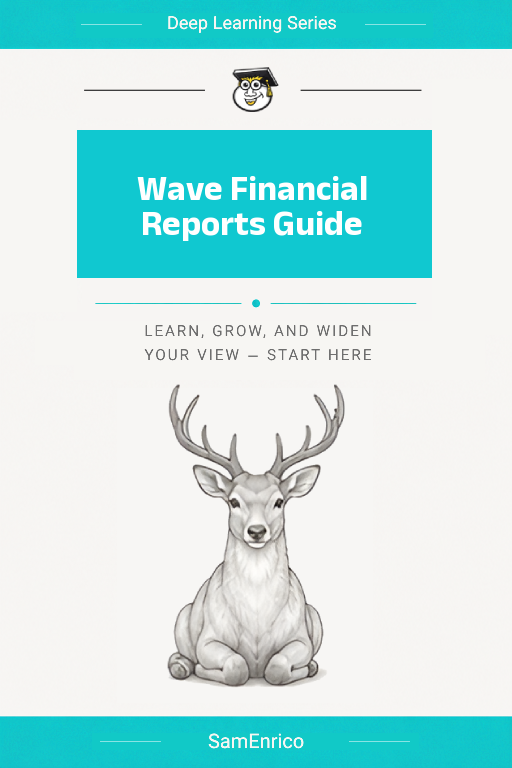
Non-FictionFirst 30 DaysBookkeeping
Wave Financial Reports Guide eBook
Run profit and loss, balance sheet, and sales tax
Run profit and loss, balance sheet, and sales tax reports in Wave. Export for accountant review.
Formats
Free sample
Chapter 1: Your Dashboard Lies--–- The first time Maria opened Wave, she felt a wave of relief. Colorful charts danced across her screen: a green upward arrow showing revenue growth, a cheerful pie chart of expenses, and a bold number in the top corner labeled “Net Income” that made her smile. She was a freelance graphic designer, not an accountant, and for two years she had been running her business on a spreadsheet held together by prayers and caffeine. Wave promised simplicity. And those graphs?
They looked like success.Eighteen months later, Maria sat across from her CPA in a sterile office, watching the woman’s finger trace down a piece of paper. The CPA’s face had the expression of someone who had just discovered a dead mouse in a soup bowl. “Maria,” she said slowly, “according to your Balance Sheet, you owe the state $12,400 in unpaid sales tax. And according to your Profit & Loss, you haven’t actually made money in eleven months.”Maria blinked. “But my Wave dashboard says my net income was up fifteen percent last quarter.”The CPA set down her pen.
“The dashboard is not your books. The dashboard is a marketing feature. Your books are here.” She tapped the stack of printed reports. “And your books say you’re in trouble.”That meeting cost Maria 3,800inclean−upfees,3,800 in clean-up fees, 3,800inclean−upfees,12,400 in back taxes, and one very sleepless month. She had been using Wave every single day.
She had watched those colorful graphs like a hawk. And she had been completely, dangerously wrong about the financial health of her own business.This book exists because Maria’s story is not an exception. It is the rule.The Great Illusion: Why Wave’s Dashboard Shows You What You Want to See Wave’s dashboard is beautiful. This is not an accident. Wave is a software company, and software companies know that users fall in love with interfaces that feel rewarding.
A green arrow pointing up feels rewarding. A pie chart with neatly sliced categories feels organized. A bold number labeled “Profit” feels like validation.But here is what Wave does not tell you when you first sign up: those dashboard numbers are based on incomplete data. They are snapshots, not audits. They are estimates, not reconciliations.
And in many cases, they are simply wrong.Let us understand why.The Data Delay Problem Wave’s dashboard pulls from two sources: manually entered transactions and bank feed imports. Bank feeds typically lag by twenty-four to seventy-two hours. If you made a large sale yesterday, your dashboard will not reflect it until the bank clears the transaction and Wave syncs. Conversely, if you wrote a check last week that has not yet cleared, your dashboard will show that cash as still available—even though you have already spent it.A business owner looking at the dashboard on a Tuesday morning sees the world as it existed on Saturday. By the time you factor in weekends and bank holidays, the dashboard can be five days out of date.
In a cash-flow-sensitive business, five days can be the difference between making payroll and bouncing a paycheck.The Uncategorized Blind Spot Every transaction that flows into Wave must be assigned to an account—a category like “Office Supplies,” “Consulting Revenue,” or “Meals & Entertainment.” Until you assign that category, Wave does not know where to put the transaction on your financial statements. And here is the critical point: uncategorized transactions do not appear on your dashboard’s profit calculations.Wave’s dashboard will happily show you a “Net Income” number that excludes every single transaction you have not yet categorized. If you are behind on categorizing—and most small business owners are—your dashboard is showing you a fantasy version of your finances.A typical example: Sarah runs a small bakery. She imports her bank transactions every week but only categorizes them once a month. On the fifteenth of the month, her dashboard shows a healthy net income of 8,000.Whatthedashboarddoesnotshowisthe8,000.
What the dashboard does not show is the 8,000.Whatthedashboarddoesnotshowisthe3,200 in flour, sugar, and butter purchases she has not yet categorized. Her real net income is $4,800. She discovers this on the first of the next month, after she has already spent money she did not actually have.The Invoice Gap Perhaps the most dangerous dashboard illusion involves unpaid invoices. Wave’s dashboard includes invoiced revenue in its “Income” number regardless of whether the invoice has been paid. If you send a 10,000invoiceon Monday,yourdashboardwillshowthat10,000 invoice on Monday, your dashboard will show that 10,000invoiceon Monday,yourdashboardwillshowthat10,000 as income on Tuesday—even if the client does not pay for ninety days.This is not a bug.
This is accrual accounting, which Wave uses for dashboard calculations by default. Accrual accounting is correct for tax purposes in many situations, but it is catastrophically misleading for cash management.Consider a contractor named James. He sends a 50,000invoiceforalargeproject.Hisdashboardimmediatelyshows50,000 invoice for a large project. His dashboard immediately shows 50,000invoiceforalargeproject.Hisdashboardimmediatelyshows50,000 in income. He sees a net income of 35,000afterexpenses.Hefeelsrich.Hebuysanewtruck.Threemonthslater,theclientstillhasnotpaid.Jamescannotmakehisloanpayment.Hisdashboard,meanwhile,stillshowsthat35,000 after expenses.
He feels rich. He buys a new truck. Three months later, the client still has not paid. James cannot make his loan payment. His dashboard, meanwhile, still shows that 35,000afterexpenses.Hefeelsrich.Hebuysanewtruck.Threemonthslater,theclientstillhasnotpaid.Jamescannotmakehisloanpayment.Hisdashboard,meanwhile,stillshowsthat50,000 as income—because technically, he earned it.
The dashboard does not care that he cannot spend it.This is the central lie of financial dashboards: they confuse economic activity with cash in hand. And cash in hand is what pays your rent.The Double-Entry Truth That Wave Automates (But Does Not Explain)To understand why the dashboard misleads, you must understand what happens beneath Wave’s friendly surface. Every accounting system worthy of the name runs on a five-hundred-year-old invention called double-entry bookkeeping.Double-entry means exactly what it sounds like: every transaction is recorded twice. Once as a debit to one account, and once as a credit to another. The total of all debits must always equal the total of all credits.
If they do not, the books are out of balance and the financial statements are wrong.When you enter a $100 payment from a customer in Wave, here is what happens behind the scenes:Wave debits (increases) your Bank Account by $100Wave credits (decreases) your Accounts Receivable by $100When you pay $50 for office supplies using your credit card:Wave debits (increases) your Office Supplies expense by $50Wave credits (increases) your Credit Card liability by $50When you send an invoice for $1,000:Wave debits (increases) your Accounts Receivable by $1,000Wave credits (increases) your Income by $1,000This last example is the one that creates the dashboard illusion. The income appears on your dashboard the moment you send the invoice—because double-entry accounting says you have earned that income, even though no cash has changed hands. Your dashboard shows the credit to Income. It does not show that the debit went to Accounts Receivable, which is not cash.Wave automates all of these double entries flawlessly. The problem is not that Wave makes mistakes.
The problem is that Wave never teaches you what it is doing. You see the output—the beautiful dashboard—without understanding the…
This is the end of the free sample. Get the eBook to keep going. Buy now
About this book
Details
- Author
- Hammonds Warner
- Publisher
- SamEnrico
- Language
- English
- Genre
- Non-Fiction, First 30 Days, Bookkeeping
- Released
- 2026-05-30
- Pages (approx.)
- 150
- Available as
- eBook, Audiobook

Read better in the ZLOADR app
Your eBooks on your phone or tablet. Sign in with your SamEnrico account and start reading.
More by Hammonds Warner
 The Deadline MuseHammonds Warner$11.99
 Fidget Tool AwarenessHammonds Warner$11.99
 SAT Essay AI PromptsHammonds Warner$11.99
 Partner Loss to IllnessHammonds Warner$11.99
 The Sleep Dependent Learning GuideHammonds Warner$11.99
 The Sumo Samurai in London: How a Japanese Legend Conquered Victorian EnglandHammonds Warner$11.99
 Pharma Strategic M&A GuideHammonds Warner$12.99
 Understanding Pityriasis Lichenoides ChronicaHammonds Warner$17.99
 Associate Private BankerHammonds Warner$11.99
 How to Start a Check Valves Business (Beginners Guide)Hammonds Warner$11.99
You may also like
 Hong Kong Handover 1997Dunn Johnnie$11.99
 Zumba For Postnatal Recovery CourseNeal Christian$11.99
 Zumba for BeginnersLadner Nikia$11.99
 YouTube Comment Mining GuideHumes Pandora$12.99
 Worry Box MeditationCarlin Rudy$11.99
 Workplace Stress MeditationNguyen Lynn$11.99
 Workplace Stress and Sleep RepairHawley Ivory$11.99
 Workplace Perfectionism CureDelaney Jeffry$11.99
 Workplace Injustice Anger GuideWallen Isabelle$11.99
 Work Addiction and Burnout LinkGreenwood Ester$11.99
 Women in Yoga and WellnessBeattie Galina$11.99
 Women in Stand Up ComedyChun Evangeline$11.99