
Non-FictionSelf-HelpDigital Tools
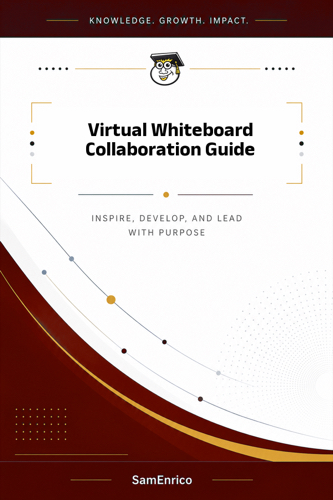
Virtual Whiteboard Collaboration Guide eBook
Master digital tools for group creativity using th
Master digital tools for group creativity using this practical remote team workbook.
Formats
Free sample
Chapter 1: The Infinite Void--–- The cursor blinks in the center of an infinite white expanse. It is 9:47 AM on a Tuesday. Your manager has just dropped a link into Slack with the message, “Let’s brainstorm the Q3 roadmap here.” You click. The board loads. There is nothing else.
No frames. No instructions. No sticky notes. Just you, the void, and eleven other cursors that will appear in four minutes. Your stomach tightens.
You have seen this movie before. It ends with someone dragging a purple sticky note over your yellow one, a passive-aggressive comment thread about “alignment,” and a final decision that could have been an email. Ninety minutes of your life that you will never get back. And somewhere in the back of your mind, a small voice whispers: There has to be a better way.There is. But the better way has almost nothing to do with which tool you use, how fast you type, or whether you own a stylus.
The better way starts with a hard truth that most teams refuse to accept: the virtual whiteboard is not a whiteboard at all. It is something else entirely. And until you stop treating it like a piece of glass on a wall, you will keep having terrible sessions.This chapter is about unlearning. Before you learn a single technique, a single template, or a single shortcut, you have to let go of the physical-world habits that are quietly sabotaging you. You have to understand why the infinite canvas is a trap.
You have to face the seven ways boards die. And you have to build a new set of reflexes that turn the void from an enemy into an ally.Let us begin with the lie that started it all.The Analog Metaphor Is Killing Your Collaboration Every virtual whiteboard tool on the market—Miro, Mural, Lucidspark, Microsoft Whiteboard, Zoom Whiteboard—sells itself using the same visual language. A wooden frame. A blank surface. A tray of colorful sticky notes.
A marker pen. The message is clear: This is just like the whiteboard in your conference room, but better. That message is a lie. Not a malicious lie, but a dangerous one. Because when you believe that a digital tool works like its physical counterpart, you use it like its physical counterpart.
And that is exactly when things fall apart.In a physical room, the whiteboard has brutal constraints. It is small. You can only fit twenty or thirty sticky notes before you run out of space. The markers dry out. The eraser leaves ghosts.
Someone has to stand up and walk to the board. These constraints are not bugs. They are features. They force prioritization. They create natural pauses.
They give introverts time to think while the extroverts fight over the marker. The physical whiteboard works because of its limitations, not despite them.The virtual whiteboard has none of these limitations. The canvas is infinite. Sticky notes are free and infinite. Markers never dry out.
Multiple people can edit at the same time from anywhere on earth. These sound like advantages. And in the right hands, they are. But in the wrong hands—which is to say, most hands—they become weapons of mass distraction. The infinite canvas becomes an infinite procrastination machine.
Unlimited sticky notes become unlimited noise. Real-time editing becomes real-time chaos.The first step to mastering virtual collaboration is to stop pretending. Stop pretending that your laptop screen is a conference room wall. Stop pretending that a cursor is a marker. Stop pretending that a comment thread is a side conversation.
The virtual whiteboard is not an analog metaphor. It is a new medium. And new media require new rules.The Seven Silent Killers of Virtual Whiteboards Before we build anything, we need to walk through the graveyard. These are the seven most common ways virtual whiteboard sessions fail. Read each one.
Be honest about how many your team has experienced. If you have been using virtual whiteboards for more than three months, you have probably seen all seven.Killer One: The Empty Throne. The facilitator opens a blank board and says, “Okay everyone, let’s get creative!” The team stares at the void. No one wants to go first. The first person to place a sticky note feels exposed.
Their idea becomes the anchor that everyone else reacts to or against. The session never recovers from that first move. The empty throne demands a king, and the first person brave—or foolish—enough to sit on it determines the entire conversation.Killer Two: The Sticky Note Novelist. Someone writes a paragraph on a single sticky note. Not a phrase, not a few keywords, but a fully structured argument with subordinate clauses.
The text shrinks to six points to fit. No one can read it without zooming to 400 percent. When asked to summarize, the novelist says, “It’s all important.” The board grinds to a halt. Everyone else feels inadequate because their sticky notes only have four words.Killer Three: The Cursor Bully. One person—usually the most senior, the loudest, or the one with the fastest internet connection—starts moving other people’s sticky notes before the ideation phase is done.
They cluster ideas prematurely. They delete “unrealistic” options. They draw a thick red border around their favorite concept. The rest of the team stops contributing. Why bother?
The cursor bully has already decided.Killer Four: The Infinite Scroller. Someone adds a frame in the top left corner. Someone else, not seeing it, adds another frame fifty thousand pixels to the right. A third person zooms out to find something and discovers the board is now the size of Rhode Island. The team spends the rest of the session playing a game called “Where Did That Go?” Ideas are lost.
Context is destroyed. The board becomes a digital wilderness.Killer Five: The Premature Zoom-Out. Five minutes into the session, someone zooms all the way out to see the “big picture.” Suddenly, every sticky note becomes a tiny, unreadable rectangle. Everyone else, disoriented, follows them out of sheer confusion. No one can read anything.
The facilitator spends the next fifteen minutes trying to herd everyone back to the working area. The energy never returns.Killer Six: The Phantom Commenter. A team member adds a thoughtful comment to a sticky note using the tool’s threaded comment feature. The comment icon is subtle—a small bubble that could easily be missed. Days later, the team discovers that critical feedback was sitting silently in a collapsed thread.
Decisions were made without it. Resentment builds. Trust erodes.Killer Seven: The Document Dumper. At the end of the session, the facilitator says the seven most defeated words in modern collaboration: “We’ll just put this in a document later.” The board is never opened again. Every sticky note, every connection, every insight becomes a screenshot attached to an email that no one reads.
The entire session might as well have never happened. The board is a ghost. The work is a memory.These killers are not inevitable. They are not bugs in the software. They are patterns of behavior that emerge when teams use virtual whiteboards…
This is the end of the free sample. Get the eBook to keep going. Buy now
About this book
Details
- Author
- Ontiveros Delila
- Publisher
- SamEnrico
- Language
- English
- Genre
- Non-Fiction, Self-Help, Digital Tools
- Released
- 2026-06-08
- Pages (approx.)
- 150
- Available as
- eBook, Audiobook

Read better in the ZLOADR app
Your eBooks on your phone or tablet. Sign in with your SamEnrico account and start reading.
More by Ontiveros Delila
 Workaholism In Tech StartupsOntiveros Delila$11.99
 The Trigger Extraction MethodOntiveros Delila$11.99
 McClintock Carnegie Institution Years GuideOntiveros Delila$11.99
 Earl Scruggs Banjo Revolution GuideOntiveros Delila$11.99
 The Amazon Alchemist: Richard Evans Schultes and the Quest for Medicinal PlantsOntiveros Delila$11.99
 Odin’s Rune and the Knight of the Round TableOntiveros Delila$11.99
 Associate ConsultantOntiveros Delila$11.99
 Pitch Deck Competition ManualOntiveros Delila$12.99
 Labor Productivity OffsetOntiveros Delila$12.99
 Understanding Fructose-1-phosphate Aldolase Deficiency, HereditaOntiveros Delila$17.99
 How to Start a Solariums Business (Beginners Guide)Ontiveros Delila$11.99
You may also like
 Hong Kong Handover 1997Dunn Johnnie$11.99
 Zumba For Postnatal Recovery CourseNeal Christian$11.99
 Zumba for BeginnersLadner Nikia$11.99
 YouTube Comment Mining GuideHumes Pandora$12.99
 Worry Box MeditationCarlin Rudy$11.99
 Workplace Stress MeditationNguyen Lynn$11.99
 Workplace Stress and Sleep RepairHawley Ivory$11.99
 Workplace Perfectionism CureDelaney Jeffry$11.99
 Workplace Injustice Anger GuideWallen Isabelle$11.99
 Work Addiction and Burnout LinkGreenwood Ester$11.99
 Women in Yoga and WellnessBeattie Galina$11.99
 Women in Stand Up ComedyChun Evangeline$11.99