
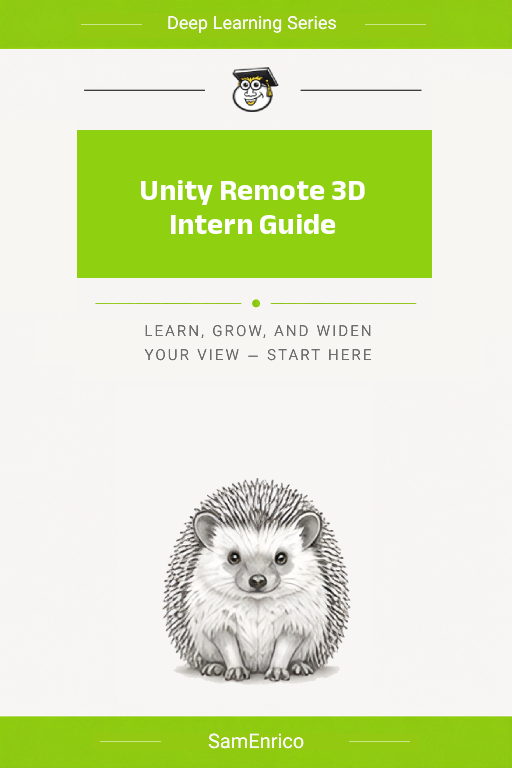
Non-FictionStudent's ShortcutAR VR InternshipUnity Careers
Unity Remote 3D Intern Guide eBook
Join Unity's virtual internship for real time 3D d
by Pearce Vance
Join Unity's virtual internship for real time 3D development AR VR tools or game engine features with global creators.
Formats
Free sample
Chapter 1: The Connected Workspace--The first day of any internship is terrifying. The first day of a remote internship, where your mentor is six time zones away and the only “lab” is the cluttered desk in your bedroom, is a special kind of panic. You’ve installed Unity before. You’ve followed along with a few You Tube tutorials. But now, staring at an empty project and a Slack channel full of strangers, you realize nobody ever taught you how to set up a professional development environment. You don’t even know what you don’t know.This chapter solves that crisis. We’re not going to write a single line of creative code yet. Instead, we’re building the foundation that every remote intern needs but no computer science course teaches: a battle‑tested, production‑ready workspace that will make your lead dev trust you before you’ve pushed your first commit. You’ll learn exactly what hardware to buy (or not buy), how to configure your software stack like a senior engineer, and how to bridge the physical gap between you and your team using what I call “The Connected Workspace.”By the end of this chapter, you will have a verified environment checklist ready to submit to your mentor. More importantly, you will have killed the single biggest source of remote intern anxiety: the feeling that your setup is somehow wrong and everyone else knows a secret you don’t.The Hardware Trap: What to Buy (and What to Fake)Every remote intern’s first question is also the most expensive: Do I need to buy a VR headset? The answer is more nuanced than a simple yes or no, and most tutorials lie to you by omission. They show you shiny footage of someone grabbing objects in mixed reality, but they never tell you that you can learn eighty percent of what you need using nothing but a mouse and keyboard.Let me be direct. You do not need a headset to complete this book successfully. However, there are specific features that cannot be simulated. Understanding this trade‑off early will save you hundreds of dollars and weeks of frustration.The Simulator‑First Philosophy Unity’s XR Device Simulator is one of the most underrated tools in the engine. It allows you to test VR and AR interactions using your keyboard and mouse, complete with simulated hand tracking, head movement, and plane detection. For learning fundamental concepts like raycasting, object grabbing, and world‑space UI, the simulator is not just adequate—it is often faster than real hardware because you can iterate without putting on a headset every thirty seconds.Throughout this book, you will see a small 📱 icon next to sections that require real hardware. If you are following the simulator‑only path, you can read those sections for theory but skip the hands‑on implementation. You will still understand the concepts well enough to talk about them in an interview, which is often what matters most.The Hardware Decision Tree Here is the decision tree I use with every intern I have ever mentored. Take out a piece of paper or open a note and answer these three questions:Question 1: Does your internship require you to ship a feature that uses hand tracking, light estimation from a real camera, or performance profiling on device?If yes, you need a real headset. Skip to Question 2.If no, you can complete the entire internship using the simulator. Stop here and save your money.Question 2: What is your target platform?Consumer VR, casual AR, or Meta ecosystem: Buy a Meta Quest 3. It is the most versatile device, supports both VR and AR (via passthrough), and has the largest community for troubleshooting.Enterprise AR, industrial training, or Microsoft ecosystem: You need a Holo Lens 2. Be aware that the development workflow is more complex and the device is significantly more expensive. Most intern programs provide loaner Holo Lens units—ask before buying.High‑end PC VR (Valve Index, HTC Vive): Only relevant if your internship specifically mentions Steam VR or PC‑tethered development. The Quest 3 can also connect to a PC via Link Cable, making it a better first purchase.Question 3: Can your internship provide a loaner device?Many remote internship programs (including Unity’s own programs, MIT x PRO, and WINLAB) offer hardware loan programs. Ask your coordinator before spending your own money. I have watched too many interns buy expensive headsets that sat unused because the company’s build target was something entirely different.The One Device I Recommend If you decide to buy hardware and you want a single recommendation that covers the widest range of scenarios, buy a Meta Quest 3 with 128GB storage. No, you do not need the 512GB version for development. No, you do not need the Elite Strap immediately. The base model gives you:Untethered VR with hand tracking (Chapter 6)Color mixed reality AR (Chapter 5)The ability to run Android builds directly on device (Chapter 10)A large developer community and extensive documentation If you cannot afford a Quest 3, the Quest 2 is still viable for learning, though hand tracking is less reliable and passthrough AR is grainy. Avoid the Quest Pro unless your internship specifically asks for face and eye tracking—those features are rare in entry‑level roles.The Software Stack: Tools That Senior Devs Actually Use Hardware is only half the battle. I have seen interns install Unity, open a project, and immediately start writing scripts without configuring a single setting. Then, two weeks later, they lose their entire scene to a merge conflict or spend three days debugging an issue that a proper tool would have caught in seconds.This section walks you through the exact software stack that senior remote developers use. Not the “cool” tools that You Tubers promote. The boring, reliable, professional tools that pay the bills.Unity Hub: Your Control Panel Download and install Unity Hub from unity.com/download. This is non‑negotiable. The Hub manages multiple Unity editor versions, which you will need because different projects (and different internship teams) lock to specific versions.Best practice: Create a new Unity project using the LTS (Long Term Support) version, currently 2022.3.x or newer. Avoid “Tech Stream” releases for internship work—they change too frequently and can introduce breaking bugs midway through your project.Inside the Hub, enable these settings before doing anything else:Preferences > Appearance > Editor Theme: Dark. Your eyes will thank you after ten hours of debugging.Preferences > Build Settings > Build Automation: Enable “Cloud Build” integration if your internship provides it. This connects to Chapter 10’s remote deployment workflow.Projects tab: Turn on “Show Editor Version” so you never accidentally open a project with the wrong Unity version.Version Control: Git with LFS (The Only Recommendation)Here is where most guides confuse you with options: “Use Plastic SCM! Use Perforce! Use Subversion!” Ignore the noise.For remote Unity work, the default choice is Git with LFS (Large File Storage). It is free, industry‑standard, and works exactly the same whether you are an intern at a startup or a junior at a Fortune 500 company.Install Git from git-scm.com. During installation, accept the default settings except for one critical change: when asked about “default editor,” select Visual Studio Code (or your preferred editor) instead of Vim. You will thank me later.Next, install Git LFS by running this command in your terminal:bash Copy Downloadgit lfs install Then, inside your Unity project folder…
This is the end of the free sample. Get the eBook to keep going. Buy now
About this book
Details
- Author
- Pearce Vance
- Publisher
- SamEnrico
- Language
- English
- Genre
- Non-Fiction, Student's Shortcut, AR VR Internship, Unity Careers
- Released
- 2026-05-28
- Pages (approx.)
- 152
- Available as
- eBook, Audiobook

Read better in the ZLOADR app
Your eBooks on your phone or tablet. Sign in with your SamEnrico account and start reading.
More by Pearce Vance
 Wedding Vendor Pitch NervesPearce Vance$11.99
 Gentle Parenting for Angry ParentsPearce Vance$11.99
 Insulin Like Growth Factor BasicsPearce Vance$11.99
 CIA Hostage RecoveryPearce Vance$11.99
 The Parent Self Compassion WorkbookPearce Vance$11.99
 The Vanishing of Flight 370: A Memory Lost in the CloudsPearce Vance$11.99
 Fractured Union: The Unfinished Secession of CascadiaPearce Vance$11.99
 How to Become a Insulating-machine OperatorPearce Vance$11.99
 Understanding Brachydactyly Preaxial Hallux VarusPearce Vance$17.99
 2026 Ecommerce Technology OutlookPearce Vance$12.99
 Distribution EngineerPearce Vance$11.99
You may also like
 Hong Kong Handover 1997Dunn Johnnie$11.99
 Zumba For Postnatal Recovery CourseNeal Christian$11.99
 Zumba for BeginnersLadner Nikia$11.99
 YouTube Comment Mining GuideHumes Pandora$12.99
 Worry Box MeditationCarlin Rudy$11.99
 Workplace Stress MeditationNguyen Lynn$11.99
 Workplace Stress and Sleep RepairHawley Ivory$11.99
 Workplace Perfectionism CureDelaney Jeffry$11.99
 Workplace Injustice Anger GuideWallen Isabelle$11.99
 Work Addiction and Burnout LinkGreenwood Ester$11.99
 Women in Yoga and WellnessBeattie Galina$11.99
 Women in Stand Up ComedyChun Evangeline$11.99