
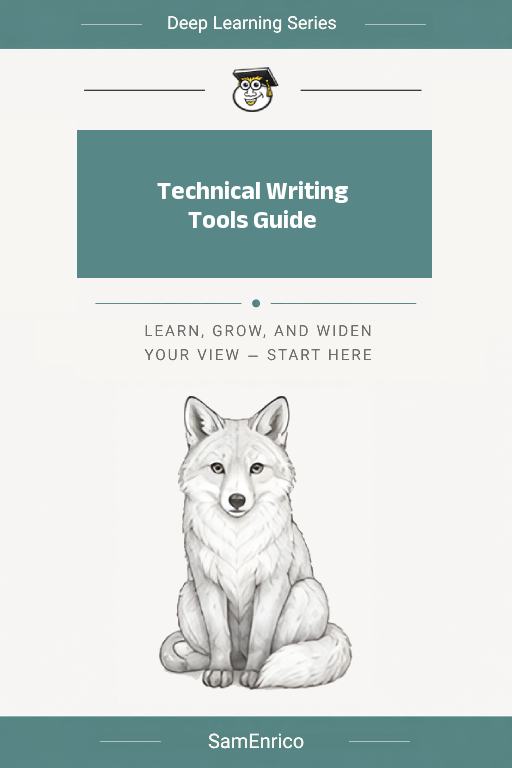
Non-FictionAI OperatorTool Guide
Technical Writing Tools Guide eBook
Compare AI tools for technical writing including f
Compare AI tools for technical writing including features and documentation platform integrations.
Formats
Free sample
Chapter 1: The Documentation Graveyard--–- Every software company has one. It lives in a forgotten corner of the shared drive, a neglected Confluence space, or a Git Hub repository that no one dares to archive. The documentation graveyard is where good intentions go to die. Rows of obsolete user manuals, half-finished API guides, and conflicting troubleshooting articles accumulate digital dust while support teams answer the same questions for the thousandth time. “Have you checked the documentation?” the developer asks the customer, both knowing the answer is probably outdated, inconsistent, or simply wrong.This graveyard is not the result of laziness or incompetence.
It is the inevitable consequence of using a technical writing toolkit that was never designed for modern software development. The traditional tools—basic text editors, manual style guides, siloed review processes, and disconnected content management systems—were built for a slower era. They assumed that documentation was a one-time deliverable, a book to be written and shipped, not a living artifact that evolves alongside continuous deployment pipelines and agile sprints.But something has changed. The arrival of large language models and generative AI has shattered the old assumptions. Documentation can now be generated, translated, simplified, and personalized at speeds that were unimaginable just three years ago.
Yet most technical writers are still wielding hammers in an age of CNC machines. They are using the same tools—Word documents passed via email, static PDFs, manual screenshot annotations—while the software they document ships every few hours.This book exists to bridge that gap. It is not a theoretical treatise on artificial intelligence. It is a practical, battle-tested guide to selecting, integrating, and mastering AI tools for technical documentation. Every chapter is grounded in real platform integrations, real feature comparisons, and real workflows that have been tested in production environments.
By the time you finish this chapter, you will understand why the old toolkit failed, what the new pillars of technical writing look like, and how a simple four-part framework will guide every decision in the pages ahead.Welcome to the evolution of technical writing. The graveyard is about to get a lot emptier.The Hidden Cost of Traditional Toolkits For thirty years, the standard technical writing toolkit remained remarkably stable. A writer used Microsoft Word or Adobe Frame Maker for long-form documentation, Snagit or Tech Smith for screenshots, and a shared network drive or early CMS for storage. Reviews happened via email attachments with tracked changes. Version control meant saving files with _v2_FINAL_really FINAL.docx appended to the filename.This toolkit had a logic to it.
It was designed for waterfall development cycles where software was released every six to twelve months. Documentation was written in parallel, frozen before release, and printed or shipped as PDFs. Updates happened annually, if at all. The tools reflected this reality: they prioritized print fidelity over web interactivity, linear editing over collaborative workflows, and static output over dynamic personalization.That world no longer exists. Modern software development operates on continuous deployment cycles.
Teams ship code multiple times per day. Features are toggled on and off without warning. APIs evolve with every sprint. The old toolkit cannot keep up.Consider the arithmetic of documentation debt. A single enterprise software product might have five thousand pages of documentation spanning user guides, API references, release notes, troubleshooting articles, and internal runbooks.
If that documentation is reviewed manually every quarter, and each page takes ten minutes to check for accuracy, the total review time exceeds eight hundred hours. That is twenty full workweeks. And that is before anyone writes a single new word.The traditional response to this arithmetic was triage. Teams prioritized documentation for the most common features, let the rest drift into obsolescence, and relied on support engineers to fill the gaps. Customers learned to expect outdated docs.
Technical writers learned to accept a certain level of entropy. The graveyard expanded.But the cost of outdated documentation is not merely aesthetic. According to industry studies, poor documentation costs enterprise organizations an average of twenty to thirty hours per employee per year in wasted time—searching for answers, recreating missing information, or fixing mistakes caused by incorrect instructions. For a thousand-person organization, that translates to millions of dollars in lost productivity. And that calculation excludes the harder-to-measure costs of customer churn, support ticket volume, and developer frustration.The old toolkit did not cause this problem alone.
But it certainly enabled it. When your tools make it difficult to update, version, or validate documentation, entropy becomes inevitable. The question is not whether your documentation has decayed. The question is how badly and how much it is costing you right now.The Three Pillars of Modern Technical Writing If the old toolkit was organized around print production and isolated editing, the modern toolkit must be organized around something else entirely. After analyzing dozens of high-maturity documentation organizations—from fast-moving startups to regulated enterprises—a clear pattern emerges.
Three pillars support all effective technical writing in the age of AI.Pillar One: Content Content remains the foundation. But the definition of content has expanded dramatically. It no longer means only prose paragraphs and numbered lists. Modern technical content includes:API specifications written in Open API, Graph QL schema, or Protocol Buffers Code comments and docstrings that generate reference documentation automatically Embedded documentation inside configuration files, infrastructure-as-code templates, and CI/CD pipelines Interactive examples and executable code blocks that readers can run in their browsers Conditional content that personalizes based on user role, product version, or experience level The shift from static prose to structured, executable content has profound implications for tool selection. A tool that only edits paragraphs cannot manage API specifications.
A tool that ignores docstrings leaves half the documentation ecosystem untouched. A tool that cannot handle conditional logic forces writers to maintain multiple nearly-identical documents.This is where AI enters with unique force. Large language models excel at generating, transforming, and validating structured content. They can read a Python function and produce Open API documentation. They can translate a troubleshooting guide into conditional logic for a chatbot.
They can flag inconsistencies between a code change and its accompanying docstring. The old toolkit treated content as a final artifact to be polished. The AI-native toolkit treats content as a living structure to be generated, validated, and deployed continuously.Pillar Two: Code The second pillar is code—not only the code that the documentation describes, but the code that produces the documentation itself. This is the insight behind the Docs-as-Code movement, which treats documentation as software: version controlled, peer reviewed, continuously tested, and automatically deployed.In a Docs-as-Code workflow, documentation lives in the same repository as the source code. Changes are proposed via pull requests.
Automated linters check for broken links and style violations. CI pipelines build and preview the documentation. The same branch that ships a new feature also ships its documentation. There is no separate documentation release process, no manual PDF generation, no out-of-sync user guides.The benefits of Docs-as-Code are substantial. Documentation stays synchronized with code.
Reviews happen in the same system as code reviews. Deployments are automated and repeatable. But the approach also introduces new requirements. Technical writers must learn Markdown or re…
This is the end of the free sample. Get the eBook to keep going. Buy now
About this book
Details
- Author
- Tibbs Dorthea
- Publisher
- SamEnrico
- Language
- English
- Genre
- Non-Fiction, AI Operator, Tool Guide
- Released
- 2026-06-01
- Pages (approx.)
- 158
- Available as
- eBook, Audiobook

Read better in the ZLOADR app
Your eBooks on your phone or tablet. Sign in with your SamEnrico account and start reading.
More by Tibbs Dorthea
 Political Affiliation Wellness DivideTibbs Dorthea$11.99
 Yahoo's 2012 Breach Cover UpTibbs Dorthea$11.99
 Swaziland Sobhuza II GuideTibbs Dorthea$11.99
 Overcoming Self Doubt for TherapistsTibbs Dorthea$11.99
 Metta for Regret and GuiltTibbs Dorthea$11.99
 The Last Queen of France: Marie Antoinette’s Secret ExileTibbs Dorthea$11.99
 Understanding Morse–rawnsley–sargent SyndromeTibbs Dorthea$17.99
 Lead Awareness TrainingTibbs Dorthea$11.99
 Remote Conflict Cheat SheetTibbs Dorthea$12.99
 How to Become a Cloth-mercerizer OperatorTibbs Dorthea$11.99
You may also like
 Hong Kong Handover 1997Dunn Johnnie$11.99
 Zumba For Postnatal Recovery CourseNeal Christian$11.99
 Zumba for BeginnersLadner Nikia$11.99
 YouTube Comment Mining GuideHumes Pandora$12.99
 Worry Box MeditationCarlin Rudy$11.99
 Workplace Stress MeditationNguyen Lynn$11.99
 Workplace Stress and Sleep RepairHawley Ivory$11.99
 Workplace Perfectionism CureDelaney Jeffry$11.99
 Workplace Injustice Anger GuideWallen Isabelle$11.99
 Work Addiction and Burnout LinkGreenwood Ester$11.99
 Women in Yoga and WellnessBeattie Galina$11.99
 Women in Stand Up ComedyChun Evangeline$11.99