
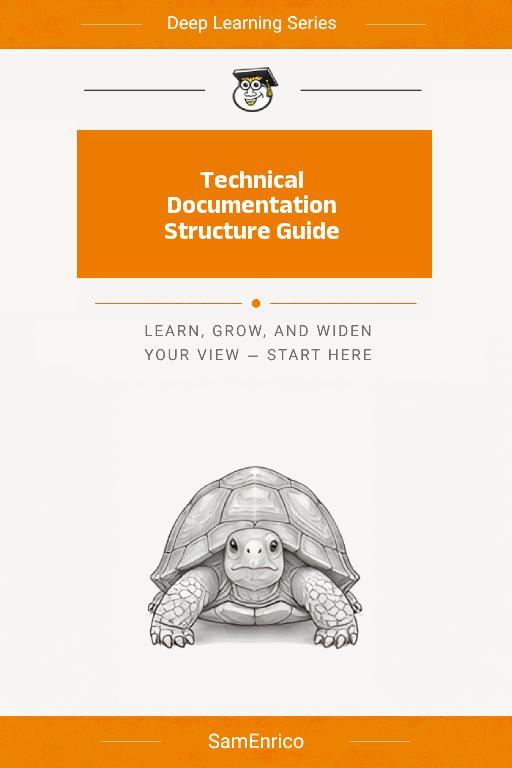
Technical Documentation Structure Guide eBook
Organize technical docs logically. Table of conten
Organize technical docs logically. Table of contents, headings, and information hierarchy that works.
Formats
Free sample
Chapter 1: The Persona Trap...--–- You are about to make a mistake. Not because you are careless, and not because you lack skill. You will make this mistake because every instinct you have developed as a technical writer—every habit reinforced by years of producing “correct” documentation—is pointing you in exactly the wrong direction.The mistake is this: you will open a blank document, and you will begin by asking “What do I need to write about?”This seems obvious. It seems responsible. It seems like the only sane way to start.
And it is completely, catastrophically wrong.The question “What do I need to write about?” centers the content. It centers your knowledge. It centers the product’s features. It centers the engineering team’s mental model of how the system works. And that is precisely the problem.Structure that works—structure that survives contact with actual users who are stressed, distracted, and three minutes away from quitting your product forever—does not begin with content.
It begins with people.This chapter will teach you why every structural decision must begin with audience mapping, how to build practical personas that actually guide your Table of Contents, and why the difference between “Learn” and “Do” is the single most important distinction you will ever make in your documentation. By the end of this chapter, you will never again open a blank document and ask “What do I need to write about?” Instead, you will ask the only question that matters: “Who is trying to do what, right now?”The $50,000 Heading Let me tell you about a heading that cost a company fifty thousand dollars.The company sold enterprise software for supply chain management. Their documentation was, by conventional standards, excellent. Every feature was documented. Every API endpoint had a reference page.
Every error code was listed in an appendix. The technical writing team had won internal awards for “documentation completeness.”But customers kept cancelling trials. Not after months. After days. Sometimes after hours.The support team pulled the logs from one lost customer—a mid-sized logistics company that had spent three weeks evaluating the software.
The customer’s technical lead had searched the documentation for one specific phrase: “how to import existing inventory.”The documentation contained a page titled “Inventory Management Overview.” It contained a page titled “Bulk Operations Reference.” It contained a page titled “Data Migration Considerations.” It did not contain a page titled “Import Existing Inventory.” The customer assumed the feature did not exist. They signed with a competitor.The feature existed. The documentation for that feature existed. It was buried four clicks deep under “Data Migration” → “Preparation” → “Source Formats” → “CSV Import.”The heading on that page was not “Import Existing Inventory.” It was “CSV Flat File Ingestion Protocol.”That heading cost fifty thousand dollars in annual recurring revenue. Not because the information was missing.
Because the information was organized around what the engineers called things, not around what the user was trying to do.This is the Persona Trap. You fall into it when you write for the person who knows as much as you do, instead of the person who is standing in the wreckage of their failed import at 4:45 PM on a Friday.Why “Everyone” Is Not an Audience The most common answer I hear when I ask technical writers to identify their audience is some version of “everyone who uses the product.”This answer is a lie you tell yourself to avoid making hard decisions. And it is the fastest path to documentation that serves no one well.“Everyone” cannot be your audience for the same reason a restaurant cannot serve “everyone” with a single dish. A vegan, a person with celiac disease, a child who only eats chicken nuggets, and a food critic from the New York Times have radically different needs. The dish that satisfies the food critic will confuse the child.
The dish that satisfies the child will insult the critic. The dish that tries to satisfy everyone will be a beige slurry that satisfies no one.Documentation works the same way.A first-time user needs orientation. They need to know what the product does, why it matters, and how to complete their first successful task without feeling stupid. They need generous explanations, hand-holding, and visible pathways forward. They will not know the jargon yet.
They will not know where to look. They need you to lead them by the hand.An expert user needs speed. They need reference materials, command-line flags, API endpoints, and configuration schemas. They will skip your explanations. They will ignore your introductory paragraphs.
They will scan headings for the one piece of information they are missing. They need you to get out of their way.A single page of documentation cannot do both of these things well. A heading like “Authentication Overview” is useless to the expert (too vague) and intimidating to the novice (too abstract). A heading like “Log In to Your Account For the First Time” is useless to the expert (too basic) and helpful to the novice (exactly right).You cannot write one heading for both people. You cannot write one page for both people.
You cannot write one documentation set for both people without creating separate pathways for each.The first structural decision you make—before you write a single heading, before you create a single file, before you open your authoring tool—is to admit that “everyone” is not an audience. Then you must choose which audience you are serving first.The Persona Grid: A Two-by-Two That Changes Everything The Persona Grid is the single most practical tool in this entire book. It is simple enough to explain in five minutes, powerful enough to reorganize a thousand-page documentation set, and durable enough to survive twenty years of product evolution.Here is how it works.Draw a two-by-two grid. On the vertical axis, map Expertise from low to high. Low expertise means the user has never seen your product before.
High expertise means the user has used similar products for years. On the horizontal axis, map Goal from Learn to Do. Learn means the user wants to understand how something works. Do means the user wants to accomplish a specific task.You now have four quadrants.Learn Do Low Expertise Novice Learners Novice Doers High Expertise Expert Learners Expert Doers Each quadrant represents a different person with different needs, different patience levels, and different expectations for your documentation.Novice Learners want to know: “What is this product? Why would I use it?
How does it fit into my workflow?” They are evaluating. They are skeptical. They need big-picture explanations without technical depth.Novice Doers want to know: “How do I complete my first task? What are the exact steps? What happens if I make a mistake?” They are anxious.
They need hand-holding. They need step-by-step instructions with safety rails.Expert Learners want to know: “How does this system work under the hood? What are the design tradeoffs? How can I extend it?” They are building mental models. They need conceptual deep-dives, architecture diagrams, and edge-case explanations.Expert Doers want to know: “What is the exact API parameter?
Which command-line flag do I use? What is the error code for this failure?” They are in flow. They need…
This is the end of the free sample. Get the eBook to keep going. Buy now
About this book
Details
- Author
- Boucher Randi
- Publisher
- SamEnrico
- Language
- English
- Genre
- Non-Fiction, Professional's Cheat Sheet, Knowledge Management
- Released
- 2026-06-01
- Pages (approx.)
- 154
- Available as
- eBook, Audiobook

Read better in the ZLOADR app
Your eBooks on your phone or tablet. Sign in with your SamEnrico account and start reading.
More by Boucher Randi
 Giffen Goods ExceptionBoucher Randi$11.99
 Remote Work Freelance Time ManagementBoucher Randi$11.99
 Gambling Addiction for Essential WorkersBoucher Randi$11.99
 The Academic Comparison TrapBoucher Randi$11.99
 The Underground Sound: How Rock and Roll Defied Dictators in the Middle EastBoucher Randi$11.99
 How to Start a Blackstone Quarry Business (Beginners Guide)Boucher Randi$11.99
 Learn to Play the Tea Chest BassBoucher Randi$11.99
 Operations Support Team LeadBoucher Randi$11.99
You may also like
 Technical Writing for Non Tech WritersDickey Kristan$12.99
 Technical Documentation ChecklistPagan Melissia$12.99
 Tech Docs for Non Tech WritersNoonan Ta$12.99
 Technical Writing for BeginnersAcosta Winnifred$12.99
 Technical Documentation ToolsAugustine Onita$12.99
 Technical Documentation TemplateCantrell Ariel$12.99
 Technical Documentation Review GuideHollins Crissy$12.99
 Simplify Technical Language GuideBeattie Shemika$12.99
 Visuals in Technical Docs GuideAgnew Lanette$12.99
 Technical Documentation MistakesJacobson Lourie$12.99