
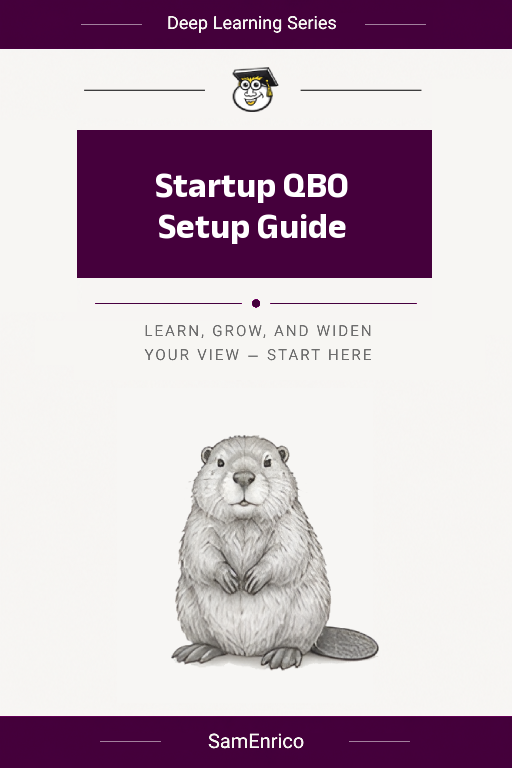
Non-FictionStartup GuideFinance Basics
Startup QBO Setup Guide eBook
Set up QuickBooks Online for your startup. Account
by Stack Chae
Set up QuickBooks Online for your startup. Account configuration, bank connections, and chart of accounts.
Formats
Free sample
Chapter 1: The Version Trap...--–- Most founders make their first Quick Books mistake before they even create a password. They click "Buy Now" on the cheapest plan, spend three months entering transactions, and then discover they cannot run the one report their investor just asked for. That report is called a Profit & Loss by Class. It shows how much money you are spending on product development versus sales versus general overhead. The cheapest plan does not have that feature.
Now you have two options: migrate all your data to a more expensive plan (which takes a full day and often breaks bank connections) or tell your investor "sorry, I cannot produce that report." Neither option is good.This chapter exists to prevent that exact scenario. You will not just learn the differences between QBO versions. You will learn which version matches your specific startup stage, your fundraising plans, and your transaction volume. By the end of this chapter, you will know exactly which plan to buy, and you will never have to migrate data.The Real Cost of Choosing the Wrong Version Let me tell you about a founder named Sarah. She started a B2B Saa S company with 50,000fromfriendsandfamily.Shebought Quick Books Online Simple Startbecauseitwasthecheapestoptionat50,000 from friends and family.
She bought Quick Books Online Simple Start because it was the cheapest option at 50,000fromfriendsandfamily.Shebought Quick Books Online Simple Startbecauseitwasthecheapestoptionat30 per month. For the first three months, everything worked fine. She connected her Mercury bank account, created a few invoices, and categorized her AWS bills.Then she got into an accelerator. The accelerator's finance mentor asked her to run a report showing R&D spending versus G&A spending. Sarah clicked around for an hour and could not find that report.
She called QBO support. They told her: "Simple Start does not have class tracking. You need QBO Plus."Sarah upgraded to Plus. Here is what happened:The upgrade itself took five minutes. That was the easy part.All her bank connections had to be re-authenticated.
Two of them failed and required a full hour on the phone with her bank.Her Chart of Accounts migrated, but her historical transactions lost their categorization for the first month. She had to re-categorize 300 transactions manually.Her accountant charged her $600 for the cleanup.Sarah spent 30permonthforthreemonths,saved30 per month for three months, saved 30permonthforthreemonths,saved165 compared to Plus, and then paid 600inaccountantfeespluslostafulldayofwork.Thewrongversioncostherover600 in accountant fees plus lost a full day of work. The wrong version cost her over 600inaccountantfeespluslostafulldayofwork.Thewrongversioncostherover700 and eight hours.This chapter is designed so you do not become Sarah.The Four Versions: What You Actually Get Quick Books Online comes in four versions for startups. Intuit also offers Self-Employed (do not buy that) and Simple Start with Payroll (just buy Gusto separately). Ignore those.
Focus on these four.Simple Start – The Solo Founder Special Price: Approximately $30 per month (subject to change; check Intuit's website).Who this is for: A solo founder with exactly one bank account, no employees, no contractors, and fewer than ten transactions per month. If you are still in the idea stage and have not incorporated yet, this is fine temporarily.What it includes:One user (you)Track income and expenses Send invoices and estimates Basic reporting (Profit & Loss, Balance Sheet, Cash Flow)Receipt capture via mobile app Bank connections (limited to one bank account)What it does NOT include (critical):Bill management (you cannot track what you owe vendors)Multi-currency (if you ever pay a contractor in another country, you cannot use this)Class or location tracking (you cannot separate R&D from G&A)More than one bank account (checking + savings + credit card = not possible)Time tracking The hidden trap: Intuit does not advertise this clearly, but Simple Start cannot upgrade to multi-currency later without migrating all your data to a new account. That means if you start with Simple Start and later hire a developer in Poland or sell a single international subscription, you have to export everything and start over. There is no upgrade path for multi-currency.Verdict: Buy this only if you are pre-incorporation, have no employees, and will never sell outside your home country. The moment you incorporate, upgrade to at least Essentials.Essentials – The Lean Startup Standard Price: Approximately $60 per month.Who this is for: Startups with 1-3 founders, one or two bank accounts, a virtual assistant or part-time bookkeeper, and fewer than 500 transactions per month.
This covers most pre-seed and seed-stage startups.What it includes (everything in Simple Start plus):Up to three users Bill management (track vendor invoices and due dates)Multi-currency (you can pay contractors in other currencies, though you cannot invoice in other currencies)Basic time tracking (not full project profitability)What it does NOT include:Class or location tracking (still missing – this is the big one)Inventory tracking Advanced reporting (no P&L by department)Custom user permissions (everyone gets the same access level)The hidden trap: Essentials is the most deceptive version. It looks like a big upgrade from Simple Start, and for many small businesses, it is. But for startups, the missing class tracking is a dealbreaker. When an investor asks you to break down your burn rate by R&D vs. Sales vs.
G&A, you cannot do that in Essentials. You would have to create separate accounts for each department (e.g., "R&D - AWS," "G&A - AWS"), which bloats your Chart of Accounts to 100+ accounts.Verdict: Only buy Essentials if you are certain you will never need to track spending by department. That means you are bootstrapped, have no plans to raise venture capital, and have a simple business model. If you are even considering fundraising, skip to Plus.Plus – The Investor-Ready Choice Price: Approximately $85 per month.Who this is for: Any startup that has raised outside capital, plans to raise within 12 months, or has more than two founders. Also for any startup with more than 500 monthly transactions or multiple product lines.What it includes (everything in Essentials plus):Class and location tracking (the killer feature – explained in full below)Inventory tracking (if you sell physical products)Multi-currency invoicing (you can bill customers in their local currency)Advanced reporting (P&L by class, balance sheet by class)Up to 5 users (can be expanded)Custom transaction numbering Batch invoicing What class tracking actually does: Imagine you have a single expense account called "Software Subscriptions." Every month, you pay for AWS (2,000),Hub Spot(2,000), Hub Spot (2,000),Hub Spot(800), and Git Hub (400).Withoutclasstracking,all400).
Without class tracking, all 400).Withoutclasstracking,all3,200 shows up in one line on your P&L. With class tracking, you assign the AWS payment to "R&D" class, Hub Spot to "Sales & Marketing" class, and Git Hub to "R&D" class. Now your P&L by class shows exactly how much each department spends on software. Investors love this because they can see if you are burning money on sales before you have product-market fit.The hidden trap: Plus is missing custom user permissions. That feature is only in Advanced.
For most startups, this does not matter because you only have 2-5 users anyway. But if you need to give someone "view only" access…
This is the end of the free sample. Get the eBook to keep going. Buy now
About this book
Details
- Author
- Stack Chae
- Publisher
- SamEnrico
- Language
- English
- Genre
- Non-Fiction, Startup Guide, Finance Basics
- Released
- 2026-05-30
- Pages (approx.)
- 138
- Available as
- eBook, Audiobook

Read better in the ZLOADR app
Your eBooks on your phone or tablet. Sign in with your SamEnrico account and start reading.
More by Stack Chae
 Comedy Country MemoirStack Chae$11.99
 MDD And Children GuideStack Chae$11.99
 Teen Medication AcceptanceStack Chae$11.99
 Foster Care And The LibraryStack Chae$11.99
 The Evening Darkness Melatonin GuideStack Chae$11.99
 The Last Pharaoh's HeistStack Chae$11.99
 The Breeder's Guide to White Holland TurkeysStack Chae$11.99
 Domain Name Abuse PreventionStack Chae$12.99
 Retail Inventory Control and Replenishment AssociateStack Chae$11.99
 How to Become a Log ScalerStack Chae$11.99
You may also like
 Hong Kong Handover 1997Dunn Johnnie$11.99
 Zumba For Postnatal Recovery CourseNeal Christian$11.99
 Zumba for BeginnersLadner Nikia$11.99
 YouTube Comment Mining GuideHumes Pandora$12.99
 Worry Box MeditationCarlin Rudy$11.99
 Workplace Stress MeditationNguyen Lynn$11.99
 Workplace Stress and Sleep RepairHawley Ivory$11.99
 Workplace Perfectionism CureDelaney Jeffry$11.99
 Workplace Injustice Anger GuideWallen Isabelle$11.99
 Work Addiction and Burnout LinkGreenwood Ester$11.99
 Women in Yoga and WellnessBeattie Galina$11.99
 Women in Stand Up ComedyChun Evangeline$11.99