
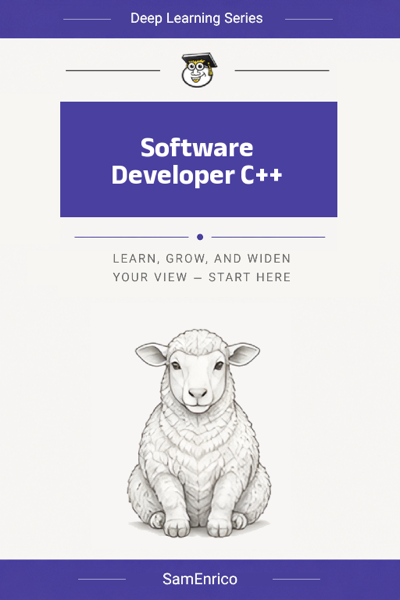
Software Developer C++ eBook
A Coursebook on Software Developer C++
A Coursebook on Software Developer C++
Formats
Free sample
Chapter 1: The Compilation Journey--–- Every time you hit "Run" in your IDE or type ./your_program in the terminal, a silent, invisible transformation occurs. Your elegantly written C++ code—with its classes, functions, and carefully named variables—is chewed up, spit out, and reassembled into a language your computer's processor understands natively: machine code. This journey from human-readable text to binary instructions is called compilation, and understanding it is the difference between being someone who "writes C++" and being a software developer who masters it.Most programmers treat the compiler as a black box. They write code, press a button, and either celebrate a successful run or curse a cryptic error message. But the developers who rise to senior levels—the ones who debug linking errors in seconds, who understand why constexpr matters, who can read assembly to find performance bottlenecks—are the ones who know what happens inside that black box.This chapter pulls back the curtain. You will walk through each stage of the compilation process, from the moment you save a .cpp file to the instant your executable runs. You will learn why #include works the way it does, what those terrifying linker errors actually mean, and how to choose the right data types for portability across platforms. You will also begin your journey with std::string—the modern, safe way to handle text—and say goodbye to the dangerous legacy of C-style strings.By the end of this chapter, you will have written your first complete C++ program (a word game called Mad Libs) and, more importantly, you will understand exactly what happens when you compile it. This foundation will serve you for the rest of your career, because every advanced topic—move semantics, templates, concurrency, optimization—rests on understanding how the compiler thinks.Let us begin the journey.The Four Stages of Compilation: From Source to Executable The C++ compilation process is not a single step but a pipeline of four distinct stages. Each stage transforms the code into a different representation, and each can produce its own class of errors. Understanding these stages will save you hours of debugging confusion.Stage 1: Preprocessing The preprocessor is the first to handle your source file. It scans for lines that begin with #—preprocessor directives—and modifies the code accordingly. This stage does not understand C++ syntax; it performs purely textual manipulation.Consider this common directive: #include . The preprocessor locates the file iostream (typically in your compiler's standard library directory), reads its entire contents, and pastes them directly into your source file at that exact location. This is why header files are called "headers"—they get inserted at the top of your code.Other preprocessor directives include:#define MAX_SIZE 100 – defines a macro; the preprocessor replaces every occurrence of MAX_SIZE with 100 before compilation begins.#ifdef DEBUG – conditional compilation; code between #ifdef and #endif is included only if DEBUG is defined.#pragma once – a non-standard but widely supported directive that prevents a header from being included multiple times.You can see the output of the preprocessor using compiler flags. With GCC or Clang, run g++ -E myfile.cpp. The output will be your source file with all headers expanded and all macros replaced. It is often thousands of lines long—but now you know why.Stage 2: Compilation (Parsing and Code Generation)The preprocessed code now enters the compiler's front end. This stage actually understands C++ syntax. The compiler parses the code into an abstract syntax tree (AST), checks for syntax errors, performs type checking, and then generates assembly code—a low-level, human-readable representation of machine instructions.If you have a syntax error—a missing semicolon, an unmatched brace, a typo in a variable name—this is where the compiler stops and reports it. The error messages you see in your IDE come from this stage.The compiler also performs basic optimizations here, though modern compilers defer most optimizations to later stages. The output of this stage is assembly code specific to your target platform (x86, ARM, etc.). You can view it with g++ -S myfile.cpp, which produces a .s file containing assembly instructions.Stage 3: Assembly The assembler converts the assembly code into object code—binary machine instructions that the processor can execute, but not yet linked into a complete program. Object files typically have .o (Unix/Linux) or .obj (Windows) extensions.Object files contain several sections:.text – the actual machine code instructions.data – initialized global and static variables.bss – uninitialized global and static variables (reserved space)Symbol tables – lists of functions and variables defined or referenced in this object file You can inspect an object file using objdump -d myfile.o (on Linux) or dumpbin /disasm myfile.obj (on Windows). What you will see is hexadecimal machine code—the raw numbers your CPU executes.Stage 4: Linking The linker is the final stage and the source of some of the most confusing error messages. The linker takes all your object files (and any libraries) and combines them into a single executable. It resolves symbols—references to functions or variables that were defined in one file but used in another.For example, suppose main.cpp calls a function calculate() that is defined in math.cpp. The compiler compiles main.cpp into main.o without knowing where calculate() is; it simply records an undefined symbol for calculate(). The linker later matches this undefined symbol with the definition in math.o.Linking errors fall into two categories:Undefined reference: You called a function or used a variable that the linker cannot find a definition for. This often happens when you forget to compile a necessary .cpp file, misspell a function name in the definition, or forget to link a library.Multiple definition: The same function or variable is defined in more than one object file. This commonly occurs when you define a function in a header file and then include that header in multiple .cpp files.Understanding these error types will save you hours of frustration. When you see "undefined reference to Some Function", you now know exactly what the linker is telling you: it found a call to Some Function but no definition anywhere.Fundamental Types: Choosing the Right Tool for the Job Before you write a single line of code, you must understand the raw materials C++ provides for storing data. These are the fundamental types, and they map directly to how the hardware stores information.C++ provides several built-in types, but their exact sizes are platform-dependent. An int is not guaranteed to be 32 bits—it might be 16 bits on embedded systems or 64 bits on some architectures. This portability issue has caused countless bugs in code that assumes a specific size.Here are the fundamental types and their typical sizes on modern 64-bit systems (Windows, Linux, mac OS):Type Typical Size Common Usebool1 byte True/false conditionschar1 byte Single character or small integer (-128 to 127)unsigned char1 byte Byte of raw data (0 to 255)short2 bytes Small integers (-32,768 to 32,767)int4 bytes Default integer (-2.1 billion to 2.1 billion)unsigned int4 bytes Non-negative integers (0 to 4.2 billion)long8 bytes on Linux/mac OS, 4 bytes on Windows Larger integers (platform-dependent)long long8 bytes Very large integers (guaranteed at least 64 bits)float4 bytes Single-precision floating point (about 7 decimal digits)double8 bytes Double-precision floating point (about 15 decimal digits)The Professional's Choice: Fixed-Width Types Because int and long vary by platform, professional C++ code uses fixed-width types from the header. These types guarantee exact sizes:cpp Copy Download#include…
This is the end of the free sample. Get the eBook to keep going. Buy now
About this book
Details
- Author
- Ledford Tanja
- Publisher
- SamEnrico
- Language
- English
- Genre
- Non-Fiction, Informative, Educational
- Released
- 2026-06-02
- Pages (approx.)
- 156
- Available as
- eBook, Audiobook

Read better in the ZLOADR app
Your eBooks on your phone or tablet. Sign in with your SamEnrico account and start reading.
More by Ledford Tanja
 The Eisenhower Block MatrixLedford Tanja$11.99
 Costa Rica Living AbroadLedford Tanja$11.99
 IBS Caffeine Management GuideLedford Tanja$11.99
 The Workday Separation WorkbookLedford Tanja$11.99
 Failure Resilient Teen GuideLedford Tanja$11.99
 The Lowball Persuasion TechniqueLedford Tanja$11.99
 Office Interruption Buster WorkbookLedford Tanja$11.99
 Aquatic Therapy for Widespread PainLedford Tanja$11.99
 Large Truck Anxiety ReductionLedford Tanja$11.99
 The Unseen Hands: The Black Women Who Built the Civil Rights MovementLedford Tanja$11.99
 Blade of the Crimson Moon: The Ronin’s Last StandLedford Tanja$11.99
 The Beat That Broke the Rules: How a Teenager's Garage Band Changed Hip-Hop ForeverLedford Tanja$11.99