
Non-FictionBusiness BriefTeam CollaborationDigital Tools
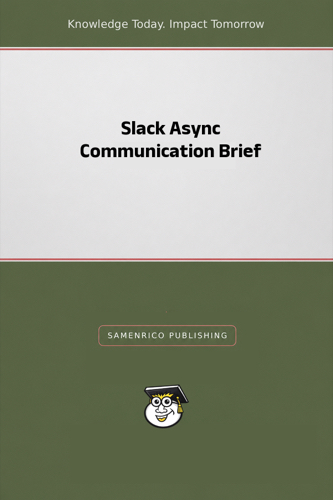
Slack Async Communication Brief eBook
Structure Slack channels for asynchronous updates
by Vaught Elane
Structure Slack channels for asynchronous updates using threads, status emojis, and scheduled reminders.
Formats
Free sample
Chapter 1: The Four Lanes--–- The notification arrives at 9:47 AM. A Slack DM from a colleague you respect. "Quick question?" You stop writing the proposal that was finally flowing. You reply. Fifteen minutes later, you look up.
The proposal is still half-finished. Three new notifications have appeared. The morning is gone. This is not a failure of discipline. This is a failure of architecture.Every day, millions of knowledge workers experience the same slow drowning.
Not because they are lazy or easily distracted, but because their digital workplace was designed for exactly this outcome. Slack, for all its power, defaults to real-time, interrupt-driven communication. The default settings favor the loudest voice over the most important work. The default behaviors—replying instantly, using broad channels for narrow conversations, treating every message as urgent—are not signs of dedication. They are signs of a missing system.This book exists because that system can be built.
Not through willpower or team-wide promises to "be better about Slack," but through structural changes to how channels are created, named, used, and retired. The first and most important structural change is also the simplest: stop treating all channels as the same thing.Most teams today organize Slack channels by topic or team name. #marketing, #engineering, #project-zeus. On the surface, this makes sense. In practice, it is a disaster.
A channel named #marketing will contain urgent customer escalations, slow-moving strategic discussions, social chatter, weekly status reports, and archived decisions. Each of these communication types has a different rhythm, a different response expectation, and a different cost of interruption. Mixing them together guarantees confusion, burnout, and missed information.The solution is the Four Lanes of Async. This framework categorizes every Slack channel into one of four distinct types, each with its own rules, tools, and cultural norms. Once you understand the Lanes, you will never look at a Slack workspace the same way again.
More importantly, your team will stop drowning.The Architecture of Attention Before diving into the four Lanes, a brief word about why structure matters more than effort. In the physical world, we understand architecture intuitively. A library has quiet zones and reading rooms. A hospital has emergency entrances and administrative offices. A factory has assembly lines and break rooms.
We do not ask people to simply "focus harder" in a poorly designed space. We redesign the space.Slack is a digital space. Yet most teams treat it as a blank slate, imposing no architecture at all. The result is a workspace where a casual joke, a critical decision, a routine status update, and a genuine emergency all appear in the same scrolling list, indistinguishable at a glance. The human brain cannot sustain this.
Every time you scan a noisy channel, you perform a tiny cost-benefit analysis: Is this worth reading? Might it be important? What if I miss something? That cognitive overhead is invisible but expensive.The Four Lanes remove that overhead by making the type of communication visible and predictable before you read a single word. When you see a channel with the 📊 prefix, you know immediately: this is structured, scheduled, and can wait.
When you see 🚨, your heart rate may legitimately rise—that is the point. Predictability is a form of psychological safety. The Four Lanes provide that predictability.Lane One: Pipeline Purpose: Structured, scheduled updates with a 24-hour response expectation.Pipeline channels are the factory floor of asynchronous communication. They run on rhythm, not urgency. The prototypical Pipeline channel is the daily standup replacement: a scheduled reminder that posts a prompt at the same time every day, and team members reply in a thread before a deadline.
No one is expected to read standup replies the moment they are posted. The 24-hour window means you can batch-read all updates during your designated Slack time.Characteristics of a Pipeline channel:Messages are initiated by scheduled reminders (/remind) or bots, never by spontaneous human posts Replies are allowed only within threads, never as top-level messages Response expectation is 24 hours (or by the next scheduled reminder)No use of @here or @channel Emoji reactions are encouraged for acknowledgment (:eyes: means "I have read this")Examples:📊-daily-standup: Each person posts their Daily 3 (what they did yesterday, what is blocked, what they will do today)📊-weekly-metrics: A bot posts the team's KPIs every Monday at 9 AM; team members react with emojis or reply in thread with questions📊-expense-reports: A weekly reminder to submit receipts; replies are threads for each expense question What does not belong in Pipeline:Urgent questions (go to Playground or Panic)Back-and-forth debate (go to Playground)Final decisions (go to Portal)Social chatter (go to a dedicated #social Playground channel)Why Pipeline works: The human brain struggles with open-ended tasks. "Post your update sometime today" creates decision fatigue. "Post your update in this thread by 10 AM" creates a habit. The scheduled reminder acts as a starting pistol, not a nag.
It tells you when to start, not that you are late. This distinction, drawn from James Clear's work on habit formation, is critical. Reminders that arrive at a predictable time become permission structures. Reminders that arrive unpredictably become noise.Case study: The 9:09 AM standup. A remote product team of twelve people replaced their daily 30-minute video standup with a Pipeline channel.
The scheduled reminder posts at 9:09 AM (an intentionally odd time to make it memorable). Each person replies in the thread with three bullet points before 10 AM. The product manager scans the thread at 10:15 AM, identifies blockers (marked with the 🔴 emoji), and addresses them individually. The team saves 4.5 person-hours per day—over 1,000 hours per year. More importantly, the quality of updates improves because people write them asynchronously, without performance anxiety or interruption pressure.Lane Two: Playground Purpose: Collaborative discussion, brainstorming, questions, and social interaction with a 4–6 hour response expectation.Playground channels are where most work actually happens.
They are the conference rooms, whiteboards, and watercoolers of the digital workplace. Unlike Pipeline channels, Playground channels are spontaneous—anyone can start a new thread at any time. Unlike Panic channels, Playground channels have a deliberate delay built in. The expectation is not instant replies but same-day replies (within working hours).Characteristics of a Playground channel:Any team member can start a new thread All replies must be inside threads; top-level messages are for new topics only The "One Topic, One Thread" rule is strictly enforced: a thread about the API design does not also contain a question about lunch Response expectation is 4–6 hours during active hours; outside active hours, no expectation@here and @channel are forbidden except in rare, pre-agreed circumstances (see Chapter 9)Emojis are the primary signaling mechanism (✅ for completion, 👀 for acknowledgment, 🔴 for blockers)Examples:🎯-project-zeus: All discussion about a specific project, organized by thread🎯-customer-feedback: Threads for each customer ticket or feedback item🎯-random: Social chatter, lunch plans, non-work banter (this channel is essential for remote team culture)🎯-help-engineering: A Q&A channel where anyone can ask technical questions What does not belong in Playground:Scheduled status updates (go to Pipeline)Emergency alerts (go to Panic)Final decisions after they are made (go to Portal)The art of the thread. Threads are the most powerful and most misused feature in Slack.
In a Playground channel, the thread is the unit of work. A thread about a specific bug should not also…
This is the end of the free sample. Get the eBook to keep going. Buy now
About this book
Details
- Author
- Vaught Elane
- Publisher
- SamEnrico
- Language
- English
- Genre
- Non-Fiction, Business Brief, Team Collaboration, Digital Tools
- Released
- 2026-06-08
- Pages (approx.)
- 155
- Available as
- eBook, Audiobook

Read better in the ZLOADR app
Your eBooks on your phone or tablet. Sign in with your SamEnrico account and start reading.
More by Vaught Elane
 Body Scan for AnxietyVaught Elane$11.99
 Like Culture Self Worth RecoveryVaught Elane$11.99
 Self Hypnosis Back PainVaught Elane$11.99
 Extreme Kidnap Scenario Contingency HandbookVaught Elane$11.99
 The Trial That Shook the World: The O.J. Simpson Civil Case RevisitedVaught Elane$11.99
 The Phantom of the Courtroom: The Trial of the Century That Never WasVaught Elane$11.99
 Understanding Congenital Limb DeficiencyVaught Elane$17.99
 University of Dubai GuideVaught Elane$12.99
 Semiconductor Supply OutlookVaught Elane$12.99
 Refining AnalystVaught Elane$11.99
 How to Become a Cellophane-casting-machine RepairerVaught Elane$11.99
You may also like
 Hong Kong Handover 1997Dunn Johnnie$11.99
 Zumba For Postnatal Recovery CourseNeal Christian$11.99
 Zumba for BeginnersLadner Nikia$11.99
 YouTube Comment Mining GuideHumes Pandora$12.99
 Worry Box MeditationCarlin Rudy$11.99
 Workplace Stress MeditationNguyen Lynn$11.99
 Workplace Stress and Sleep RepairHawley Ivory$11.99
 Workplace Perfectionism CureDelaney Jeffry$11.99
 Workplace Injustice Anger GuideWallen Isabelle$11.99
 Work Addiction and Burnout LinkGreenwood Ester$11.99
 Women in Yoga and WellnessBeattie Galina$11.99
 Women in Stand Up ComedyChun Evangeline$11.99