
Non-FictionStartup GuideVideo EditingCross Platform
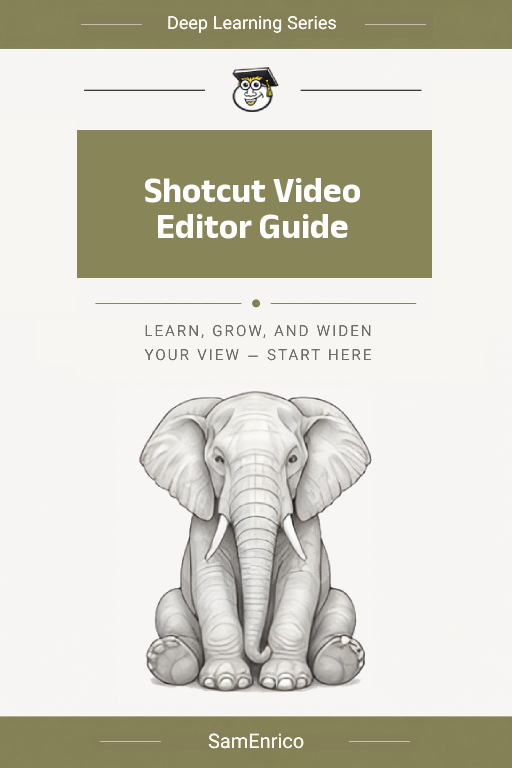
Shotcut Video Editor Guide eBook
Edit video professionally using free Shotcut inste
Edit video professionally using free Shotcut instead of paying for Final Cut Pro or Vegas Pro.
Formats
Free sample
Chapter 1: The Zero-Dollar Bet...--When James, a documentary filmmaker from Austin, Texas, realized he had spent $847 on video editing software subscriptions over the previous eighteen months, he felt physically ill. He had not made a single dollar back yet. His short film about local food trucks—shot beautifully on a borrowed Blackmagic Pocket Cinema Camera—sat unfinished on a hard drive because he could no longer afford to keep his Premiere Pro account active. He could open the project file, but he could not export it without resubscribing. His footage was held hostage.
Like millions of aspiring editors, James faced the brutal math of modern content creation: you either pay a monthly tithe to software companies, drop hundreds on a perpetual license for Final Cut Pro or Vegas Pro, or you give up.But James did not give up. He discovered a different path. Within one week of switching, he had exported his documentary in 4K, added professional color grading, and submitted it to a local film festival. He paid exactly zero dollars for the software. The tool was Shotcut—a free, open-source video editor that most professionals overlook precisely because it costs nothing.
That was a mistake. This chapter is the story of why that mistake exists, how the video industry convinced you that you need to spend money to look professional, and why Shotcut is not just a "good enough" alternative but a legitimate professional weapon for the smart creator.The Great Video Paywall: How You Were Trained to Pay The video editing software market operates on a carefully constructed psychological principle: the assumption that price equals quality. Adobe capitalized on this masterfully by moving to a subscription model in 2013, transforming software from a tool into a service. Apple sells Final Cut Pro for 299asaone−timepurchase,butthatpricetagaloneactsasagatekeeper.Blackmagic Designoffers Da Vinci Resolveforfree,butthencharges299 as a one-time purchase, but that price tag alone acts as a gatekeeper. Blackmagic Design offers Da Vinci Resolve for free, but then charges 299asaone−timepurchase,butthatpricetagaloneactsasagatekeeper.Blackmagic Designoffers Da Vinci Resolveforfree,butthencharges295 for the "Studio" version, cleverly implying that the free version must be missing something essential.
Even Vegas Pro, once a beloved one-time purchase, now nudges users toward upgrade plans that cost $399 or more.Let us look at the actual numbers—not the marketing spin, but what you really pay. A side-by-side comparison reveals the truth.Final Cut Pro costs 299upfront.Thatsoundsreasonableuntilyourealizethat Applereleasesmajorupdatesapproximatelyeverytwotothreeyears,andwhileminorupdatesarefree,eventuallyyourversionbecomesincompatiblewithneweroperatingsystems.Youwillpayagain.Vegas Procharges299 upfront. That sounds reasonable until you realize that Apple releases major updates approximately every two to three years, and while minor updates are free, eventually your version becomes incompatible with newer operating systems. You will pay again. Vegas Pro charges 299upfront.Thatsoundsreasonableuntilyourealizethat Applereleasesmajorupdatesapproximatelyeverytwotothreeyears,andwhileminorupdatesarefree,eventuallyyourversionbecomesincompatiblewithneweroperatingsystems.Youwillpayagain.Vegas Procharges399 for the latest version, but that does not include future major releases.
Upgrading from Vegas Pro 20 to Vegas Pro 21 cost users an additional 199.Overfiveyears,a Vegas Prousertypicallyspendsbetween199. Over five years, a Vegas Pro user typically spends between 199.Overfiveyears,a Vegas Prousertypicallyspendsbetween600 and $800.Premiere Pro is the most deceptive. At 22.99permonth,itfeelsaffordable.Whocannotskiptwolattestopayforprofessionalsoftware?Butoverthreeyears,thatis22.99 per month, it feels affordable. Who cannot skip two lattes to pay for professional software? But over three years, that is 22.99permonth,itfeelsaffordable.Whocannotskiptwolattestopayforprofessionalsoftware?Butoverthreeyears,thatis827.
Over five years, it exceeds $1,300. And here is the trap that James fell into: when you stop paying, you lose access to your project files. You cannot open them. You cannot export them. Your work becomes inaccessible unless you continue the subscription forever.Da Vinci Resolve offers a genuinely generous free version, but it restricts certain features—multiple GPUs, neural engine acceleration, film grain, and HDR grading tools.
The Studio version costs $295. For many users, that is reasonable, but the message remains: the good stuff costs money.Then there is Shotcut. Zero dollars. Zero subscription. Zero upgrade fees.
Zero watermark. Zero time limits. Zero hostage-taking.A creator using Shotcut for five years pays nothing. A creator using Premiere Pro for the same period pays more than a thousand dollars. That is not a small difference—that is the cost of a camera, a lens, or a lighting kit.
Every dollar spent on software is a dollar not spent on storytelling.The Hidden Cost Nobody Talks About: Proprietary Prisons Beyond the obvious price tag lies an insidious trap: proprietary project formats. When you edit in Premiere Pro, your project saves as a .prproj file. Final Cut Pro uses .fcpxml. Vegas Pro uses .veg. These files are encrypted, proprietary, and unreadable by any other software.
You cannot open a Premiere project in Da Vinci Resolve. You cannot open a Final Cut timeline in Shotcut. You are locked in.This matters more than most beginners realize. Imagine you spend six months editing a feature film in Premiere Pro. You have keyframes, transitions, audio ducking, color grading, and nested sequences.
Then your financial situation changes, and you cannot afford the subscription anymore. That project is now trapped. You can export a flat video file, but you lose every layer of editing. You cannot tweak a single cut, adjust a single color grade, or fix a single audio pop. You have effectively lost the ability to finish your work unless you pay.Shotcut uses the MLT (Media Lovin' Toolkit) format, which saves projects as human-readable XML files.
These files are open, documented, and editable with any text editor. If Shotcut disappeared tomorrow—which it will not, as open-source projects survive through community effort—you could write a script to convert your project to another format. You own your work completely.That is the difference between renting a tool and owning your craft.Why Open Source Wins on Performance (Real Numbers, Not Marketing)Commercial software companies optimize for the average user, which means they assume you have a powerful computer. Adobe Premiere Pro recommends at least 16GB of RAM, a modern Intel Core i7 or AMD Ryzen 7, and a dedicated GPU with 4GB of VRAM. The reality is harsher: on a laptop with 8GB of RAM and integrated graphics, Premiere Pro stutters, crashes, and takes minutes to open simple projects.
Why? Because commercial software includes telemetry, license verification, cloud sync, and hundreds of background processes that have nothing to do with editing video.Shotcut was written in C++ with the MLT framework, designed specifically for lightweight performance. The installer is under 100MB—compare that to Premiere Pro's 4GB installation. Shotcut does not phone home. It does not check licenses.
It does not sync to the cloud unless you tell it to. It simply edits video.A practical example: Loading a 10-minute 4K timeline on a 2017 laptop with 8GB of RAM and integrated Intel graphics. Shotcut opens the project in approximately 8 seconds, depending on cache and media location. The interface is responsive. Scrubbing is smooth after generating proxies (a technique you will learn in Chapter 3).
The same laptop, running Premiere Pro, takes over a minute to open, and the timeline preview runs at approximately 5 frames per second. That is not opinion. That is physics. Less bloat means more speed.Shotcut runs on Windows, Mac, and Linux. It supports GPU acceleration through Open GL and Vulkan.
It can handle 8K footage, 10-bit color, and high dynamic range. The only thing it lacks is the marketing budget…
This is the end of the free sample. Get the eBook to keep going. Buy now
About this book
Details
- Author
- Harter Magaret
- Publisher
- SamEnrico
- Language
- English
- Genre
- Non-Fiction, Startup Guide, Video Editing, Cross Platform
- Released
- 2026-05-29
- Pages (approx.)
- 136
- Available as
- eBook, Audiobook

Read better in the ZLOADR app
Your eBooks on your phone or tablet. Sign in with your SamEnrico account and start reading.
More by Harter Magaret
 Peruvian Professional OutlookHarter Magaret$11.99
 Workaholic Emotional Regulation GuideHarter Magaret$11.99
 Mindfulness for GamingHarter Magaret$11.99
 Bodyweight Prison Workout ManualHarter Magaret$11.99
 Boundary Violation Anger SignsHarter Magaret$11.99
 Whispers of the Black Shuck: The Phantom Hound of the British IslesHarter Magaret$11.99
 The Ghosts of Chernobyl: Voices from the Dead ZoneHarter Magaret$11.99The Ghosts of Chernobyl: Voices from the Dead ZoneHarter Magaret$11.99
 Understanding Chromosome 7, Monosomy 7q3Harter Magaret$17.99
 How to Start a Farinaceous Products Business (Beginners Guide)Harter Magaret$11.99
 Management Buyout Buyer GuideHarter Magaret$12.99
You may also like
 Hong Kong Handover 1997Dunn Johnnie$11.99
 Zumba For Postnatal Recovery CourseNeal Christian$11.99
 Zumba for BeginnersLadner Nikia$11.99
 YouTube Comment Mining GuideHumes Pandora$12.99
 Worry Box MeditationCarlin Rudy$11.99
 Workplace Stress MeditationNguyen Lynn$11.99
 Workplace Stress and Sleep RepairHawley Ivory$11.99
 Workplace Perfectionism CureDelaney Jeffry$11.99
 Workplace Injustice Anger GuideWallen Isabelle$11.99
 Work Addiction and Burnout LinkGreenwood Ester$11.99
 Women in Yoga and WellnessBeattie Galina$11.99
 Women in Stand Up ComedyChun Evangeline$11.99