
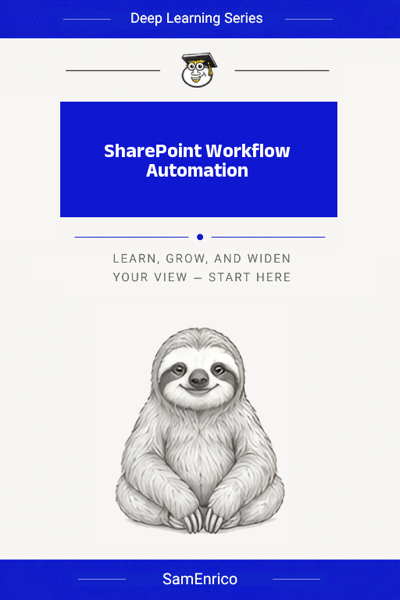
Non-FictionInformativeEducational
SharePoint Workflow Automation eBook
A Coursebook on SharePoint Workflow Automation
A Coursebook on SharePoint Workflow Automation
Formats
Free sample
Chapter 1: The Automation Graveyard--–- The Share Point manager stared at her screen, watching the same three documents drift from one folder to another, triggered by workflows built a decade ago. "It works," she said, "until it doesn't. And when it doesn't, no one remembers how to fix it."This scene plays out thousands of times daily across enterprises worldwide. Organizations run critical business processes—invoice approvals, contract routing, employee onboarding—on Share Point workflows built in 2010 or 2013. These workflows are the corporate equivalent of a grandfather clock: beautiful in their time, increasingly unreliable, and impossible to repair when the original builder has retired.Yet the fear of replacing them is paralyzing.
"If it ain't broke, don't fix it" becomes "it's breaking, but we don't know what will happen if we touch it." This chapter begins where every automation journey must start: understanding what you have, why it's failing, and how to decide what comes next.The Three Eras of Share Point Workflows To understand where you are, you must understand how you got here. Microsoft's workflow story spans three distinct architectural eras, each leaving behind a graveyard of abandoned patterns.Era One: Share Point 2010 Workflows (Windows Workflow Foundation 3.0)Released in 2010, these workflows represented Microsoft's first serious attempt at low-code automation within Share Point Designer (SPD). Built on Windows Workflow Foundation 3.0, they offered two patterns: sequential workflows (step A, then B, then C) and state machine workflows (waiting for external events). Users could design simple approvals, content routing, and notification sequences without writing C#.The limitations were severe. Workflows ran on-premises only, required full trust solutions for custom activities, and logged failures to a single obscure table.
When a 2010 workflow failed, you received a generic "Workflow could not start" error and a GUID. That was it. No explanation, no stack trace, no indication of which step broke.Microsoft officially deprecated 2010 workflows in 2020, announcing they would no longer be supported in new tenants. Existing workflows continued running, but new ones could not be created. For organizations still running them today, every day is borrowed time.Era Two: Share Point 2013 Workflows (Workflow Manager)Share Point 2013 introduced a redesigned engine called Workflow Manager.
It ran as a separate service, supported REST API calls, and integrated with Visio for visual design. For the first time, workflows could call web services, parse JSON, and interact with external systems without custom code.The architecture improved, but the experience remained fragmented. Workflows were still designed in Share Point Designer, deployed as .wsp packages, and managed through a separate Workflow Manager console. Debugging remained painful: you could view the workflow history list, but errors still appeared as opaque "Coercion Failed" messages.Microsoft announced the retirement of 2013 workflows in 2020 alongside their 2010 predecessors. New tenants cannot create them.
Existing tenants can keep running them, but support is limited, and Microsoft strongly recommends migration.Era Three: Power Automate (The Present)In 2016, Microsoft launched Microsoft Flow as a cloud-native automation service. It was rebranded to Power Automate in 2019, expanding to include robotic process automation (RPA), AI Builder, and hundreds of connectors. The shift was philosophical: from "workflow as code" to "automation as a service."Power Automate workflows (now called "flows") run entirely in the cloud. They trigger on events from Share Point, Outlook, Teams, and thousands of other services. They scale horizontally, log every action in detailed history, and include built-in error handling.
A flow that fails tells you exactly which step failed, why, and provides a raw JSON payload of the error.For the first time, automation became accessible to business users without IT intervention. A marketing manager could build a flow that saves email attachments to Share Point. An HR coordinator could create an approval flow for time-off requests. The low-code revolution had arrived.Why Legacy Workflows Are Failing (Even When They "Work")Your Share Point 2010 workflow might still run. It might even run correctly.
But "running" and "healthy" are not the same thing. Legacy workflows fail in five insidious ways that accumulate over time.Infrastructure Decay Share Point 2010 and 2013 workflows require on-premises or hosted Workflow Manager instances. Those instances require maintenance: patches, certificate renewals, database cleanup. When your organization migrated to Share Point Online, did you migrate the Workflow Manager? Many didn't.
They left it running on a forgotten server, with no one monitoring certificates that expired two years ago.When that certificate expires, workflows stop. Not with a warning, not with a graceful degradation—they simply fail to start. And because no one remembers the server exists, finding the certificate, renewing it, and re-registering the Workflow Manager can take weeks.The Info Path Dependency A shocking number of legacy workflows depend on Info Path forms. Info Path was Microsoft's form design tool, retired in 2014 and fully deprecated in 2023. Info Path forms cannot be edited, cannot be moved to new environments, and cannot be secured with modern authentication.If your workflow uses an Info Path form to collect data, you have three options: rebuild the form in Power Apps, rebuild it in Microsoft Forms, or accept that your workflow will break when the Info Path infrastructure finally fails.
There is no migration path. There is no converter. There is only rebuilding.The Vanishing Expert Who built your Share Point 2010 workflows? If the answer is "someone who no longer works here," you have a knowledge risk. Workflows built in Share Point Designer have no documentation, no version control, and no comments.
The original builder's tribal knowledge—"Oh, that condition only works if the list view threshold is under 5,000 items"—disappears when they walk out the door.When that workflow breaks (not if, when), your current team will face a black box. They will see a workflow status of "Error Occurred" and a GUID. No amount of Googling will explain what that specific GUID means in your specific environment.Scale Mismatch Share Point 2010 workflows were designed for departmental use: dozens of items per day, hundreds total. Modern enterprises generate thousands of list items daily, across millions of rows. Legacy workflows cannot scale.When a Share Point list exceeds 5,000 items (the list view threshold), workflows that query that list begin timing out.
When dozens of users trigger workflows simultaneously, the Workflow Manager queues them and eventually crashes. When workflows need to call external APIs with modern authentication, they fail because they only support basic auth.The workflow that worked perfectly for three years suddenly stops when the 5,001st item is added. No code changed. No setting was modified. The workflow simply outgrew its architecture.Security Gaps Legacy workflows run under the context of the user who started them, but with unpredictable elevation.
They often require full control permissions on the site collection. They use service accounts with passwords that never rotate.Modern security standards demand least-privilege access, managed identities, and conditional access policies. Share Point 2010 workflows cannot meet these standards. Every legacy workflow is a potential privilege escalation vector, a compliance violation waiting to be discovered in an audit.The Diagnostic Checklist: Migrate, Rebuild, or Retire?Before you build anything new, you must decide what to do with everything old. Not every legacy workflow deserves to be migrated.
Not every workflow deserves to be rebuilt. Some deserve a dignified retirement.The Diagnostic Checklist is a two-page decision matrix that…
This is the end of the free sample. Get the eBook to keep going. Buy now
About this book
Details
- Author
- Westmoreland Estrella
- Publisher
- SamEnrico
- Language
- English
- Genre
- Non-Fiction, Informative, Educational
- Released
- 2026-06-02
- Pages (approx.)
- 135
- Available as
- eBook, Audiobook

Read better in the ZLOADR app
Your eBooks on your phone or tablet. Sign in with your SamEnrico account and start reading.
More by Westmoreland Estrella
 Trial Lawyer Stress ManagementWestmoreland Estrella$11.99
 Pilot Stress Resilience HandbookWestmoreland Estrella$11.99
 Anxiety DBT SkillsWestmoreland Estrella$11.99
 The Koresh WillWestmoreland Estrella$11.99
 Deep Navy Seal StoriesWestmoreland Estrella$11.99
 Economic Principles PalaceWestmoreland Estrella$11.99
 Mindful Breathing For PregnancyWestmoreland Estrella$11.99
 Menopause And BurnoutWestmoreland Estrella$11.99
 Egyptian Army GuideWestmoreland Estrella$11.99
 The Whistleblower of the Deep: How a Marine Biologist Exposed a Pacific Ocean FraudWestmoreland Estrella$11.99
 The Vanishing of Flight 195: The Bermuda Triangle’s Last MysteryWestmoreland Estrella$11.99
 The Fall of Granada: The Last Moorish StrongholdWestmoreland Estrella$11.99
You may also like
 Hong Kong Handover 1997Dunn Johnnie$11.99
 Zumba For Postnatal Recovery CourseNeal Christian$11.99
 Zumba for BeginnersLadner Nikia$11.99
 YouTube Comment Mining GuideHumes Pandora$12.99
 Worry Box MeditationCarlin Rudy$11.99
 Workplace Stress MeditationNguyen Lynn$11.99
 Workplace Stress and Sleep RepairHawley Ivory$11.99
 Workplace Perfectionism CureDelaney Jeffry$11.99
 Workplace Injustice Anger GuideWallen Isabelle$11.99
 Work Addiction and Burnout LinkGreenwood Ester$11.99
 Women in Yoga and WellnessBeattie Galina$11.99
 Women in Stand Up ComedyChun Evangeline$11.99