
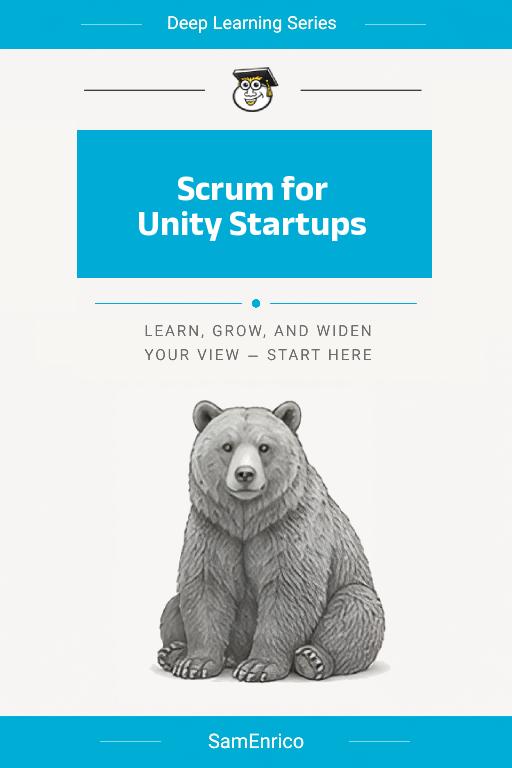
Scrum for Unity Startups eBook
Implement Unity's game engine Scrum for XR and met
Implement Unity's game engine Scrum for XR and metaverse startups building interactive 3D experiences.
Formats
Free sample
Chapter 1: The Build Trap--–- Marcus was six months into his metaverse startup when he realized his team had built a $2 million physics engine that nobody could throw a cube in. The hand tracking worked perfectly on his gaming PC. The physics were flawless in the Unity Editor. But on the Quest 2, the cube hovered for two seconds after release, then teleported to the floor. Users didn't complain.
They just took off the headset and never came back.The post-mortem revealed the real culprit: not the code, but the process. Marcus's team had been running textbook Scrum. Two-week sprints. Daily stand-ups. Story points.
Retrospectives. Everything the Agile coaches said to do. But every feature required the same ritual: write code, test in the Editor, write more code, then – finally – put on a headset. By the time they discovered the cube was broken, they had already spent three sprints building interactions on top of a broken foundation.This is the Build Trap. It is the single largest reason XR startups fail, and it has nothing to do with technology.The Headset-to-Keyboard Ratio Let me show you a calculation that will change how you think about XR development.A traditional web or mobile developer tests a feature by looking at a screen.
The feedback loop is measured in seconds: change code, refresh browser, observe result. The friction is near zero. This allows Scrum's fast iteration cycles to function as designed.An XR developer tests a feature by:Saving their code (2 seconds)Building to headset or entering Play Mode with tethered headset (15-30 seconds)Putting on the headset (10 seconds)Adjusting the fit and focus (15 seconds)Finding the playspace boundary (5 seconds)Calibrating hand tracking or controllers (10 seconds)Running the interaction (variable)Removing the headset (5 seconds)Returning to the keyboard (5 seconds)Writing down observations before forgetting them (10 seconds)The total context switch: 60 to 90 seconds. Per test.If a developer performs this ritual twenty times in a day – which is a conservative estimate for active feature development – they lose over thirty minutes to friction. Thirty minutes of strapping plastic to their face, adjusting straps, and recalibrating their spatial awareness.
That is thirty minutes they are not writing code, not solving problems, not building value.Now multiply that across a team of six developers over a two-week sprint. That is eighteen hours of pure friction. Nearly three full developer days. Every two weeks. This is the hidden tax of XR development, and most teams never measure it.I call this the Headset-to-Keyboard Ratio – the proportion of a developer's day spent wearing a headset versus typing code.
A healthy ratio for a sustainable XR team is 20% headset, 80% keyboard. Most startups I have audited run at 60% headset or higher. Their developers are spending more time in virtual reality than in their own code. The result is not just inefficiency. It is burnout, missed deadlines, and broken features that could have been caught with one simple change to how the team works.The Myth of the Ticket Traditional Scrum is built on a beautiful fiction: that a story point maps to something measurable and predictable.
In web development, a "user can log in with email" story takes about the same cognitive load as a "user can reset password" story. Points become comparable. Velocity becomes predictable.In XR, this fiction shatters.Consider a single interaction: grabbing a virtual object. In 2D terms, this is one story point. Maybe two.
In XR, "user can grab a cube" requires:Physics collision detection that feels natural, not sticky or slippery Hand tracking or controller input that maps 1:1 to virtual hand movement Haptic feedback that reinforces the sensation of contact Occlusion handling so the object disappears correctly when held Throw physics with believable momentum and arc Garbage collection patterns that don't spike during the grab Platform-specific SDK integrations (Meta's hand tracking, Apple's ARKit, etc.)Performance budgets that maintain 72Hz throughout That is not one story point. That is a spatial anchor – a 3D volume of complexity that has no equivalent in 2D development. Some spatial anchors are small (a button that responds to poke). Some are vast (a multiplayer physics object synchronized across four headsets). But all of them break the assumption that story points are comparable.I have seen startups assign three points to "implement grab" and then spend two weeks debugging why the cube flies away at random.
The developers were not slow. The estimation system was simply not designed for spatial computing.The solution is not to abandon estimation. The solution is to recognize that XR stories cannot be estimated in isolation. They must be estimated as systems. A grab story is not about the grab.
It is about the entire interaction pipeline from hand movement to haptic buzz. When you estimate, you are estimating the pipeline, not the feature.When Presence Becomes the KPIIn mobile development, you measure what users do. Clicks. Screen time. Retention.
Purchases. These are behavioral metrics, and they work because the interface is transparent. The user does not think about the screen. They think about the task.In XR, the interface is the experience. The user is not clicking a button labeled "grab." They are reaching out with their actual hand, closing their actual fingers, and feeling a vibration when their virtual fingers touch a virtual object.
If that vibration arrives ten milliseconds late, the user does not consciously notice. But their brain does. Their sense of presence – the feeling of "being there" – fractures.Presence is the only metric that matters in XR, and it is incredibly fragile. A single frame drop below 72Hz can break it. A UI popup that appears in the peripheral vision can break it.
Hand tracking that loses a finger for half a second can break it. Users will not tell you their presence broke. They will simply take off the headset and never return.I learned this lesson from a startup building a meditation app for the Quest. Their metrics looked great: high retention, long sessions, positive reviews. But when they ran user tests with video capture, they noticed something strange.
Every user, at some point during the session, would look down at their virtual hands and wiggle their fingers. This was not a feature. It was a diagnostic. Users were checking if their hands were still tracking properly. Their presence was so fragile that they had developed a subconscious verification ritual.The team had not built a meditation app.
They had built a hand-tracking stress test.Scrum does not prepare you for this. Scrum measures feature completion. Did you ship the grab? Yes. Did you ship the throw?
Yes. But did you preserve presence? The framework has no answer because the framework was designed for 2D screens where presence does not exist.The Low-Fi Testing Rig The solution to the Build Trap is counterintuitive: stop testing in the headset.I am not saying never test in the headset. That would be irresponsible. But I am saying that 80% of your testing should happen outside the headset, using tools that give you immediate feedback without the sixty-second context switch.The most powerful tool in your XR development arsenal is the Unity Device Simulator.
This is not a joke. It is not a toy. With a properly configured simulator, you can test hand tracking…
This is the end of the free sample. Get the eBook to keep going. Buy now
About this book
Details
- Author
- Winchester Sanda
- Publisher
- SamEnrico
- Language
- English
- Genre
- Non-Fiction, Startup Guide, Scrum XR
- Released
- 2026-05-29
- Pages (approx.)
- 139
- Available as
- eBook, Audiobook

Read better in the ZLOADR app
Your eBooks on your phone or tablet. Sign in with your SamEnrico account and start reading.
More by Winchester Sanda
 Pregnancy Dream Symbolism GuideWinchester Sanda$11.99
 Metabolic Syndrome Complete GuideWinchester Sanda$11.99
 Francis and Sultan Al Kamil EncounterWinchester Sanda$11.99
 Financial Isolation Recovery GuideWinchester Sanda$11.99
 Assertiveness for Caregivers GuideWinchester Sanda$11.99
 Into the White Silence: The Forgotten Arctic Expedition of Alexander KolchakWinchester Sanda$11.99
 Understanding Epidemic EncephalomyelitisWinchester Sanda$17.99
 Silicon Shadows: The Vanished Billionaire's AI HeistWinchester Sanda$11.99
 AI Art Batch GenerationWinchester Sanda$12.99
 High School PrincipalWinchester Sanda$11.99
 How to Start a Dairy Produce N.e.c (wholesale) Business (Beginners Guide)Winchester Sanda$11.99