
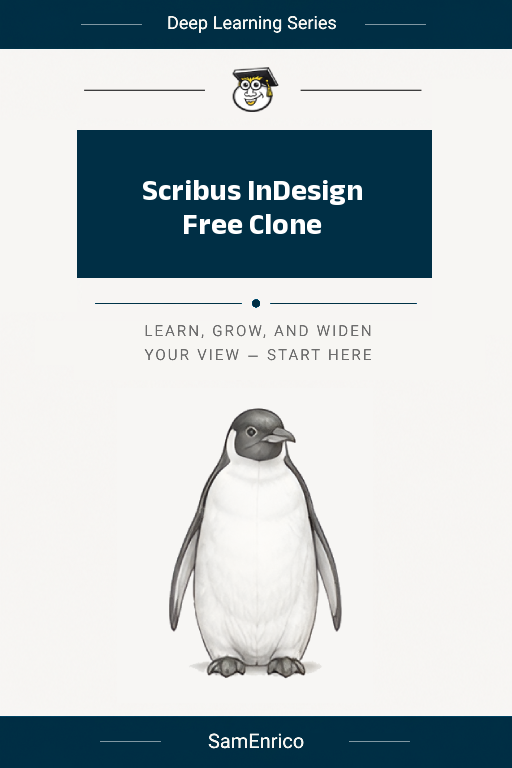
Non-FictionStartup GuideDesktop Publishing
Scribus InDesign Free Clone eBook
Create professional layouts and print ready PDFs u
by Ruff Joey
Create professional layouts and print ready PDFs using free Scribus. This guide replaces Adobe InDesign for publishers needing desktop tools.
Formats
Free sample
Chapter 1: The Price of a Page...--–- In a cramped studio apartment in Chicago, a freelance graphic designer named Maya opened her email to find a notification from Adobe: “Your Creative Cloud subscription will renew tomorrow for $599.88.” She had just lost a major client to an AI design service. Her rent was due. And yet, to keep her existing clients—the nonprofit reports, the indie music magazine, the local coffee chain’s seasonal menus—she had to pay nearly six hundred dollars for software she would never own. Across the city, a small publishing house with three employees was having the same conversation. They had just printed a 200-page literary journal using a free tool called Scribus.
Their cost for layout software that quarter: zero. Their print-ready PDFs passed the commercial printer’s preflight inspection on the first try. This chapter is for everyone caught between the need for professional publishing tools and the reality of a tightening budget. It is not a sales pitch for open source; it is a tactical guide to leaving Adobe In Design behind without leaving behind your professional standards.The In Design Tax: What You Really Pay Let us perform a simple calculation that most designers avoid because the answer is painful. Adobe In Design is no longer sold as a standalone perpetual license.
To use In Design, you must subscribe to the Creative Cloud. The single-app plan for In Design costs approximately 22.99permonthwhenpaidannually,totaling22.99 per month when paid annually, totaling 22.99permonthwhenpaidannually,totaling275.88 per year. However, most professionals need the full suite—Photoshop, Illustrator, and In Design—which costs 59.99permonthor59.99 per month or 59.99permonthor599.88 per year. Over five years, that is 2,999.40.Overadecade,nearly2,999.40. Over a decade, nearly 2,999.40.Overadecade,nearly6,000.
And at the end of those ten years, you own nothing. Your files are locked into a proprietary format. Your templates are hostage to an ongoing subscription. If you miss a payment, the software stops working.Now consider a small studio with three designers. The annual cost for Creative Cloud is 1,799.64.Overfiveyears,thatstudiopays1,799.64.
Over five years, that studio pays 1,799.64.Overfiveyears,thatstudiopays8,998.20. That is enough money to buy a high-end printing press, a year of office rent in a secondary city, or a substantial marketing campaign. Yet most studios accept this cost as immutable, like rent or electricity.Scribus, by contrast, costs nothing. Zero dollars. Forever.
It is distributed under the GNU General Public License, which means you can install it on as many computers as you want, give copies to colleagues, and even modify the source code if you have the programming skills. No subscription. No cloud dependency. No “license expired” pop-ups in the middle of a deadline.But price alone is a weak argument. A free hammer that cannot drive a nail is worthless.
The real question is not whether Scribus is free, but whether it is professional. Can it produce print-ready PDFs that commercial printers accept? Can it handle complex layouts, master pages, typographic controls, and colour separation? The answer, as we will demonstrate throughout this book, is yes—with a few honest caveats.The Myth of Free Quality When designers first hear about Scribus, they often react with suspicion. “Free software cannot be as good as In Design,” they say.
“What’s the catch?” This skepticism is understandable. For two decades, Adobe has dominated the desktop publishing market. Design schools teach In Design. Internships require In Design. Job postings list In Design as a mandatory skill.
The result is a kind of vendor lock-in that has little to do with technical superiority and everything to do with habit.Let us examine the evidence. The 200-page literary journal mentioned at the start of this chapter was produced by a small press in Portland, Oregon. The designer used Scribus 1.5.8 on a five-year-old laptop. The file contained 142 linked images, 12 master pages, and a complex table of contents. The commercial printer (a large, well-known shop that typically works with Adobe files) ran the PDF through their preflight system.
Zero errors. The journal was printed and sold 3,000 copies. No customer noticed any difference in quality.The city government annual report came from a municipality in Sweden. Their internal communications team switched to Scribus after budget cuts eliminated their Adobe licenses. The report was 86 pages, full of charts, tables, and photographs.
It won a national award for government transparency publications. The judges did not ask which software was used.The music magazine was produced by a group of volunteers in Austin, Texas. They had no budget for software. They used Scribus, GIMP for photo editing, and Inkscape for vector illustrations. The magazine has been published bimonthly for six years and has a print run of 5,000 copies.
The only complaints they receive are about typos—never about layout quality.These are not outliers. Scribus has been used to produce books published by major university presses, scientific journals with complex mathematical notation, and art catalogues with demanding colour requirements. The myth that free software produces amateur results is just that: a myth, perpetuated by vendors who benefit from your subscription payments.The Open Source Ecosystem: GIMP, Inkscape, and Scribus To replace In Design, you must also replace the surrounding ecosystem. In Design does not exist in isolation. Most designers work with Photoshop for raster images and Illustrator for vector graphics.
Scribus is part of a triad of open-source applications that serve the same roles.GIMP (GNU Image Manipulation Program) replaces Photoshop. It handles layers, masks, colour correction, and retouching. It does not support native PSD layer effects (like drop shadows that remain editable), but you can flatten the image or export as TIFF before importing into Scribus. For the vast majority of print work—cropping photos, adjusting levels, removing blemishes—GIMP is fully capable. It also supports CMYK natively, which Photoshop requires expensive plugins to handle correctly.Inkscape replaces Illustrator.
It is a vector graphics editor that uses the Scalable Vector Graphics (SVG) format as its native file type. Scribus imports SVG files directly, preserving transparency, paths, and text. Inkscape can also open and edit many AI files, though complex Illustrator-specific features (like mesh gradients or certain effects) may be lost. For logos, icons, charts, and illustrations, Inkscape is more than sufficient.The workflow is straightforward. Create a logo in Inkscape and save as SVG.
Import that SVG into Scribus using the Image Frame tool (not the Text Frame tool—a distinction we will explore in Chapter 3). Edit a photograph in GIMP, export as TIFF at 300 DPI in CMYK colour space, and link it into your Scribus layout. The three applications work together seamlessly, and because they are all open source, you can install them on every computer in your studio without counting licenses.The 5% Difference: An Honest Assessment Any book that claimed Scribus was a perfect clone of In Design would be lying. There are differences, and you deserve to know them before you commit to switching. This is the honest “5% difference” list—features In Design has that Scribus lacks, along with practical workarounds.First, layered PSD files.
In Design can import a Photoshop file and preserve editable layers, allowing you to turn visibility on and off within the layout. Scribus cannot do this. When you import a…
This is the end of the free sample. Get the eBook to keep going. Buy now
About this book
Details
- Author
- Ruff Joey
- Publisher
- SamEnrico
- Language
- English
- Genre
- Non-Fiction, Startup Guide, Desktop Publishing
- Released
- 2026-06-01
- Pages (approx.)
- 132
- Available as
- eBook, Audiobook

Read better in the ZLOADR app
Your eBooks on your phone or tablet. Sign in with your SamEnrico account and start reading.
More by Ruff Joey
 The Waco PsychicRuff Joey$11.99
 Psychological First Aid KitRuff Joey$11.99
 Waititi Joyful ChaosRuff Joey$11.99
 The Work Addiction Medication GuideRuff Joey$11.99
 Bereavement Sleep MeditationRuff Joey$11.99
 Abyssal Pressure Survival HandbookRuff Joey$11.99
 Sphinx Monument MysteryRuff Joey$11.99
 Name And Face PalaceRuff Joey$11.99
 Grenville WilliamRuff Joey$11.99
 The Raven Mockers' Curse: Cherokee Spirits of the MistRuff Joey$11.99
 Falling into the Forgotten: The Bridge That Swallowed a CityRuff Joey$11.99
 Facebook Ads Manager First LookRuff Joey$12.99
You may also like
 Hong Kong Handover 1997Dunn Johnnie$11.99
 Zumba For Postnatal Recovery CourseNeal Christian$11.99
 Zumba for BeginnersLadner Nikia$11.99
 YouTube Comment Mining GuideHumes Pandora$12.99
 Worry Box MeditationCarlin Rudy$11.99
 Workplace Stress MeditationNguyen Lynn$11.99
 Workplace Stress and Sleep RepairHawley Ivory$11.99
 Workplace Perfectionism CureDelaney Jeffry$11.99
 Workplace Injustice Anger GuideWallen Isabelle$11.99
 Work Addiction and Burnout LinkGreenwood Ester$11.99
 Women in Yoga and WellnessBeattie Galina$11.99
 Women in Stand Up ComedyChun Evangeline$11.99