
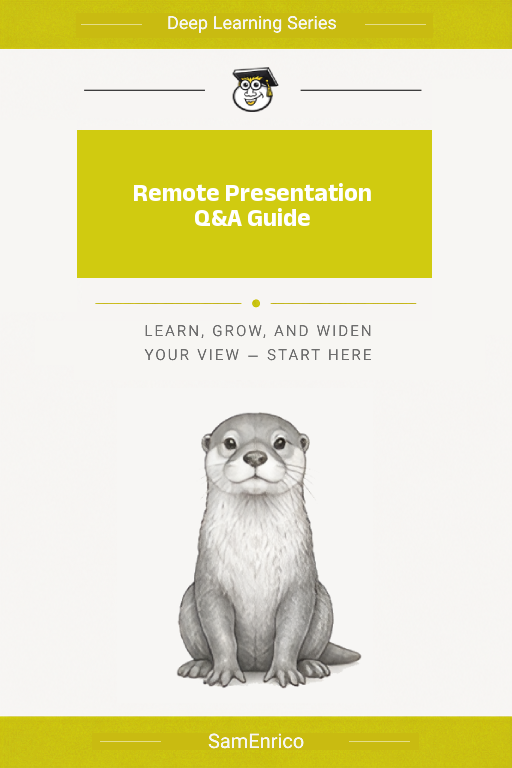
Remote Presentation Q&A Guide eBook
Handle Q&A sessions effectively in remote presenta
Handle Q&A sessions effectively in remote presentations. Manage chat questions and unexpected interruptions.
Formats
Free sample
Chapter 1: The Invisible Audience--–- You have just finished a brilliant thirty-minute remote presentation. Your slides were crisp. Your delivery was confident. You nailed the timing. Then you say the four words that every remote presenter dreads: "Any questions for me?"Silence.Not the thoughtful silence of a room digesting your wisdom.
The other silence. The dead, hollow silence of a grid of faces staring back at you like a wall of frozen vegetables. You wait five seconds. Ten seconds. Someone yawns.
Someone else appears to be checking email. The chat box remains empty except for a single thumbs-up emoji from your manager, sent three minutes ago.Your heart rate doubles. Your mouth goes dry. You start to wonder: Did anyone actually listen? Was my presentation that forgettable?
Should I repeat my last slide? Should I just say goodbye and end the call early?This is the moment that separates competent remote presenters from masters of the form. And most people fail it—not because they lack knowledge, but because they do not understand the fundamental psychological reality of the remote Q&A.Welcome to the invisible audience.The Three Unspoken Dreads of Remote Q&ABefore you can master the remote Q&A, you must name the enemy. The enemy is not your audience. The enemy is not your content.
The enemy is a set of specific, often unacknowledged anxieties that are unique to the virtual environment. Call them the Three Dreads.Dread One: The Delay Dread In a physical room, conversation flows naturally. One person finishes a sentence, and the next person begins within a fraction of a second. Your brain handles this timing automatically. In a remote setting, however, latency destroys this rhythm.
Depending on your internet connection and your audience’s individual connections, there is a delay of anywhere from 200 milliseconds to two full seconds between when you stop speaking and when your voice reaches their ears.The result is a paralyzing fear: the fear of talking over someone, of interrupting them, of the awkward crosstalk that makes everyone feel clumsy. You find yourself waiting an extra beat after every sentence. You hesitate to jump in when you hear the beginning of a question because you are not sure if they are actually done speaking. The natural flow of human conversation—a rhythm perfected over millions of years of evolution—shatters against the cold reality of packet loss and bandwidth throttling.This delay dread causes many presenters to do something even worse: they stop pausing altogether. They rush from sentence to sentence, afraid that any silence will be filled by someone accidentally unmuting.
The result is a breathless, anxious monologue that leaves the audience exhausted and the presenter sweating.Dread Two: The Silent Void The second dread is perhaps the most viscerally uncomfortable. It is the experience of finishing an answer to a question and then hearing nothing. No nodding heads. No murmured agreement. No shuffling of papers signaling a transition.
Just the void.In a physical room, silence is rarely total. You can hear breathing. You can see someone leaning forward to ask a follow-up. You can feel the energy of the room. In a remote setting, however, silence is absolute.
A grid of faces may as well be a photograph. You cannot tell if they are thinking deeply about your answer or if they have minimized your window to check their email.The silent void triggers a primal human response: the need for social validation. We are pack animals. We need feedback. When the void gives us nothing, we panic.
We fill the silence with more words. We repeat ourselves. We ask, "Does that make sense?" in a tone that betrays our insecurity. And in doing so, we demonstrate exactly the lack of confidence that we were trying to hide.Dread Three: The Missing Periphery The third dread is the most subtle and the most devastating. In a physical room, your peripheral vision gives you constant, low-grade intelligence about your audience.
You can see the person in the back row shift in their seat, which might mean they are about to ask a question. You can see two people exchange a glance, which might mean they are confused. You can see someone check their watch, which might mean you are losing them.In a remote presentation, peripheral vision vanishes. Your camera captures only your face, not the room. Your screen shows you only a grid of tiny faces, and even then, only the ones who have chosen to turn their cameras on.
Everyone else is a dark rectangle or a monogrammed initial.This loss of peripheral data means you are flying blind. You cannot sense the question forming. You cannot read the room’s temperature. You are a pilot with no instruments, navigating by memory and hope alone.Cognitive Load: Why Your Brain Feels Like It Is Melting These three dreads do not exist in isolation. They compound.
And they lead to a single, inescapable reality: the remote Q&A imposes a far higher cognitive load than its in-person equivalent.Cognitive load is a term from educational psychology. It refers to the total amount of mental effort being used in your working memory. In a physical Q&A, your cognitive load is manageable. You focus on listening to the question, formulating an answer, and delivering it with the appropriate tone. Your peripheral vision feeds you low-effort data automatically.
The natural rhythm of conversation paces your responses.In a remote Q&A, your brain is doing quadruple duty:First, you are listening to the question. But because of the delay dread, you are also spending mental energy timing your response, waiting for the pause that signals completion, and worrying about talking over someone.Second, you are scanning the gallery grid for visual cues. Who is leaning in? Who looks confused? Who is about to unmute?
But the grid gives you poor data—small faces, lagging video, cameras pointed at ceilings.Third, you are monitoring the chat box. Questions are appearing. So are comments, rants, emojis, and the inevitable person who posts a link to something unrelated. You must decide in real time which of these to acknowledge and which to ignore.Fourth, you are managing your own technical presence. Is my camera still on?
Am I frozen? Did my audio drop? Can they see my screen?This is quadruple cognitive load. And it is exhausting. No wonder you feel drained after a thirty-minute remote Q&A in a way that a two-hour in-person meeting never affects you.Reframing Anxiety as Alertness Here is the good news: cognitive load is not purely negative.
The human brain is remarkably adaptable. The same neural circuitry that produces anxiety can, with training, be repurposed into something far more useful: alertness.Anxiety is the feeling of threat without control. Alertness is the feeling of readiness with a plan. They feel similar in the body—increased heart rate, heightened senses, narrowed focus—but they produce opposite outcomes. Anxiety makes you freeze or flee.
Alertness makes you observe and respond.This book is not going to tell you to "relax" or "breathe deeply" or "visualize the audience in their underwear." Those tactics fail because…
This is the end of the free sample. Get the eBook to keep going. Buy now
About this book
Details
- Author
- Hoover Elidia
- Publisher
- SamEnrico
- Language
- English
- Genre
- Non-Fiction, Professional's Cheat Sheet, Virtual Communication
- Released
- 2026-05-30
- Pages (approx.)
- 144
- Available as
- eBook, Audiobook

Read better in the ZLOADR app
Your eBooks on your phone or tablet. Sign in with your SamEnrico account and start reading.
More by Hoover Elidia
 Competitive Analysis Cheat SheetHoover Elidia$11.99
 Decoy Effect InfluenceHoover Elidia$11.99
 Stress People Pleasing PhysicalHoover Elidia$11.99
 Partner Support Group GuideHoover Elidia$11.99
 The British Invasion of Baseball: How the UK Captured MLB's HeartHoover Elidia$11.99
 Learn to Play the Jarana HuastecaHoover Elidia$11.99
 Mandated ReportingHoover Elidia$11.99
 How to Become a Mail-distribution-scheme ExaminerHoover Elidia$11.99
You may also like
 Remote Public Speaking GuideBelk Valene$12.99
 Remote Presentation Tech ChecklistGist Hunter$12.99
 Remote Presentation Setup GuideSwart Jannette$12.99
 Remote Presentation Nervousness GuideKang Cheri$12.99
 Remote Presentation Eye ContactBriggs Clint$12.99
 Remote Presentation Vocal TipsBedard Zelda$12.99
 Remote Presentation Slide DesignSwain Tory$12.99
 Engaging Remote Audiences GuideMallen Theda$12.99
 Remote Presentation Body LanguageHowell Rosemarie$12.99