
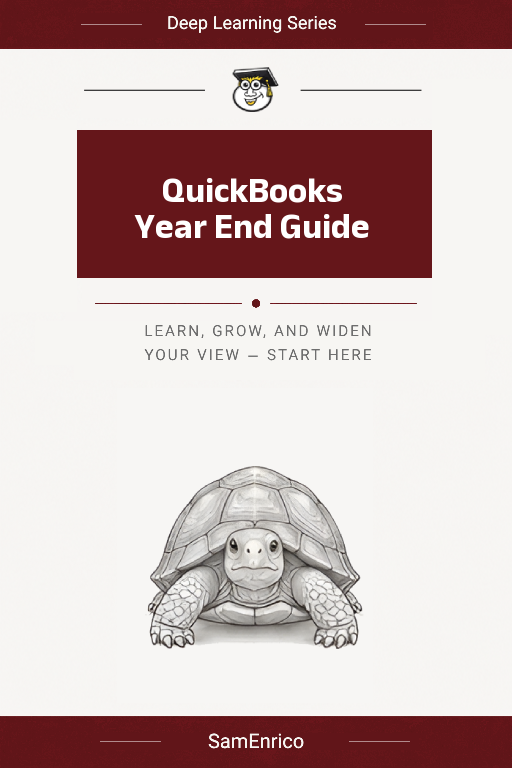
Non-FictionFirst 30 DaysBookkeeping
QuickBooks Year End Guide eBook
Close your books in QuickBooks at year end. Review
Close your books in QuickBooks at year end. Review accounts, make adjustments, and lock periods.
Formats
Free sample
Chapter 1: The Myth of Automatic Accuracy--–- The first time Marie handed me her Quick Books file, she was proud. "I hit the reconcile button every month," she said, sliding her laptop across the conference table. "Quick Books says everything matches." Three weeks later, her CPA called me in a panic. Marie’s December financial statements had changed twice since she’d "closed" the year. Someone had gone back in January and edited three invoices from the previous October.
Then, in February, another user had deleted a vendor credit from November. Each change was perfectly innocent—a correction, a clarification, a cleanup. But together, they had turned Marie’s year-end into a moving target. Her tax return, already filed, was now based on numbers that no longer existed in her books. The CPA had to file an amended return.
Marie paid $2,700 in extra accounting fees. And she had no idea why Quick Books had betrayed her.This is the most dangerous myth in small business accounting: the belief that Quick Books is automatically correct. The software does not force a "hard close" like legacy accounting systems. It does not lock prior periods by default. It does not warn you when you are about to change a reconciled transaction from three months ago.
Quick Books is designed for flexibility—and that flexibility becomes a liability at year-end.Every year, thousands of business owners sit down in January or February, pull up their Quick Books file, and assume that because the software shows a "Reconciled" checkmark next to their bank account, their books are ready for the CPA. They are wrong. The reconciliation checkmark only proves that your bank statement matches your transactions on a specific date. It does not prevent someone from editing those transactions the next day. It does not lock the period.
It does not create an audit trail that a five-year-old couldn't walk through.The problem is not Quick Books. The problem is that Quick Books trusts you. It assumes you know what you are doing. It assumes every change you make is intentional and correct. And when you treat that trust as a substitute for discipline, your books become a house of cards.This chapter exists to save you from that fate.
Before we talk about checklists, journal entries, or CPA handoffs, we must first understand why closing in Quick Books is fundamentally different from closing in any other system—and why the "soft close" of simple reconciliation is a trap. By the end of this chapter, you will understand the three golden rules that govern every page of this book, and you will never look at a "reconciled" transaction the same way again.The Hard Close Illusion If you learned accounting on paper ledgers or older software like Sage, Peachtree, or Great Plains, you remember the ritual. At year-end, you ran a series of closing entries. You zeroed out revenue and expense accounts into an Income Summary account. You transferred the balance to Retained Earnings.
And then—critically—you locked the period. No one could go back and change December's numbers without literally erasing ink or breaking a software seal.Quick Books does none of this.When Intuit designed Quick Books in the early 1990s, they made a deliberate choice: prioritize accessibility and ease of use over rigid accounting controls. The result is a piece of software that a restaurant owner or a freelance graphic designer can learn in an afternoon. But the trade-off is that Quick Books has no "Close Year" button. It has no automatic lock on prior periods.
It has no built-in mechanism to prevent a well-meaning employee from opening last November's rent check and changing the amount from 2,500to2,500 to 2,500to2,800 because they found the "correct" invoice.This is not a bug. It is a feature. Quick Books is designed to be endlessly editable because Intuit knows that small businesses make mistakes, receive late documents, and need to correct course. The software assumes that flexibility is more valuable than security.For day-to-day operations, that assumption is correct. For year-end closing, it is catastrophic.Consider what happens when you edit a prior-period transaction after you have already reconciled that account.
Quick Books does not delete the reconciliation. The checkmark remains. But the transaction is changed. Your beginning balance for the next period no longer matches what you reconciled. Your CPA, running a report for December, sees different numbers than what you approved in January.
The bank reconciliation you ran in December now has a phantom discrepancy that no one can explain.This is what I call the Moving Target Problem. Your financial statements are not stable. They change every time someone makes a "correction" to a prior period. And because Quick Books does not automatically flag these changes, you can go months—or years—without realizing that your historical data has been silently rewritten.Marie learned this lesson the hard way. Her employee, who had access to Quick Books to enter bills, noticed that three invoices from October had been entered with the wrong customer.
She "fixed" them in January by deleting the old invoices and creating new ones. Innocent. Helpful. And completely devastating to Marie's December closing. The deleted invoices no longer appeared in December's revenue.
The new invoices, dated January, appeared in the new year. December's profit dropped by $18,000 without anyone intending it.Because no closing date was set, Quick Books raised no warning. Because no audit protocol was in place, no one noticed until the CPA ran a comparative P&L three months later. By then, the damage was done.The Soft Close Trap Most business owners believe that reconciliation equals closing. They run the bank reconciliation in December, see a zero difference, and declare the year finished.
This is what I call a Soft Close—and it is not a close at all.A Soft Close means you have verified that your bank statement matches your transaction register as of a specific date. That is useful. That is necessary. But it is not sufficient for year-end integrity. Here is what a Soft Close does not do:First, it does not verify any non-bank balance sheet accounts.
Your credit card, loan, line of credit, and petty cash accounts might be completely unreconciled while your checking account looks perfect. Second, it does not prevent future changes. A reconciled transaction can be edited, deleted, or duplicated by any user with access. Third, it does not create a permanent record of what your financial statements looked like on December 31. If someone changes a transaction in February, the December reports you ran in January become historical fiction.The illusion of the Soft Close is seductive because it requires almost no work.
You run reconciliation. You see zero. You move on with your life. But that zero is not a guarantee of accuracy. It is a snapshot of a single moment, on a single account, with no protection against the future.I have seen this trap destroy businesses in three specific ways:Scenario One: The Well-Intentioned Employee.
An office manager notices that a December vendor check was entered for the wrong amount. She opens the transaction, changes the number, and saves it. She has no…
This is the end of the free sample. Get the eBook to keep going. Buy now
About this book
Details
- Author
- Battaglia Summer
- Publisher
- SamEnrico
- Language
- English
- Genre
- Non-Fiction, First 30 Days, Bookkeeping
- Released
- 2026-05-29
- Pages (approx.)
- 133
- Available as
- eBook, Audiobook

Read better in the ZLOADR app
Your eBooks on your phone or tablet. Sign in with your SamEnrico account and start reading.
More by Battaglia Summer
 Visual Focus Signals For Teams HandbookBattaglia Summer$11.99
 Indian Data Security ComplianceBattaglia Summer$11.99
 Education Essay GPT GuideBattaglia Summer$11.99
 Anger After Unfair Performance ReviewBattaglia Summer$11.99
 The Shlomo Carlebach Musical RabbiBattaglia Summer$11.99
 The Eagle and the Lion: Marshal Ney at DennewitzBattaglia Summer$11.99
 Backend Systems EngineeringBattaglia Summer$11.99
 Water Utility M&A GuideBattaglia Summer$12.99
 Understanding Plummer–vinson SyndromeBattaglia Summer$17.99
 How to Start a Optical Element (unmounted) Business (Beginners Guide)Battaglia Summer$11.99
You may also like
 Hong Kong Handover 1997Dunn Johnnie$11.99
 Zumba For Postnatal Recovery CourseNeal Christian$11.99
 Zumba for BeginnersLadner Nikia$11.99
 YouTube Comment Mining GuideHumes Pandora$12.99
 Worry Box MeditationCarlin Rudy$11.99
 Workplace Stress MeditationNguyen Lynn$11.99
 Workplace Stress and Sleep RepairHawley Ivory$11.99
 Workplace Perfectionism CureDelaney Jeffry$11.99
 Workplace Injustice Anger GuideWallen Isabelle$11.99
 Work Addiction and Burnout LinkGreenwood Ester$11.99
 Women in Yoga and WellnessBeattie Galina$11.99
 Women in Stand Up ComedyChun Evangeline$11.99