
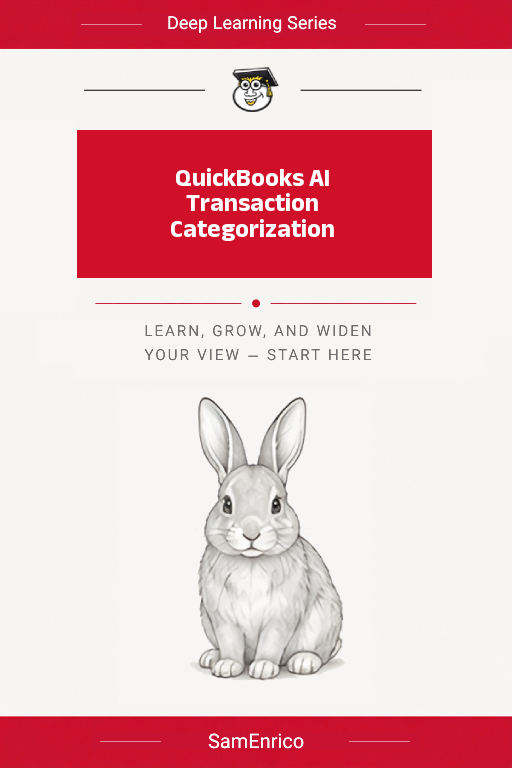
QuickBooks AI Transaction Categorization eBook
Automate expense coding and bank reconciliation us
by Pond Morgan
Automate expense coding and bank reconciliation using QuickBooks AI, learning your small business spending patterns for accurate bookkeeping.
Formats
Free sample
Chapter 1: The 6-Hour Tax--The average small business owner will spend 72 hours this year doing something that adds zero value to their product, zero value to their customers, and zero value to their life. They will sit in front of a screen, squinting at bank statements, dragging receipts out of email attachments, and asking themselves the same soul-crushing question over and over: "What was this $14.99 charge from Amazon for?"Three years ago, that was me.I had a thriving digital marketing agency. Seventeen employees. A waiting list of clients. And every single month, like clockwork, I would lose an entire Friday night to Quick Books.
I would import my bank feeds, stare at a list of 400+ transactions, and manually assign categories to each one. Gas station → Vehicle Expense. Office supply order → Office Expenses. Stripe fee → Bank Fees. Shopify subscription → Dues and Subscriptions.
Over and over. The same motions. The same clicks. The same tiny, death-by-a-thousand-papercuts drain on my sanity.I remember one particular evening in March. My daughter had a school play.
I had promised I would be there. But my bank reconciliation was off by $47.22, and I couldn't figure out why. So I stayed. I missed her solo. I told myself it was "responsibility." In reality, I was a prisoner to a process that should have taken ten minutes.That was the night I started questioning everything about how we do bookkeeping.This book is the answer I found.The Quiet Revolution You Probably Missed Sometime in the last eighteen months, while you were busy running your business, Quick Books quietly released something that changes everything.
It wasn't a new pricing plan or a redesigned dashboard. It was something far more significant: true artificial intelligence embedded directly into the banking workflow.Not the old kind of automation. Not the "rules" engine where you manually tell Quick Books "if vendor = Starbucks then category = Meals & Entertainment." That wasn't AI. That was just a fancy if-then statement. It worked fine for predictable, recurring transactions, but it fell apart the moment something unexpected appeared.
A new client. A one-time software purchase. A vendor who changed their billing descriptor from "AMZN Mktp" to "Amazon Services."The new AI is different. It watches. It learns.
It adapts.Here's what happened in my own Quick Books account after I turned on the AI features for the first time. I had a transaction from a vendor I had never used before: "We Work - 425 Market St." I had never booked a coworking space before. I had no rules set up for this. But Quick Books looked at the merchant category code (MCC 6513 - Real Estate Agents and Managers), looked at industry benchmarks for marketing agencies, looked at the amount ($850), and suggested: "Rent or Lease – Office."It was right.And it got better. After I approved that suggestion, the AI started noticing that every month, the same amount appeared.
It began pre-categorizing future We Work charges before I even saw them. Then it started noticing patterns in my other vendors. My Shopify payments, which always confused me (was that the customer payment or the fee?), started getting split automatically—the product revenue went to Income, the transaction fee went to Bank Fees.Within 90 days, my manual transaction coding went from 6+ hours per month to less than 30 minutes.I didn't work harder. I didn't hire a bookkeeper. I just stopped fighting my software and started letting it work for me.The Five Words That Will Change Your Relationship with Bookkeeping There is a phrase I want you to memorize.
Write it down. Tape it to your monitor. It is the single most important concept in this entire book:You are now a reviewer, not a data entry clerk.Repeat that to yourself. Let it sink in. For years, bookkeeping has been positioned as a tedious but necessary evil.
You had to "keep the books." You had to "stay on top of expenses." You had to "reconcile monthly." All of those phrases imply that you are the one doing the work. You are the one moving the numbers from column A to column B.That era is over.With Intuit Assist (the official name for Quick Books's AI suite, announced in 2024 and fully rolled out through 2025-2026), you shift from being the doer to being the supervisor. The AI does the grunt work. It categorizes, matches, and flags. Your job is to review its work, catch the edge cases, and make the judgment calls that only a human can make.Think of it like this: You wouldn't write every line of code for your website.
You wouldn't manufacture every component of your product. You hire experts. You delegate. You oversee. Bookkeeping is no different.
The AI is your junior bookkeeper. You are the partner who signs off.This book is your training manual for being that supervisor.Why This Book Exists (And Why Most Quick Books Books Are Obsolete)Before we go any further, let me be direct with you. There are dozens of books about Quick Books on the market. Some of them are excellent. Mastering Quick Books 2026 is a 544-page encyclopedia that covers everything from setting up your company file to running payroll to closing the books at year-end.
I own a copy. It sits on my shelf. It has helped me countless times.But here is the problem with every existing Quick Books book: they treat AI as a single chapter. A subsection. A "nice to have" feature buried on page 312.That made sense two years ago, when AI was a novelty.
It does not make sense today.Quick Books has now embedded AI into the core of the product. The banking page is rebuilt around AI suggestions. The reconciliation screen uses AI to flag anomalies. The reporting dashboard uses AI to highlight unusual trends. You cannot use Quick Books effectively in 2026 without understanding AI workflows.And yet, no one has written the book that puts AI at the center.Until now.This book is not a general Quick Books guide.
We will not spend 100 pages explaining how to set up payroll or create invoices. Those topics are covered elsewhere, and frankly, the AI doesn't help with them much yet. Instead, this book focuses on the one area where AI delivers the biggest return on investment: transaction categorization and bank reconciliation.Everything in these chapters is designed to answer one question: How do I get from 6 hours of manual coding per month to 30 minutes of review?What Intuit Assist Can and Cannot Do (The Honest Truth)I am not here to sell you magic beans. AI is powerful, but it has real limits. You need to understand both before you start.What Intuit Assist CAN do:Categorize 80-90% of routine transactions automatically.
Gas station charges, office supply orders, software subscriptions, utility bills—the AI handles these with high accuracy after a brief learning period.Learn from your corrections. Every time you change a suggestion (e.g., overriding "Office Supplies" to "Equipment"), the AI updates its model. It doesn't just remember that specific transaction. It understands why that vendor should map to that account.Flag anomalies for your review. If a 250gasstationchargeappearswhenyourusualis250 gas station charge appears when your usual is 250gasstationchargeappearswhenyourusualis27, the AI…
This is the end of the free sample. Get the eBook to keep going. Buy now
About this book
Details
- Author
- Pond Morgan
- Publisher
- SamEnrico
- Language
- English
- Genre
- Non-Fiction, Business Brief
- Released
- 2026-05-30
- Pages (approx.)
- 119
- Available as
- eBook, Audiobook

Read better in the ZLOADR app
Your eBooks on your phone or tablet. Sign in with your SamEnrico account and start reading.
More by Pond Morgan
 Thomas Paine BiographyPond Morgan$11.99
 Step Four Sex Inventory GuidePond Morgan$11.99
 Nonconformity Management ProcessPond Morgan$11.99
 Shower Affirmations MindfulnessPond Morgan$11.99
 Crucial Feedback Delivery GuidePond Morgan$11.99
 Grief and Legal After Parent DeathPond Morgan$11.99
 Goal Setting for ArtistsPond Morgan$11.99
 Executive Compensation GuidePond Morgan$11.99
 The Karate Kid Heist: How Bruce Lee's Legacy Was Stolen and ReclaimedPond Morgan$11.99
 Blood, Sweat, and Glory: The Cairo Derby’s Forgotten War of 1968Pond Morgan$11.99
 How to Produce Wooden Pallets, Crates, Skids and BoxesPond Morgan$11.99
 Growing AlluaudiaPond Morgan$11.99
You may also like
 Hong Kong Handover 1997Dunn Johnnie$11.99
 Zumba For Postnatal Recovery CourseNeal Christian$11.99
 Zumba for BeginnersLadner Nikia$11.99
 YouTube Comment Mining GuideHumes Pandora$12.99
 Worry Box MeditationCarlin Rudy$11.99
 Workplace Stress MeditationNguyen Lynn$11.99
 Workplace Stress and Sleep RepairHawley Ivory$11.99
 Workplace Perfectionism CureDelaney Jeffry$11.99
 Workplace Injustice Anger GuideWallen Isabelle$11.99
 Work Addiction and Burnout LinkGreenwood Ester$11.99
 Women in Yoga and WellnessBeattie Galina$11.99
 Women in Stand Up ComedyChun Evangeline$11.99