
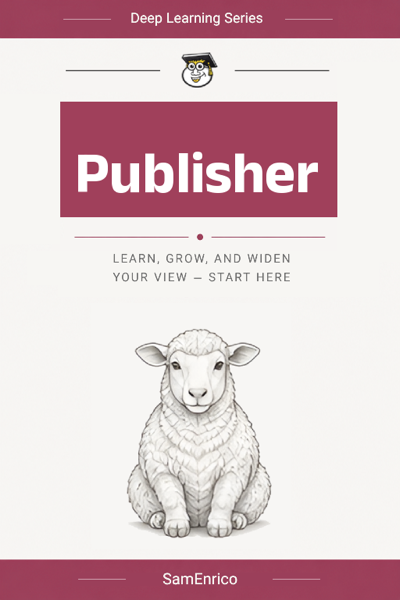
Non-FictionInformativeEducational
Publisher eBook
A Coursebook on Publisher
A Coursebook on Publisher
Formats
Free sample
Chapter 1: The Graveyard of Good Intentions...--Every year, approximately 47 million small business owners, nonprofit volunteers, church secretaries, and administrative professionals open Microsoft Publisher for the first time. Within ninety minutes, roughly 44 million of them close the program forever, convinced they are either stupid or that the software is broken. Neither is true. What they lack is not intelligence but a map—a coherent understanding of where Publisher fits in the universe of design tools, what it can actually do, and perhaps most importantly, what it cannot.This book exists because that map does not exist in any other single volume. The top ten books on Publisher currently fall into two categories: the ones that assume you already know graphic design and just need button locations, and the ones that assume you know Microsoft Office but have never designed anything more ambitious than a sign for the church bake sale.
This book assumes you are somewhere in between—or perhaps both at once. You are a person who needs to produce professional-looking printed materials without spending three years at design school or hiring a freelancer who charges $150 an hour to move a logo two pixels to the left.Before we touch a single button, before we open the software, before we even discuss what a ribbon is or why you might care about kerning, we need to settle one question: Is Publisher even the right tool for what you are trying to do? Because here is a secret that software manuals will never tell you: using the wrong tool for the right job produces the same result as using the right tool for the wrong job. Both end in frustration, wasted time, and printed materials that look exactly like what they are—desperation made visible.The Great Misunderstanding: Why Publisher Is the Most Confusing Software You Already Own Let us start with an uncomfortable truth. Microsoft Publisher suffers from an identity crisis more severe than any other application in the Microsoft Office suite.
Everyone knows what Word does: it writes documents. Excel crunches numbers. Power Point makes slides that people will pretend to pay attention to. Outlook manages email and calendars, however imperfectly. But Publisher?
Publisher exists in a strange limbo between word processing and professional design, and Microsoft has done very little over the past twenty years to clarify its purpose.The confusion begins with the name itself. When people hear "Publisher," they think of book publishers, magazine publishers, professional publishing houses with expensive software and employees who wear black turtlenecks and talk about kerning like it is a spiritual practice. But Microsoft Publisher is not that software. It is not Adobe In Design, which costs around twenty-three dollars per month and requires a significant investment in learning. It is not Quark XPress, which has been around since the Berlin Wall fell and is used by actual magazine publishers.
Publisher is something else entirely: a halfway house for people who need to produce printed materials but do not have the budget, time, or training to use professional tools.Here is the good news: for approximately eighty percent of what small businesses, schools, churches, and nonprofits need to print, Publisher is not just adequate—it is actually better than the professional alternatives. Why? Because the professional tools come with professional complexity. In Design has features that ninety percent of users will never touch, but you still have to navigate past them to do anything. Publisher, by contrast, is designed for people who need to get a brochure printed by Thursday and do not care about the history of Swiss typography.The bad news is that Publisher includes just enough design terminology to be dangerous.
It will let you adjust leading and kerning and tracking, but it will not explain why you might want to. It will let you create master pages, but it will not tell you why your text keeps disappearing. It will let you export to PDF, but it will not warn you that your gorgeous blue logo is about to print as a muddy purple mess. These are not software bugs. These are gaps in knowledge, and this book exists to fill every single one of them.The Software Ecosystem: Where Publisher Lives and Where It Dies To understand when to use Publisher, you must first understand the four categories of software that surround it.
Think of this as a map of the publishing universe. Each tool has a specific purpose, and using the wrong tool is like using a hammer to cut a board in half. You can do it, technically, but the result will be ugly and the process will be miserable.Category one is word processors. Microsoft Word, Google Docs, Apple Pages. These are designed for linear text.
You write top to bottom, page after page, with occasional images inserted between paragraphs. Word processors are terrible at layout. They fight you when you try to put an image in a specific place. They randomly reorganize your document when you add a new paragraph. They are not broken—they are just designed for writing, not designing.
Use Word for letters, reports, essays, and any document where text is the star and images are supporting actors.Category two is vector editors. Adobe Illustrator, Corel DRAW, Inkscape. These are for creating graphics from scratch: logos, icons, illustrations, anything that needs to scale to billboard size without becoming pixelated. Vector editors use mathematical formulas to describe shapes, which means you can blow up a logo to the side of a building and it will remain perfectly sharp. But vector editors are terrible at handling multiple pages or long text flows.
Use Illustrator when you need to create a logo, not when you need to lay out a catalog.Category three is raster editors. Adobe Photoshop, GIMP, Affinity Photo. These are for manipulating photographs: adjusting colors, removing blemishes, adding filters, compositing multiple images. Raster editors work with pixels, not mathematical formulas, which means they are great for photos but terrible for logos (which will look fuzzy when enlarged) and even worse for multi-page layouts. Use Photoshop when you need to make a photo look better, not when you need to arrange text around that photo.Category four is page layout software.
This is where Publisher lives, alongside Adobe In Design, Quark XPress, and Canva (which is a simplified, web-based version). Page layout software is designed for arranging text and images across multiple pages with precision. You can put anything anywhere. Text can flow around images in complex shapes. You can have multiple columns, pull quotes, sidebars, and captions, all working together.
This is what Publisher does, and it does it well enough for the vast majority of business and organizational needs.The question is not whether Publisher is good software. It is perfectly adequate software. The question is whether your specific project belongs in the page layout category at all. A one-page flyer for a lost dog? Publisher is overkill, but it will work.
A fifty-page employee handbook with charts and diagrams? Publisher is exactly right. A four-hundred-page novel with footnotes and indexes? You need In Design, or maybe even professional typesetting software. A social media graphic?
Use Canva or Adobe Express. A logo? Use Illustrator. A photo of the lost dog? Use Photoshop to crop and…
This is the end of the free sample. Get the eBook to keep going. Buy now
About this book
Details
- Author
- Freund Setsuko
- Publisher
- SamEnrico
- Language
- English
- Genre
- Non-Fiction, Informative, Educational
- Released
- 2026-05-11
- Pages (approx.)
- 149
- Available as
- eBook, Audiobook

Read better in the ZLOADR app
Your eBooks on your phone or tablet. Sign in with your SamEnrico account and start reading.
More by Freund Setsuko
 The Professional LLC GuideFreund Setsuko$11.99
 Housing Budgeting for Fixed Income YearsFreund Setsuko$11.99
 Legacy Of Civic Engagement WorkbookFreund Setsuko$11.99
 MongoDB Atlas Outage GuideFreund Setsuko$11.99
 Pet Supply Overspending GuideFreund Setsuko$11.99
 Whispers from the Abyss: The Lost Songs of the Siren’s LamentFreund Setsuko$11.99
 Understanding Von Recklinghausen DiseaseFreund Setsuko$17.99
 Warranty Disclaimer GuideFreund Setsuko$12.99
 Startup Visa Child School GuideFreund Setsuko$12.99
 How to Start a Blockboard Business (Beginners Guide)Freund Setsuko$11.99
You may also like
 Hong Kong Handover 1997Dunn Johnnie$11.99
 Zumba For Postnatal Recovery CourseNeal Christian$11.99
 Zumba for BeginnersLadner Nikia$11.99
 YouTube Comment Mining GuideHumes Pandora$12.99
 Worry Box MeditationCarlin Rudy$11.99
 Workplace Stress MeditationNguyen Lynn$11.99
 Workplace Stress and Sleep RepairHawley Ivory$11.99
 Workplace Perfectionism CureDelaney Jeffry$11.99
 Workplace Injustice Anger GuideWallen Isabelle$11.99
 Work Addiction and Burnout LinkGreenwood Ester$11.99
 Women in Yoga and WellnessBeattie Galina$11.99
 Women in Stand Up ComedyChun Evangeline$11.99