
Non-FictionSelf-HelpPresentation Tools
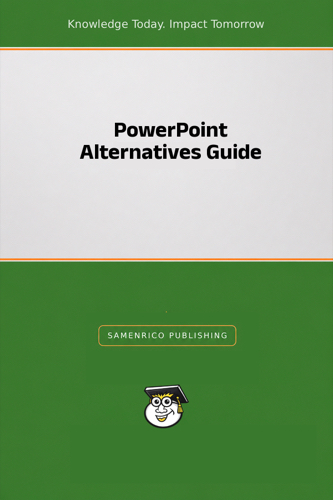
PowerPoint Alternatives Guide eBook
Use Prezi, Canva, or no slides at all for more dyn
Use Prezi, Canva, or no slides at all for more dynamic presentations.
Formats
Free sample
Chapter 1: The Hidden Diagnosis--–- Picture this: You are standing in a dimly lit conference room. There are thirty-seven slides in the deck. You are on slide four. Behind you, a bullet point列出了 three things your company does well. In front of you, fourteen people are staring at their laptops.
Two are checking email. One is definitely shopping for shoes. The CEO is scrolling on a phone. You have lost them. You have not even mentioned the big news yet.
You clear your throat and click to slide five.This scene repeats itself eleven million times every single day. That is not a metaphor. According to internal data from Microsoft, Power Point is used in over thirty million presentations daily across two hundred languages. The majority of those presentations are forgettable. A significant percentage are actively painful.
And almost none of them needed to be.The problem is not what you think it is. It is not that your content is boring. It is not that your audience is rude. It is not that you are a bad speaker. The problem is much deeper and much more insidious.
The problem is that the default tool you are using has trained you to think incorrectly. Every time you open Power Point, Keynote, or Google Slides, the software itself pushes you toward a structural failure. It whispers bad habits into your creative process. It offers templates that homogenize your thinking. It defaults to bullet points that numb your audience's brain.
And it does all of this while pretending to be neutral.This book exists because that neutrality is a lie.The Thirty-Million-Dollar Misunderstanding Let us start with a story that should scare you. In 2014, a Fortune five hundred company spent thirty million dollars on a new global branding initiative. They hired consultants. They ran focus groups. They redesigned their logo, their packaging, their website.
Then they scheduled a three-day internal conference to roll out the new brand to their top two hundred executives. The presentation team worked for six weeks. They built a hundred and forty-seven slides. They used every feature Power Point offered: animations, transitions, embedded videos, Smart Art, charts, gradients, and custom fonts. They rehearsed for three days straight.On the morning of the conference, the head of marketing stood on stage.
She clicked to slide one. The projector display was misconfigured. The custom fonts did not render. The animations stuttered. The embedded videos played without sound.
Within ten minutes, the audience was lost. Within thirty minutes, people were openly checking phones. By lunch, the CEO pulled the plug. The entire presentation was scrapped. The messaging never landed.
The brand rollout failed. The company had to redo the entire initiative the following year at double the cost.Here is the part that keeps me awake at night: the problem was not the projector. The problem was not the font rendering. The problem was that the presentation had been designed as a single, fragile, linear object that could break at any point. The team had confused activity with impact.
They had spent six weeks making slides instead of two weeks designing a conversation and four weeks rehearsing a performance.This book is your insurance policy against that disaster.Why Your Brain Hates Bullet Points To understand why Power Point fails, we have to go back to the 1990s. Microsoft introduced Power Point as a digital replacement for overhead transparencies and 35mm slides. In that original context, it was revolutionary. You could type your bullet points, print them, and project them. No more handwriting on plastic sheets.
No more waiting for photo development.But here is what Microsoft did not anticipate: the human brain is not a bullet-point processor. Cognitive load theory, developed by educational psychologist John Sweller in 1988, explains why. Your working memory can hold approximately seven pieces of information for about twenty seconds. That is the famous "magic number seven plus or minus two" from George Miller's research. When you present a slide with six bullet points, each with a sub-bullet, you are asking your audience to hold twelve to fifteen discrete pieces of information in working memory.
Simultaneously, they are listening to your voice, watching your body language, and trying to figure out how this relates to their job.The brain cannot do this. Something has to give. Usually, the audience stops listening to you and starts reading the slide. Then they stop reading the slide and start daydreaming. Then they open their email.
You have lost them forever.But the damage goes deeper than distraction. A 2012 study from the University of New South Wales tested retention rates across three presentation formats. The first group saw a traditional Power Point deck with bullet points. The second group saw the same information presented as a narrative with images and no bullet points. The third group heard the information as a spoken story with no visuals at all.
The results were devastating for Power Point: the bullet-point group retained only 34 percent of the information after one hour. The narrative group retained 62 percent. The spoken story group retained 58 percent. More bullet points did not mean more learning. They meant less.Here is the killer finding: when researchers asked the bullet-point group how confident they felt about their understanding, they reported the highest confidence.
They thought they had learned the most. They were wrong. Bullet points create the illusion of understanding without the reality of retention. They make you feel organized while making your audience feel bored and confused.The Seven Symptoms of Power Point Poisoning Before we can cure the disease, we have to diagnose it. The following checklist is adapted from research on presentation effectiveness across Fortune five hundred companies, academic conferences, and educational settings.
If you recognize three or more of these symptoms in your own presentations, you have Power Point poisoning.Symptom One: The Title-and-Bullet Default. You open Power Point and immediately click into a slide that says "Title" at the top and "Bullet points" in the body. You fill in the blanks. You never question whether this format serves your message. You have been trained like Pavlov's dog.Symptom Two: The Slide Read-Along.
You find yourself turning your back to the audience to read your own slides. You are not presenting; you are narrating a document. Your audience can read faster than you can speak, so they finish the slide, get bored, and wait for you to catch up.Symptom Three: The Template Trap. You use the default corporate template because someone in IT installed it six years ago. Your slides look exactly like everyone else's slides.
Your message blends into the gray noise of identical layouts, identical fonts, and identical charts.Symptom Four: The Bullet Cascade. Your slides contain bullet points that contain sub-bullet points that contain sub-sub-bullet points. You have created a hierarchy of boredom. Each level of indentation represents a level of audience disengagement.Symptom Five: The Animation Overdose. You have discovered that text can fly in from the left, fade in, or spin.
You use all of these effects on the same slide. Your audience is not impressed; they are nauseated. Animations should reveal thinking, not distract from its absence.Symptom Six: The Data Dump.…
This is the end of the free sample. Get the eBook to keep going. Buy now
About this book
Details
- Author
- Salinas Demetra
- Publisher
- SamEnrico
- Language
- English
- Genre
- Non-Fiction, Self-Help, Presentation Tools
- Released
- 2026-06-06
- Pages (approx.)
- 124
- Available as
- eBook, Audiobook

Read better in the ZLOADR app
Your eBooks on your phone or tablet. Sign in with your SamEnrico account and start reading.
More by Salinas Demetra
 Caffeine Timing For AnxiousSalinas Demetra$11.99
 Nonverbal Narcissism DetectionSalinas Demetra$11.99
 Nutrition For Senior FitnessSalinas Demetra$11.99
 The Corsair Prince: Archduke Ludwig Salvator and the Austro-Hungarian SeasSalinas Demetra$11.99
 How to Start a Luminophores Business (Beginners Guide)Salinas Demetra$11.99
 Lonsdaleite MiningSalinas Demetra$11.99
 How to Produce CardoonSalinas Demetra$11.99
 Price Increase Conversation Scripts CourseSalinas Demetra$12.99
You may also like
 Hong Kong Handover 1997Dunn Johnnie$11.99
 Zumba For Postnatal Recovery CourseNeal Christian$11.99
 Zumba for BeginnersLadner Nikia$11.99
 YouTube Comment Mining GuideHumes Pandora$12.99
 Worry Box MeditationCarlin Rudy$11.99
 Workplace Stress MeditationNguyen Lynn$11.99
 Workplace Stress and Sleep RepairHawley Ivory$11.99
 Workplace Perfectionism CureDelaney Jeffry$11.99
 Workplace Injustice Anger GuideWallen Isabelle$11.99
 Work Addiction and Burnout LinkGreenwood Ester$11.99
 Women in Yoga and WellnessBeattie Galina$11.99
 Women in Stand Up ComedyChun Evangeline$11.99