
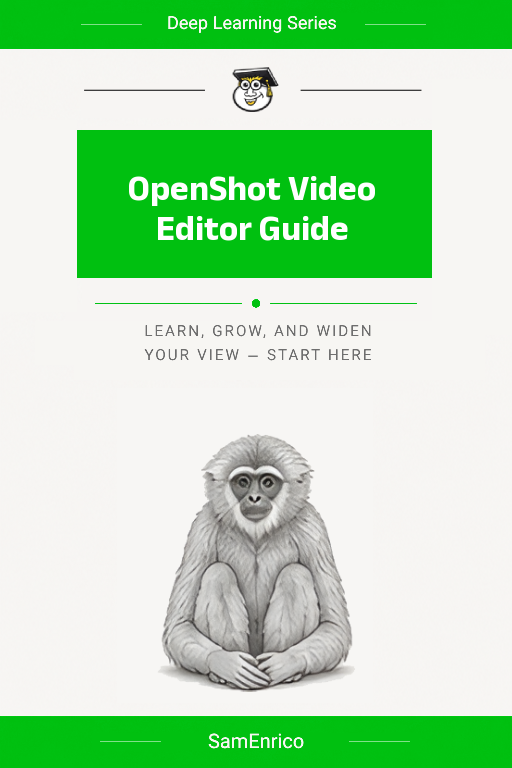
Non-FictionStartup GuideVideo EditingAnimation
OpenShot Video Editor Guide eBook
Edit videos with free OpenShot including keyframe
Edit videos with free OpenShot including keyframe animations and 3D titles instead of paid alternatives.
Formats
Free sample
Chapter 1: The $600 Lie...--–- Every month, millions of creators open their bank statements and see the same charge: 20.99to20.99 to 20.99to54.99 for video editing software they barely use half of. They pay it because they believe the lie—the lie that professional results require professional prices. That a free tool is a toy. That if you aren't bleeding money on subscriptions, your videos will look like they were edited on a smartphone from 2012.None of that is true.This chapter is not a technical tutorial. You will not learn a single keyboard shortcut or export setting here.
Instead, this chapter exists to save you hundreds—potentially thousands—of dollars by doing one thing: destroying the myth that free software cannot produce professional video. By the time you finish reading these pages, you will understand exactly why Open Shot is not a compromise but a strategic advantage. You will see the math, the psychology, and the real-world evidence that proves paying for video editing is often nothing more than a habit disguised as a necessity.Let us begin with the numbers, because numbers do not lie.The Three-Year Trap Adobe Premiere Pro, the industry standard that most aspiring editors believe they must eventually graduate to, costs 20.99permonthforthesingle−appplan.Thecomplete Creative Cloudbundle,whichincludes After Effectsand Photoshop,runs20.99 per month for the single-app plan. The complete Creative Cloud bundle, which includes After Effects and Photoshop, runs 20.99permonthforthesingle−appplan.Thecomplete Creative Cloudbundle,whichincludes After Effectsand Photoshop,runs54.99 per month. Final Cut Pro, Apple's offering, demands a 299.99upfrontpaymentplusthecostofa Maccomputertorunit.Da Vinci Resolve Studio,widelyconsideredthemostgenerouspaidoption,stillrequires299.99 upfront payment plus the cost of a Mac computer to run it.
Da Vinci Resolve Studio, widely considered the most generous paid option, still requires 299.99upfrontpaymentplusthecostofa Maccomputertorunit.Da Vinci Resolve Studio,widelyconsideredthemostgenerouspaidoption,stillrequires295 for the studio version with advanced features.Over three years, here is what you actually pay:Adobe Premiere Pro (single app): 20.99×36months=20.99 × 36 months = 20.99×36months=755.64Adobe Creative Cloud (complete): 54.99×36months=54.99 × 36 months = 54.99×36months=1,979.64Final Cut Pro (with entry-level Mac): 1,299(Mac)+1,299 (Mac) + 1,299(Mac)+299 = 1,598minimum Da Vinci Resolve Studio:1,598 minimum Da Vinci Resolve Studio: 1,598minimum Da Vinci Resolve Studio:295 (one-time, but requires capable hardware)Now here is what Open Shot costs over three years: $0.But you already knew that. The objection you are probably forming right now is "but Open Shot cannot do what those programs can do." That is the lie we are about to dismantle.Let us examine what you actually get for that 755to755 to 755to1,979.Adobe Premiere Pro offers unlimited video tracks. So does Open Shot. Premiere offers unlimited audio tracks. So does Open Shot.
Premiere offers keyframe animation for position, scale, rotation, and opacity. So does Open Shot—and as you will learn in Chapters 3 and 4, Open Shot's curve editor rivals professional tools when you understand how to use it. Premiere offers chroma key (green screen) compositing. So does Open Shot, with controls for similarity, smoothness, and spill suppression that mirror paid software. Premiere offers 3D titles through After Effects integration.
Open Shot offers 3D titles through Blender integration—and Blender is also free.The feature gap is far narrower than the marketing departments of paid software want you to believe.The Hidden Costs Nobody Mentions When you sign up for Adobe Creative Cloud, you are not just paying for software. You are agreeing to terms that most users never read. The subscription auto-renews annually. Canceling before the term ends incurs a penalty—typically 50% of the remaining contract value. If you signed up for the annual plan paid monthly and cancel after six months, you owe Adobe approximately $105 just to walk away.Open Shot has no contract.
No cancellation fee. No automatic billing. No credit card stored on a server somewhere waiting to be compromised.Then there is the hardware trap. Paid software has minimum system requirements that escalate with every annual release. Premiere Pro 2025 will likely require more RAM, a newer graphics card, and a more recent operating system than Premiere Pro 2024.
Open Shot runs on Windows 7 and newer, Mac OS 10.13 and newer, and essentially any Linux distribution from the last decade. You do not upgrade your computer because the free software demanded it.Cloud storage represents another hidden tax. Adobe includes 100GB of cloud storage with Creative Cloud. Exceed that? Pay more.
Lose your internet connection? You cannot access your cloud files. Open Shot stores everything locally. Your files remain on your hard drive, under your control, accessible without an internet connection or monthly fee.The Psychology of the Sunk Cost Fallacy Why do otherwise rational creators continue paying for software they do not fully use? The answer lies in a cognitive bias called the sunk cost fallacy.
Humans have a powerful tendency to continue an endeavor once they have invested money, time, or effort into it—even when abandoning that endeavor would be the objectively better choice.You have probably experienced this yourself. You paid for a gym membership, stopped going after two months, but kept paying because "I already invested in the annual fee." You started watching a terrible movie but stayed until the end because "I already sat through an hour of it."The same psychology applies to video editing software. Creators who have paid $600 for Adobe Premiere over two years convince themselves that switching to free software would somehow "waste" that investment. But the money is already gone. It does not come back whether you continue paying Adobe or not.
The only question that matters is: from this moment forward, what is the best use of your money?If Open Shot can produce the same video quality as Premiere Pro—and it can—then every future dollar you send to Adobe is a dollar spent on habit rather than necessity.Real People, Real Results Let us move from theory to evidence. Across You Tube, thousands of channels have built substantial audiences using only free software. The channel "Tech Gumbo" has over 1.5 million subscribers and has published multiple videos edited entirely with Open Shot. The channel "Linux Experiment" produces weekly Linux content edited with open-source tools including Open Shot. The documentary "Open Source.
Open Mind." was edited entirely with Open Shot and screened at film festivals.These creators did not "make do" with inferior tools. They chose Open Shot because it solved their actual problems: no subscription fees, no license tracking, no internet activation requirements, and the ability to edit on any computer they own without logging into an account.Consider a freelance video editor who produces 20 client videos per month. That editor using Adobe Premiere pays 20.99monthly.Using Open Shot,thateditorpayszero.Overayear,the Open Shoteditorpocketsanextra20.99 monthly. Using Open Shot, that editor pays zero. Over a year, the Open Shot editor pockets an extra 20.99monthly.Using Open Shot,thateditorpayszero.Overayear,the Open Shoteditorpocketsanextra250.
Over five years, that is $1,250 of pure profit that the Adobe editor forfeited to a corporation. For what? For features the Open Shot editor never needed in the first place.But What About the Learning Curve?The most common objection to free software is the fear that learning a non-standard tool will somehow limit future career opportunities. This objection sounds reasonable but collapses under scrutiny.First, video editing is not welding. The principles of editing—cutting on action, maintaining continuity…
This is the end of the free sample. Get the eBook to keep going. Buy now
About this book
Details
- Author
- Dugger Ardelia
- Publisher
- SamEnrico
- Language
- English
- Genre
- Non-Fiction, Startup Guide, Video Editing, Animation
- Released
- 2026-06-01
- Pages (approx.)
- 119
- Available as
- eBook, Audiobook

Read better in the ZLOADR app
Your eBooks on your phone or tablet. Sign in with your SamEnrico account and start reading.
More by Dugger Ardelia
 Venezuelan Exodus UpdateDugger Ardelia$11.99
 Thyroid Weight Loss StrategiesDugger Ardelia$11.99
 Collaborative Innovation Labs ManualDugger Ardelia$11.99
 Family Guide to Gambling AddictionDugger Ardelia$11.99
 Feeling Trapped Trigger RecognitionDugger Ardelia$11.99
 The Forgotten Symphony: How a Lost Mozart Manuscript Reshaped Music HistoryDugger Ardelia$11.99
 Seams of Scandal: The Untold Story of Alexander McQueen’s Final CollectionDugger Ardelia$11.99
 Understanding Chromosome 7, Partial Monosomy 7pDugger Ardelia$17.99
 ESG Strategic Buyer ProfilesDugger Ardelia$12.99
 Service SpecialistDugger Ardelia$11.99
 How to Start a Construction of Single-family Houses Business (Beginners Guide)Dugger Ardelia$11.99
You may also like
 Hong Kong Handover 1997Dunn Johnnie$11.99
 Zumba For Postnatal Recovery CourseNeal Christian$11.99
 Zumba for BeginnersLadner Nikia$11.99
 YouTube Comment Mining GuideHumes Pandora$12.99
 Worry Box MeditationCarlin Rudy$11.99
 Workplace Stress MeditationNguyen Lynn$11.99
 Workplace Stress and Sleep RepairHawley Ivory$11.99
 Workplace Perfectionism CureDelaney Jeffry$11.99
 Workplace Injustice Anger GuideWallen Isabelle$11.99
 Work Addiction and Burnout LinkGreenwood Ester$11.99
 Women in Yoga and WellnessBeattie Galina$11.99
 Women in Stand Up ComedyChun Evangeline$11.99