
Non-FictionProfessional's Cheat SheetWorkspace
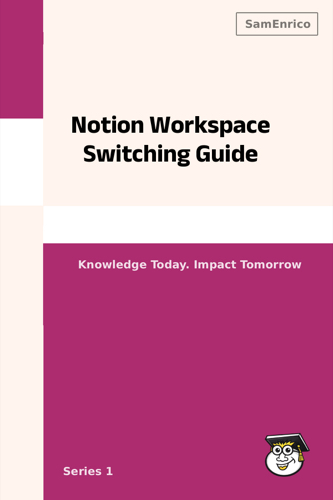
Notion Workspace Switching Guide eBook
Manages multiple workspaces and pages for differen
Manages multiple workspaces and pages for different clients or departments.
Formats
Free sample
Chapter 1: The 18-Tab Nightmare--The first time I realized I had a switching problem, I was staring at eighteen browser tabs.Eighteen. Each one a different Notion page. Three for Client A's content calendar. Two for Client B's project tracker. One for my personal to-do list.
Four that I had opened meaning to read later. And the rest—I honestly could not remember why they were there.I closed all eighteen tabs. Then I reopened four of them because I still needed to finish a task for Client A. Except I accidentally opened Client B's page instead. Same icon.
Same color scheme. Completely wrong client.I billed Client A for four hours of work I did for Client B. They caught it. I refunded the money and apologized. Then I lost the client.That was the day I stopped believing that "one big workspace" could work for people like us.If you are reading this book, you already know the feeling.
You are a freelancer with seven active clients. Or a consultant with three retainer agreements. Or an agency owner with twelve different project dashboards. Or a department lead managing five separate initiatives. You use Notion because it is powerful, flexible, and beautiful—but somewhere along the way, the flexibility became chaos.You have clients whose tasks live in the same database.
You have personal notes mixed with project proposals. You have eighteen tabs open right now, and you cannot close any of them because you are afraid you will lose your place.This book is not about building a better database. It is not about formulas, rollups, or the perfect filter. This book is about one thing only: teaching you how to switch between clients, departments, and personas without losing your mind, your money, or your clients.But before we build anything, we need to understand the enemy. And the enemy is not Notion.
The enemy is what I call context contamination.The Hidden Cost of Context Contamination Context contamination happens when information from one client, department, or persona bleeds into the space reserved for another. It looks like this:You open Notion to work on Client A's quarterly report. While scrolling, you see a task from Client B that is overdue. You think, "I'll just knock that out real quick." Thirty minutes later, you are deep in Client B's project. You have not touched Client A's report.
The morning is gone. You have switched contexts twice without meaning to, and each switch cost you twenty-three minutes of focus.The research on context switching is brutal. A study from the University of California, Irvine found that after an interruption, it takes an average of twenty-three minutes and fifteen seconds to return to the original task with the same level of focus. That is not the time to complete the interruption. That is the time to recover from it.Now multiply that by the number of times you switch between clients in a typical day.
Five switches? Nearly two hours lost. Ten switches? Four hours. Most of us switch contexts every ten to twelve minutes.
By that math, you are losing three to four hours of productive time every single day simply because your tools do not respect your need for separation.Here is what makes context contamination insidious: it feels productive. When you answer a quick question for Client B while working on Client A, your brain releases a small hit of dopamine. You closed a loop. You made progress. But that progress came at the expense of the original task, which now sits abandoned, waiting for you to spend another twenty-three minutes rebuilding the mental model you just destroyed.The top productivity books—the ones that teach you how to build a "Second Brain" or master Notion's database features—almost never address this problem.
They assume you have one brain working on one set of things. They assume that linking everything together is the goal. They teach you how to build a powerful engine but not how to change the tires while the car is moving.For a service provider with multiple clients, that assumption is catastrophic.Why "One Big Workspace" Fails Notion was designed to be an all-in-one workspace. That is its promise and its curse. The company wants you to put everything into one place: your tasks, your notes, your projects, your wikis, your databases.
And for an individual with one job and one life, that works beautifully.But you are not one person with one job. You are a para-professional.Let me define that term now, because it will appear throughout this book. A para-professional is someone who serves multiple masters simultaneously: freelancers with multiple clients, consultants with retainer agreements, agency owners with separate accounts, department leads with competing initiatives, even parents managing multiple children's schedules. You are not one person with one context. You are five, ten, or twenty people living inside one brain and logging into one Notion account.The "one big workspace" model fails for the para-professional because it treats context as a feature rather than a boundary.
It assumes that linking everything together is always good. But for you, linking Client A's data with Client B's data is not a feature—it is a liability.Consider what happens when you use a single Notion workspace for all your clients:You see tasks from the wrong client. You open your dashboard to check today's priorities, and you are confronted with overdue items from three different clients. Your brain cannot prioritize across clients the way it can across tasks for a single client. Each client has different goals, different deadlines, different stakeholders, different emotional weight.
Seeing them together is not helpful; it is paralyzing.You accidentally share the wrong information. You mean to send Client A a link to their project tracker, but because everything lives in one workspace, the link also reveals a database view that includes Client B's tasks. You do not notice until Client A asks, "Who is Client B?" That is a conversation you never want to have.You carry emotional residue from one client to the next. You finish a difficult call with Client A, who is unhappy with your work. You open Notion to start Client B's tasks, but there, in the sidebar, is Client A's project staring at you.
The emotional weight does not stay in the closed tab. It follows you into the next context.You bill incorrectly. This is the most dangerous consequence of all. When Client A's tasks sit next to Client B's tasks in the same database, it is only a matter of time before you log time against the wrong client, send the wrong invoice, or double-bill. That is not a productivity problem.
That is a legal and financial problem.The solution is not to build a bigger, better, more filtered dashboard. The solution is to accept a truth that most productivity experts refuse to admit: separation is not a bug to be fixed. Separation is a feature to be designed.Introducing the Para-Professional Mindset The para-professional mindset is built on a single, counterintuitive belief: True mastery is not about linking everything together. True mastery is about knowing how to keep things apart and…
This is the end of the free sample. Get the eBook to keep going. Buy now
About this book
Details
- Author
- Livingston Josie
- Publisher
- SamEnrico
- Language
- English
- Genre
- Non-Fiction, Professional's Cheat Sheet, Workspace
- Released
- 2026-06-08
- Pages (approx.)
- 158
- Available as
- eBook, Audiobook

Read better in the ZLOADR app
Your eBooks on your phone or tablet. Sign in with your SamEnrico account and start reading.
More by Livingston Josie
 Remote Work for DepressionLivingston Josie$11.99
 Discord Server Overload SolutionsLivingston Josie$11.99
 Elder Parent Financial StressLivingston Josie$11.99
 Power Posing for SuccessLivingston Josie$11.99
 Suture vs Steri Strip DecisionLivingston Josie$11.99
 Jet Lag GuideLivingston Josie$11.99
 Unidentified Remains Forensic ArtLivingston Josie$11.99
 The Oxy Express: How a Small Town Became Ground Zero for America’s Opioid CrisisLivingston Josie$11.99
 How to Start a Metals (wholesale) Business (Beginners Guide)Livingston Josie$11.99
 A Collector's Handbook to the Rover Meteor 16HPLivingston Josie$11.99
 How to Produce 100% Cashmere YarnLivingston Josie$11.99
 Growing BuckinghamiaLivingston Josie$11.99
You may also like
 Hong Kong Handover 1997Dunn Johnnie$11.99
 Zumba For Postnatal Recovery CourseNeal Christian$11.99
 Zumba for BeginnersLadner Nikia$11.99
 YouTube Comment Mining GuideHumes Pandora$12.99
 Worry Box MeditationCarlin Rudy$11.99
 Workplace Stress MeditationNguyen Lynn$11.99
 Workplace Stress and Sleep RepairHawley Ivory$11.99
 Workplace Perfectionism CureDelaney Jeffry$11.99
 Workplace Injustice Anger GuideWallen Isabelle$11.99
 Work Addiction and Burnout LinkGreenwood Ester$11.99
 Women in Yoga and WellnessBeattie Galina$11.99
 Women in Stand Up ComedyChun Evangeline$11.99