
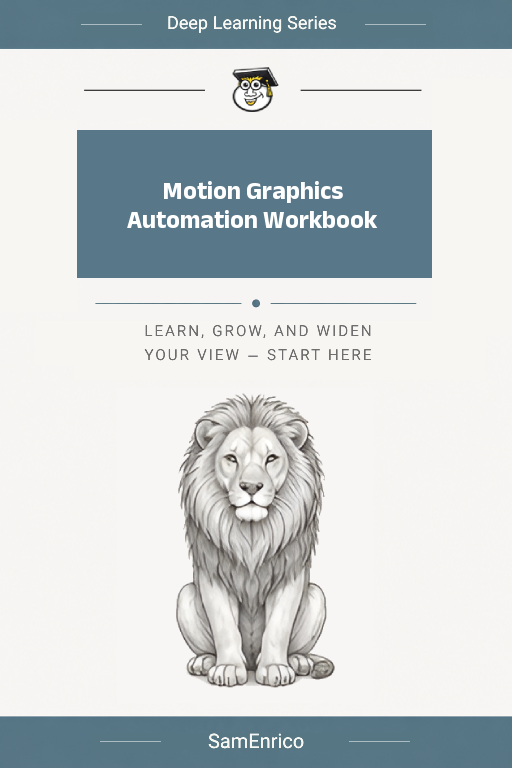
Non-FictionAI OperatorMotion Design
Motion Graphics Automation Workbook eBook
Generate lower thirds, callout animations, and end
by Wilke Delena
Generate lower thirds, callout animations, and end cards by feeding AI your brand assets and timing preferences for batch template rendering.
Formats
Free sample
Chapter 1: The 78-Hour Week--Last Tuesday, a brief landed with twenty-four language versions. Each version needed unique lower thirds, a new opener, and branded end cards. A year ago, that job meant about half a day per version for one motion designer, or roughly twelve days of keyframing squeezed into one sleepless week.This time, the team loaded brand tokens into a prompt template and generated all twenty-four lower-third sets before lunch. The designer used the afternoon to fix pacing and refine transitions, not duplicate compositions.That is the real shift. AI-powered motion graphics generators shrink the time between idea and delivery for repeatable visual elements.
They move teams away from manual busywork while keeping editors in control.It is not a magic button. It is a controllable system for the motion tasks that slow almost every video pipeline.The Problem Every Motion Designer Knows Too Well You know the feeling. You are six hours into a project that should have taken two. You have keyframed the same lower third entrance curve for the third speaker. You have adjusted the same easing on the same end card CTA button for the fifth time.
You have rendered, exported, imported, and repositioned the same basic elements across twenty different sequences.The work is not hard. It is repetitive. And repetition is the enemy of creative energy.A single lower third—a name, a title, a simple slide-in animation—should take thirty seconds in an ideal world. In reality, it takes twenty to thirty minutes. Design the layout.
Choose the typography. Select the colors. Keyframe the entrance. Set the hold duration. Keyframe the exit.
Render with alpha channel. Import into your timeline. Position it correctly. Realize the timing is off. Go back.
Adjust. Re-render. Re-import. Repeat.Now multiply that by ten lower thirds per episode, fifty-two episodes per year. That is 520 lower thirds annually.
At twenty minutes each, you are spending 173 hours per year—over four full work weeks—on nothing but lower thirds.And that is just one asset type. Add callouts, end cards, logo animations, and social media adaptations, and the numbers become staggering.This workbook exists because those hours are theft. They steal time from story structure, pacing, emotional beats, and the creative decisions that actually matter. They steal energy from the work that only a human can do.What AI-Powered Motion Graphics Generators Actually Do Let me be precise about what these tools can and cannot do.AI-powered motion graphics generators turn prompts and control assets into animated text, shapes, overlays, transitions, and short clips that can drop directly into an edit. Instead of drawing every easing curve by hand, you describe the result, review variants, and refine the best one.For the assets covered in this workbook—lower thirds, callout animations, and end cards—the total human workflow time is one to three minutes per asset.
Generation itself takes ten to sixty seconds. Review and adjustment take one to two minutes.This is not magic. It is controlled automation applied to structured, repeatable visual elements.Two Tool Types, Two Different Jobs Understanding the landscape helps you choose the right tool for the right job. Two tool types matter most for motion graphics.Foundation video models generate novel motion from scratch. Runway Gen-3 Alpha (June 2024) introduced higher fidelity, Motion Brush region control, and advanced camera modes.
Open AI Sora 2 (September 2025) added stronger physics and synchronized audio. Google Veo 2 offers up to 4K output. These models excel at generating completely new scenes, characters, and movements.For lower thirds, callouts, and end cards, foundation models are overkill. You do not need a physics-accurate simulation of a bouncing nameplate. You need clean, reliable, brand-compliant text animation.Template-based motion systems map brand tokens to reusable animation structures.
These are the workhorses of this workbook. They excel at lower thirds, logo stingers, data callouts, and end cards—the repetitive motion elements that appear across every video.Key controls to look for in a template-based system include:Motion Brush – Directs movement inside a selected region Masked edits – Enables local fixes without regenerating the whole graphic Camera controls – Specifies dolly or zoom moves for intro and outro animations Reference-image locks – Holds a consistent style across multiple generations For ninety percent of users creating the assets in this workbook, a template-based system is the correct choice. Chapter 7 provides a full tool comparison and decision tree.What You Can Generate Right Now AI motion graphics generators cover the formats that creators use most. Each can be generated from your description and placed directly on your timeline.Lower thirds – Name plates, speaker titles, location tags for interviews and podcasts. One to three minutes total workflow.Title animations – Intro sequences, chapter headings, end cards.
Two to five minutes total workflow.Callouts – Annotations, data labels, emphasis graphics that pop onto the screen. One to two minutes total workflow.Infographics – Animated bar charts, pie charts, statistics, data visualizations. Three to seven minutes depending on complexity.Countdowns and timers – Progress indicators, countdown overlays. One to three minutes total workflow.Logo animations – Brand reveals, animated watermarks, stinger transitions. Two to four minutes total workflow.Social overlays – Subscribe buttons, like counters, CTA popups.
One to two minutes total workflow.No template browsing. No file imports. No layer management. Describe what you want. The AI generates it.
You review, adjust if needed, and place it on your timeline.The Business Case for Automation The numbers tell a clear story. Ninety-one percent of businesses use video for marketing, and roughly half of advertisers already use generative AI for video ads.For production teams, the benefits fall into three categories. These are the three pillars of success that structure this entire workbook.Pillar 1: Throughput Without Headcount Lower thirds that took twenty to thirty minutes now take one to three minutes. Callouts that took fifteen to forty-five minutes now take one to two minutes. End cards that took thirty to sixty minutes now take two to five minutes.Consider a team producing weekly You Tube content with ten lower thirds per episode.
At twenty minutes each, that is three to four hours of motion design weekly. With AI automation, the same graphics take thirty seconds to generate and two minutes to tweak per asset—under thirty minutes total. That saves over one hundred fifty hours per year.Where the saved time goes: Story structure. Pacing. Emotional beats.
Client communication. Creative exploration. The work that only a human can do.Pillar 2: Brand Consistency at Speed Style tokens for fonts, color, spacing, and easing make it easier to keep hundreds of assets aligned. When your brand assets are loaded into the system, every generated graphic automatically respects your color palette and typography.A marketing agency managing social content for ten different brands no longer needs to manually apply each brand's style to every graphic. Load each brand's kit into the AI tool once.
Generating a new lower third takes the same time regardless of which brand it is for.Where consistency fails without automation: Human error. A designer uses the wrong shade of blue. Another uses the wrong font weight. A third places the logo in the wrong position. AI, when properly configured, makes the same correct choice every time.Pillar 3: Cheaper Creative…
This is the end of the free sample. Get the eBook to keep going. Buy now
About this book
Details
- Author
- Wilke Delena
- Publisher
- SamEnrico
- Language
- English
- Genre
- Non-Fiction, AI Operator, Motion Design
- Released
- 2026-05-29
- Pages (approx.)
- 122
- Available as
- eBook, Audiobook

Read better in the ZLOADR app
Your eBooks on your phone or tablet. Sign in with your SamEnrico account and start reading.
More by Wilke Delena
 Holiday Traffic Stress GuideWilke Delena$11.99
 FCPA Corporate Compliance Monitorship LogWilke Delena$11.99
 Accumulation Trust GuideWilke Delena$11.99
 Neurodevelopmental Disorder Family GuideWilke Delena$11.99
 Diamond Police Informant StoryWilke Delena$11.99
 Imposter Syndrome for FreelancersWilke Delena$11.99
 Pocket Presence Under PressureWilke Delena$11.99
 Dictators Master GuideWilke Delena$11.99
 Tai Chi for RLS GuideWilke Delena$11.99
 The Ironclads: How the Monitor and Merrimack Changed Naval WarfareWilke Delena$11.99
 Inanna and Dumuzid: The Goddess and the Shepherd KingWilke Delena$11.99
 Boudicca: The Queen Who Burned Rome's PrideWilke Delena$11.99
You may also like
 Hong Kong Handover 1997Dunn Johnnie$11.99
 Zumba For Postnatal Recovery CourseNeal Christian$11.99
 Zumba for BeginnersLadner Nikia$11.99
 YouTube Comment Mining GuideHumes Pandora$12.99
 Worry Box MeditationCarlin Rudy$11.99
 Workplace Stress MeditationNguyen Lynn$11.99
 Workplace Stress and Sleep RepairHawley Ivory$11.99
 Workplace Perfectionism CureDelaney Jeffry$11.99
 Workplace Injustice Anger GuideWallen Isabelle$11.99
 Work Addiction and Burnout LinkGreenwood Ester$11.99
 Women in Yoga and WellnessBeattie Galina$11.99
 Women in Stand Up ComedyChun Evangeline$11.99