
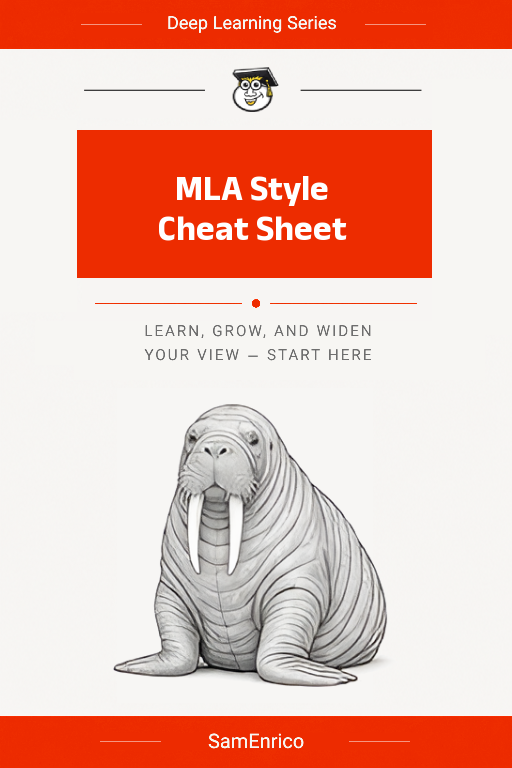
Non-FictionStudent's ShortcutCitation GuideWriting Reference
MLA Style Cheat Sheet eBook
Format in-text citations and works cited entries f
Format in-text citations and works cited entries for books, articles, and websites using simple templates and punctuation rules.
Formats
Free sample
Chapter 1: The Three Golden Rules--–- Let me tell you what no MLA guide has ever admitted: you’ve been lied to. Not maliciously, but lied to nonetheless. The lie is that MLA style is a vast, complicated system requiring hours of study, memorization, and prayer. The truth is that MLA style rests on three simple rules. That’s it.
Three. Everything else—every template, every exception, every edge case—is just a variation of these three rules. Master them, and you master MLA. Ignore them, and no amount of template-memorization will save your citations from falling apart.This chapter is the foundation of this entire book. Read it carefully once.
Then return to it whenever you feel overwhelmed. The three rules below will eliminate approximately eighty percent of the errors students make on their Works Cited pages and in-text citations. The remaining twenty percent are covered in later chapters, but they are all derived from these rules. Think of this chapter as the skeleton of MLA. The rest of the book puts flesh on those bones.Why three rules?
Because human memory is terrible. Studies show that the average person can hold only four to seven discrete pieces of information in working memory at once. Most MLA guides throw thirty or forty rules at you in the first chapter alone. That’s not teaching; that’s hazing. By compressing MLA into three unforgettable rules, this chapter ensures that even if you remember nothing else from this book, you will remember enough to fix most citation errors in under sixty seconds.Let’s begin.Rule #1: Parenthetical = Author + Page (Nothing More, Nothing Less)–- Every in-text citation in MLA format does exactly one job: it tells your reader who wrote the information and where to find it in the original source.
That’s it. The entire universe of in-text citations collapses into a single formula: (Author’s Last Name Page Number).No “p.” No “pg.” No “page.” No comma between the name and the number. No abbreviations. No extra words. Just the last name, a space, and the page number inside parentheses.Correct: (Smith 24)Incorrect: (Smith, p.
24)Incorrect: (Smith, page 24)Incorrect: (Smith 24) — wait, that’s correct. See how simple?This rule applies to books, print articles, and any source that has stable page numbers. If you quote directly, paraphrase, or summarize a specific passage, you put the author’s last name and the page number in parentheses at the end of the sentence, before the final period.Example: The study found that students who used templates completed citations three times faster than those who memorized rules (Chen 142).Notice: the period comes after the closing parenthesis. That’s non-negotiable for standard quotes and paraphrases. (There is one exception: block quotes of four or more lines.
In that case, the period comes before the citation. We’ll cover that in Chapter 10, but for now, remember this: normal quote = period after parentheses. Block quote = period before.)What about narrative citations? Sometimes you want to weave the author’s name into your sentence. That’s fine.
The rule adapts: you put the author’s name in the sentence itself, and only the page number goes in parentheses.Example: Chen argues that template-based learning reduces citation errors by forty percent (142).Same information. Same rule. Just rearranged.What about sources with no page number? The rule modifies slightly: you include the author’s name only, with no page number. Never invent a page number.
Never write “n.p.” or “no page.” Just the name.Example: The website argues that MLA is easier than APA (Smith).That’s it. We’ll cover no-page-number sources extensively in Chapter 4 (for websites and online articles). For now, remember: if there’s no page number, you just stop after the author’s name.What about the abbreviation question? You may have heard that MLA allows “par.” for paragraph numbers in online sources. That is true.
But here’s the distinction: “p.” and “pg.” and “pp.” are forbidden. “Par.” is permitted only when the source has explicitly numbered paragraphs and no page numbers. This is not a contradiction of Rule #1; it’s a specific exception for a specific situation. Rule #1 says “nothing extra” for page numbers. Paragraph numbers are a different category.Example with paragraph numbers: (Nguyen, par.
4)Notice the comma. That’s the signal that you’re using a different kind of locator. We’ll cover this in Chapter 3. For now, just know that “par.” is the only abbreviation MLA allows inside a parenthetical citation.Rule #1 summary in one sentence: Open parenthesis, author’s last name, space, page number (if available), close parenthesis, then the sentence’s period.Rule #2: Works Cited = Hanging Indent + Alphabetical Order–- If Rule #1 governs what happens inside your paper, Rule #2 governs what happens at the end. Every Works Cited page must have two mechanical features: a hanging indent on every entry, and alphabetical order across all entries.
These are not optional. These are not stylistic preferences. These are the two things professors check first when they suspect a student used a citation generator and didn’t proofread.Part A: The Hanging Indent A hanging indent means that the first line of each citation is flush with the left margin, and every subsequent line of that same citation is indented half an inch (or one tab space). Imagine a “hook” on the left side of the first line, with the rest of the citation hanging below it.What it looks like:Smith, John. The Art of Citation.
Oxford University Press, 2020.This second line is indented. So is the third if you have one.The hanging indent continues until the citation ends.Why does MLA require this? Because it makes the author’s last name (the first thing in almost every citation) easy to scan. Your reader’s eye jumps down the left margin, sees “Smith, then Jones, then Kim,” and finds the source instantly. Without the hanging indent, the left margin becomes a ragged mess, and finding a specific author requires reading every line of every citation.How to create a hanging indent in under five seconds:Microsoft Word: Select your citation.
Press Ctrl+T (Windows) or Command+T (Mac). That’s it. If you need to adjust the indent depth, go to Format → Paragraph → Indentation → Special → Hanging → set to 0.5 inches.Google Docs: Select your citation. Go to Format → Align & Indent → Indentation Options → Special → Hanging → set to 0.5 inches → Apply. Or use the ruler at the top of the page (drag the left indent marker to 0.5, then drag the first line indent marker back to 0).Common mistake: Students manually press “Tab” at the beginning of every line.
That creates a first-line indent (the opposite of what you want) and will be instantly visible to any professor who has graded more than three papers. Don’t do this. Use the shortcut.What about the rest of the Works Cited page formatting? Double-space everything. No extra spaces between entries.
Use a standard 12-point font (Times New Roman is traditional, but Arial and Calibri are acceptable). The title “Works Cited” should be centered at the top of the page, not bolded, not underlined, not in all caps. We’ll cover full paper formatting…
This is the end of the free sample. Get the eBook to keep going. Buy now
About this book
Details
- Author
- Cullen Danyel
- Publisher
- SamEnrico
- Language
- English
- Genre
- Non-Fiction, Student's Shortcut, Citation Guide, Writing Reference
- Released
- 2026-05-30
- Pages (approx.)
- 149
- Available as
- eBook, Audiobook

Read better in the ZLOADR app
Your eBooks on your phone or tablet. Sign in with your SamEnrico account and start reading.
More by Cullen Danyel
 Mind Mapping for RecallCullen Danyel$11.99
 The Nap for Daycare ProvidersCullen Danyel$11.99
 Parent Death and Chronic IllnessCullen Danyel$11.99
 CrossFit for Over 40Cullen Danyel$11.99
 The Insurance Call PrepCullen Danyel$11.99
 Siri Reminder GuideCullen Danyel$11.99
 The Quit Smoking Hypnosis AppCullen Danyel$11.99
 Assertiveness For The Visually ImpairedCullen Danyel$11.99
 Child Murder LossCullen Danyel$11.99
 The Pink Panther Heist: The Curse of the Pink DiamondCullen Danyel$11.99
 The Last Circus: How a Forgotten Spectacle Defied TimeCullen Danyel$11.99
 Zeroes and Ones: The Silent War of the Ancient CodebreakersCullen Danyel$11.99
You may also like
 Hong Kong Handover 1997Dunn Johnnie$11.99
 Zumba For Postnatal Recovery CourseNeal Christian$11.99
 Zumba for BeginnersLadner Nikia$11.99
 YouTube Comment Mining GuideHumes Pandora$12.99
 Worry Box MeditationCarlin Rudy$11.99
 Workplace Stress MeditationNguyen Lynn$11.99
 Workplace Stress and Sleep RepairHawley Ivory$11.99
 Workplace Perfectionism CureDelaney Jeffry$11.99
 Workplace Injustice Anger GuideWallen Isabelle$11.99
 Work Addiction and Burnout LinkGreenwood Ester$11.99
 Women in Yoga and WellnessBeattie Galina$11.99
 Women in Stand Up ComedyChun Evangeline$11.99