
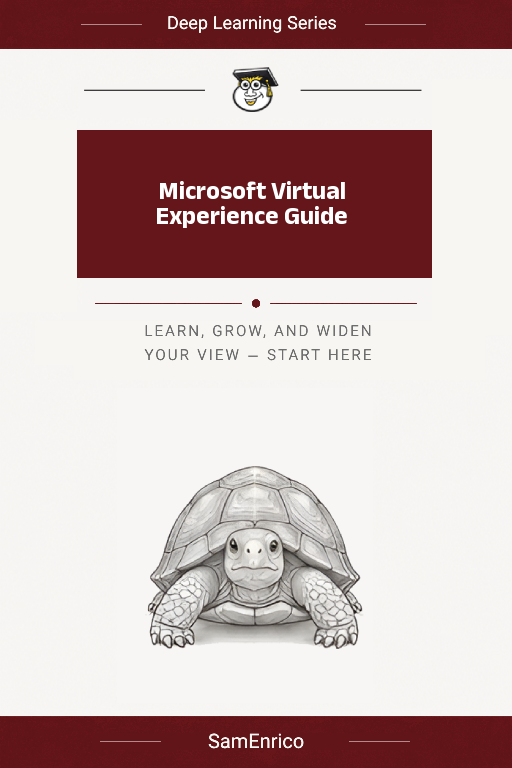
Non-FictionStudent's ShortcutVirtual OnboardingTech Workflows
Microsoft Virtual Experience Guide eBook
Complete Microsoft's Explore or Internship program
by Woods Sheryl
Complete Microsoft's Explore or Internship program remotely using their virtual workspace and collaboration tools to stand out.
Formats
Free sample
Chapter 1: The Ghosting Paradox--–- You have already failed. Not because you lack talent, not because you aren't qualified, and certainly not because you chose the wrong major. You have failed because you are reading this sentence while your Microsoft credentials sit untouched in your inbox, waiting for someone else to tell you what to do. The average remote intern loses their first three days to passive waiting—waiting for permissions to process, waiting for a manager to send the first meeting invite, waiting for IT to respond to a ticket. In a physical office, waiting looks like sitting at an empty desk.
In a virtual workspace, waiting looks like disappearing. And in Microsoft's culture, silence for the first 72 hours is not interpreted as "patient" or "cautious." It is interpreted as disengaged. You become a ghost before you have ever spoken a word.This chapter is not about setting up your laptop. Every onboarding document in existence covers that. This chapter is about a single, brutal truth: In the remote Microsoft Explore or internship program, you are judged from the moment your credentials arrive, not from the moment you speak.
The clock starts when that email hits your personal inbox. Every hour you spend waiting for someone else to hand you access is an hour you spend building a reputation as someone who needs to be told what to do. The interns who receive return offers do not wait. They build. They configure.
They signal competence through environmental control before they ever write a line of code or review a product requirement document.By the end of this chapter, you will have completed the 90-Minute Onboarding Protocol—a systematic process that transforms a raw set of Microsoft credentials into a fully operational, customized, signal-emitting command center. You will have configured your digital environment to broadcast competence, protected your focus time before anyone else can steal it, and pre-written your first impression before your first meeting. You will not ghost. You will arrive.The 90-Minute Rule: Why Speed Is Your First Deliverable Let us begin with a moment of honesty. You are going to make mistakes during your internship.
You will misunderstand requirements, ship a bug, or forget to loop in a stakeholder. These mistakes are forgivable—expected, even. The one thing you cannot afford to be is invisible. In a remote environment, visibility is trust. Every hour you are not seen, your manager's brain quietly asks: Is this intern working?
Are they stuck? Do they care?The 90-Minute Rule is your answer to that unspoken question. Immediately upon receiving your Microsoft credentials (your @microsoft.com email address and temporary password), you block 90 minutes on your personal calendar. Not your work calendar—you do not have one yet. Your personal calendar.
You label this block "Credentials Setup – Do Not Book." Then you execute.The First 15 Minutes: Authentication and Access Verification Open a private browser window. Navigate to the Microsoft Employee Portal. Install Microsoft Authenticator on your phone—not as an afterthought, but as your primary identity weapon. Configure it to send push notifications, not text codes. Push notifications are faster, and speed signals competence.
You then verify three critical access points in order:Azure Virtual Desktop (AVD): Most interns assume they can work from their local machine. Some can. But if your project requires access to internal tools, databases, or legacy systems, AVD is your lifeline. You launch AVD, wait for the desktop to load, and confirm you can open File Explorer. If you cannot, you file a ticket immediately and note the ticket number.
You do not wait for someone to tell you AVD is broken—you discover it and document it.Microsoft Teams: You launch Teams and check the left sidebar. You should see your pod channel and a general team channel. If you do not, you email your recruiter with a one-sentence update: "Credentials received. Teams channels not yet visible. Will monitor and follow up at 2 PM if unchanged." This is not complaining.
This is managing up before you have a manager.One Drive for Business: You open One Drive in your browser and confirm you have 1 TB of storage. You then install the One Drive desktop app and sign in. This step feels minor. It is not. It is the foundation of every file decision you will make for the next 12 weeks.The Next 30 Minutes: Notification Hygiene Default Teams notifications are designed for chaos.
Every channel post, every reply, every emoji reaction—all of them buzz your phone and ding your desktop. You will drown. Worse, you will train yourself to ignore notifications, and then you will miss the one that matters.Open Teams Settings > Notifications. Change the following:Channels: Set to "Only @mentions and replies to you." Channel noise is not your responsibility. If something is urgent, someone will tag you.Chat: Set to "All messages" but disable previews on your phone lock screen.
You need to know when a message arrives, but you do not need to read it while brushing your teeth.Meetings: Set to "All" but disable the 15-minute reminder. The 5-minute reminder is sufficient. You will learn to manage your calendar, not be managed by it.Quiet Hours: You will configure these in the next section using Viva Insights.The Final 45 Minutes: Deep Work Protection Here is where most onboarding guides stop. They assume that once you have installed the apps, your job is to wait for a meeting invite. That assumption is why most interns ghost.
You do not wait. You protect.Open Viva Insights (accessible through Teams or your browser). Navigate to "Quiet time" settings. You are going to block 7:30 AM to 9:30 AM daily as "Focus Time." Not 8 AM. Not 9 AM.
7:30 AM to 9:30 AM. Why? Because you will learn in Chapter 3 that your daily status update is due at 9:45 AM. By ending your focus block at 9:30 AM, you give yourself 15 minutes to review, post, and transition. This is not a guess—this is a deliberate architectural choice that reconciles deep work with visibility.Now label this focus time "Project Deep Work – Do Not Schedule Over." Senior engineers use protected focus time to signal that they are not idle.
You will do the same. When your manager looks at your calendar (and they will, before their first 1:1 with you), they will see a person who understands that deep work is valuable and who protects it proactively.The Permission Audit: Before closing Viva Insights, check who can override your focus time. Set it to "Managers only." This tells Microsoft's scheduling system that your skip-level leader and peers cannot book over this block, but your manager can. You are being protective, not uncooperative.Microsoft Edge Workspaces: Your Shared Browser State You have your credentials. You have your notifications.
You have your protected calendar. Now you need to broadcast that you have been paying attention. The most underutilized tool in Microsoft's remote arsenal is Edge Workspaces—a shared collection of browser tabs that updates in real time for everyone who has access.What Edge Workspaces Actually Do Imagine you and your manager need to reference the same five links every day: the project Share Point folder, the Power BI dashboard, the Planner board, the team One…
This is the end of the free sample. Get the eBook to keep going. Buy now
About this book
Details
- Author
- Woods Sheryl
- Publisher
- SamEnrico
- Language
- English
- Genre
- Non-Fiction, Student's Shortcut, Virtual Onboarding, Tech Workflows
- Released
- 2026-05-29
- Pages (approx.)
- 129
- Available as
- eBook, Audiobook

Read better in the ZLOADR app
Your eBooks on your phone or tablet. Sign in with your SamEnrico account and start reading.
More by Woods Sheryl
 Executive EQ Leadership CourseWoods Sheryl$11.99
 Parent Death and Medical DecisionsWoods Sheryl$11.99
 Hospital Waiting Room Work GuideWoods Sheryl$11.99
 The Bakery on Both SidesWoods Sheryl$11.99
 Study Podcast GuideWoods Sheryl$11.99
 Spin for Beginners over 50Woods Sheryl$11.99
 Bipolar And Thyroid DiseaseWoods Sheryl$11.99
 Bipolar Cannabis GuideWoods Sheryl$11.99
 Notion Reminder DatabaseWoods Sheryl$11.99
 The Poisoned Pen: The Untold Story of Belle GunnessWoods Sheryl$11.99
 The Iron Masters of the Rhine: Forging the Industrial AgeWoods Sheryl$11.99
 Gilgamesh's Last Hunt: The Beast of Cedar ForestWoods Sheryl$11.99
You may also like
 Hong Kong Handover 1997Dunn Johnnie$11.99
 Zumba For Postnatal Recovery CourseNeal Christian$11.99
 Zumba for BeginnersLadner Nikia$11.99
 YouTube Comment Mining GuideHumes Pandora$12.99
 Worry Box MeditationCarlin Rudy$11.99
 Workplace Stress MeditationNguyen Lynn$11.99
 Workplace Stress and Sleep RepairHawley Ivory$11.99
 Workplace Perfectionism CureDelaney Jeffry$11.99
 Workplace Injustice Anger GuideWallen Isabelle$11.99
 Work Addiction and Burnout LinkGreenwood Ester$11.99
 Women in Yoga and WellnessBeattie Galina$11.99
 Women in Stand Up ComedyChun Evangeline$11.99