
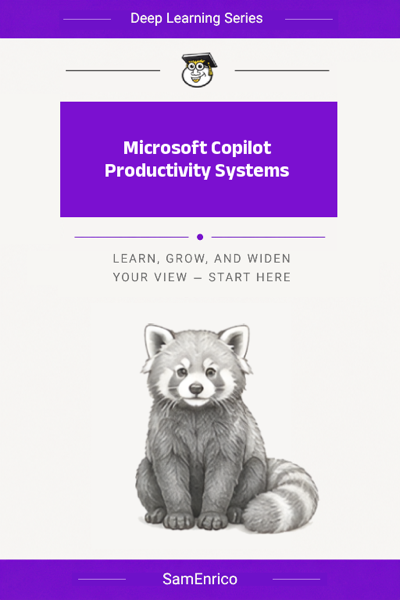
Non-FictionInformativeEducational
Microsoft Copilot Productivity Systems eBook
A Coursebook on Microsoft Copilot Productivity Sys
A Coursebook on Microsoft Copilot Productivity Systems
Formats
Free sample
Chapter 1: The $30,000 Mistake--You are already paying for Microsoft Copilot. Most companies are. And according to internal telemetry from over 1,000 organizations, nearly 70% of licensed users have never opened it. That is not a technology problem. That is not a training problem.
That is a translation problem. Someone in your IT department bought a tool that promises to save hours per day, and no one taught you the one question that changes everything.Let me tell you about Sarah. She is a marketing director at a mid-sized financial services firm. Before discovering the single prompt you are about to learn, she spent every Thursday afternoon from 2:00 PM to 5:00 PM manually compiling her weekly performance report. She pulled data from three Excel sheets, copied charts from a Share Point dashboard, wrote commentary in Word, and pasted everything into an email for her boss.
Three hours. Every week. Fifty-two weeks a year. That is 156 hours annually. At her hourly rate, that time cost her company nearly $8,000 per year in salary for one repetitive task.One day, her IT administrator mentioned in a Slack channel that the company had enabled Copilot for Microsoft 365 for all marketing employees.
Sarah did not know what that meant. She ignored the message. Two weeks later, her boss forwarded an email from the CIO: "Everyone with a Copilot license must complete the training by Friday or lose access." Sarah grudgingly clicked the link, watched a fifteen-minute video, and learned one prompt: "Summarize my upcoming meetings." She tried it. It worked. She was mildly impressed.Then she accidentally discovered the prompt that saved her three hours per week.
She was in Word, staring at a blank document, trying to start her weekly report from scratch. Out of frustration, she typed: "Write my weekly marketing performance report based on the attached Excel files. Use a professional tone. Include an executive summary, top three wins, top three risks, and recommendations."Fifteen seconds later, she had a four-page document. Not gibberish.
Not boilerplate. A coherent, data-informed report that referenced actual numbers from her spreadsheets. She spent twenty minutes fact-checking and polishing. The task that had consumed three hours now took thirty-five minutes. She saved 125 hours that year.
Her boss noticed. She got a promotion. The promotion came with a $15,000 raise. That is the return on investment we are talking about in this book.But here is the tragedy: Sarah is the exception. Most people with Copilot licenses are still typing emails the old way, still formatting Power Point slides manually, still reading every message in long email threads instead of asking for a summary.
They are leaving thousands of dollars on the table every month. Their companies are paying for a tool that sits dormant while employees work nights and weekends.This chapter is your intervention. By the time you finish reading these pages, you will understand exactly what Microsoft Copilot is, what it is not, which version you actually need, and how to calculate whether the license cost is worth it for your specific role. More importantly, you will learn the single mindset shift that separates people who save ten hours per week from people who never open the app again after the first try.The Three Copilots Sitting Inside Your Microsoft Account Right Now Before we go any further, we need to clear up a massive source of confusion. When people say "Microsoft Copilot," they might mean three completely different things.
You cannot master what you cannot name.The first is Microsoft Copilot (formerly Bing Chat Enterprise). This is the free, web-based version available at copilot.microsoft.com. It runs on the same GPT-4 technology as Chat GPT Plus, but with one critical difference for business users: it does not save your chat history, and Microsoft does not train its models on your prompts. This version is ideal for general research, brainstorming, writing drafts, and answering questions that do not require access to your work emails, calendar, or files. It cannot see your Outlook inbox.
It cannot read your Share Point documents. It cannot summarize your Teams meetings. Think of this as your public AI assistant.The second is Copilot for Microsoft 365. This is the paid enterprise version integrated directly into the apps you already use: Word, Excel, Power Point, Outlook, and Teams. This version costs $30 per user per month (add-on to existing E3 or E5 licenses, with different pricing for Business Premium plans — see your Microsoft admin for exact numbers).
This version has superpowers the free version lacks. It can read your emails. It can analyze your calendar. It can summarize meetings you missed. It can pull data from documents you have permission to access.
It is grounded in what Microsoft calls the Graph — your company's private index of every file, message, and calendar entry you have ever touched. This is your work AI assistant.The third is Microsoft Copilot Studio. This is a no-code platform for building custom AI agents. Want an HR bot that answers employee questions about sick leave policy? Want a sales bot trained on your pricing documents and competitor battle cards?
Want a customer support agent that can access your knowledge base and escalate to humans when confused? That is Copilot Studio. It requires separate licensing (approximately $200 per tenant per month, plus usage costs). Most individuals do not need this; entire organizations do. We cover this in depth in Chapters 10 and 11.Here is where most people get confused.
Your IT department might have enabled Copilot for Microsoft 365 for everyone, but most employees never realize it because they open copilot.microsoft.com in a browser and think that is the whole product. That is like owning a Ferrari and driving a rental car because you did not know the keys were in your pocket.Check right now. Open Microsoft Word. Look at the ribbon at the top of the window. Do you see a Copilot button on the far right?
If yes, you have access to the enterprise version. If not, ask your IT admin whether your organization has purchased licenses. Do not assume. The difference between the free version and the paid version is the difference between asking a stranger for directions and asking your assistant who has access to your calendar, your email history, and every document you have ever written.The Orchestration Layer: Why Copilot Is Not Just Chat GPT in a Suit To understand why Copilot for Microsoft 365 is so much more powerful than the free web version — and worth every penny of that $30 monthly fee — you need to understand what happens behind the scenes when you type a prompt.Most people think AI is magic. It is not.
It is architecture.When you ask Copilot in Word to "summarize my notes from the Q3 planning meeting," your prompt does not simply travel to an LLM and return a response. It travels through what Microsoft calls the Orchestration Engine (introduced briefly in Chapter 2 and explored in depth later, but the high-level picture matters here). That engine examines your prompt and asks: "What does the user actually need? Do they need data from their email? Do they need information from a Share Point document?
Do they need to generate new text based on patterns from the internet? Do they need a combination of all…
This is the end of the free sample. Get the eBook to keep going. Buy now
About this book
Details
- Author
- Castillo Katie
- Publisher
- SamEnrico
- Language
- English
- Genre
- Non-Fiction, Informative, Educational
- Released
- 2026-05-04
- Pages (approx.)
- 140
- Available as
- eBook, Audiobook

Read better in the ZLOADR app
Your eBooks on your phone or tablet. Sign in with your SamEnrico account and start reading.
More by Castillo Katie
 Restless Leg Syndrome Herbal Remedies GuideCastillo Katie$11.99
 Pet Emergency Preparedness KitCastillo Katie$11.99
 Messner Tibet Border EscapeCastillo Katie$11.99
 NVC Workbook For BeginnersCastillo Katie$11.99
 Workplace Anger Consequences GuideCastillo Katie$11.99
 Female Rulers Succession Planning GuideCastillo Katie$11.99
 Johnson BorisCastillo Katie$11.99
 Cash Flow for DaycaresCastillo Katie$11.99
 Anger Thermometer TrackingCastillo Katie$11.99
 Whispers of the Forgotten: The Last Song of the AinuCastillo Katie$11.99
 The Serpent's Whisper: The Rise and Fall of the NXIVM CultCastillo Katie$11.99
 The Mineral Guide to XifengiteCastillo Katie$11.99
You may also like
 Hong Kong Handover 1997Dunn Johnnie$11.99
 Zumba For Postnatal Recovery CourseNeal Christian$11.99
 Zumba for BeginnersLadner Nikia$11.99
 YouTube Comment Mining GuideHumes Pandora$12.99
 Worry Box MeditationCarlin Rudy$11.99
 Workplace Stress MeditationNguyen Lynn$11.99
 Workplace Stress and Sleep RepairHawley Ivory$11.99
 Workplace Perfectionism CureDelaney Jeffry$11.99
 Workplace Injustice Anger GuideWallen Isabelle$11.99
 Work Addiction and Burnout LinkGreenwood Ester$11.99
 Women in Yoga and WellnessBeattie Galina$11.99
 Women in Stand Up ComedyChun Evangeline$11.99