
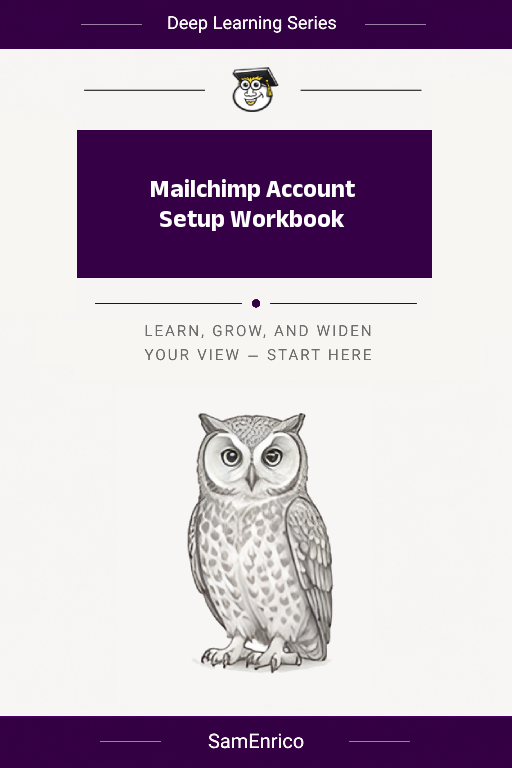
Non-FictionFirst 30 DaysSetup Guide
Mailchimp Account Setup Workbook eBook
Create your account, verify domain, and configure
by Torrence Ena
Create your account, verify domain, and configure sender settings before building your first audience.
Formats
Free sample
Chapter 1: The Invisible Gatekeeper--Let me tell you something most email marketing “experts” will never admit. You can write the most brilliant email in the world. You can offer a discount so irresistible it should be illegal. You can have a list of ten thousand people who explicitly asked to hear from you. And none of it matters.None of it.Because before a single human being lays eyes on your carefully crafted message, it must pass through an invisible gatekeeper.
That gatekeeper doesn't care about your clever subject line. It doesn't get excited about your product launch. It has no opinion on your brand voice or your storytelling ability.The gatekeeper cares about exactly one thing: Who sent this?And if you haven't completed the setup steps outlined in this workbook, the gatekeeper will silently, ruthlessly, and permanently redirect your email to a digital wasteland where your messages will never be seen, never be opened, and never generate a single dollar of revenue.That wasteland has a name. It's called the spam folder.The $47,000 Mistake In February 2024, a boutique bakery called Sweet Rise (name changed for privacy) prepared for their biggest promotion of the year: Mother's Day pre-orders. They had spent three months building their email list at farmers markets, collecting over eight thousand addresses from customers who genuinely loved their artisanal cakes.The owner, Sarah, had used Mailchimp before.
She thought she knew what she was doing. She created an account, imported her list, designed a beautiful email featuring a new raspberry rose cake, and hit send.Within twenty-four hours, she watched her dashboard in confusion.Of the eight thousand emails sent, only 1,200 had been opened. That was a paltry 15 percent open rate, far below her usual 35 percent. But worse, her sales were virtually nonexistent. The promotion that should have generated 47,000inpre−ordersbroughtinbarely47,000 in pre-orders brought in barely 47,000inpre−ordersbroughtinbarely4,000.Sarah didn't understand what had happened.
Her list was clean. Her content was good. Her subscribers had asked to hear from her.But here's what Sarah didn't know, and what most Mailchimp users never discover until it's too late: she had never completed the authentication setup. Her domain wasn't verified. Her emails weren't signed with DKIM.
She had no DMARC policy. To Gmail, Outlook, and Yahoo, her carefully crafted Mother's Day promotion looked exactly like spam sent from a Nigerian prince.The gatekeeper had spoken. And Sarah lost $43,000 because she skipped thirty minutes of setup.I tell you this story not to scare you, but to wake you up. The rules of email have changed. If you're still operating on what you learned about email marketing three years ago, or even last year, you're already behind.
And unlike Sarah, you have the chance to fix it before you lose real money.The Day Everything Changed On October 3, 2023, Google and Yahoo made an announcement that sent shockwaves through the email marketing industry. Most small business owners didn't notice. Most entrepreneurs were too busy running their companies to read technical specifications from Silicon Valley giants. But that announcement, buried in engineering blogs and developer forums, fundamentally altered the landscape of email marketing forever.Starting in February 2024, both companies announced they would begin enforcing strict authentication requirements for bulk senders. If you couldn't prove you were who you said you were, your emails would be rejected outright.
Not sent to spam. Not filtered. Rejected. As in, never delivered. As in, Gmail and Yahoo would refuse to accept the message at all.For the first time in the history of commercial email, the world's largest inbox providers declared that authentication was no longer optional.
It was mandatory.Here's what that means for you: every single email you send from Mailchimp must pass a three-part verification process before it reaches a single subscriber. If any part of that process fails, your email will either be blocked entirely or sent to spam with a warning label that tells recipients "Be careful with this message."And here's the kicker: Mailchimp won't stop you from sending. The platform will happily let you hit "Send" on a campaign that has zero chance of reaching the inbox. You can upload your list, design your template, and click that big green button without ever knowing that your carefully crafted message is doomed.This workbook exists because Mailchimp won't protect you from yourself.The Four Pillars of Authentication Before we dive into the step-by-step setup process, you need to understand the framework that will guide everything we do in this workbook. I call it the Four Pillars of Authentication, and once you understand these four concepts, the rest of this book will feel like following a recipe rather than decoding a technical manual.Pillar One: Domain Verification Imagine you walk into a bank and ask to withdraw money from an account.
Before the teller gives you anything, they ask for identification. A driver's license. A passport. Something that proves you are who you claim to be.Domain verification is the same thing. Before Mailchimp allows you to send email that appears to come from your domain, you must prove you actually own that domain.
This is a simple process we'll complete in Chapter 4, but it's the absolute prerequisite for everything else. No domain verification, no sending from your own address. It's that simple.Pillar Two: SPF (Sender Policy Framework)Once you've proven you own the domain, you need to tell the world who is allowed to send email on your behalf. SPF is essentially a published guest list. You create a record in your domain's DNS that says, "These servers are authorized to send email from my domain.
Anyone else is an impostor."When an email arrives at Gmail, the server checks the guest list. If the email came from an approved server, SPF passes. If it came from anywhere else, SPF fails. This is the first line of defense against spoofing and phishing.Pillar Three: DKIM (Domain Keys Identified Mail)SPF tells servers where the email came from. DKIM proves the email hasn't been tampered with along the way.
It's like a tamper-evident seal on a bottle of medicine.When Mailchimp sends an email, it adds a digital signature. The receiving server checks that signature against a public key published in your DNS. If the signature matches, DKIM passes and the recipient can trust that the email hasn't been altered since it left Mailchimp's servers.Pillar Four: DMARC (Domain-based Message Authentication, Reporting, and Conformance)This is the boss. DMARC tells receiving servers what to do when SPF or DKIM fails. It also asks those servers to send you reports about who is sending email using your domain.Think of DMARC as the security guard at the gate.
SPF and DKIM are your ID cards. DMARC checks both, enforces the rules, and sends you a report every time someone tries to enter. This is the pillar that gives you visibility into your email ecosystem and protects your domain from being spoofed by scammers.Throughout this workbook, when you see me reference the Four Pillars, you'll know exactly which authentication component we're discussing. By the end of Chapter 7, all four pillars will be standing strong beneath your email program.Why You Cannot Afford…
This is the end of the free sample. Get the eBook to keep going. Buy now
About this book
Details
- Author
- Torrence Ena
- Publisher
- SamEnrico
- Language
- English
- Genre
- Non-Fiction, First 30 Days, Setup Guide
- Released
- 2026-05-30
- Pages (approx.)
- 154
- Available as
- eBook, Audiobook

Read better in the ZLOADR app
Your eBooks on your phone or tablet. Sign in with your SamEnrico account and start reading.
More by Torrence Ena
 Speaker Meeting Preparation GuideTorrence Ena$11.99
 Calibration Management ScheduleTorrence Ena$11.99
 Mother Loss Grief GuideTorrence Ena$11.99
 Family Holiday Conflict GuideTorrence Ena$11.99
 Teaching Self Talk for EducatorsTorrence Ena$11.99Teaching Self Talk for EducatorsTorrence Ena$11.99
 George Eliot SecularismTorrence Ena$11.99
 Grief and Self Care After Parent LossTorrence Ena$11.99
 Consumer Notification Law FailuresTorrence Ena$11.99
 Seiji Ozawa and the Tanglewood Revolution: How a Japanese Maestro Transformed Classical MusicTorrence Ena$11.99
 Masters of Florence: The Medici and the Birth of Modern BankingTorrence Ena$11.99
 Growing AlonsoaTorrence Ena$11.99
You may also like
 Hong Kong Handover 1997Dunn Johnnie$11.99
 Zumba For Postnatal Recovery CourseNeal Christian$11.99
 Zumba for BeginnersLadner Nikia$11.99
 YouTube Comment Mining GuideHumes Pandora$12.99
 Worry Box MeditationCarlin Rudy$11.99
 Workplace Stress MeditationNguyen Lynn$11.99
 Workplace Stress and Sleep RepairHawley Ivory$11.99
 Workplace Perfectionism CureDelaney Jeffry$11.99
 Workplace Injustice Anger GuideWallen Isabelle$11.99
 Work Addiction and Burnout LinkGreenwood Ester$11.99
 Women in Yoga and WellnessBeattie Galina$11.99
 Women in Stand Up ComedyChun Evangeline$11.99