
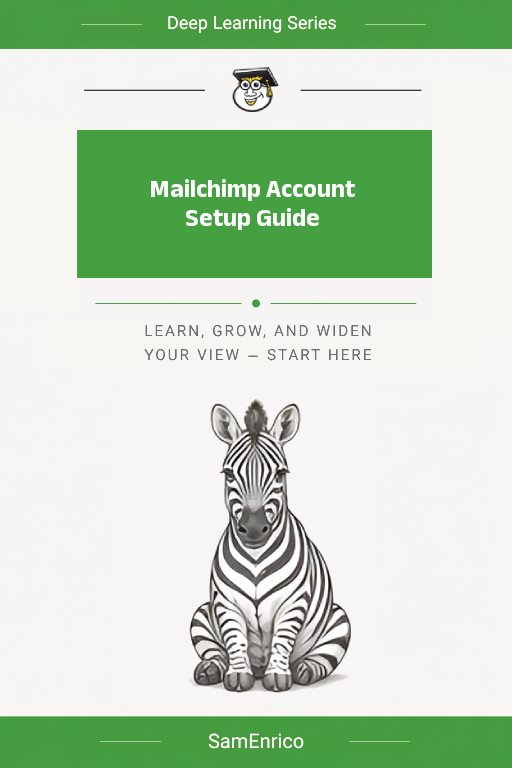
Mailchimp Account Setup Guide eBook
Create your Mailchimp account, verify domain, and
by Lin Dann
Create your Mailchimp account, verify domain, and configure basic settings for your first email campaign.
Formats
Free sample
Chapter 1: The Spam Folder Betrayal--–- Maria had done everything right. She spent three months building her email list, attending networking events, running a Facebook lead ad, and offering a free discount code. She had 847 subscribers—real people who had willingly typed their email addresses into her website. She designed a beautiful welcome campaign in Mailchimp, spent an entire afternoon perfecting the subject line, and clicked send with the excitement of a business owner about to make her first real impression.Twenty-four hours later, her open rate was 4%. Not 40%.
Not even 20%. Four percent.Worse, her best customer—the one who had bought from her six times—emailed to ask, "Did you send an email yesterday? I never got it." Maria checked her spam folder. There it was. Her beautiful, carefully crafted email, sitting right next to penis enlargement pills and Nigerian prince scams.Maria is not a cautionary tale.
She is the rule.According to data compiled from thousands of new Mailchimp accounts, over 30% of first campaigns land directly in the spam folder. Not because the content was bad. Not because the subject line was "spammy." But because the sender skipped three critical setup steps that take less than fifteen minutes to complete. This chapter is about making sure you are not Maria.Before we touch a single setting in Mailchimp, you need to understand something that no email marketing platform will tell you up front: Mailchimp does not control your deliverability. Gmail does.
Yahoo does. Outlook does. Microsoft 365 does. These inbox providers—called ISPs or mailbox providers—have spent billions of dollars building algorithms that decide, in milliseconds, whether to put your email in the inbox, the promotions tab, or the spam folder. Mailchimp simply delivers your message to their doorstep.
What happens next is entirely up to their algorithms and, more importantly, up to the decisions you make before you ever write a subject line.This chapter walks you through creating your Mailchimp account the right way—not just the fast way. You will learn which plan to choose (and which to avoid), how to complete your business profile so Mailchimp doesn't flag you as a risk, and the single most overlooked legal requirement that gets thousands of new accounts suspended every year. By the end of this chapter, you will have a fully configured, professionally set up Mailchimp account that is already positioned for inbox placement, not spam folder exile.The Hidden Cost of Skipping Setup Let us pull back the curtain on how email deliverability actually works. Every time you send an email campaign, Gmail and other inbox providers ask themselves a series of questions: "Do we know who this sender is? Have they sent to real people before?
Do people actually want these emails? Or do people mark them as spam?" If the answers to those questions are unclear or negative, your email goes straight to spam.The setup steps you take in your first hour inside Mailchimp directly answer those questions. Skip domain verification? Gmail says, "I don't know who this sender is." Skip the physical address requirement? Spam filters say, "This looks like a fly-by-night operation." Rush through account creation without completing your business profile?
Mailchimp's own risk algorithms put a hold on your account until you provide more information.Here is the uncomfortable truth that email marketing gurus do not advertise: deliverability is earned, not granted. No platform can give you inbox placement. You have to build it through proper configuration, consistent sending, and rigorous list hygiene. The good news is that the foundation is straightforward. The bad news is that most beginners skip it because they do not know it exists.Step One: Navigating the 2025 Mailchimp Sign-Up Interface Open your browser and navigate to Mailchimp.com.
You will see a prominent button that says "Sign Up Free." Click it. Do not be tempted by "Start Free Trial" variations—they are the same thing with different marketing language.The sign-up form asks for four pieces of information:Your email address (use a professional one, not @gmail.com—you will verify a custom domain in Chapter 2)A username (this becomes part of your Mailchimp API key; keep it professional)A password (use a password manager; you will access this account frequently)Your business website URL (even if it is a simple landing page, provide it)After clicking "Get Started," Mailchimp sends a confirmation email to the address you provided. Open it and click the verification link. This step is often overlooked—many new users create accounts but never verify their email, leading to locked features and eventual account deletion after 30 days.Once verified, Mailchimp asks a series of onboarding questions. Do not skip these.
They calibrate the platform's default settings for your use case. The questions include:"How many contacts do you plan to import?" (Be honest—underestimating leads to performance throttling)"How many emails will you send per month?" (Startups typically say 0-5,000)"What is your primary use case?" (Choose "Marketing" or "Newsletters" unless you are specifically doing ecommerce automation)Answer each question thoughtfully. Mailchimp uses these answers to suggest plans, features, and default settings. Lying or rushing leads to a suboptimal configuration.Step Two: The Plan Selection Decision Matrix Mailchimp offers four pricing tiers, and choosing the wrong one is one of the most expensive mistakes new users make. Many beginners immediately upgrade to Standard or Premium because they assume "more features equals better results." This is rarely true.Here is the exact decision matrix used by email marketing professionals:Free Plan Contact limit: 500 contacts Email limit: 1,000 sends per month Automation: Basic only (single welcome email, no branching)Reporting: Basic open and click rates only Support: Email-only, 30-day response time Best for: Hobbyists, testing the platform, lists under 500 with occasional sends Essentials Plan ($13/month starting)Contact limit: 500 to 50,000Email limit: Unlimited within tier limits Automation: Customer journey builder (basic if/then logic)Reporting: Open, click, bounce, unsubscribe, basic audience insights Support: Email and chat Best for: Small businesses sending 2-5 campaigns per month to 500-2,000 contacts Standard Plan ($20/month starting)Contact limit: 500 to 100,000Email limit: Unlimited within tier limits Automation: Advanced customer journey builder with branching, tagging, and delays Reporting: All Essentials features plus predicted demographics, purchase likelihood, and comparative reporting Support: Email, chat, and priority phone support Best for: Growing businesses with 2,000-10,000 contacts sending multiple automated sequences Premium Plan ($350/month starting)Contact limit: 10,000 to 200,000+Email limit: Unlimited within tier limits Automation: Full enterprise capabilities with multivariate testing Reporting: All Standard features plus phone support, dedicated account representative, and custom reporting Support: 24/7 phone, chat, and email with SLAs Best for: Large businesses sending over 200,000 emails monthly or requiring dedicated IPs The Professional's Recommendation: Start with the Free plan if you have under 500 contacts.
Move to Essentials when you exceed 500 contacts or need basic automation. Only upgrade to Standard when you have over 2,000 engaged subscribers and need advanced segmentation. Most small businesses never need Premium.One critical note: Mailchimp bills based on the number of active contacts in your audience. If you import 1,000 contacts but only 200 are engaged (opening emails), you are paying for all 1,000. This is why list hygiene—covered in Chapter 5—is so important.
Removing unengaged subscribers saves you money and improves deliverability simultaneously.Step Three: Completing Your Business Profile After selecting your plan, Mailchimp…
This is the end of the free sample. Get the eBook to keep going. Buy now
About this book
Details
- Author
- Lin Dann
- Publisher
- SamEnrico
- Language
- English
- Genre
- Non-Fiction, First 30 Days, Email Marketing
- Released
- 2026-05-30
- Pages (approx.)
- 134
- Available as
- eBook, Audiobook

Read better in the ZLOADR app
Your eBooks on your phone or tablet. Sign in with your SamEnrico account and start reading.
More by Lin Dann
 Fear of Failure in Online DatingLin Dann$11.99
 Anger At Workplace CBT GuideLin Dann$11.99
 Amino Acid HGH PrecursorsLin Dann$11.99
 Talking About Open RelationshipsLin Dann$11.99
 The Medical Debt Stress GuideLin Dann$11.99
 Supporting Adult Children StressLin Dann$11.99
 Metabolic Adaptation MasteryLin Dann$11.99
 HIIT for PostpartumLin Dann$11.99
 The Poisoned Prescription: Sicily's Deadly Doctors and the Mafia's Medical MafiaLin Dann$11.99
 The Knight of the Southern Cross: Dawn Fraser's Unyielding WillLin Dann$11.99
 Weekend Digital Reset ProtocolLin Dann$12.99
 The Essential Guide to Hi-nrg / EurodanceLin Dann$11.99
You may also like
 Your First Mailchimp Campaign GuideBrink Meaghan$12.99
 Digital Product Launch Email SequenceMauldin Penney$12.99
 Pre Launch Email SequenceDunne Rashida$12.99
 Email Marketing Platform SetupParish Francina$12.99
 Email Capture Zero CostWaldrop Loriann$12.99
 Business Email List BuildingBellamy Mui$12.99
 Email Waitlist Building CourseTerry Alonzo$12.99